
Commands and shortcuts in the Prop suite
James Bernard from Prpellerheads continues to serve us with you new tips and tricks in Reason and Record
This week I’m coming to you from the UK with round two of our key command bonanza. This week we go over some of the commonality between Reason and Record then look at some Record specific shortcuts. Once you master these you could practically throw out your mouse… one hand on the computer keyboard and the other on a controller keyboard.
Step sequencing with a Doepfer MAQ16/3 & a Synthesizers.com Q60 step sequencer
Martin Peters demonstrates step sequencing with a Doepfer MAQ16/3 & a Synthesizers.com Q60 step sequencer.
This is an attempt to try to show you how a sequence can be made. I found out making an instruction video is not that easy but I just wanted to share this with you. After making the video I noticed my voice was a bit soft so I tried to emphasis it with a little EQing; hope you can understand what I am saying. I did not want to redo the video because it wouldn’t be improvised anymore and I think the sequence worked out quite well. Making sequences is not an exact science so this is just an example and I do not always do it as shown. And I am not an expert in sequencing. If you have any questions, feel free to ask.
BoomComb, a MIDI tuneable comb filter
Boomplug has released BoomComb, a MIDI tuneable comb filter perfect for creating similar effects to a flanger or for spicing up synthetic drums.
Now you may ask what is a comb filter? Well a comb filter a delay based effect where it feedsback a delayed version of itself. Because of this it can create an effect similar to a flanger and can also give resonation type effects. The delay time of the comb is specified in Hz rather than time this allows the delay time can also be set via MIDI input from the key pressed and the pitch can also be bent using the pitch wheel, this allows the effect to be played like an instrument.
In the feedback loop of the effect is a damping filter which allows you to soften the sound of the comb. There is also Saturation in the feedback loop which can also be overdriven to really dirty up the sound. You can also control how much of signal is feedback and with more feedback the effect will resonate more.
Finally the the input to the comb can mixed mixed with the output of the comb and is set by the dry/wet knob.

Boomplug BoomComb V1
BoomComb features
- Tuneable Comb Filter controlled via MIDI or knob.
- Damping Filter in Feedback to reduce the harmonics or resonation.
- Saturation in feedback loop for really dirtying a sound or to be used subtly to add character.
- Custom GUI designed by Leonard “paniq” Ritter.
- Uses custom GUI Framework using the latest Windows Drawing API.
BoomComb is available to download as a freeware VST effect plug-in for Windows. It comes in two versions:
- GUI version of BoomComb for Win Vista SP2, Win 7 and above.
- Non GUI version for Windows XP.
More information: Boomplug
Enter the Void with Miss FD
Enter the Void” is the first official music video from Miss FD’s full length studio album, “Monsters in the Industry”, which was released earlier this year. Directed by Danny Rendo, the music video for “Enter the Void” was shot in Miami and Ft. Lauderdale, FL, USA. “Monsters in the Industry” is available in CD format and as a download (Amazon MP3, iTunes, …).
Cellular AutoMidi in Adobe Air
Lawrie Cape from England is working on a new project called Cellular AutoMidi. It’s a generative audio app running inside Adobe Air. It has internal sounds but also uses the Flash Midi Server system so you can control VSTs with it. If you don’t have your copy of Audio Damage’s Automaton at work this could get your Cellular Automata algorithm fix in!
“I’ve just finished work on a generative audio app called Cellular Automidi. Cellular AutoMidi is a generative music app, making “music” based on a modified Cellular Automata algorithm. It can make music itself, or you can use it as a midi controller with other software/equipment. Each cell can be alive or dead. Once in a generation, each cell looks at it’s surrounding cells, and dies if it is lonely or overcrowded. If a dead cell has an optimum amount of neighbors, it will come to life! Each generation, all the cells which have come to life will sound a note. The notes are assigned based on the cell’s y position, and are all in the pentatonic scale.” – Lawrie Cape
Listening in on Shigeto
AKA Zach Saginaw, Shigeto has been making collages of electronic beats, richly-textural releases, many of them following the narrative of his family’s experience in Japanese internment camps here in the US during World War II.

His main axe of choice turns out to be Propellerhead Reason, making use of programming Reason’s sweet sounding effects. He revealed that he plays a lot of rhythms live to maintain their feel. In this case, when he did turn to the programmed Redrum modules, he set the grid to 64th notes to actually program in swing syncopations.
grandmas words // rise out of the stone by SHIGETO
[NEW MUSIC]: SHIGETO’S ‘WHAT WE HELD ON TO’ EP (FREE!) [Ghostly International]
http://ghostly.com/artists/shigeto
Thanks to CDM
Elektrify me
This is a demo of Electrify for the iPad controlled by an APC 40 from AKAI.
Every function of Electrify (even the step parameters) can be controlled by the APC 40 making the APC 40 a real Groovebox with step sequencer and clip matrix! No need to touch the iPad’s display It’s just awesome to play around with it!
What do you need for that? a Midi Interface (iConnectMidi by iConnectivity when it’s released eventually) for connecting your iPad and the APC 40.
I use the MidiMobilizer, a USB-Midi Converter and Bome Midi Translator for testing.This feature will be released in some weeks with an update for Electrify for free. And the best: it will work with your iPhone 4, too!
www.electrifyme.net
Mixing in SoundCloud
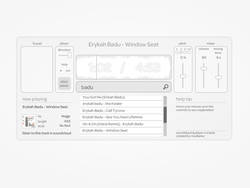
Web consultancy musikame has released an early version of a web app that allows users to mix between tracks from audio hosting site SoundCloud.
At this stage all the mixing is done automatically by the app itself: the user just picks the tracks and the length of the crossfade between them. While it’s not actually possible to beat-match tracks as yet, the software does have pitch control with adjustable range, FX, looping and reverse capabilities, hinting at more advanced functionality in the future. You can check out SoundCloud DJ Player for yourself here.
Nakayama on the stage of real-time synthesizer patching
Promotion Video to come on 08062010 at uplink/factory Shibuya Tokyo Japan. Hideyuki eicheph Fukasawa versus Mr.Nobuhiko Nakayama on the stage of real-time synthesizer patching. It will be a strange party ever.
8月6日(金)「電子海面01」が渋谷UPLINKにて開催!出演、中山信彦、深澤秀行 http://www.uplink.co.jp/factory/log/0…
Random audio madness in Reason
The RAM (Random Audio Madness) system is a modular synthesis system used within Reason 4 or Reason+Record 1.0 and above where you can load your own sounds, and then process them through a series of effects that resemble insanity in a can. Enable or disable any effect, and then shape the sound using the other rotaries and buttons.
DATAMASKIN

