
Red Bull BPM DJ Update 2.0 for iPhone and iPad
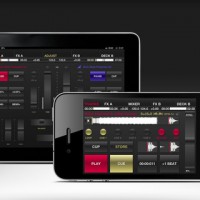
BPM DJ offers the 21st century digital equivalent of a professional DJ setup with 2 decks, 2 effect engines and a mixer. A high quality tool with focus on performance, low latency, usability and stability, designed for the real club’s DJ booth.
Official Website: http://redbullbpm.com
Facebook: http://facebook.com/redbullbpm
In this video we present the 2.0 version of the Red Bull BPM DJ app. The most notable changes include advanced technical as well as social features. DJ Julien Chaptal takes you by the hand, and explains Key Lock functionality, Slip Mode, improved tracklists, adjustable BPM Information and more high-tech coolness. Also, be sure to check out the all-new Deck Shark feature to hide your peak-time favourites from trainspotters.
Specification:
Output modes for hardware mixer:
– Classic Club to use 2 iOS devices as separate decks, connected to your mixer. They sync the current BPM wirelessly.
– Double Deck to use one device, connected to your mixer. Audio left is deck A, right is deck B.
Output modes for the Split Cable Adapter (check djplayer.net to buy):
– Split Cable. Audio left is master, right is pre-listening.
– Ballroom. Same as before, but full stereo when PFL buttons are off.
Output modes with 2 independent stereo outputs:
– Home mode: audio out is pre-listening, master is transmitted to our MasterOut app over the network.
– Club Master: audio out is master, pre-listening is transmitted to MasterOut. A special design for ultra-low latency DJ monitoring.
Deck:
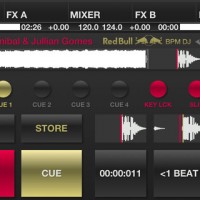
– 8 gapless cue/loop points (6 on iPhone and iPod touch), play like a sampler. Modify on-the-fly, while playback/loop goes.
– Vinyl Vision or waveform display, touch to jump (beat and block aligned).
– Pitch control (±4, ±8, ±16 and ±100%), fine adjust, adjustable pitch bend strength. Key lock in the ±16 range.
– Reverse play with slip mode for lengths below 16 beats.
– BPM sync, automatic bpm and beatgrid detection.
Mixer:
– Crossfader with 3 curves and attached morph filters.
– For each channel: fader, gain, low/mid/high ±6 db adjust eq, low/mid/high mixing eq from -96 to 0 db (isolator), hidden cutoff switches.
– Punch control for channel faders and cross (in/out).
– Calibrated channel and master VU meters (with peak hold off/fade/run), balance.
– Pre-listening: master/PFL ratio, headphone volume. Split or stereo PFL (in Home or Club Master mode).
– EQ reset on track load (do nothing, or reset all, or reset mid/high and cut bass).
– Gain set on track load (do nothing, reset to 0 or auto to loudness).
Effects:
– Adjust effect parameters with touch or accelerometer.
– Gapless auto or bounce looping, from 128 beats to 1/256 beat (including triolic 3/4, 1/3 values on iPad).
– Slip mode for looping.
– Temp pitch control, beat snap and reloop.
– BPM-based echo, reverb, lo-fi, flanger, highpass, lowpass, bandpass, notch and peak.
– Sharp or smooth echo/reverb release, beatcounter.
Tracks:
– Mass analyze of selected tracks.
– Convenient track search with textual search/filter.
– Sort by playlist, artist, title, comment, BPM or natural (“iTunes order”).
– Automatic marker shows if a track was played in the last 4 hours. Manual marker on/off for each track.
– Serato and Traktor metadata support (BPM and cue points/loops).
– The internal standard SQLite db keeps all bpm and cue points even if a track is removed from the device, with import/export.
Other:
– Automatically or manually post track information and camera images to Twitter.
– Day or night background. Manual or automatic according to your location’s sunrise/sunset.
– iPad only: CPU meter, sunrise and sunset display, live camera background.
– Audio buffer size, from 512 to 128.
Comments
DATAMASKIN

