
REVIEW: PUNCH Drum Synth VSTi by ROB PAPEN with Ableton Live
Like to Make Beats? You’re in for a treat. With Rob Papen’s Punch, you can can use synthesis to build your own unique sounding drum-kit, but you can also load your own samples into Punch to complete your kit. Your sounds can then be shaped using the filters and synth features.
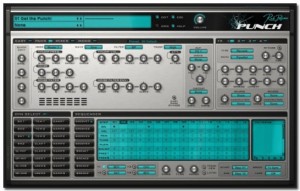
Drums Synthesis
- 2 Bass Drum with 4 different models and 18 built in samples
- 2 Snare Drum with 2 models and 33 built in samples
- 2 Open Hihat and 2 Closed Hihat, with 3 models and 12 built in samples
- 3 Toms with 2 models and 8 built in samples
- 2 Claps with 3 models, and 13 built in samples
- 3 User Drum , with 5 models and 37 samples
- 8 Dual Sample slot, each with there own amp / pitch envelopes & filter and filter envelope.
- Each drum has it’s own ‘easy controls’, distortion (20 different models) , output destination (to dry or any of the 4 fx / output channels) , and choke groups.
- Each drum can be preview and selected by clicking in the Drum Preview Pad.
Sequencer
Punch has it’s own internal sequencer which can play 8 different patterns of up to 16 steps long (4 Grooves & 4 Break patterns) , these having a swing and humanization controls.
Each pattern is composed of 4 tracks, each track having it’s own drum output.
Each step in each track can have different velocity, panning, pitch , envelope speed & flaming, and each pattern also has two free step values which can be used to modulate controls.
Modulators
Punch has 2 envelopes, 2 LFOs and 8 modulation slots , which allow you to use a wide variety of modulation sources to control Punch’s parameters.
Mixer
The Mixer screen shows the volume & panning of all the controls, plus the fx mix & panning, allows you to easily mix the drum sounds.
Easy Screen
Easy to use sliders let you alter the main controls on the fly during use.
FX 1 to 4
4 FXs, each with 25 different type of fx (delays, reverbs, chorus , distortions etc), which can arrange in 5 different ways. In the multi-channel version of Punch, these fx are output to the different output channels.
Manager Screen
Full Manager screen, which show you all the presets, banks & presets, allow you to load, save, copy & paste etc them, including the powerful find function.
Comments
DATAMASKIN

