
TERRA – new incredibly powerful and versatile synthesizer for Ableton Live

K-Devices has announced the availability of TERRA, an incredibly powerful and versatile synthesizer for Ableton Live.
TERRA has a clear, straight but highly flexible structure, and numerous features. It allows the creation of any kind of sound, from bass lines, to edgy leads, to drones, morphing textures, layered pads, and so on.
Key features: high quality additive-generated interpolated wavetables for clear and huge sound, waveform manipulation functions, advanced FM and PM, lot of effects, highly customizable modulation structure, advanced unison mode.
TERRA for Ableton Live 9.5 or higher and Max 7.0.6 or higher is on sale at Ableton at 25% off the regular price of 49 EUR / $69 USD until November 30th, 2015.
Ableton Synth Instruments – collection of 10 synth instruments for electronic music production in Ableton 9.
Sample Magic has announced Ableton Synth Instruments, a collection of 10 synth instruments for electronic music production in Ableton 9.
The latest in our Ableton Instruments series we put the focus on leads, arpeggios, chords and pads with Ableton Synth Instruments. Built from scratch with Ableton’s native Analog and Operator synths – alongside custom-built processing chains – the pack contains 10 diverse synth instruments designed to suit all electronic music genres.
From classic arpeggios to FM chords, this comprehensive pack offers instant pan-genre synth inspiration that can be jammed, tweaked and automated in almost endless permutations to fit any track.
Each rack contains eight macros, covering everything from oscillator blending and envelope shaping through to complex signal chains containing reverb, delays and distortion. The macros have all been designed to work together to offer maximum sound shaping potential and creative freedom to get truly unique melodic sounds.
Ableton Synth Instruments is available for purchase for £14.90 GBP.
Simpler Cinematika- new collection of 36 scratchy, grainy sounds for Ableton Live Intro
Flintpope has announced it has released Simpler Cinematika, a collection of 36 scratchy, grainy sounds for Ableton Live Intro.
Flintpope have democratised their Ableton Live Suite/ Tension release CINEMATIKA by re-releasing it in a Live Intro version.
Now available in SIMPLER format for everyone to enjoy, don’t just expect plucked string sounds – expect a range of dark ambient textures reworked utilising SIMPLER’S sound morphing tools and a bundled set of FX available in Intro.
Each of the 36 racks features easy-access controls mapped to Attack, Release, Filter Frequency, Filter Resonance, LFO Shape, High Gain, Delay and Reverb.
Cinematika for Simpler is a free download.
Ableton Magic Racks: Processing Racks – new collection of 5 powerful mixing and creative FX processing racks by Hedflux for Ableton 9
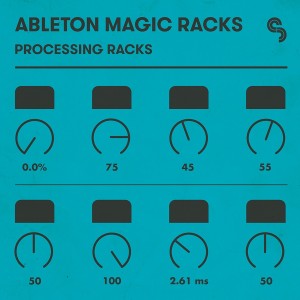
Sample Magic has announced Ableton Magic Racks: Processing Racks, a collection of 5 powerful mixing and creative FX processing racks by Hedflux for Ableton 9.
Take your sound processing, track mix-downs and live set performances to the next level with our advanced mixing and creative FX racks. Processing Racks contains five powerful racks designed to give you complex sonic manipulation with the simplest of macro controls.
As always, each rack has been painstakingly sculpted to meet the demands of modern electronic music producers and performers. Vigorously tried and tested both in the studio and in the club, these five racks will help give your music a truly unique sonic stamp.
Built solely using Ableton’s native tools, each rack utilises complex processing chains to offer highly flexible, powerful and dance-tailored FX manipulation and mix processing that will become and indispensable part of your music production arsenal.
All five racks have eight simple macro knobs to control custom reverbs, delays, beat-repeats, gates, distortions, filters and multi-band compressors to offer unrivalled production know-how with the minimum of fuss.
For advanced users there’s endless possibilities as all racks are totally customisable – open them up, tweak parameters, change routings, swap in and out tools – so they fit your workflow seamlessly.
Ableton Magic Racks: Processing Racks is available for purchase for £14.90 GBP.
BeatSeeker syncs Ableton Live with drums
BeatSeeker is a responsive Max for Live device that adapts Live’s tempo to stay in time with a drummer or other rhythmic audio. It lets bands maintain their natural groove when performing with Live. The device has been developed by Andrew Robertson, based on research at the Centre for Digital Music, Queen Mary University of London.
Learn more about BeatSeeker: https://www.ableton.com/packs/beatsee…
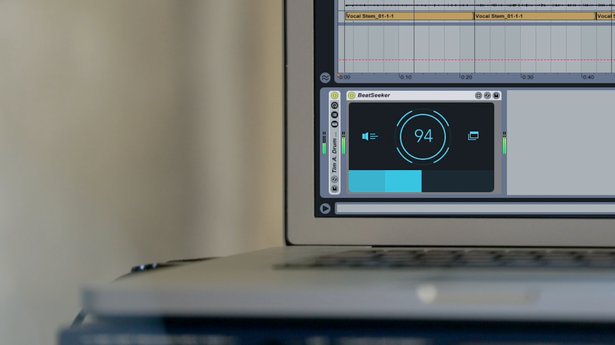
BeatSeeker works by detecting the BPM of any rhythmic audio signal and matching Live to its tempo. Then you can launch clips and BeatSeeker adapts Live’s tempo to respond to the signal and keep on the beat.
Drummers can switch between playing to a click or having Live react to shifts in tempo by using one simple control, which can MIDI-map to a footswitch or other controller.
BeatSeeker is designed for use with live drums, but can also be used by DJs to sync Live with turntables, or with any other rhythmic audio signal used in performance or production.
OSCiLLOT Lite – free Modular System for Live
Max for Cats have released a free “Lite” version of OSCiLLOT, a
polyphonic modular synthesis system for use with Max for Live. The Lite version of OSCiLLOT comes with 26 modules and features three voices of polyphony.
OSCiLLOT Lite is a free version of the OSCiLLOT Modular System. Grab it here:http://tinyurl.com/nannk4a
It requires Ableton Live 9 and Max for Live.
http://www.ableton.com/en/packs/oscil…
See also: http://maxforcats.com/forums/topic/os…
Max for Cats crafts Software Instruments, Effects, MIDI devices, Sound Design and Samples for Ableton Live.
They have also released an update (v1.1) to the full-featured OSCiLLOT, which brings Max 7 compatibility and introduces a new Macro Mapping feature to the software.
The new Macro Mapping feature in OSCiLLOT v1.1 allows the user to remotely control any OSCiLLOT parameter via automation and MIDI, for full hands-on control of your modular patches. The number of included OSCiLLOT modules also continues to grow, and for this update the “DSP wizards” at Surreal Machines have produced several special units to add to the assortment.
The new modules include:
- SM Precision HighCut: a non-resonant Butterworth lowpass filter for surgical lowpass needs, with slopes from 6bB to 48dB.
- SM Analog Slew Delay: This is an analog-inspired delay unit with multiple styles of slew-limiter audio-input modification, BBD-inspired tonal shaping and filtering, warm feedback saturation and subtly distorted bass presence.
- SM XOVER: high-quality crossover filters to separate your audio into low- and high frequency parts
- SM Destroyer: digital mayhem for your modular.
- SM Multiband Distortion: high quality oversampled saturation across three tunable bands of operation
- GrainResynth: a granular resampler with modulation
Quintet 64 – new free Ableton Pack for Push that uses a Modern Classical palette
Flintpope has announced the release of Quintet 64, a new free Ableton Pack for Push that uses a Modern Classical palette.
Inspired by Steve Reich’s SEXTET I’ve made a 64-pad rack with two vibraphones (one hit and one bowed), a marimba, a piano and a voice/organ hybrid. The main instruments have two octaves each to inspire some riffing and there is NO percussion.
In this zip are two racks: one version of the rack is in A major and the other in the admittedly unrelated A harmonic minor because it was a simple rewrite.
The samples are all rendered in SIMPLER so this pack works for Live 9 Intro (v. 9.2) and up. These racks are optimised for PUSH but will work on any midi keyboard.
The pack is a free download from Flintpope.
Ableton has announced the release of Live 9.2 – Check it out
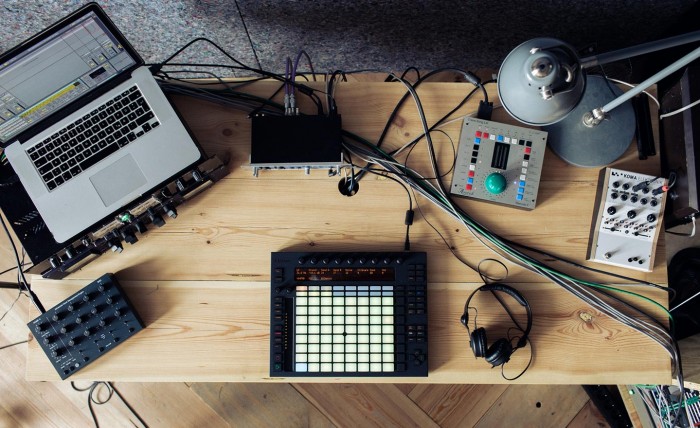
Ableton has announced the release of Live 9.2, an update to the music production software for Windows and Mac.
Live 9.2 brings refinements to Live’s audio warping and introduces latency-compensated automation, a new Tuner device, and more.
For Push users this update brings the ability to use all 64 pads to play drums – and quickly flip back to 16 pads for step sequencing.
In addition, Max for Live now includes Max 7, the latest, most powerful version of Max.
Check the release notes for details on what is new. Live 9 is available for purchase starting at 79 EUR.
Ableton has also released a free 64 Pad Lab pack by Mad Zach, featuring five extensive Drum Racks tailored for use with Push’s 64 Pad mode.
In a new video, Mad Zach shares his strategies for playing with the 64 pad layout, tweaking individual sounds, and some useful production tips for getting punchy drums – all on the basis of the free 64 Pad Lab Pack.
Sample Magic – Ableton Bass Instruments
Sample Magic has released Ableton Bass Instruments, a collection of bass instruments for Ableton Live.
Using Ableton’s powerful Analog and Operator synths alongside custom-built FX chains, Ableton Bass Instruments serves up 10 intuitive and versatile bass instruments modelled on the most iconic bass sounds in electronic music.
From the distinctive acid of the TR-303 to the bouncing subs of the TR-808 to the complex Moog Voyager and Korg MS-20 and beyond, this diverse pack offers instant pan-genre bass sounds that can be jammed, tweaked and automated in almost endless permutations for total bassline satisfaction.
The pack is available for purchase for £14.90 GBP. Requires Ableton Live 9.
ModularSynthesis101 with the Arturia Modular V
We start with a sketch based on fundamental principles and then resample/sync to our DAW, Ableton Live. Then conclusion happens around a recap of all of the core concepts of Subtractive/Modular synthesis.
Enjoy!
DATAMASKIN

