
TERRA – new incredibly powerful and versatile synthesizer for Ableton Live

K-Devices has announced the availability of TERRA, an incredibly powerful and versatile synthesizer for Ableton Live.
TERRA has a clear, straight but highly flexible structure, and numerous features. It allows the creation of any kind of sound, from bass lines, to edgy leads, to drones, morphing textures, layered pads, and so on.
Key features: high quality additive-generated interpolated wavetables for clear and huge sound, waveform manipulation functions, advanced FM and PM, lot of effects, highly customizable modulation structure, advanced unison mode.
TERRA for Ableton Live 9.5 or higher and Max 7.0.6 or higher is on sale at Ableton at 25% off the regular price of 49 EUR / $69 USD until November 30th, 2015.
miniSynth Pro by Yonac, Demo for iPad, Total Classic
You can get miniSynth PRO here at the App Store
https://itunes.apple.com/gb/app/minis…
miniSynth PRO is a fully-featured, professional-grade virtual analogue synthesizer. It can work as a polyphonic or a monophonic synthesizer at the flip of a switch. It incorporates an improved version of the time proven zero latency “push-pull” Yonac keyboard algorithm that powers our existing synthesizers, and features a highly customized version of our original analogue-clone “Vincent” tone shaping filter. More importantly, it marks the debut of our brand new cutting-edge YASSE (pronounced “Yah-See”) modular sound sequencing and synthesis engine, developed in our labs over the last three years.
As a step up on its predecessors, miniSynth PRO is designed as an FM / Subtractive hybrid synth. Among other innovations, it features our special dynamic waveform selection algorithm, individually parameterized voice processing, and carefully selected waveforms driving its dual interactive oscillators and its five-destination LFO.
miniSynth PRO offers many other features to render music making easier. They include a dedicated arpeggiator module, dual individually adjustable keyboards, user control matrix with configurable assignments, and 82 presets designed by actual musicians. Did we also mention that users are able to record their own performances, as well as save and recall any number of their own presets in our brand-new patch design format?
Selected Specs
• Dual Subtractive / FM virtual-analogue polyphonic / monophonic synthesis
• Fully configurable FM, filter or modulation based tone shaping
• Up to 12-voice polyphony with individual voice parameterization and processing
• 44100, 16-bit CD-quality stereo audio output
• Zero latency sound processing
• Dual syncable oscillators
• 6 optimized, custom waveforms per oscillator
• Dedicated oscillator octave, fine tune and mix
• Osc 2-to-1 adjustable frequency modulation
• Custom VCF (“Vincent”) w/ adjustable quadruple (Initial, Peak, Sustain, Final) stages and dedicated envelope
• VCA (Amplifier) ADSR envelope
• Noise generator w/ adjustable mix
• LFO with 8-octave range and 6 waveforms
• Dedicated LFO fine tune
• Five individually adjustable LFO destinations (Osc1, Osc2, FM, VCF, Amp)
• LFO key syncing
• Control matrix w/ configurable axes, including pitch bend, LFO modulation, filter parameters and more
• Adjustable continuous glide
• Faithful “latest-priority” keyboard control algorithm in monophonic mode
• Adjustable dual keyboards w/ individually settable key width, position & size.
• Custom arpeggiator module w/ 4 different note orderings; hold, track or trigger modes; 5-octave stepping w/ up to 5 repeats-per-octave
• Option to control the Arp w/ upper KB only
• BPM-based arp timer w/ settable note value
• Custom analog-tone stereo reverb w/ individually adjustable channels
• Recording module w/ file saving and playback
• Export/import recordings and patches via iTunes or Wi-Fi
• 82 carefully engineered presets, including retro, basses, arpeggios and more
• Users can save unlimited presets
• Metronome
• Audio Copy/Paste
• USB MIDI Support for external controllers (requires OS 4.2+ & USB adapter available in the Camera Connection Kit)
• Virtual MIDI IN
• Audio Backgrounding
7 Minutes with an Ipad Synth – TC Performer
TC Performer is a free app with in-app purchase for full presets
https://geo.itunes.apple.com/lu/app/t…
Explore unreal synthesis with the most unique performance control on iOS! TC-Performer presents a multi-touch performance environment unlike any other synthesizer. Simply touch the screen; there are no buttons, keys, or sliders to hit. The sounds are generated entirely by your touch movements.
Each patch has a unique method of control. Pull, tap, drag, twist, and stretch your touches on the screen. There is no wrong way to play! Every instrument is a new landscape of sound creation. Pads, leads, effects, and indescribable oddities await.
7 Minutes with an Ipad Synth – Strng
This week: Strng Synthesizer from Erik Sigth. What is Strng?
“Strng is a string synthesiser inspired by the karplus-strong alghorithm. The physical modelling starts with a short burst of noise that then guided by a tuned delay buffer and string tension filter, generates plucked string like sounds. No samples are used. Strng is 16 voice polyphonic and can be controlled with an in app 25 key chromatic keyboard or connect prefered midi controller through USB or Wifi. To further shape the sound two post effects are available, a ping-pong stereo delay and two channel resonant filter controlled by two LFOs.”
https://geo.itunes.apple.com/lu/app/s…
7 Minutes with an Ipad Synth – Ondes (Olympia Noise Co.)
This week: Ondes from Olympia Noise Co.
Ondes is a fantastic app in my eyes for special playing with synthesis. You can also add it to your modular synthesizer setup
Inspired by early electronic instruments such as the Ondes Martenot and the Theremin, Ondes emulates the fluid playing style of those classic instruments with an interface and synthesis engine firmly grounded in the present day.
Whether you’re gliding through melodies & chord changes or creating dense polyphonic sci-fi soundscapes, Ondes is an instrument unlike any you’ve played before.
Support Synth Anatomy and the app is available here: https://geo.itunes.apple.com/lu/app/o…
Here’s a new 4-Oscillator softsynth – Carbon Electra
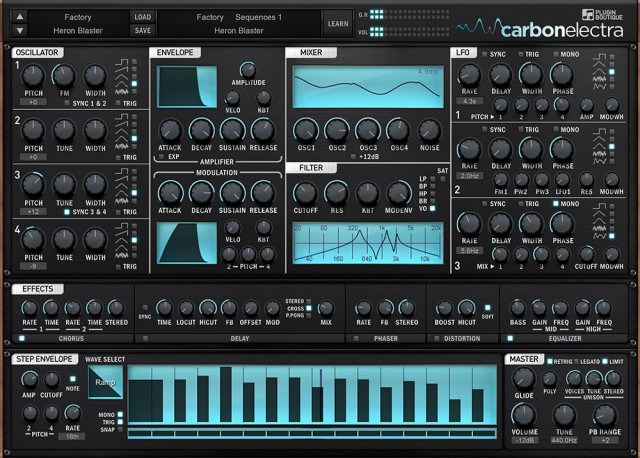
Plugin Boutique has introduced Carbon Electra – a 4-Oscillator subtractive synthesizer featuring informative displays, editable step sequencer, vocal filter, integrated distortion and analog control.
Features:
- Powerful synth engine that is easy to learn and use with no hidden menus.’
- 4 analog-style sync-able oscillators with adjustable pulse width, frequency modulation and multiple wave types including pitch-able noise.
- Informative physics based graphic displays with comprehensive info pane.
- 6 filter types including powerful vocal filter with filter drive and saturation.
- Simple, incredibly usable and useful FX section, like having a bunch of great guitar pedals.
- Editable step sequencer that can be assigned to pitch, volume or cut off independently or simultaneously with various wave types and edit mode allowing node creation and line curves.
- Over 600 factory presets covering sequences, chords, motions, bass, leads, keys, pads and effects.
- Ability to run the amp section “too hot” into the built in optional limiter at the main output, creating a modern hyper-compressed sound.
- Super flexible unison control ranging from subtle warmth to massive super saw or super square sound.
- Multiple stereo width parameters allowing high precision control of the stereo field.
Carbon Electra is available now, for Mac & Windows, for US $99.
Obscurium – generative synthesizer and timbral organism

Sugar Bytes has announced the release of Obscurium, a generative synthesizer and timbral organism.
Feeding on scales, chords and synthesis, producing vivid harmonics paired with an elaborate aesthetic. It is the source of a dazzling array of organic and lively sounds, delivering spherical pads, bubbly arpeggios and deadly percussion attacks.
The playful user interface streamlines the complexity of the inner workings: You can freely change and swap all parameters and motion lanes leading to hundreds of new sounds from the init preset, so you can realise unique and surprising sequences in a matter of a few clicks. Thanks to its VST hosting feature, you can host any of your sound generator plugins in Obscurium for fresh sounds.
Obscurium features
- 8-voice Saw, Pulse, Super-Saw und FM Synthesis.
- More than 400 excellent presets incl. pads, drums, atmos.
- Motion Sequencer delivering sequential melodies and sounds, plus Plugin Automation.
- Draw Tools, Modifiers and Super Obscure Mode to build and modify sequences.
- Generative harmonies at your fingertips or normal MIDI-Input.
- Shift Fader to freely swap parameters and targets.
- VST Plugin Hosting.
Obscurium for Windows and Mac (VST/AU/AAX) is available for purchase for 99 EUR / $99 USD.
XILS-lab releases Syn’X 2 with introductory offer
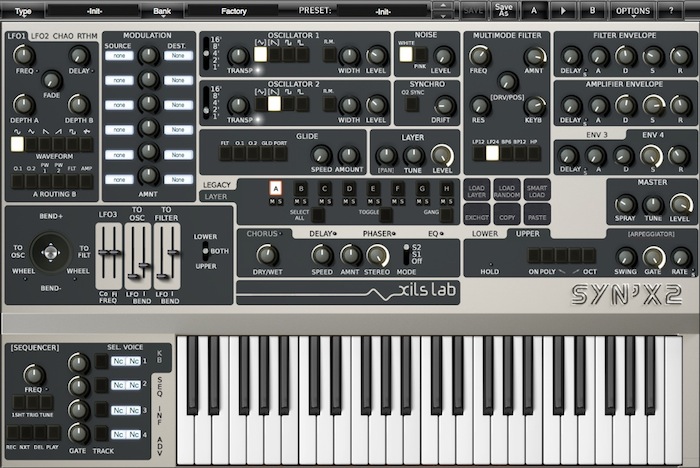
XILS-lab has released Syn’X 2 for Mac OS X and Windows (VST, AU, RTAS & AAX) with an introductory offer until July 21st.
Syn’X 2 offers a combination of clear and punchy DCOs (Digital Controlled Oscillators) with cutting multimode analog modelled filters.
It’s multitimbral; you can use up to 8 different synthesizers, 16 oscillators, 8 0df Analog Filters, 32 DADSR envelopes and Modulation Matrix addressing any of the 132 possible destinations to create your own patches.
Features:
- Oscillators with cumulative waveforms (Up to 40 per patch).
- New 0DF PWM/Hard Sync Oscillators Algorithm.
- Unique (ChaoX, Rythm) LFOs with cumulative waveforms (Up to 50 per patch).
- Additional D-ADSR envelopes and Modulation Matrixes (Per Layer).
- Unison, 2 arpeggiators, 2 Keyboards zones, Guitar Multitimbral mode.
- A Plethora of monophonic and polyphonic Play Modes.
- PolySequencer (Also acting as a modulation source).
- Easy Sound Creation with our unique Smart Load Technology.
- Vintage sounding effects: Chorus, Phaser, Delay, Analog EQ. True Stereo Technology.
- 300 presets created by professional Sound Designers.
- And a dual programming environment which offers you two different edit mode (Easy and Advanced):
- Easy Mode gives you the benefit of a powerful and intuitive streamlined programming environment, similar to the miniSyn’X duotimbral synthesizer, but with the extra power of additional envelopes, LFOs, etc.
- Advanced mode unleashes the total power of the Syn’X 2 where you can create thick, complex, and never before heard patches, with a totally revamped workflow.
Pricing & Availability
Until July 21st Syn’X 2 is 119€ instead of 169€. It’s free for Syn’X owners. An upgrade path is available for miniSyn’X owners.
More information on the Xils-lab website.
Carbon Electra – soon to be released 4 oscillator subtractive synthesiser by David Carbone
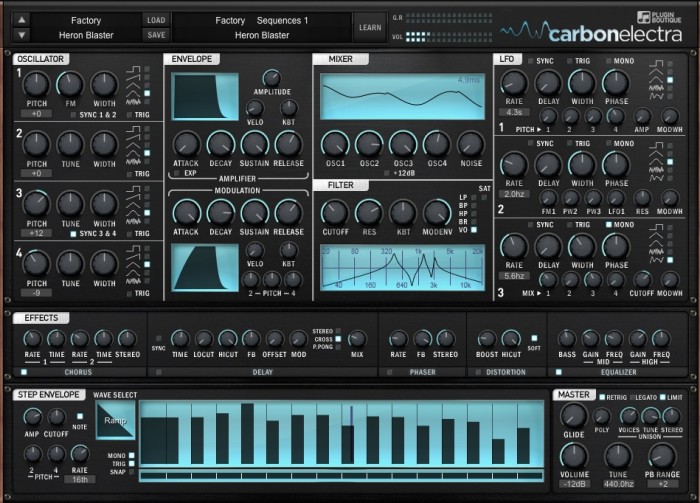
Plugin Boutique has announced Carbon Electra, a soon to be released 4 oscillator subtractive synthesiser by David Carbone.
Carbon Electra is a powerful and intuitive synth built by producers, for producers. It’s a four-oscillator subtractive synth with a modern feature set.
It has been developed as an advanced learning tool whilst also being a powerful and easy to program synth. It is based on vintage analogue routing and features flexible modulation options including an editable stepper and note performer. The graphical displays act as a comprehensive information tool and as an accurate guide to each parameter change. Best of all, it sounds incredible.
Carbon Electra features
- Powerful synth engine that is easy to learn and use with no hidden menus.
- 4 Analog style syncable oscillators with adjustable pulse width, frequency modulation and multiple wave types including pitchable noise.
- Informative physics based graphic displays with comprehensive info pane.
- 6 filter types including powerful vocal filter with filter drive and saturation.
- Simple, usable and useful FX section, like having a bunch of great guitar pedals.
- Editable step editor that can be assigned to pitch, volume or cut-off independently or simultaneously, with various wave types and edit mode allowing node creation and line curves.
- Over 600 factory and artist presets covering sequences, chords, motions, bass, leads, keys, pads and effects.
- Ability to run the amp section “too hot” into the built in optional limiter at the main output, creating a modern hyper-compressed sound.
- Super flexible unison control ranging from subtle warmth to massive super saw or super square sound.
- Multiple stereo width parameters allowing high precision control of the stereo field.
Carbon Electra for Windows and Mac (VST/AU) will be available late July 2015 for $99 USD / £59 GBP.
SynthMaster Player for iPad – the mobile player version of the SynthMaster synthesizer instrument
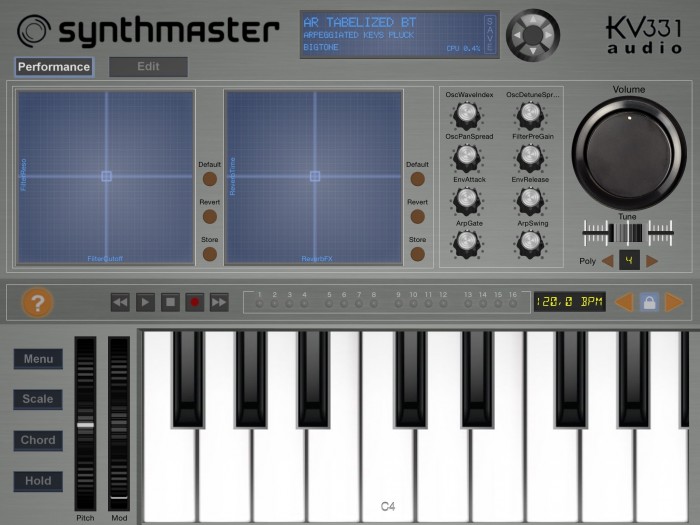
KV331 Audio has announced SynthMaster Player for iPad, a mobile player version of the SynthMaster synthesizer instrument.
It is targeted towards users who prefer to use presets rather than designing their own sounds during music production. Although it is a preset based player, users can edit the following parameters:
- 8 easy parameters assigned by the sound designer
- 2 XY Pads assigned by the sound designer
- Effect bypass states and send amounts
- Layer bypass states and volumes
- Master volume, polyphony
The free app comes with 100 factory presets. When users complete registration by entering their names and email addresses they receive another 100 factory presets as a bonus. After completing registration, users can upgrade to the Pro version of the app by purchasing the “Factory Presets” bank via In-App-Purchase (IAP) for $9.99. With the Pro Upgrade all of the 800 factory presets are loaded and also the following features are unlocked:
- Users can save the changes they have made to the presets
- Users can purchase additional preset banks via In-App-Purchase (IAP)
- Existing SynthMaster users can download their previously purchased SynthMaster preset banks inside the app, so that they don’t have to purchase them again
- Existing SynthMaster users can export their own presets in SynthMaster v2.7 and import them into SynthMaster Player for iPad using iTunes.
The app is available for download for iOS 7 and higher.
DATAMASKIN

