
How to play different sounds at the same time on FL Studio MobileH
Just a quick example of how to play different sounds at the same time on FL Studio Mobile HD for iPad. Two MIDI controllers, 01 MIDIxMIDI cable, 01 MIDI x USB interface and the Camera Connection Kit. Works really nice for playing live.
There is another app running in the background (SunVox) receiving MIDI data at channel 09. So it is possible to create layers using two apps, or playing different apps at the same time with different MIDI channels.
It is just the first step for using the iPad like MainStage or BrainSpawn Forte.
More about Mobile Music and MusicApps at htp://musicapps.com.br
FL Studio Mobile is now live on iOS
Guess this is a given on your iPad  Image-Line has released FL Studio Mobile – a new virtual studio for iOS.
FL Studio Mobile is available in 2 versions.
- FL Studio Mobile: For iPhone & iPod Touch, G3 & G4 with Retina display support.
- FL Studio Mobile HD: For iPad 1 & iPad 2.
FL Studio Mobile is currently priced at $14.99 and FL Studio Mobile HD at $19.99.
Full specs below. FL Studio Mobile Specifications:
- 133 high quality instruments, drum kits & sliced-loop beats
- All instruments have FL Studio desktop counterparts for FL Studio desktop import and extension
- Step sequencer for fast percussion programming and sliced-loop reworking
- Configurable virtual piano-keyboard
- Configurable key labels (off, Cs only, all keys or all keys colored)
- Drum pads
- Browser with preview button and logical sorting into Instruments, Synths, Drum kits & Loops
- Pan, volume, release and attack time configurable per instrument
- Pitch bend via accelerometer
- Low-latency, iOS-optimized, high quality, battery-friendly audio engine
- Drum loops and sliced loops ready to start your project with a cool beat
- Effects include Limiter, Reverb, Delay, EQ, Amp simulator & Filter to enhance your mix.
- 99 track sequencer and intuitive editing options
- Per-track mute, solo, effect bus, pan and volume adjustment
- Edit at the level of tracks, bars or down to individual notes
- Piano roll editor for manual entry of note & chord sequence data or detailed editing of recorded performances
- Unlimited undo and redo for all editable screens
- Metronome with tempo & time-signature settings
- Intuitive positioning of screens with the slide gesture and resize with the pinch gesture
- Retina display support
- Save and load your songs, export to wave
- MIDI file import/export
- In-app user manual
- Akai SynthStation 25 & CoreMIDI (MIDI in and out) compatible
FL Studio Mobile HD Specifications:
- 133 high quality instruments, drum kits & sliced-loop beats
- All instruments have FL Studio desktop counterparts for FL Studio desktop import and extension
- Stepsequencer for fast percussion programming and sliced-loop reworking
- Configurable virtual piano-keyboard
- Configurable key labels (off, Cs only, all keys or all keys colored)
- Drum pads
- Browser with preview button and logical sorting into Instruments, Synths, Drum kits & Loops
- Pan, volume, release and attack time configurable per instrument
- Pitch bend via accelerometer
- Low-latency, iOS-optimized, high quality, battery-friendly audio engine
- Drum loops and sliced loops ready to start your project with a cool beat
- Effects include Limiter, Reverb, Delay, EQ, Amp simulator & Filter to enhance your mix.
- 99 track sequencer and intuitive editing options
- Per-track mute, solo, effect bus, pan and volume adjustment
- Edit at the level of tracks, bars or down to individual notes
- Piano roll editor for manual entry of note & chord sequence data or detailed editing of recorded performances
- Unlimited undo and redo for all editable screens
- Metronome with tempo & time-signature settings
- Intuitive positioning of screens with the slide gesture and resize with the pinch gesture
- Save and load your songs, export to wave
- MIDI file import/export
- In-app user manual
- Compatible with CoreMIDI (MIDI in and out)
See the Image Line site for more details or Image Line in the App Store.
FL Studio Mobile | Getting Started
Key features:
Compatible with the FL Studio desktop version.
85-key keyboard
FL Studio quality instruments and kits
5 Effects: reverb, delay, equalizer, amp, filter
Pitch bend via accelerometer
128-track sequencer
Attack and release times for each track
Piano-roll editor
Step sequencer
Drum pads
Drum loops
MIDI import/export
Mixdown to wav
iTunes file sharing support
Low-latency, high-polyphony, battery saving audio engine
iPhone 4 Retina Display support
Compatible with the Akai SynthStation 25
FL Studio Mobile – http://www.image-line.com/documents/flstudiomobile.html
FL Studio Mobile for the iPod Touch, iPhone and iPad. Tutorial on getting started. If you want, load mobile projects into FL Studio and take them to the next level. FL Studio Mobile is coming soon! Yes the hand is inside the iPad. With proper training and diet it is possible to fit the FL Studio Guru INSIDE an iPad.
Android is on the roadmap…stop nagging! 😛
NEW FL STUDIO MOBILE! iPhone iPad – BETA Version Demonstrated, Making a Beat!
IT’S REAL! No tricks. This will soon be available to buy on the app store. It’s easy to use, sounds great, and you can export it to the PC version of FL Studio to do more complicated mastering, etc.
VJ FranzK offers an exclusive look of the soon to be released iOS version of the popular long running music production software FL Studio. FranzK goes over the a few of the main features including a very useful export feature that will allow you to export your iOS works from FL Studio to your PC for more detailed and extensive work. More info about FL Studio from Image Line at http://forum.image-line.com/…
FL Studio Mobile | Coming Soon
As we reported on earlier FL Studio are preparing for their mobile solution, most likely focusing on iOS, here is yet another teaser from the FL team:
http://www.flstudiomobile.com – Create multi-track sequenced projects wherever you are. Then you can load these projects if you want into FL Studio and take them to the next level. Compatible with the iPhone, iPad and iPod (touch).
Teaser: iPhone with FL Studio Mobile
FL Studio mobile will allow you to create complete multi-track projects on your i.Pod, i.Phone or i.Pad and, if you want, load mobile projects into FL Studio and
take them to the next level. If it’s a beat on the Stepsequencer, a melody on the Piano roll or a full song on the Playlist, FL Studio mobile has you covered.

Never lose that idea again.
Get it down and happening wherever you are.


FL Studio 10 – the latest version of the popular digital audio workstation
Image Line has introduced FL Studio 10 – the latest version of its popular digital audio workstation – adding 64-bit plugin support, improved memory management, unlimited Fruity scoring and automation flexibility and more.
Here’s what’s new:
- 64 bit plugin support – The Wrapper now automatically detects 64 bit plugins and opens them in 64 Bit ‘Bridged’ mode (see below).
- ‘New pattern’ (+) button – On the Channel Window / Step Sequencer. Add a Pattern and open the naming window.
- Small scrollbars in editors – Smaller scrollbar for the Piano roll, Event Editor, Playlist etc. See F10 > General Settings.
- Horizontal zoom – Improved Playlist, Piano roll & Event Editor.
- Improved memory management – Two changes have been made to lower demands on FL Studio’s memory allocation. 1. 32 & 64 Bit VST plugins can be opened in ‘Bridged’ mode. The maximum memory available to the plugin will be at least 2 Gb for 32 Bit Windows and up to 192 Gb depending on your version of 64 Bit Windows. 2. Audio Clips & Sampler Channels Keep on disk option now opens the sample in a separate memory allocation. Each Audio Clip / Sampler Channel can now load a sample of at least 2 Gb for 32 Bit & 64 Bit Windows versions.
- Improved audio options – ASIO: ‘Mix in bufferswitch’ and ‘Triple buffer’ may improve performance with some ASIO drivers. ASIO/Primary Sound: Revised ‘Playback tracking’ options to help with alignment of visual & recorded events where soundcard problems exist.
- Autosave / Autobackup – FL Studio can now be set to back up the current project at 5 to 15 minute intervals. Never lose project data again!
- FL Studio Fruity Edition – Now gains access to Playlist Pattern Clips for unlimited scoring and automation flexibility.
Image Line describes FL Studio 10 as “the fastest way from your brain to your speakers.”
See the FL Studio site for details.
FL Studio Guru – Introducing Chainer
More information here – http://forum.image-line.com/viewtopic.php?p=514291#514291
Chainer will load as an Instrument or Effect and will allow you to create chains of plugins of unlimited complexity. Useful for saving your favourite instrument/effect chains for use in future projects.
Image-Line has announced version 9.9 Beta of FL Studio – here’s what’s new
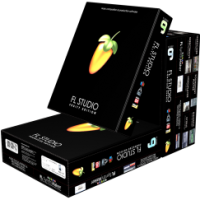
Image-Line has announced version 9.9 Beta of FL Studio, now in beta testing.
Here’s what’s new in FL Studio 9.9:
- New Project Picker browser, improves Playlist workflow allowing Patterns to be previewed and selected.
- Chainer, an instrument and effect plugin chainer.
- ZgeViz a music visualization effect plugin based on the free open source ZGameEditor.
- Fixed problem with sidechain selectors in Vocodex.
- Fixed tiny bug in envelope filter tool.
- Fixed rendering start time problem.
- Fixed small bug on playlist loop marker deletion.
- Fixed bug when deleting playlist clips through their menu.
- Fixed bug when undoing recording of audio+piano roll when there were no notes yet.
- Fixed crash when sending presets directly to plugin window in some rare cases.
- Fixed bug in Fruity Love Philter’s waveshaper.
FL Studio 9.9 beta is available now.
FL Studio 9.7 Beta
Image-Line has announced the release of FL Studio 9.7 Beta, the latest version of its music production software for Windows.
We are excited to announce the FL Studio 9.7 Beta including Newtone, Image-Line’s pitch and time editor. But WAIT! To celebrate we are offering existing FL Studio customers the ‘Newtone AND Pitcher bundle’ under the ‘Pay what you think it’s worth’ scheme.
Changes in FL Studio 9.7 Beta
- Newtone – Pitch correction editor beta.
- Pitcher – Live pitch correction plugin. Beta 2.
- Preview Playlist Clips – Alt + Right click Clip.
- New Pattern Button – On Stepsequencer.
- Ctrl + Middle Mouse – Resize Playlist tracks.
- Playlist – Left+Shift swaps Pencil and Brush tools.
- Piano roll – Sift + H or J cycles through used Channels.
- Project files – Local paths now saved in project.
- …download the ‘Whats New.rtf‘ for more.
FL Studio 9.7 Beta is now available to download from the Looptalk forum.
The Pay what you think it’s worth Newtone & Pitcher Bundle is available to purchase from the Image-Line shop for registered FL Studio users. New Image-Line customers can purchase FL Studio with 10% discount.
More information: Image-Line
DATAMASKIN

