
touchAble App XY PAD PREVIEW
http://itunes.apple.com/us/app/touchable/id385949475?mt=8
website: http://www.touch-able.com
touchAble is an unique iPad app is the first application to give Ableton Live users full control over their digital audio workstation, without the tiresome process of manual midi-mapping.
TouchAble XY Pad is the 6th module, included in touchAble 1.2 update among many new features and improvements.
Others modules are Clips grid, Mixer, Devices, Keys, Pads, and a transport and clip dedicated sections.
TouchAble is supported by many professional musicians, performers, djs and composers around the world, who use touchAble on stage or in studio.
Requirements:
• iPad with iOS 3.3 or later
• Ableton Live 8.1.1 minimum
• Mac OSX 10.5 and above or Windows XP, Vista, windows 7
• touchAble server (downloadable for free : touch-able.com/Site/Downloads.html)
http://www.touch-able.com
http://www.itunes.com/ app/touchable
iPad wireless control software for StudioLive
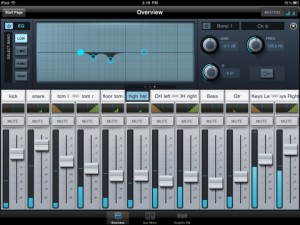
PreSonus has released a dedicated wireless control software for its StudioLive-series digital mixing consoles: SL Remote software for the Apple iPad. SL Remote, is now available free from the iPad App store. SL remote provides direct wireless control over PreSonus Virtual StudioLive software for Mac and Windows, which in turn controls the StudioLive mixer. At last, you can have wireless remote control of any PreSonus StudioLive-series digital mixer’s channels, auxes, effects, subs, Fat Channel processors, and more. Not only can these functions be controlled from anywhere in a venue by the front-of-house sound person, but custom aux mixes can be simultaneously adjusted by any performer with an iPad.
“While there are iPad apps for digital mixers costing tens of thousands of dollars, SL Remote is the only iPad solution for affordably priced mixers,” notes PreSonus CEO Jim Mack. “It’s a free app and is part of the free Virtual StudioLive computer-control system that also ships with both our 24- and 16-channel digital mixers.”
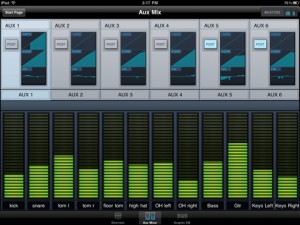
A StudioLive firmware update is required in order to use SL Remote. Registered StudioLive owners can download this update at www.presonus.com/technical-s….
The Prewsonus SL Remote is a now available at the App Store at http://itunes.apple.com/us/a…
Sekuensaa ??
This is a musical exploration experience in which multiple participants simultaneously interact with a sound synthesizer by arranging a special set of pieces on top of a multitouch surface.
Pieces exhibit different behaviours when placed on the surface – some act like triggers in a drum machine, some behave like a kaoss pad, while others add extra layers of sound to make the performance really come together. Pieces are sensitive to their position and orientation on the table, so users can cycle through different instruments or modulate sound parameters with a simple twisting or sliding motion.
We believe the key here is to design a system which is simple enough for people with little musical ability to enjoy, while providing enough control to allow people with a stronger background to deliver more complex performances. It´s similar to the reactable, but provides a simpler interface for everyone to enjoy.
Please visit http://www.sensaa.com for more info.
Sound design and music production by Santiago Abadía: www.santiagoabadia.com
Quick demo of the eyoControl for the iPad
eyoControl is a set of MIDI controllers for the iPad, including a control surface, a dual keyboard MIDI controller, a pad set, an X/Y controller. It connects to your Mac or Windows Digital Audio Workstation (DAW) through the native iPad MIDI wireless connection, or optionally the dedicated eyoControl Server app (Mac only) for advanced connectivity options. Check out http://eyosido.com for details.”

eyoControl includes the following controllers:
- Surface: a control surface supporting the Mackie Control protocol. Surface presents a traditional Mixer view with per-track buttons/knobs/faders, and a Panel View with quick access to the status of 64 tracks. Supports major DAW such as Logic, Cubase… (read details about DAW support at http://eyosido.com/eyocontrol/surface).
- Pad: a 4/6/8/12-pads MIDI controller with tap-location sensitive (controls MIDI note velocity) pads suitable to play drum parts. Each pad has a configurable color/MIDI channel/note. A global velocity slider adds up to the velocity control of each pad.
- Keys: a dual keyboard MIDI controller with separate MIDI channels assignable per keyboard. Choose among three key widths per keyboard, and customize key colors. A global velocity slider controls note velocity.
- mXY: a multi X/Y controller featuring four independent, highly configurable X/Y controllers. Choose among 55 MIDI continuous controllers or pitch bend to assign. Each axis can be swapped, muted, reversed, mirrored etc…
Made In Iron – combining ironing with music creation
Matti Niinimäki of Finland has combined a common household chore with music control. He transforms an iron and ironing board into a wireless music controller, capable of generating wobble bass, slicing beats, sampling, and anything else he might devise.
The ironing board itself is self-contained, sensing grayscale values on the surface. (That might mean you’d have to calibrate it to your shirt patterns if you really did use this to do your ironing, or at least put a marker between the iron and your shirts.) There’s also an accelerometer, and the device gives you feedback with vibration and LED.
Snyderphonics Manta
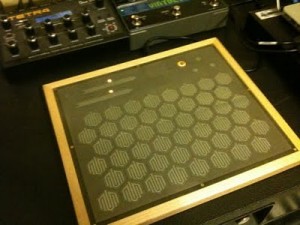
Analog Industries has a good write-up on the Snyderphonics Manta if you were ever curious about the controller.
“It is functionally similar to the monome, inasmuch as it is (at its base level) a bunch of buttons and a bunch of LEDs. However, the thing that makes this a vast improvement over the monome is that it has several different levels of control in addition to the single on/off state of the monome.”
eyoControl – MIDI controllers for the iPad
eyoControl is a set of MIDI controllers for the iPad, including a control surface. It connects to your Digital Audio Workstation (DAW) through eyoControl Server (free download at http://eyosido.com, MacOS only) allocating a virtual MIDI port per controller. Many iPads can connect to your computer this way and conrol various aspects of your DAW depending on the controller capabilities. Check out http://eyosido.com for details.
- Surface is a control surface enabling access to various settings of your tracks through faders, knobs and buttons. Surface presents a traditional Mixer view as well as a Panel view, enabling fast access to the status of 64 tracks.
- Pad is a MIDI controller with 4,6,8 or 12 programmable, touch-location sensitive pads. Each pad can be assigned a MIDI channel, color… Pad lets you play one or more virtual instruments on your DAW, such as drums or percussions.
- Keys is a dual keyboard MIDI controller. You can choose among three different key widths per keyboard to best fit your style, assign each keyboard to a different MIDI channel to play two virtual instruments on your DAW at the same time.
Introducing the Pok
This bluetooth foot controller is wireless and great for guitar players running tracks!
The pok is a wireless foot controller with which you can control the audio software on your Digital Audio Workstation (DAW). Because it uses a powerful wireless USB system, the pok can be used up to 100 feet from your DAW.
Design your own MIDI set up
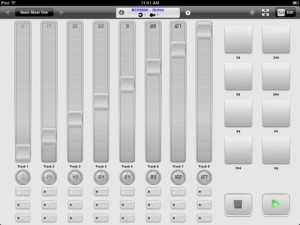
MIDI Touch (App Store link) is a new app for the iPad that lets you design your own ultimate MIDI controller, by placing knobs, sliders and other controls onto the screen wherever you want.
According to the developers, MIDI Touch lets you send MIDI over Wi-Fi with latency as low as 2-5ms and and via compatible MIDI hardware devices with near-zero latency, using the Camera Connection Kit.
Features:
- Design & save your own MIDI controllers by dragging and dropping sliders, buttons and more where you want them to create personalised control surfaces
- Native MIDI Device support – connect compatible devices via the Camera Connection Kit and your iPad becomes a proper MIDI control surface with almost zero latency
- Excellent performance – measured latency over WiFi to a Mac: 2-5ms, over Camera Connection Kit: 1-2ms
- Send messages over Wi-Fi with easy setup (Windows: requires the free software driver rtpMIDI (http://www.tobias-erichsen.de/rtpMIDI_configuration.html), alternatively use DSMI Server for Mac, Windows or Linux, also free)
- Several different control types – Add sliders, knobs, buttons (momentary or latched), drum-pads, X-Y controllers, transport controls and preset-jump buttons
- Easily change the settings of each control – CC number, note number, minimum & maximum range, size & label
- Standard & neon control themes to skin controls
- Multi touch – control multiple knobs/sliders etc at once
- In-app brightness control allows dimming of the screen to very low levels for performance
- Full screen mode to reduce distractions
- Controls snap to each other to help create aligned layouts
Multi-touch control surface for Pro Tools
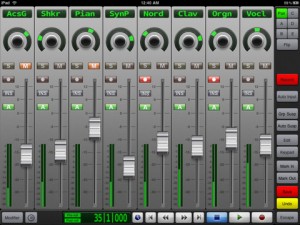
V-Control Pro (App Store link) is a $49.99 iPad app that provides a fully-featured, multi-touch control surface for Pro Tools on a Mac and soon for Windows.
V-Control Pro uses WiFi to control transport, editing, and mixing functions with Pro Tools 9, HD, or LE. V-Control Pro provides advanced control of sends, automation, groups, auditioning, plug-ins, scrub/shuttle, I/O assignment, and other controls within an easy-to-use interface.
Features:
- Large, touch-sensitive moving faders
- Solo, mute, record, and pan controls
- Flip mode send editing
- Scrub / shuttle control
- Automation mode controls and display
- Automation and group suspend buttons
- Automation and group status display
- Automation write enable controls
- Plug-in editing
- Input monitoring switch
- Big counter display
- Save and Undo buttons
- Pre-roll / Post-roll buttons
- I/O assignment
- Zoom presets
- Window display controls
- Keypad popover provides access to many Pro Tools features
DATAMASKIN

