
Modstep – new full-blown MIDI Sequencer for iPad
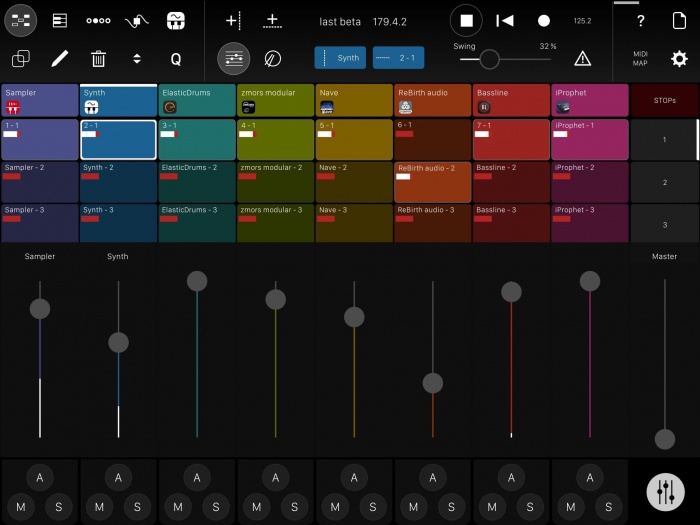
Modstep has launched version 1.0 of its app that allows you to create music and jam with your iPad.
Seemlessly combine your favorite tools no matter in what shape or format they come: IAA Apps, your MIDI hardware, Mac- and PC Software, as well as the internal drum sampler and synth. Modstep speaks MIDI, Inter-App Audio, can send a trigger-signal and stream MIDI and audio between your computer and your iPad with studiomux.
Use it as the centerpiece of your setup to create and perform music on the go, in the studio and on stage.Modstep is developed and designed by Christian Blomert, Benjamin Weiss and Pascal Kaap.
Modstep features
- Full-blown MIDI sequencer with Step Sequencer and Piano Roll.
- Unlimited MIDI tracks.
- Extensive Step Sequencer with active steps.
- Audio and MIDI streaming directly via the charger cable to Mac and PC using studiomux technology.
- Up to 128 MIDI CCs per Track can be modulated.
- Built-in drum sampler with filter, delay and reverb, fully modulatable.
- Built-in synthesizer with filter, delay and reverb, fully modulatable.
- Templates to control external MIDI hardware.
- Template editor to create your own templates for IAA Apps, desktop Apps and external MIDI devices.
- Supports all MIDI interfaces for the iPad.
- Core functionality controllable via external MIDI controllers.
- Use third party IAAs as instruments and effects within one app.
- Integrated IAA mixer.
- Trigger out.
Modstep is available for iOS 8 or later, priced at $19.99 USD. iPad 1 is officially not supported, though all MIDI functionality including MIDI-streaming via studiomux currently works on iOS 5.1.1. For audio and MIDI streaming to a Mac or PC, the studiomux server software is required.
A version 1.0.1 update will be available soon, featuring bugfixes and Ableton Link-integration.
midiSTEPs – new powerful and fun MIDI step sequencer app
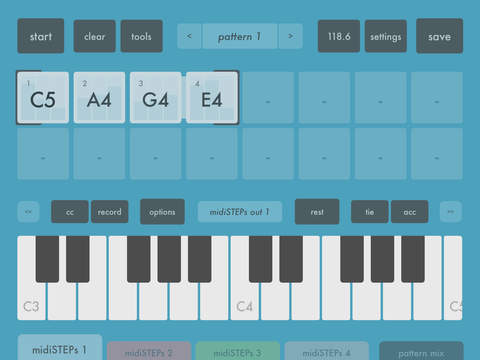
midiSTEPs is a powerful but fun MIDI step sequencer app that sends MIDI note and CC messages to other music apps and external synthesizers. It was designed to be super easy to use in a way that’s similar to the SH-101 sequencer, where you can just quickly enter a few keyboard notes and you’re ready to hit play. At the same time, it also incorporates many ideas from other classic and modern sequencers, allowing you to set control values per step, mute and skip existing steps, switch between multiple patterns and parts, sync and link patterns in various ways, and modify your sequences.
midiSTEPs was designed from the ground up as a touch-based iPad sequencer app, so it’s super easy and intuitive to enter, edit and play sequences.
midiSTEPs features:
64 step sequencer based on the classic SH-101 sequencer
Set note, chord or rest per step
Set accent and tie per step
Set CC, velocity, length parameters per step
Mute and skip individual steps
Set start and end points within sequence
Edit individual steps
Transpose, loop or one shot, start and pattern sync options
Four independent sequencer parts with 16 patterns each per set
Parts can have different speeds, lengths, sync and trigger options
Pattern Mix page with clip-launcher style pattern triggering
External MIDI clock sync with clock shift adjustments and swing
Easy to set up CoreMIDI configuration and MIDI mapping
Easy to use touch interface designed specifically for iPad
Checking out Mode Machines at Musikmesse
Mode Machines have some exciting new instruments and a new hands-on MIDI sequencer at Musikmesse 2015. Julian also shows me a new USB-to-MIDI interface, a MIDI Arpeggiator and a standalone VST Host box.
MiniStepper – free MIDI Step Sequencer Plug-in for Windows
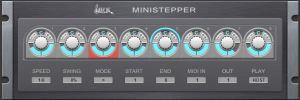
WOK has released MiniStepper, a free MIDI Step Sequencer Plug-in for Windows. Ministepper is designed to be easy to use.
There are 8 steps, each with velocity, gate length and mute. Several play directions, start- and end-step selectable on the fly. Sequence can be transposed by incoming MIDI notes (polyphonic). Host sync with dottet and triplet speed selection, swing, run on key press, MIDI-channels selectable for combined use, clear layout, free.
Price: Free.
Time machine: The Open Door – Macintosh, Midi, and Music (1988)
Apple promo video for the Macintosh’s midi capabilities featuring Chick Corea, Herbie Hancock, Laurie Anderson, and some of the funkiest digital basslines you’ve ever heard!
Grassi Box – Analysis
The Grassi Box is a MIDI-to-relay piece of hardware (built by Dan Wilson of Circitfied) based on an Arduino teensy and some accompanying software tools built in Max. The idea is to be able to control a variety of my ciat-lonbarde instruments from a computer.
In this video the audio from the guitar is being analyzed (in real-time) to find the nearest preset/combination/permutation from a set of 6884 pre-analyzed presets.
Filmed by Angela Guyton
For more information visit:
rodrigoconstanzo.com/grassi-box
angelaguyton.com
Launch Control XL – Novation’s ‘ new “ultimate controller for Ableton Live”
Novation has introduced the Launch Control XL – a new MIDI controller that they call ‘the ultimate controller for Ableton Live’.
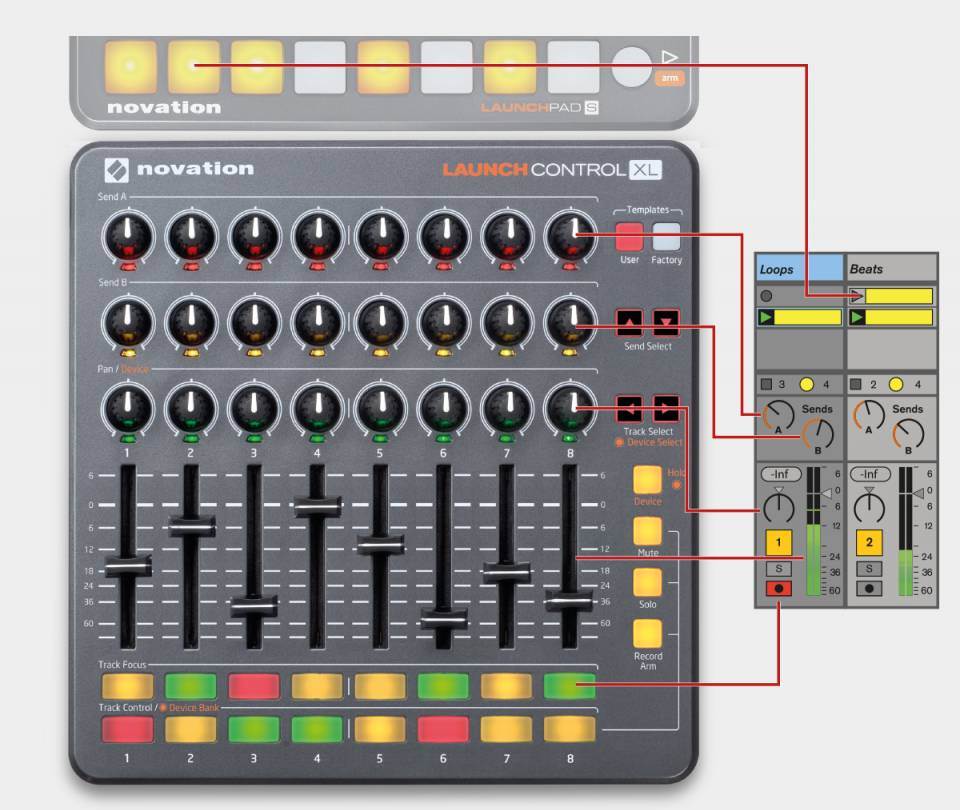
According to Novation, the Launch Control XL helps you focus more on your music and less on your laptop, by providing 16 buttons, 24 knobs and eight faders, all of which integrate seamlessly with Live.
Features:
- Hands-on control over Ableton Live
- Tweak your sound using 24 knobs with multicoloured indicators
- Precise control over levels with eight rugged faders
- Create your own control layouts, by freely assigning any control to any function in Ableton
- Plug straight into Mac, PC or iPad and start performing
- 16 multi-colour buttons for immediate track focus and key mixer controls
- Includes Ableton Live Lite software and Loopmasters sample collection
- Control MIDI-compatible iOS software via Camera Connection Kit
- Launch Control is powered via USB bus power
MIDIFlow – new iOS app for MIDI routing control
Johannes Doerr has introduced MIDIFlow, a new iOS app that lets you send MIDI from app to app in a similar way to what you already do with audio.
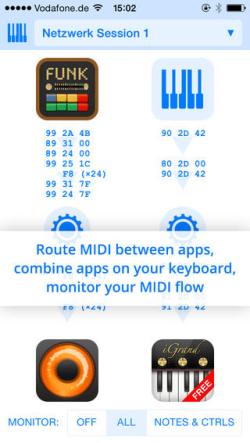
That way, you can sync apps with each other or send MIDI parts from a sequencer app to different synth apps.
You can also route the MIDI from your keyboard to apps and assign different key zones to them.
In addition, all MIDI transfer can be monitored in order to find problems or just to learn what MIDI is doing (normally) behind the scenes.
MIDIFlow is available for US $4.99 in the App Store.
Zillion MIDI sequencer and Swynx sync box
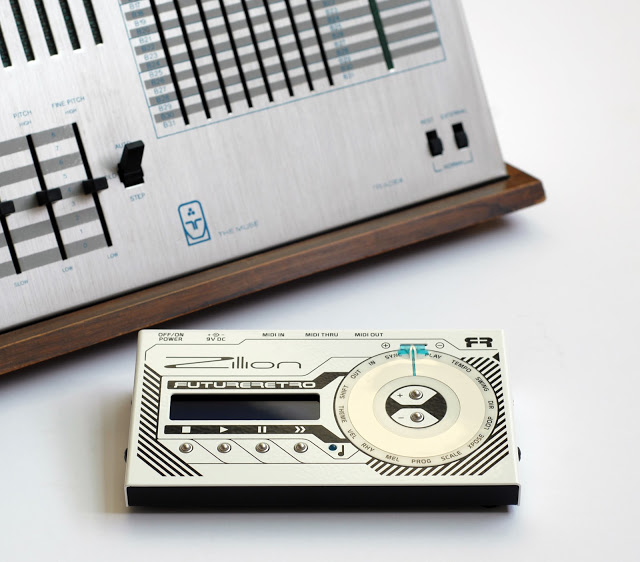
Future Retro has announced the release of two new products, the Zillion and Swynx.
The Zillion is a single track algorithmic MIDI sequencer based on the principles of the Triadex Muse. While the Muse used counters and a shift register to generate more than a million musical melodies, the Zillion expands on these ideas to add more features and functionality, providing a zillion possibilities for you to discover.
There are 16 operating modes including: Playback, Tempo, Swing, Direction, Loop, Transpose, Scale, Scale Program, Melody, Rhythm, Velocity, Theme, Shift Register, MIDI OUT, MIDI IN, and Sync.
Many unique features not found in other sequencers.
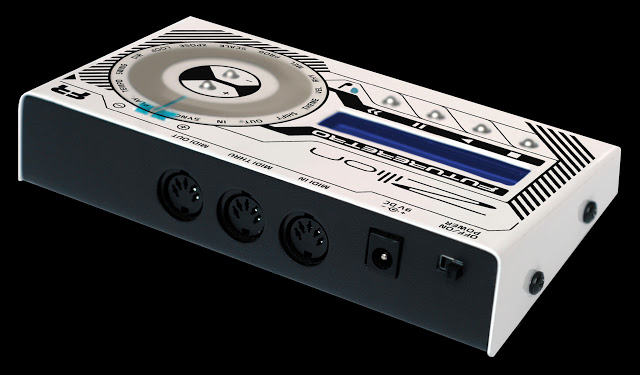
The Zillion provides the ability to store all parameter settings of where you last were. You can also reset parameters to typical Triadex Muse settings as a quick way of starting new adventures.
This product comes with a universal power supply and can be used anywhere in the world.
Each product is hand made in the USA, has a list price of $300, and is currently shipping.
For more information on the Zillion please visit:
http://www.future-retro.com/zillionoverview.html“
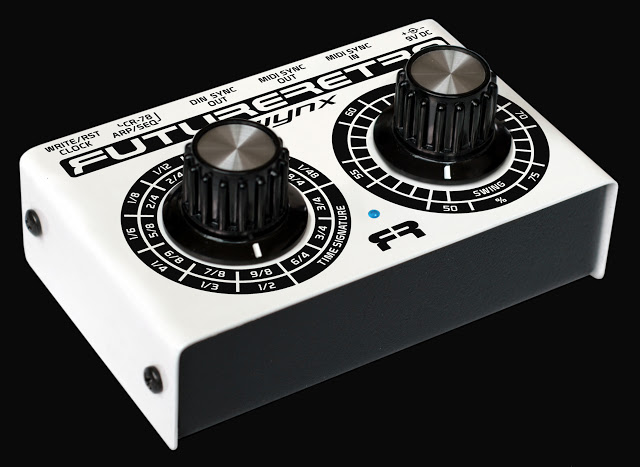
The Swynx is a sync box that converts incoming MIDI messages to MIDI clock, DIN sync, CR-78 clock, and Analog clocks. In addition, the Swynx provides the ability to swing the timing of all these clock outputs and select different time signatures in real-time with the front panel controls, and can also act as a programmer for the Roland CR-78.
Once you try it in your setup, you will realize just what you’ve been missing. For instance, many DIN sync devices do not provide a built-in swing function. And many MIDI sequencers and drum machines suffer from poor implementation of swing, preventing changes to be made live, or only providing swing for 4/4 patterns. Quite a few MIDI sequencers don’t offer any swing function, including our own 777 and Mobius products. Now you can apply swing to any MIDI sequencer, and select new time signatures as well.
Need to sync your analog sequencer or arpeggiator with MIDI gear? No problem! Not only can you do so, but now you can swing the timing of those devices as well. You can even use the analog clock output to Gate the envelopes in a synthesizer. The clock duty cycle is 50% of a note duration.
If you are a Roland CR-78 owner, you may have realized finding a WS-1 or TS-1 to program the CR-78 is next to impossible. The Swynx can replicate the programming capabilities of these units, plus provide sync to MIDI, and realtime swing adjustment. The ability to add swing to the CR-78’s preset patterns alone will breathe new life into this old friend.
The Swing value is accurate to 0.5% providing much more control resolution than is typically found in sequencers and drum machines.
The Swynx provides 12 different time signatures to choose from. Some time signatures are duplicate, but provide different shuffle patterns for that time signature. Time signatures include 9/8, 7/8, 6/8, 5/8, 2/4, 4/4, 8/4, 3/4, and 6/4. A universal power supply is provided with each unit, allowing the Swynx to be used anywhere in the world. The Swynx is all about making the gear you have sound better!
This product comes with a universal power supply and can be used anywhere in the world.
Each product is hand made in the USA, has a list price of $180, and is currently shipping.
For more information on the Swynx please visit:
http://www.future-retro.com/swynxoverview.html”
Experimental: MIDI Controlled Necktie with Pinoccio, Ableton and Max/MSP
A MIDI controlled Necktie. This is accomplished by leveraging the Pinoccio Mesh Networking features and a Max4Live patch running on Ableton Live. More details in here:
http://mrbook.org/blog/2014/05/25/pin…
DATAMASKIN

