
Deconstruct & Motion by Utami – interesting plugins for Live
Control any effect in Ableton Live with a wave of your hand
Get it for free at Utami.co
Make a remix on the spot with Deconstruct. It works with live input, so you can cut up your tracks on the fly, create new rhythms, reverse your drums, screw with live vocals, repitch or detune anything and snap it right back to where it was with just a knob twist.
Deconstruct is designed to be played — both on stage or in your studio. With eight buttons for quick remixing, you can tap out new rhythms with your controller or a mouse. Slice and change the pitch and everything stays connected to your underlying BPM. Add legato and when you chop up your sounds you’ll find secret effects and tricks waiting to come out.
If you are using a Mac, you can send out the visualizer to your favorite VJ software and make music for people’s eyes too.
Deconstruct requires Max for Live 6.1.9 or higher and Ableton Live. Syphon support requires a Mac.
Get it exclusively at the Utami online shop with credit card
Octaver OC-D2 – new free octave divider effect plug-in for Windows
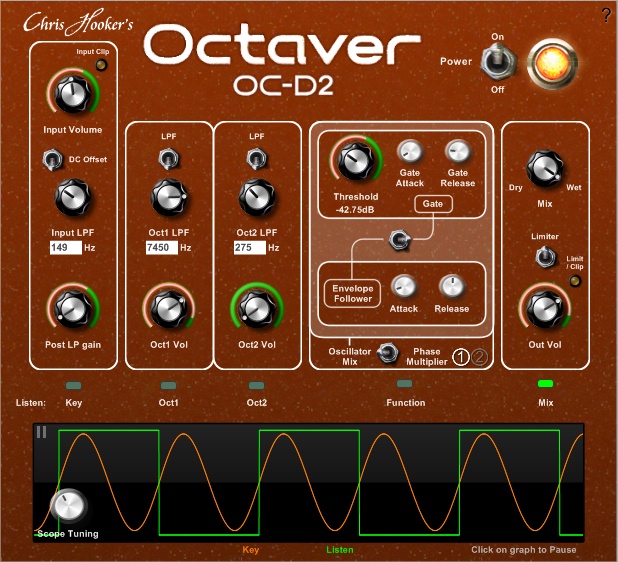
Christopher Hooker has released Octaver OC-D2, a free octave divider effect plug-in for Windows.
OC-D2 is an octave divider plug-in that generates signals one and two octaves below the original. It’s based on the popular Boss OC-2 pedal, but with many more features and customizability far beyond what other octavers offer (both pedal and plug-in types).
Octaver OC-D2 features
- Control the tracking accuracy.
- Control the oscillator tone.
- Control the dynamic envelope.
- View the waveforms.
- Tap the audio at any stage.
OC-D2 is available for download for Windows (32-bit VST).
Frostbite – new multi-effect plug-in featuring Ring Modulator, Feedback, and Freeze effects
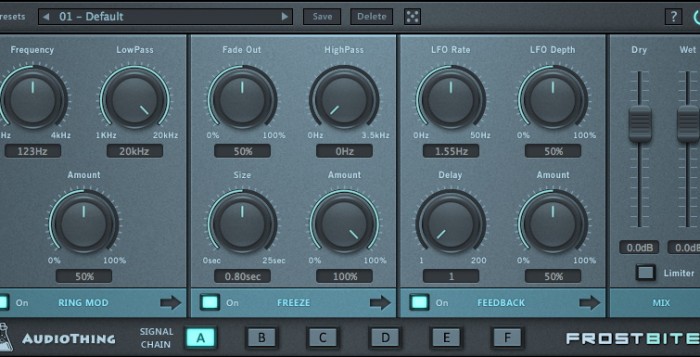
AudioThing has released Frostbite, a multi-effect plug-in featuring Ring Modulator, Feedback, and Freeze effects.
Frostbite is aimed at ambience and cinematic music, but can also be used for extreme sonic experiments.The Signal Flow is flexible with 6 different combinations.
The Ring Modulator multiplies the input signal with a Sine wave (with frequency up to 4kHz). It is also possible to reduce the high-end with the Low Pass filter.
The Feedback module features a delay function (up to 200 samples) which can be modulated by an LFO.
The Freeze module features a Freeze effect that can hold the input up to 25 seconds. The Fade Out and High Pass controls can additionally shape the behaviour of the freezed sound.
FrostBite features
- Ring Modulator.
- Feedback.
- Freeze.
- Preset system with randomizer.
- Formats: VST, AU, and AAX (32/64-bit).
- Platforms: OS X, Windows.
The plugin is available for purchase for the introductory price of 29 EUR/$34 USD until April 8th, 2015 (regular 36 EUR/$42 USD).
Butch Vig Demos the Butch Vig Vocals Plugin
Producer Butch Vig (Nirvana, Smashing Pumpkins, Garbage, Foo Fighters) demos the Butch Vig Vocals plugin, created in collaboration with Waves.
Butch Vig Vocals Plugin:http://www.waves.com/plugins/butch-vi…
Waves has released the Butch Vig Vocals plugin, created in collaboration with ProducerButch Vig (Nirvana, Smashing Pumpkins, Garbage, Foo Fighters).
Features:
- Created in collaboration with Grammy-winning producer Butch Vig
- Butch Vig’s signature vocal sound in a single plugin
- 3-band EQ with a distinct frequency character
- LoCut, HiCut and MidDip filters for removing unwanted frequencies
- Compressor and de-esser
- Tube and Solid State saturation with LoCut and HiCut controls and a blend option
- Unique Focus control for focusing on the 1 and 2 kHz range\
Butch Vig Vocals is available for a limited time for US $99 (normally $150).
Crate Digger – new virtual vinyl system by DopeVST
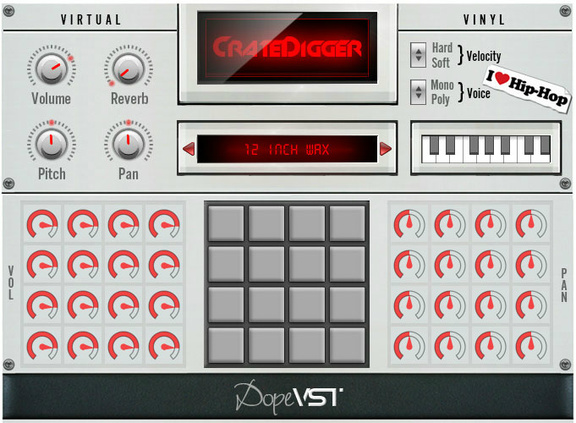
Plugin Boutique has introduced Crate Digger, a virtual vinyl system by DopeVST.
Crate Digger is an innovative VST / AU plug-in for PC or MAC. We have designed this “instrument” to give beat makers and crate diggers an instant library of royalty free, vinyl style Hip Hop samples.
The software contains 800 unique hand crafted samples distributed across 50 included patches and with a new “crate” expansion pack released monthly, you will never be short of ideas in the lab.
Crate Digger features
- 800 quality crafted classic samples including stabs, chops, loops, FX and more.
- 50 themed patches all EQ’ed mixed and key grouped for instant use.
- 100% Royalty Free, all these samples are made from scratch by our own team of producers.
- 16 separate volume and pan controls.
- Velocity selection and Mono/Poly modes..
- Built in flexible pitch and drive controls.
- Includes a built in analog style reverb.
- New “crate” expansions will be released monthly.
- Ultra low CPU usage [perfect if you own a laptop / tablet / low spec PC/MAC].
- Ultra fast patch loading [flick through patches in lightening quick times].
- Program your chops manually or use a MIDI/USB controller/keyboard/MPD Royalty Free Hip Hop Samples.
Crate Digger is available from Plugin Boutique for £60.50 GBP.
TB Sibalance – new de-esser effect plug-in for Windows and Mac
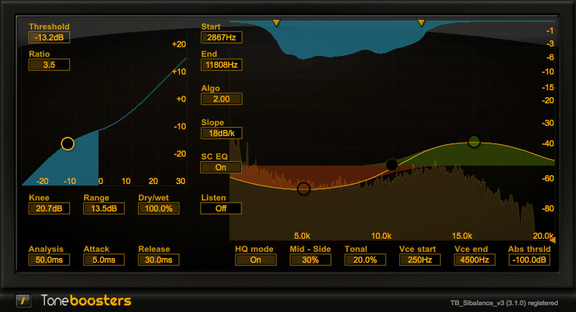
ToneBoosters has announced the release of TB Sibalance, a de-esser effect plug-in for Windows and Mac.
De-essers can be an evil necessity. Vocal recordings may be too sibilant requiring de-essing (or excess sibilance removal), but most de-essers come with very clearly audible drawbacks as well. After de-essing, vocals may sound muffled, the ‘s’ may sound more like an ‘f’, or even worse, the operation of a de-esser manifests itself as a clearly-audible time-varying filter.
TB Sibalance provides very powerful tools to reduce excess sibilance in a minimally invasive way. In contrast to conventional de-essers, TB Sibalance uses so-called ‘matched filter’ technology to only process those frequencies that are causing excess sibilance, while leaving all other frequency components untouched. The result of TB Sibalance will therefore sound cleaner and more transparent than that obtained with other de-essers.
TB Sibalance for Windows and Mac (VST/AU) is available for purchase for 19.95 EUR.
SUPER-7 : New free supersaw synthesizer plug-in for Windows
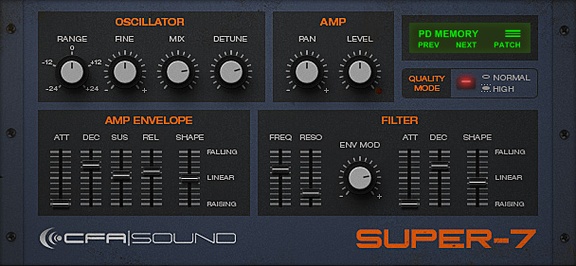
CFA-Sound is celebrating its 7th anniversary with the release of SUPER-7, a free supersaw synthesizer plug-in for Windows.
Everyone who produces electronic music knows the infamous Supersaw of the Roland JP8000/8080, and even it`s a relatively old synthesizer this specific waveform or better sayed oscillator mode is still heavy in use and wanted. Also for myself, but more in terms of discovering how it works and how to emulate it.
During the last year, i worked on a small emulation of it as little side project for fun & learning primary, and well here it is, the final result. Surely in some specific areas not 100% like original but very close based on the comparision to the real one and the specs. All packed into a slim synthesizer shell with an easy-to-use interface, decent on CPU usage and most of all – it`s for free.
SUPER-7 features
- Polyphonic virtual-analog modelled synthesizer.
- 32 voices polyphony.
- One emulated supersaw oscillator.
- 4-pole lowpass filter.
- Shape-able envelopes.
- 20 presets included.
The plug-in is available to download for Windows (VST).
Vaporizer – new analogue/subtractive synthesizer plug-in for Windows and Mac
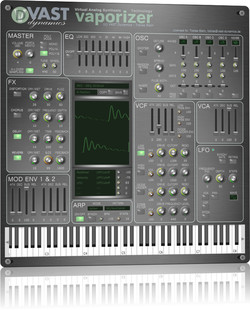
VAST Dynamics has launched Vaporizer, an analogue/subtractive synthesizer plug-in for Windows and Mac.
The intention of this development is to combine a fat virtual analog sound with low system CPU resource usage. And all this with an unbeatably low pice (factor 10 lower than usual synths in that category).
Even though this synth basically follows a traditional subtractive analog synthesis model, we believe that is has it’s own character and sound that needs to be explored. A main focus was laid on modelling fat supersaw-like sounds with various unison and detune models. VAPORIZER does not want to be smooth and gentle. It has sharp edges and can also be brutal. Check it out.
Vaporizer features
- Innovative virtual analog synthesis model that allows an almost unlimited number of oscillators per voice (e.g. 96 saw-tooth oscillators).
- Three modes – 16 and 4 voice polyphony plus monophonic mode.
- Full stereo – all generators, effects and chains.
- Full effect bank with high quality oversampling effects (distortion, chorus, delay, reverb, comb filter and parametric EQ).
- Old school UI with real analog feeling.
- Everything at sight – no hidden tabs or menus.
- Eye-catching retro-style oscilloscope for immediate visual feedback.
- Monophonic and polyphonic portamento in all modes including ARP.
- More than 50 presets with many different styles.
- Completely alias free oscillators (6 different waveforms).
- Up to 97 parallel oscillators per voice (4 unison / detune banks with max 24 plus 1 noise oscillator).
- 16 voice polyphony with a maximum number of 1552 oscillators per plug-in at a time.
Vaporizer for Windows and Mac (VST/AU) is available for purchase for 24.90 EUR (+VAT within EU).
Super Bruno-III new synthesizer instrument plug-in for Windows
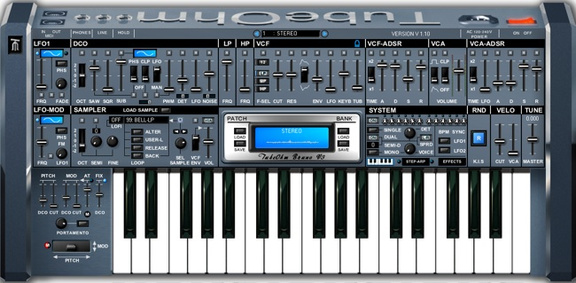
TubeOhm has announced the release of Super Bruno-III, a synthesizer instrument plug-in for Windows.
Bruno III is the update of Bruno-RP, now with a sampler, a new sequencer and a new ARP. The GUI and the DSP have been completely revised. Bruno III comes with 2 sound banks (2×128 new sounds).
Super Bruno-III features
- Sampling.
- Stepper.
- Arp.
- Random functions for sound design.
- Multi mode filter.
- Comp filter, stereo delay, chorus.
- Micro tuning.
- 256 sounds.
- External MIDI out to control other Synths with the stepper/ARP.
- Easy to use interface.
The plug-in is available for Windows (VST) for 49 EUR. Owners of Bruno-RP can upgrade for 29 EUR.
Cymbalistic VST by Alan ViSTa
Alan ViSTa has released Cymbalistic, a free Audio Unit / VST plug-in featuring a sampled Cymbals Set. It contains 68 stereo 24-bit samples from the University of Iowa Electronic Music Studios public domain library:
- 1 Hi hat.
- 1 ride cymbal.
- 4 crash cymbals.
- 2 chinese cymbals.
- 4 stereo outputs.
- Release time for each cymbal.
- Volume and Pan for each cymbal.
- Amplitude dynamic range control.
DATAMASKIN

