
This is sooo slick – Sampled Room
This is an example, how to use the basic stuff in your room in such creative and musician way. Just take some noisy and voiced objects and record them with any sampler. At the end use all this stuff to create any music u desire. Or… You even don’t need any sampler. Just use your friends, give them gadgets and transform your party into gizmo-jam-session. I can guarantee much fun. Enjoy!
Tools:
Canon EOS 5D mkII
DitoGear™ CrankSlider
Microphone Shure SM 48
2 Wine Glases
Panties
Bottle Opener
Drier
Tape
Tube Pack From Whiskey
Spring
Old Russian Camera
Spanner
Water
Shots, Edit & Music – Mateusz Zdziebko
Creating algorithmic compositions on the iPad
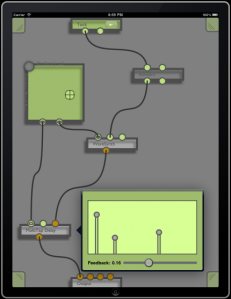
Dingsaller is a workspace for creating algorithmic compositions on the iPad. Patch together a complex graph of music generating nodes, synths, and effects and Control them with a touch.
Key Features:
- Synths and Sampler Instruments
- Digital Effects
- Pattern Sequencer
- Random Note Generators
- Touch and Tilt Controllers
- Recording
Mixtikl – generative music system for mobile, tweeting, web & desktop
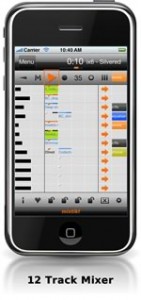
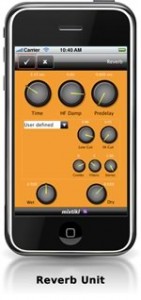
Intermorphic has released version 2.5.0.2 of Mixtikl, a generative music system for mobile, tweeting, web & desktop.
Mixtikl lets you easily create stunning generative music mixes, performances & new ideas from mixing together up to 12 tracks of generative music, audio & MIDI loops plus many customisable sound FX.
Changes in Mixtikl v2.5.0.2
- iDevice: Added support for Sonoma AudioCopy and AudioPaste (as alternative to Apple General Pasteboard – both supported).
- iDevice: Free – 3 AL Collections (15 AL Tiklpaks – previously $2.97) via “Loop Essentials” in-app download.
- iDevice: Fixed: losing of GenBars / CellRepeat range settings when rotating.
- iDevice: Fixed: iPad issue using in-app store in Portrait mode.
- New checkbox filters in New Mix screen make it easier to see/select only the Tiklpaks you want to use.
- More customisable randomisation settings in the New Mix Settings screen.
- Improved controls in mix Tempo and Root screen.
- Clear Everything and Clear All Track Settings now set all track generative bars+range / repeat+range values to zero.
- Fixed: Import of mixtikls from email.
More information: Intermorphic
Rhythm Core Alpha for Nintendo DS – music creation system
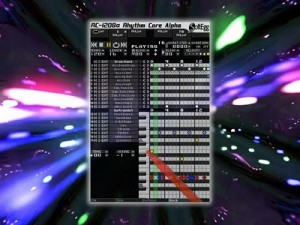
Rhythm Core AlphaTM is the most advanced, easiest to use music creation system for the Nintendo DSi. It’s advanced DRUM GRID and NOTE GRID allow rhythm loops, basslines, and melodies to be created simply by tapping spots on the screen. You can see all the parts at once, making it much easier and faster to get your beats down.
It also has a unique 2D SOLO MODE, which lets you play sound live with the Nintendo DSi stylus. This mode’s 2d grid makes the largest number of notes available at once, making it easy to play real melodies.
Finally, the PATTERN SCREEN ties it all together, allowing the beats and chord changes to be ar- ranged into complete songs.
Not only does Rhythm Core AlphaTM have the easiest and most powerful sequencing on the Nintendo DSi, but Rhythm Core AlphaTM also does things no other music program will do. It recog- nizes the key and scale of the music you have created, and allows you to
change key easily with the +Control Pad. You can also sequence those changes in the PATTERN SCREEN. Nothing else does this.
Patterns can contain many loops that you can also select with the Nintendo DSi’s buttons, allowing you to change your beat or chord progression when- ever you want. Nothing else does this.
Finally, the SOLO MODE only shows notes that match the key and scale of the music you have sequenced, making it impossible to hit a wrong note. Nothing else does this.
Rhythm Core AlphaTM comes with nearly 300 built-in sounds, including synth sounds, orchestral sounds, rock sounds, and even old computer and video game (chipmusic) sounds. Furthermore, it al- lows the sounds to be customized with an adjustable ADSR envelope, and now with a powerful multi- waveform vibrato feature that is new to this release!
Numerous features have been added for this release, including not just the Vibrato, but also live recording of your solos directly into instrument tracks, live recording of your block and key changes into patterns, and enhanced pattern editing. This makes it not only the fastest program for sequenc- ing, but also a great tool for live performance. You can actually build an entire song live, in front of an audience! You can change the key of the music you sequenced with the +Control Pad or face buttons, like fingering a guitar, while soloing with the Nintendo DSi stylus using your other hand. Or you can sequence all of the chord changes in the pattern mode and concentrate more on your soloing.
We are pleased to announce that no changes have been made to the graphics in the program at all for this release. It is ugly because it is pow- erful, and we haven’t wasted any time or system resources on making it pretty. Rhythm Core Alpha presents you with as many controls as we could cram onto the Nintendo DSi’s two screens, which may overwhelm some, but gives the most power to the user. We consider this a profes- sional music tool, and think that it is a mistake to dumb down programs for the perceived “general audience”. Rhythm Core AlphaTM is the most advanced music program on the Nintendo DSi.
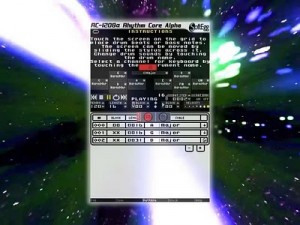
Features:
Drum Grid
ENTERPRISES
• • • • • • Note Grid • 8 tracks • 64 beats • 166 sounds • 7 velocity levels • track mute and solo modes • 8 powerful editing commands: copy, shift, set, clear, random, echo, velocity, and transpose. • automatically detects key and scale, allows changing with +Control Pad or buttons.
12 tracks 64 beats 122 sounds 7 velocity levels track mute and solo modes 7 powerful editing options: copy, shift, set, clear, random, echo, and velocity.
• 24 key/scale (chord) change options using buttons, from 120 possible key/scale combinations.
Solo Mode
• • • • • • Pattern Mode
2D solo grid gives over 6 octaves of notes on screen each note can reach 6 other notes without lifting the Nintendo DSi stylus for more fluid play notes in grid remap to current scale… no wrong notes can be hit! user can override scale selection drums can also be played from the solo screen! Can now be recorded into the note and drum grid!
• • • • • Sound Engine
Allows sequencing of drum & bass loops and key changes! Can be recorded live! Allows multiple loops of beat and key changes for performance flexibility! New easier editing features added! Select pattern step with +Control Pad or buttons!
• • • Language Support • Fully localized in English, French, German, Italian, and Spanish, including manuals and all in-
Powerful ADSR envelope allows sound customization New powerful multi-waveform vibrato feature! 16 simultaneous sound playback
SoftEggTM presents Rhythm Core AlphaTM on Nintendo DSiWareTM. 500 Nintendo PointsTM. For videos, audio samples, screen shots and support forums, go to http://www.rhythmcorealpha.com“
Introducing the Synse for iPhone
Synse is a new Visual Music App. It combines music and related visuals with only a touch to an interactive, audiovisual experience for the iPhone/iPod-user.
t’s available in the App Store for $1.99.
Functions:
Video Mode (Device in portrait or landscape with Home button on the left)
In this mode you control each instrument/track and their visuals with one touch. Each instrument has its own touch area. To show these areas, simply tap on the “Show Grid” area on the left or right corners at the bottom of the screen.
Sequencer Mode (Device in landscape with Home button on the right)
Arrange a whole song by tapping inside the sequencer grid and scroll through the arrangement by swiping left or right.
Sequencer buttons:
- PLAY/PAUSE: Lets you play and pause the song.
- STOP: Stops the song and the locator jumps back to the beginning of the arrangement.
- LOOP: When activated, loops the current bar of the arrangement.
- SETUP: Shows the setup screen, where you can
- ?load a different set (music and visuals)
- ?save and load arrangements
- ?change the length of the song
- ?turn off LiveTouch mode (disables touching in video mode)
- ?activate Shake mode (toggle video and sequencer mode only by shaking the device)
Hint: Hold the STOP button with one finger and tap in the sequencer grid to move the locator.
Note: This Version includes three sets: PARIS, FLUID and LIFETIME. More sets are planned.
Demo of the c60 music player
The c60 music player from IDEO’s Boston office. The team brought to life a concept from Martin Bone and Kara Johnson’s book, I Miss My Pencil, that brings physicality back to the experience of listening to music.
Interesting concept 
Trifonic – Using Morph Square in FM8
Electronic music production tutorial by Brian Trifon of Trifonic
Introducing the MelodyMorph
MelodyMorph is an iPad app for constructing melodies and making improvised music. This video is demonstrates some of its features.
Software by Eric Rosenbaum
Performance by Jeff Lieberman
Filming by Jay Silver
This software was made with openframeworks. Thanks, OF!
Rhythm Core Alpha for Nintendo DSiWare
This is a quick demo of building a song from scratch using the new version of Rhythm Core Alpha, released in the Nintendo DSiWare Shop for 500 Nintendo Points in Europe, the UK, and Australia on January 21st, 2011.
Rhythm Core Alpha is the most advanced music creation system for the Nintendo DSi, It includes a loop sequencer, a pattern sequencer, and a unique solo mode that let’s you solo along with your sequences. You can even change the key of your sequences using the +Control Pad, or use the buttons to jump to different parts of the song. Not only is it the easiest sequencer on the Nintendo DSi, but it also is a powerful tool for live performance.
Code and block party
For the rest of the month we are having a code and block special so i did a few minute improv of them working together. Yeah I said improv, so the music isn’t Grammy material, but you get the idea
We are having a Combo Loco sale for the rest of the month on block and code. I did a quick improv showing them working together. They are friends.
DATAMASKIN

