
Going hardcore with ImageLine
Image Line has released a new set of video tutorials, embedded above, that take a look at getting started with their Hardcore collection of virtual effects pedals.
Hardcore offers ten effects in one package:
- Distortion
- Chorus
- Flanger
- Phaser
- Reverb
- Delay
- Noise Gate
- Equalizer
- Compression
- Modulator
Hardcore also includes an 8-band graphic EQ and 5 cabinet simulations.
Hardcore is available for $99 (FL/VST/AU).
Note: These are the first five of ten planned Hardcore videos.
How to get that trance sound going
This tutorial shows you how to create a trance arpeggio by hand using ableton live, massive, and a sound set from Adam Szabo.
Video tutorial on creating rolling basslines using Ableton Live and Native Instruments Massive.
Bass patch is from 7Skies Massive Soundset available at http://www.standalone-music.com
Kick sample from Sounds of Revolution Club Revolution Vol. 1. available at http://www.sounds-of-revolution.com
This is a follow up ableton live tutorial on creating trance rolling basslines.
Short video that walks through the steps listed in my blog tutorial on creating a trance pluck sound like the one heard in Cosmic Gate’s “Barra”.
For Reason fans only I guess
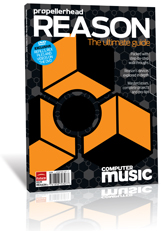
Are you a Reason user? Then this one is for you.Whether you use Reason on its own, in conjunction with Propellerhead Record, or ReWired into a ‘traditional’ DAW like Logic, Cubase, Live or Pro Tools, Reason: The Ultimate Guide (produced by our buddies at Computer Music) will sharpen your skills, feed your creativity and give you plenty of ideas to bring to your productions.
Comprising tutorials, tips and advice drawn from the pages of Computer Music and Computer Music Specials, and including a DVD packed with sounds, videos and tutorial files, it’s an indespensible resource for Reason users of all ability levels and musical tastes.
Available in all good newsagents… NOW! [cough] Or if you prefer you can buy a copy on-line at our on-line store. Right here.
Commands and shortcuts in the Prop suite
James Bernard from Prpellerheads continues to serve us with you new tips and tricks in Reason and Record
This week I’m coming to you from the UK with round two of our key command bonanza. This week we go over some of the commonality between Reason and Record then look at some Record specific shortcuts. Once you master these you could practically throw out your mouse… one hand on the computer keyboard and the other on a controller keyboard.
A round of tutorials on Logic…
….coming your way
Check out the sound webinar with Charles Deenen
Some days ago Charles Deenen gave a webinar talking abou the use Waves plugins for sound design, and also answering some questions from the attendees. The webinar is available for viewing online now!
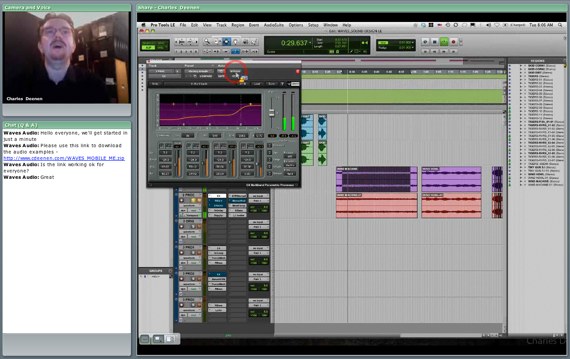
After clicking on a video link you will be prompted to sign into the webinar system. Please use the following information to view any of our previous webinar videos:
Username – webinar
Password – wavesPlease note: Due to limitations of Adobe’s webinar software, skipping through the webinar may cause the video to go out of sync. Therefore, we recommend watching the videos from the beginning, without fast forwarding.
Charles Deenen – Sound Design Webinar
Novation Launchpad tutorial
Rupert Brown explains the basics of working with the Novation Launchpad and how the basic modes work.
I have just received a Launchpad from the good people at Novation and I am really enjoying it so far. I have already done a first impressions review comparing the Launchpad vs APC40 so I thought a tutorial might be more interesting. So in this episode I am going to cover the basics of how the different modes work. Comment if you want to see more Launchpad tutorials and I might dig in deeper!
Reason and Record tutorials
James Bernard with Propellerheads has released a set of nice tutorials on Reason and Record, make sure to check them out 
The 1st episode of 52 Reason and Record Tips from James Bernard of Propellerhead Software.
From the James Bernard.plan file
propellerheads.se/substance/product-specialist/
Monomachinen und machinedrumen – tutotial
Elektron has released two sets of video tutorials, covering the Machinedrum & the Monomachine synthesizer.
The first of the Elektron Monomachine tutorials is embedded above. See Elektron’s vimeo page to watch all the videos.
Elektron has also announced a “Christmas Lottery”. People that buy a Machinedrum or Monomachine before January 10th are eligible to win a free Machinedrum or Monomachine.
Link:
Tom's 6 best Ableton Live tips
[vimeo http://vimeo.com/7955042]
- As well as using Time Commands in the main Arrangement view, you can use them in the MIDI Editor too! This is really handy for cutting out/adding in chunks of MIDI notes while preserving everything surrounding them.
- Need to free up lots of CPU? Select multiple Tracks, right click and choose “Freeze Track”, then go make a cup of tea. Live will Freeze each individual Track down into audio, removing the need to process any effects or instruments (don’t worry, you can always right click and unfreeze the track to go back to the original when you need to edit again).
- To give each one of your Chains an equal amount in the Chain Selector, drag each chains Zone out so it ranges 0-127, then right click and choose “Distribute Ranges Equally”.
- Turning on the MIDI Editor Preview also turns on a very easy to use step sequencer. Just push whatever note(s) you want on your MIDI keyboard (or virtual MIDI keyboard) and use the left and right arrow keys. If a note is held, when the key is pushed, it will insert a note.
- Holding down the command key lets you drag slopes that change the velocity of each note selected in the MIDI Editor.
- You can Freeze a track, duplicate it to a new audio Track by option + dragging, then unfreeze the original. This is really hand for doing a quick resample, just remember you can’t freeze a track if any of its effects have an active sidechain input!
- In Arrangement view, holding option + command and will let you scroll/pan left and right when you click anywhere in the Arrangement.
- If you are multi-track recording in Session view, make sure “Start Recording on Scene Launch” is selected in the Preferences (under Record / Warp / Launch). That way you just have to arm the right tracks and trigger a scene to start recording clips in all tracks.
- You’re not restricted to grouping tracks that are next to each other. Instead of shift, hold down the command key and click on the tracks you want, then push command + g. All the tracks will be put into a neat group for you.
- A few little extra assignable goodies pop up when you enter key/midi map mode (command + k and command + r). Turn the map modes on and look around, you can assign external events to move up and down Scenes, trigger the selected Scene, or even trigger the selected Clip in that Track.
DATAMASKIN

