
Learn to Record and Produce Professionally in Reason 7 – A Musician’s Guide
This is the latest trailer for professional musician Jared Meeker’s set of tutorials on recording and producing in Reason 7, available at Music-Courses.com: http://www.music-courses.com/product….
The course is a step-by-step guide to creating a funky, melodic, broken beat track with Reason, including recording in of parts, as well as programming of instruments within the software. All the while, Jared considers musical elements, such as melody, harmony, rhythm, form and timbre, sharing his wealth of experience performing and composing alongside notable artists and establishments in the music industry.
Producertech are happy to announce a brand new course on Reason 7 by Jared Meeker, a professional musician and composer who’s performed with LA hiphop artists Nate Dog and the Eastsidas, Snoop Dogg and Myka Nine, and has a string of sound design credits that include Dexter and Smash. In this comprehensive set of tutorials, Jared shows how to record and process live parts, like the guitar lines that form the basic structure and embellish the song, as well as focusing on the 5 major elements of composition – melody, harmony, rhythm, timbre and form. The lessons teach a wide variety of subjects, including instrument programming, numerous mixing and production techniques, creative audio editing and also many of the new features in Reason 7, like the Audiomatic Retro Transformer and updates to the main mixer.
Signing up to the courses not only allows unrestricted 24/7 access to the tutorials for as long as you need but also means you can download the Reason song file made throughout the course and 300MB of extra bonus samples from the Loopmasters packs used in the movies.
Master Record – new full recording application for iPad
Igor Vasiliev has released Master Record, a recording application for iPad.
Master Record can use any external audio source for record or used as Effect or Output in Audiobus. Also the user can upload audio files to this application for final processing or before mixing.
After recording the user can cut any part of track, make fade-in and fade-out and dubbing track by applying built-in effects. Tracks can be sent to other audio applications thru “Open in” option or using AudioCopy / AudioPaste. Built-in web access service allows files to be shared on a WiFi network.
Audio processing features:
- Tape recorder effect with three types of frequency response and controlled wow / flutter.
- Classic High / Low shelf EQ for accurate input signal correction.
- Tape saturation effect with three types similar to the different equipment modes.
- Noise effect with four types of noise for more natural sounds.
- Separate level control for each channel with link option and channel selection.
- High quality limiter prevents clipping.
- Highly visible level meters, time counter, free space and battery meters.
More features:
- Includes predefined presets – ability to create user presets.
- Compare two different preset or effects settings in real time.
- All effects settings are stored for each file and recording mode.
- Dubbing recorded or uploaded tracks using effects.
- Cut part of track and make Fade In and Fade Out with three types of envelope.
- Supports Audiobus in Effect or Output position.
- Compatible with AudioCopy / AudioPaste.
- Option “Open in” sends file to another audio application.
- Supports sharing files thru internal Web service in WiFi network.
- Supports iTunes file share.
Price: $9.99.
Soon to be released: AURIA – 48-Track Recording System for iPad
Wavemachine Labs has announced that it has submitted Auria, a new 48-track recorder for the iPad, to Apple for approval.
Here’s what they have to say about it:
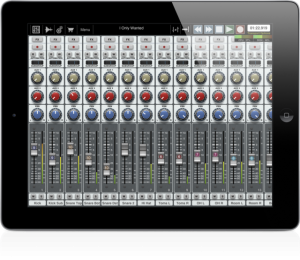
With the ability to play 48 mono or stereo 24bit/44.1 kHz (higher sample rates possible!) tracks simultaneously, record up to 24 of those tracks simultaneously (through any supported USB multichannel audio interface), and edit and mix with familiar tools and full parameter automation, it’s clear Auria sets a new standard for iPad multitracking.
What’s more, Auria’s 64-bit Double Precision architecture ensures ample headroom for plug-in processing and mix summing, transforming your iPad into a recording and mixing system with sound quality that rivals most DAWs.
The depth is in the details. Like customizable pan laws. Like meters that are selectable between peak and RMS. Like full delay compensation for all tracks, including aux sends and sub-groups. Complete with a vintage-inspired channel strip on every channel, a dedicated master channel strip, VST effects engineered by renowned makers such as PSPaudioware, Overloud, Fab Filter and Drumagog, and support for Dropbox, Soundcloud, AAF, and MP3, Auria truly raises the bar for recording and mixing on the iPad.
The introductory price for Auria will be $49.99.
Record music P2P with Google+ Hangouts and Ableton Live
http://youtu.be/vFARY-BN72c
Here’s a quick demo of a how to record peer to peer using albeton as our software. We then use google+ and other google products to communicate, organize and essentially recreate the studio environment but from anywhere in the world. Welcome to the future friends, this is just the beginning
Sonified translates what your video camera sees into sound in real time
Here’s a new app that sounds/looks pretty interesting:
Sonified translates what your video camera sees into sound in real time. Record onto QuickTime movies. The sonifying video camera for the iPhone and iPad.
Hear what your video camera sees

Sonified takes real time visual information from your iPhone/iPad video camera and uses it to mix 16 stereo tracks of CD quality music in real time, translating what your video camera sees into sound. A real time instrument, Sonified uses your iPhone/iPad’s video camera to translate qualities of light and color into music, a process called “sonification”. Using Sonified allows the iPhone and iPad user to connect vision and sound in new ways, creating video and soundtrack at the same time. Record Sonified QuickTime movies with CD quality audio and share with friends and other Sonified users.
Specifications:
Real time mixing of audio based off of brightness and or color values.
16 different ways to combine sounds and visual response.
4 Sonified “instruments”, each with its own unique way of mixing sound based off of visual information: mixing sound based off of brightness, based off of color, based off of both brightness and color simultaneously, or based off of brightness and color proportioned towards color.
A total of 64 stereo tracks of sound in four separate Sonified “scenes” all in 44.1 kHz 16-bit CD quality audio.
Extremely responsive, with close to zero-latency between what your camera sees and what you hear.
Record video and CD quality sound simultaneously onto QuickTime movies and save on your iPhone or iPad.
Intuitive, with an easy to use interface.
Designed for use with headphones.
How to create Mix Groups in Propellerhead Record
Here’s a new video showing how to create a mix group. Promoted as the DAW for musicians, Propellerhead Record nevertheless features some of the most sophisticated (and intimidating) mix routing of any multi-track recording software. While this opens the opportunity to do some very creative things in the mix interface, it also makes certain basic functions — like creating mixing sub groups — a little confusing.
That’s why we’ve put together this step-by-step video on how to create submixes in Record. It may require a few more steps than creating subgroups in other DAWs, but the visual routing component presented by the virtual rack view (ported from Reason) aides the process. As does Owen’s patient, guiding voice.
Via GW
Propellerhead is looking for BETA-testers

Remember Reason Adapted, Reason’s smaller sibling that used to be included with various products? We’d like to introduce a new, tiny family member who’s getting ready to step into those shoes: Reason Limited. This is a compact version of the Reason+Record Duo, that will eventually be included free with products from other manufacturers. Can you help us beta test it?
https://www.propellerheads.se/betatest/sign-up/
Stereo Width w/ The Haas Effect
New tutorial from Propellerhead
This week I’m going to show you one of the most tried and true methods we have to add stereo width and depth to our mixes: The Haas Affect.
Named after Dr. Helmut Haas for his early research into the effect, the Haas Effect essentially uses short delays to fool your brain into perceiving a stereo sound from a mono source. In mixing we can exploit your brain’s gullibility to carve out wide stereo fields and provide our mixes enough room for center elements like lead vocals or bass guitar.
I’ve made a combinator patch that accompanies this tutorial and it can be downloaded here:
http://www.propellerheads.se/stuff/JB…
Having fun with REX files
It’s time to take a look at some ways to work creatively with REX files in Record. Record allows you to work with REX files in new, cool ways – in this tutorial, we learn a few of them.
iPad TouchOSC for Reason/Record
Well I guess it was just a matter of time since this would appear, especially considering the KONG entering the Reason suite of apps
Retouch Control offers TouchOSC templates to control Propellerhead’s Record and Reason.
Sneak peek preview at Retouch’s iPad templates for controlling Propellerhead’s Record and Reason via TouchOSC
DATAMASKIN

