
Moog fun in Japan
HIDEKI MATSUTAKE Moog Synthesizer Operation
iDrum for the iphone
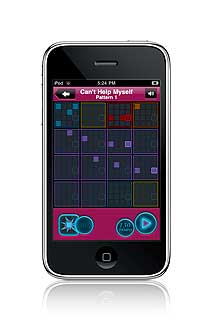
Drum: Hed Kandi Ibiza Mix 2010 is a new music creation app for the iPhone and iPod touch. Users can recreate the party atmosphere of Hed Kandi’s roadblock Ibiza events in the palm of their hands, experimenting with more than 300 new samples and beats, and 20 new drum kits created by the Hed Kandi. The beats can be customized, mixed and matched, which can then be shared with friends via Twitter, Facebook and e-mail.
iDrum also features a Recording mode that allows users to create their own samples by tapping the screen.
iDrum: Hed Kandi Ibiza Mix 2010 is available for $0.99 at the Apple App Store.
Playing the PONG
The Modal Kombat crew plays PONG using real guitars as video game controllers in a hybrid concert/public video game competition.
Do we need any more virtual keyboards, according to CFA the answer is Yes
CFA-Sound has announced the release of E-Play Divorce, a virtual e-piano instrument.
How many piano libraries are out there? Right, tons of! So what’s the deal with the CFA E-Play Series? You don’t get similar sounding (e)-pianos, you get a whole lot more. Modern, fancy, extraordinary, neverheard or hard-to-achieve keys, suitable for various styles from Jazz to Electronica – all at your fingertips. Samples are wrapped in a small and beautiful plugins for your daw – get in touch!
Divorce – the dirty side of the e-play series. Divorce contains 25 unique e-pianos with a special dirty and nasty touch.

E-Play Divorce sample player
E-Play Divorce features
- Sampleplayer for PC-VST & Mac-AU.
- Contains 25 unique e-pianos.
- 32 bit precision.
- High quality interpolation.
- DFD (direct-from-disk-streaming).
- 32 voices.
- Built-in reverb.
- All e-pianos also included in NKI format.
- 1,99 GB content.
E-Play Divorce is available to purchase for PC and Mac (VST/AU) for the introductory price of 25 EUR. This offer is valid for the first 100 copies sold. The regular price is 40 EUR (prices exclude VAT).
More information: CFA-Sound
Folktek – a collection of virtual instruments for Native Instruments Kontakt

Folktek has announced released the Folktek Collection Volume 1, a collection of virtual instruments for Native Instruments Kontakt.
After a year of work “the Folktek Collection Volume 1″ has finally been realized. A massive selection of virtual instruments designed and recorded by Arius Blaze and Big Pauper – to be played using Kontakt.
We took over $30,000 worth of our favorite Folktek works and meticulously multi-sampled the sounds we love, then designed the interfaces within Kontakt to have the controls we liked and what’s resulted is a massive 1.74gb of data and 64 virtual instruments of the highest quality.
Folktek Collection Volume 1 features
- 64 virtual instruments, 1.74 GB content.
- 16-24 bit 44.1khz Sounds.
- Over $30,000 worth of Folktek instruments sampled.
- Includes Abstract, Ambient, Noise, Percussive & Synth.
Folktek Collection Volume 1 for Kontakt is available to purchase for $149.79 USD.
More information: Folktek
Mooglight sonata
Here’s some lovely moogified classics with some cool flower power kaleidoscope graphics.
LUDWIG VAN BEETHOVEN – Adagio from ‘Moonlight Sonata’ from Alden Volney on Vimeo.
More buzz on the NanoStudio coming your way
NanoStudio combines sampling, synthesis, sequencing and mastering in a single application, taking mobile music making to a new level.
Record your ideas in real time, mix synth layers with samples, compose and arrange your tune using the powerful sequencer and bring the mix alive with real time effects such as reverb, waveshaping and delay. You can use your own samples or record them using the microphone. NanoStudio’s low latency audio engine is custom engineered for iPhone, capable of delivering an amazing 48 voice polyphony in CD quality stereo.
Eden Synth
Introducing Eden, NanoStudio’s versatile synth. Eden creates analogue sounds ranging from deep basslines and fat pads all the way up to squealing 303 lines and heavily distorted leads. Each voice has 2 anti-aliased oscillators modulated in mix, ring or sync configurations fed into a low, band or high pass 2 pole resonant filter.
Eden’s virtual patchbay allows you to connect 3 envelope generators and 4 beat-sync LFO’s to create modulation mayhem. Real-time performance becomes a truly interactive experience with dual X/Y controllers, accelerometer input and a pitch bend wheel, all totally configurable via the patchbay. Controller movements can be recorded and edited using the sequencer
It doesn’t stop there. NanoStudio allows you to use 4 Eden synths simultaneously, each with its own insert effects such as waveshaping, chorus and delay. When you want to go beyond basic oscillators, load up a sample and process it just like a normal synth voice – great for mashing up vocals or even the whole mix.
When you’re ready to get really creative, NanoStudio allows you to resample its own output and trigger the sample via the pads or keys, freeing up synths and effects to add even more sonic goodness to your composition.
TRG-16 Trigger Pads
Record samples using the built in microphone, resample NanoStudio’s own output or upload your own samples over Wifi using the NanoSync tool for PC and Mac. Edit your samples using NanoStudio’s built-in wave editing tools and trigger them using the 16 pads. Adjust pitch, pan, volume and envelopes and assign each sample to one of the 3 output busses, each with its own effect sends and filter setup.
Sequencer
Record performances in real-time using the keys and sample pads or create patterns and controller sweeps by drawing them in the piano roll editor. Arrange your patterns into a complete song using the track editor. Edit to your heart’s content while the song is playing and rest assured that every editing and recording operation has multiple undo/redo.
Mastering
Use Nanostudio’s intuitive mixer to monitor levels and get your final mix just the way you want it. The mixer’s two global effects sends allow you to individually apply reverb and delay effects to each track.
When you’re ready to share your mix with others, and use NanoSync to copy the exported .wav file to your PC or Mac over Wifi.
Hard facts on the LFO Expander

– external analog LFO processor
– generates an LFO and bend signal that can be mixed together
– LFO and bends controlled by hand, by foot pedal (active/passive) or by control-voltage
– for Moog minimoog, Yamaha CS80, CS60, CS50, ARP 2600 and all other synthesizers having external inputs for vco, vcf or vca control.
– LFO depth and rate can be controlled at the same time by one single movement !
– adds vibrato, wah-wah, tremolo, pitch bends or other modulations to your synthesizer
– allows mixing of a sequencer-cv with your synth’s keyboard-cv so you can transpose sequences in real-time
– allows attenuation and mixing of cv’s. Control the filter cut-off frequency of your ARP 2600 with a knob that’s just in front of you or add variable keyboard-tracking to your ARP 2600 !
– fits on top of your ARP 2600 keyboard, minimoog keyboard etc.
– LFO range from 0,2 Hz up to 275Hz
– selectable triangle- or square waveform
– runs on batteries (2x 9V) or dc-transformer
– The Yamaha CS80’s keyboard aftertouch can control LFO-depth and LFO-speed at the same time. If you’ve ever played a CS80, you will know how much emotion this adds to your music. However, applying aftertouch on the keys doesn’t allow for fast playing. By connecting the LFO-expander to the external input, you can control the LFO- depth and speed with a foot-pedal and control pitch, filter or volume on a new manner.
– If you own a Yamaha CS50 or CS60, you can control LFO depth by applying aftertouch but you can’t control LFO-speed. By using the LFO-expander you can and introduce CS80-like effects on these synthesizers.
– For minimoog owners, if you want to use a LFO, you have to use oscillator 3 for this purpose since there’s no dedicated LFO on the minimoog. That means you can only use osc 1 & 2 as a sound-source. When connecting the LFO-expander to the vco-input, you have your long-waited-for LFO and make 3-oscillator sounds!
– Almost every analog synth featuring cv-out & cv-in connectors can profit from the LFO-expander for pitch-modulations: simply connect the cv-out to an input of the LFO-expander and connect the output of the LFO-expander to the cv-in of your synth. Now you can apply vibrato or pitchbends by simply pressing the pedal connected to the LFO-expander or by manually turning the knobs on the expander. Many analog synthesizer do have cv-in & cv-out or vco-control: ARP (Odyssey, ARP 2600) Moog (minimoog, prodigy) Roland SH-series, Promars Yamaha CS-series (CS10…..CS80) Simply check the inputs of your synth !
Greg Calbi gives us his view on mastering
In this clip from www.artistshousemusic.org – Greg Calbi is a Senior Mastering Engineer at Sterling Sound. He discusses compression and the current debate over the appropriate level of loudness for a mastered album.
KORG introduces the MP-10 for the mobile entertainer
The MP-10 Pro is the perfect musical companion for mobile entertainers, solo keyboardists, singers and amateur musicians. This revolutionary all-in-one product brings together MP3 playback, MIDI song play, vocal processing and more in one easy-to-use entertainment center. From performing as the consummate DJ, hosting a karaoke night, or even programming your own musical interludes as your band takes a break, the MP-10 Pro is ready to provide professional results with over-the-top extras, wherever and whenever you are.

As a media player, the MP-10 Pro features two independent media song players; each is able to play both MP3 and MIDI files directly from the massive 120 GB internal hard drive. The motorized 60 mm crossfader allows creative DJ-style mixing. Songs can be saved into multiple playlists, and the database can be sorted using any criteria. Playlists can be easily imported, or even created “on the fly.” The Browser gives an immediate view of everything available in the selected genre. Using the Find function, the MP-10 Pro will carefully search the entire database for the user’s favorite song. Once found, the song can be immediately sent to either of the two players.
As a MIDI instrument, the MP-10 Pro can play MIDI files from the song players. The internal sound engine uses the same EDS (Enhanced Definition Synthesis) found in the Korg Pa500 arranger keyboard and can also be played from an external MIDI device. The front panel offers four assignable performance pads for triggering sound effects and musical phrases. Numerous on-board effects are available for the internal players and MIDI engine. For the entertainer, singer or master of ceremonies, the MP-10 Pro is equipped with a TC Helicon vocal processor offering compression, EQ and delay. A pitch shifter for changing keys, a time stretch function for changing the tempo and an advanced vocal remover allow MP3 files to be customized to suit the entertainer’s style.
DATAMASKIN

