
A customized Ableton Live control solution.
MB Control resembles some of the Lemur layouts, focusing on touch-augmented renditions of standard control schemes for triggering, mixing, and parameter adjustment. I still imagine this will fail to impress some people who enjoy tactile hardware controllers, but it does look practical, and there’s no reason you can’t put an iPad next to a box of physical faders.
With focus on white noise
All sounds are from the Roland SH-1000. This is a demo i’ve composed using just the SH-1000 and a software st.delay,reverb and sequencer.
Full feature list of the new stuff in Reason 5
– Kong Drum Designer
Analog synthesis, physical modeling, sampling, REX loops, support sound generators, effects, flexible routing, multiple hit types and more. The Kong Drum Designer is not your regular drum module. It’s the drum module focused on letting you get exactly that drum sound you’re after. Kong has 16 pads and 16 drums. Build your drum sounds based on any of the nine different drum modules. Flavor the sound with 11 support generators and effects. Program automation, create alternating groups and let Reason’s powerful sequencer control the beat. Reason 5 ships with a sound bank with a generous supply of kits for Kong across a wide variety of styles.
– Live Sampling
Remember the time when samples were something you sampled and not loaded from your hard drive? When a sampler was a machine that could record samples, not just play them back. As samplers became software instead of machines, they came to rely on external sample editing software for recording and editing the samples and the art of spur-of-the-moment creative sampling was pretty much lost. Now we are bringing it back to Reason 5 with its live sampling input. All sample players in Reason are now samplers. Just hook up a sound source to the rack’s sampling input and you are ready to start sampling. Use a mic, a turntable, an instrument or the entire Reason mix. Sampling in Reason is simple and straightforward. Hit the sample button and Reason starts sampling. Reason will detect the sample start automatically. You can sample when Reason is running too if you like – no need to stop the music. If needed, bring up the built-in sample editor to set start and end points, loop points and more. This is possible for all loaded samples by the way – not only the ones you have sampled.
As always, Reason lets you focus on music making – and sampling in this case. All samples are neatly stored in our song file and accessible in the new samples pane in the tool window. Here you can easily see what samples are loaded into what machine and delete and export samples as you wish.
Live sampling together with pitch detection of root key and automatic zone mapping makes it dead easy to sample an instrument and map the samples across the keyboard. This way you’ll create your own multi-sampled instruments for NN-XT and NN-19 in an instant.
– Neptune
Getting a vocal performance right means so much more than hitting the right notes at the right time. Sometimes you get that almost perfect performance with perfect feel and presence, but the singer might have missed a few notes. That’s when Neptune can save the day. Neptune is an advanced pitch adjuster, audio transposer and voice synth for Record 1.5.
As a pitch adjuster, Neptune will fine tune the pitch of an audio track to help getting your vocal performances just right. Neptune will fix the flat notes with an unbelievable audio quality . You can select a root key and a scale that you want the adjuster to use, or create a scale that fits your song. And, yes. By cranking the pitch adjustment settings to the max, you can get that effect sound too.
Neptune is also a natural sounding audio transposer. This is a great help if you ever needed to change the key of a song that’s already been recorded.
Perhaps the most creative-sparking function in Neptune is the voice synth. Play your MIDI keyboard and Neptune will create new harmonies from your vocal tracks in real time, or use it without the original voice to completely change the melody of the song. Endless creative options!
– Blocks
Many musicians tend to think of music in terms like intro, verse, chorus, breakdown, buildup and so on. With the new Blocks mode in Reason 5 and Record 1.5, your sequencer does too. Blocks lets you sequence your songs using a more pattern-based approach, with the segments of your song as individual building blocks to be laid out in your arrangement.
Start by creating the discrete parts of your song in blocks mode. When you are ready to start building your song, just switch back to song mode and draw in what blocks should play in the dedicated pattern lane. Use one block for the verse and one for the chorus — or build your song around a single 8-bar loop.
Blocks provide a very fast way of creating a musical structure for your song. But the options don’t end there. With the basic arrangement laid out, you can see the contents of the blocks and create variations and mute individual parts, or add further musical elements in song mode.
A typical use for Blocks is to create your backing track in blocks and then use the song mode sequencer to record vocals or instrumental performances. For music based around a single looped section, one repeated block with automation and mutes of individual tracks added in song mode makes arranging a breeze.
You never have to commit to using either mode – you are free to move back and forth between Blocks and Song mode, and any changes you make in your Blocks will instantly be manifested in all instances of that Block. Need some tambourine on that chorus? Add it, and there will be tambourine whenever the chorus block is playing.
– upgraded Dr. Octo Rex
The upgraded Dr. Octo Rex loop player loads eight REX loops into one player and lets you switch between them on the fly. This makes arranging a breeze – load the drum loops into one player, the guitars into another and use the sequencer to select what loop to play in a pattern-like fashion.
With eight loops to switch between, the new loop player also comes ready for the experimental minded. Set the player to retrig the loops on the beat, on the bar or on the 16th note. Or program the loops manually like in the original rex player.
For each of the eight loops, the new rex player also comes with an expanded set of per-slice settings. Set pan, pitch, filter frequency and level, reverse slices, use multiple outputs, create alternating groups of slices and much more.
– Automatic Self-Contain of Samples (incl from ReFills)
Make your songs self-contained by embedding samples and even ReFill sounds in your file. Reason 5’s self-contained song format makes collaborating with your friends a breeze. Even breezier than before actually.
– Record Notes on Multiple Tracks
Reason 5 and Record 1.5 lets you use multiple MIDI keyboards, pads, and controllers for playing and recording your instruments. Lock a 16-pad controller to a Kong, and use a keyboard to play your synths. Or use two keyboards on stage for controlling different Reason instruments.
– Scale Clips by Resizing
By pressing the alt or option key, Record 1.5 lets you timestretch individual clips. Now you can stretch loops to match your song’s tempo, or expand samples to eight times the length for completely new sounds.
– Mute Tool
The new Mute tool lets you click to mute and unmute clips. Use it to mute sections, or create variations in your Blocks.
– Set and move loop functions
Select a clip and press L to immediately set the loop points to the selection. Use the new Remote parameters for real-time control of the loop points from your MIDI controller.
– Tap Tempo
New in the transport panel is the Tap Tempo button.
– Improved key commands for laptop use
Reason 5 and Record 1.5 works even better on your laptop – or any keyboard missing a numeric pad. The new key commands lets you control play, loop, record and more from your keyboard.
– Hierarchical menus in Combinator programmer
A sound designer favorite, the Combinator’s programmer window is now even easier to use with hierarchical menus for fast patching.
– Additional CV inputs on Combinator
The Combinator in Reason 5 is expanded with new CV inputs on the back. The four new CV inputs can be used to control any parameter on the contained devices, providing even more options and possibilities for sound designers.
– Updated Help system (incl Help on Mac)
Reason 5 and Record 1.5 comes with a new and better built-in help system, on both Mac and Windows.
– Normalize and reverse audio clips
In Record 1.5 you can normalize and reverse your recorded audio clips.
– Bounce clip to sample
When using Reason & Record, you can now bounce audio recordings to samples, so you can use them in Reason devices such as Kong, Redrum, NN-XT and NN-19.
– Reason 5 updates
In Reason 5 there are tons of changes to bring Reason up to speed with Record. These changes include advanced multi core support, improved cable management in the rack, faster sample loading, on-screen piano keyboard, sequencer usability improvements and much much more.
Forget 8bit music – time for 1bit
Tristan Perich’s 1-Bit Symphony is an electronic composition in five movements on a single microchip. Though housed in a CD jewel case like his first circuit album (1-Bit Music 2004-05), 1-Bit Symphony is not a recording in the traditional sense; it literally “performs” its music live when turned on. A complete electronic circuit—programmed by the artist and assembled by hand—plays the music through a headphone jack mounted into the case itself. The album is available from Cantaloupe Music.
Reason 5 and Record 1.5 finally revealed
So what´s new:
Analog synthesis, physical modeling, sampling, REX loops, support sound generators, effects, flexible routing, multiple hit types and more. The Kong Drum Designer is not your regular drum module. It’s the drum module focused on letting you get exactly that drum sound you’re after.
Kong has 16 pads and 16 drums. Build your drum sounds based on any of the nine different drum modules. Flavor the sound with 11 support generators and effects. Program automation, create alternating groups and let Reason’s powerful sequencer control the beat.
Reason 5 ships with a sound bank with a generous supply of kits for Kong across a wide variety of styles.

(Click to enlarge)
Modules at a glance

Synth Bass Drum
From hard knocking kicks to long booming ones, the analog modeling kick drum can do them all.

Synth Snare
The synth snare drum is based on tone, harmonic and noise. Short and snappy or long and noisy. You decide.

Synth Hi-Hat
This module has four different hit types that can be spread out across the pads: closed, semi-closed; semi-open or open.

Synth Tom Tom
If your fondest memories in life include a musical backdrop of those ubiquitous tom tom breaks in 80s ballads, then this module will make your eyes misty. With its range of settings, this module can produce a wide selection of percussion sounds.

Physical Bass Drum
Built on physical modeling, this module generates organic sounding kicks with flexible settings for tuning, size, beater characteristics and more.

Physical Snare Drum
This module has four hit types (center, position 1, position 2 and edge) to generate a very natural sounding snare drum. It comes with settings for snare tension, bottom and top pitch and more.

Physical Tom Tom
This model has settings for size, tuning, stick and more, making it capable of sounding like a wide range of tom tom-like drums.

Sample player
The NN-Nano is a multi-layered sampler & sample player that lets you build drum sounds by layering samples. You can create layered sounds or use velocity settings to create velocity switching between samples.

REX player
Nurse REX is an extremely versatile loop player. You can use it to trigger an entire loop from a pad, in sync of course, or use it to play a selected slice only. You can assign one loop across several pads and set the REX player to trigger chunks of slices – still in sync: instant breakbeat bliss!
Support Generators
The support generators can be added after the drum module in the signal flow. They can add noise or tone to the sound if you need a little extra to get the sound you’re after.

Noise
Adds noise to the sound.
Tone
Adds tone – from the lowest sub to ear-piercing high notes.
Effects
Kong comes with a selection of nine effect modules to help you shape your sound. Being Reason, you can of course also route external effects into Kong, or use Kong as an effect module.


Nintendo Entertainment System / NES ROM image
This electronic invitation is a Nintendo Entertainment System / NES ROM image.
You can download it here and play it in an emulator if you’d like:
no-carrier.com/blip_tokyo_invite.nes
Code by NO CARRIER & Batsly Adams
no-carrier.com batslyadams.com/
Music by chibi-tech
chibitech.nanjamonja.com/
Graphics by enso
enso.tumblr.comBlip Festival Tokyo 2010 takes place on September 4th and 5th. For all information, head here:tokyo.blipfestival.org/
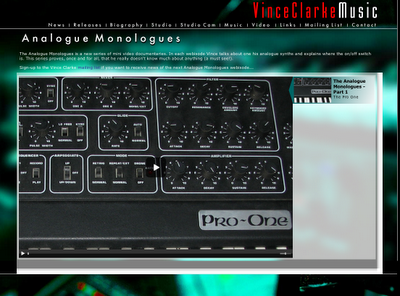
Vince and his Analogues Monologues
Synth-pop legend Vince Clarke has launched a new series of mini-documentaries entitled The Analogue Monologues in which he talks about some of his favorite analog gear. The first episode is up on his site and discusses the wonderful Sequential Circuits Pro One.
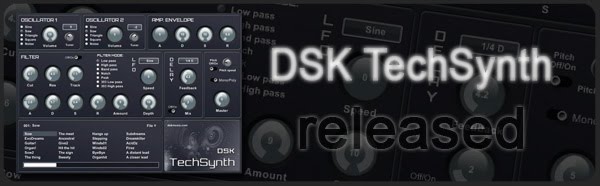
TechSynth, a free virtual syntesizer instrument for Windows
DSK Music has released TechSynth, a free virtual syntesizer instrument for Windows PC.
DSK TechSynth features
- 2 Osc with 5 waveforms.
- Amp. envelope and detune control.
- Advanced filter with ADSR and LFO.
- Delay filter.
- Pitch / poly control.
- +60 patches.
- Velocity response.
DSK TechSynth is available to download as a freeware VST instrument plug-in for Windows PC.
More information: DSK Music
Reason 5 released today and celebrated yesterday with…
… a massively big drum machine
Not content with merely releasing two of 2010’s biggest bits of music making software this week, Propellerhead Software has given MusicRadar a sneak look at its latest mind-bending project – a mammoth drum machine.
The gargantuan beat maker is like a strange hybrid of a midi-controller and one of those dance mat games you find in arcades. From what we can tell, it appears to utilise Propellerhead’s Kong Drum Designer, one of the highlights of the company’s new Reason 5 DAW.
Into visuals
RtP Release Show – Nullsleep 3
DATAMASKIN

