
Lavalamps and Reason in perfect harmony
More lava lamp MIDI modulation.. I added some “comparators” to the arduino code to generate a set of 15 additional on/off controllers based on comparing the 6 continuous outputs. I put these to work on a reason patch where they are working effects and mix.. I reckon there is potential here!
So do we 
Beefy analogue sound engine with a very unique edge
Analogue Solutions new synth: the Leipzig-s.
A very beefy analogue sound engine with a very unique edge, more on the rougher sound side. I’ve grown a soft spot for AS synthesizers eversince I got their Telemark which I cannot praise enough. Being a modular and semi-modular fan I do miss patch points on the Leipzig-s and maybe a multi-mode filter to enhance the already vast sonic flexibility of this machine. But aside from my wishlist and personal preferences I must admit that the Leipzig-s is a most powerful musical instrument.
Here I teamed the Leipzig-s up with the Telemark, Vermona DRM1 MKIII drums, the Doepfer A-100 and a string pad from the Roland JX 8-P – ALL sounds are purely analogue.
It’s a fairly large file – apologies for that. Headphones recommended. The predominance of the Leipzig-s in the mix is intended.
Live + Looptastic HD + grüvtron + WIFI MIDI Sync = Fun!
This is a short preview showing how Soundtrends are adding WIFI MIDI sync capabilities to their Looptastic HD (for iPad) and grüvtron (for iPad/ iPhone/iPod touch) apps. It is using the Apple Core MIDI services found in iOS 4.2 or above.
Talking Synth Module
Checking out the Flame – Talking Synth euro module. Making it sound like a malfunctioning R2D2:)
Tribute album to Talk Talk on it’s way
News has reached us that a tribute album to Talk Talk is on its way and along with a series of special guests we have also learned that e.g. Alan Wilder aka Recoil has recorded a cover for a forthcoming Talk Talk tribute album and book. Also included on the tribute album are The Lovetones, Anthony and the Johnsons, Chris Walla from Death Cab For Cutie, Turin Brakes, and Stars Of The Lid amongst many others.
In a comment on the Recoil blog Alan Wilder says: “In direct opposition to their commercial decline, my interest in the group increased as their more avant garde leanings came to the forefront. ‘The Colour Of Spring’ (1986) was an excellent but transitional album where one could visibly see the band mutating from well-crafted, intelligent pop into something much deeper and more thought- provoking. It reflected producer Tim Friese-Greene’s more fluid and melodic keyboard arrangements with a far more expansive production. However, the revelation that followed – ‘Spirit of Eden’ – was still totally unexpected. This has to be one of my all-time favourite albums. Mind-blowingly brilliant in its diversity, minimalism, atmospherics, musicianship and topped off with the voice which found it’s true position floating painfully over the top (in the best possible way). Whenever I’m stumped for something to listen to, I reach for this album to restore my faith in all that is good about modern music.”
Talk Talk was an English musical group, active from 1981 to 1991. The group had a string of international hit singles including “Today”, “Talk Talk”, “It’s My Life”, “Such a Shame”, “Dum Dum Girl”, “Life’s What You Make It” and “Living in Another World”.
New album by Anthony Rothers

Electro maestro Anthony Rothers has released and new album, The Machine Room. Although you recognize the sounds of the dark synthetic sounds of Anthony but there’s no beats, no drums. So it’s more of an ambient kind of electro landscape. Check it out on itunes
96 vocal tips
MusicRadar has provided a nice list of all in all 96 vocal tips, enjoy

01
We generally recommend that if you’re aiming for really pro-sounding vocals it’s easier to have a real preamp on the go, keeping good signal levels on the way in. If you haven’t got access to one of these, however, you can always try throwing in something that provides the same sort of flavour. Plug-ins such as PSP’s Mix Saturator 2 offer some handy preamp settings that quite convincingly mimic outboard saturation and compression.
02
It’s vital to get the best mic position for your vocalist. While it’s usually best to start from right in front of the mic, some people’s voices may sound better a little closer or further away, or even to the side. If your singer’s voice has a nasal quality, for example, you might want to place the mic slightly above their nose rather than in front of or below it. Experiment until you find the sweet spot.
03
Many vocalists sing better when they tilt their head back a little, as it opens up their vocal chords. The easiest way to take advantage of this is to place the mic slightly higher than the singer’s mouth, angled down towards them – this will encourage them to tilt their head back as they sing.
04
It might sound a little obvious, but before doing a vocal take, it’s a good idea to make sure your singer has a clear idea of where the lines should be placed. There’s nothing wrong with having them scribbled down on a piece of paper, but generally speaking, a singer who doesn’t know the lyrics probably isn’t that sure how to sing them either.
05
Make sure you keep track of your singer’s position (even if your singer is you). You will often find yourself taking breaks, or coming back to re-record a line, and it’s very important to make sure the vocals are coming from the same position each time – if not, they might not sound the same. It goes without saying that you should keep track of where the mic was, too.
06
Adding an artificial stereo spread effect to a vocal can be a great way of giving it real presence, but it also has the effect of taking away some of the vocal’s punch and causing it to lose some of its prominence in a mix, so is often not ideal on the lead vocal. Instead, try using it for backing vocals or layered words, or for specific effect on certain words.
07
Chorus effects are great, but one of the best ways to achieve chorusing is to actually record multiple takes of the vocal. You can then take a few of these and layer them – try panning a couple slightly and leaving one centred, or thinning out the underlying two a little with EQ and more heavily compressing the central one for added impact.
08
You can thicken up a thin-sounding vocal by using a synth layered underneath it that subtly plays the same notes. You can even use a sidechained gate on the synth, triggered by the vocal, to ensure they only play together. Alternatively, try using something like Waves Tune, which will export the notes of your vocal as a MIDI file. Then compress the synth and vocal as one.
09
There are plug-ins out there, like Antares Punch, which are designed to accentuate the more punchy parts of a vocal, but you can also achieve something similar using gating or even an expander on your compressor. With a gate, for example, you just need to set it up so that only the punchy parts of your vocal open the gate, and then apply a small amount of gain reduction.
10
One of the great ways to keep a vocal punchy but still interesting is to use some of your additional takes to layer key words. These could be words that are significant in a lyrical sense, or that work well with the groove, or that enhance the arrangement. Just be sure not to overdo it – use them sparingly enough that they keep their impact when they appear.
If you like these check out the rest here >>
Propellerhead Software – Keyboard Drumming for Beginners
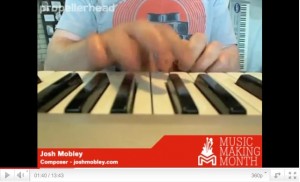
In this live session for Music Making Month, Josh Mobley (joshmobley.com) walks us through his technique for playing drums live on his controller keyboard in one take instead of programming beats with a pencil tool. The result is a human groove that feels more natural than programming ever will. Propellerhead has a unique approach in May’s “Music Making Month.” Hands-on how-to videos appear first as live webcasts, then on-demand YouTube clips, showing how to get into some real music making. Reason and Record are featured, of course, but the series is as much about production and performance as those tools. Check out the start of the terrific series by Josh Mobley on keyboard finger-drumming, for instance.
Live beats with UltraNova and Launchpad
Novation’s resident Controllerist jamming on UltraNova and Launchpad with Ableton Live.
DJ / Performance – Creating A Unique Setup (Dorian Concept)
New Ableton Live tutorial uploaded by DubSpot. In this tutorial, we’ll explore some techniques inspired by two incredible conversations I had this past week. We will look at the creative possibilities of using the Simpler, some portamento, LFO, and delays, and we’ll also explore a great technique for crafting 8 bar drum patterns.
First up, I had the great pleasure of catching Dorian Concept’s insanely inspiring set at Low End Theory last week. Dorian Concept is a Vienna-based producer who has developed his own completely original style of keyboard playing. He’s been tearing it up at Festivals around the world since bursting on to everyone’s radar with the massive tune “Vertical Output” a few years back. His latest release on Ninja Tune is called Her Tears Taste Like Pears, full of funky, synth driven club heaters. He often sits in live improv style with his friend Flying Lotus when they cross paths internationally, and his series of YouTube videos ‘Fooling Around With The MicroKorg, Alesis Micron, etc’ are straight jaw droppers.
So I had the honor of chatting with him at length at Low End, and I thought I’d share some tidbits from our inspiring conversation. He shared some serious wisdom that would be helpful for any aspiring producer. Turns out he is not classically trained, and he’s actually completely self-taught. The great thing about what he has done, is that he has kept it simple and really mastered his instrument, developing his own unique style. With all the tools we have available in our toolbox these days, it is easy to get overwhelmed and the reality is that sometimes it is better to simplify and limit yourself. That is what he has done, truly mastering his Microkorg and Micron and developing his own very distinct style of playing these instruments. We talked about our shared admiration of Squarepusher, as he had a very similar approach, mainly he used one particular sampler for all of his pre-year 2000 productions. He also developed his own very recognizable style of bass playing.
Applying these concepts to working in Ableton Live, I strongly recommend finding a compositional process that works best for you. These tutorial videos are about sharing various production techniques, find the ones that give you the best results and develop them further. Put a few of these techniques together into your bag of tricks, and then work at becoming the master of them. Identify a few elements that will become your signature sound, and then create a body of work with them. Develop your meat grinder, and then crank out the jams.
Stay tuned for the next tutorial, in which Professor Nalepa shares some great tips and techniques for drum programming and sequencing he picked up from Dutty Artz co-founder and Dubspot Instructor Matt Shadetek. The track used at the end of this video is “Wonton Garden” from Matt Shadetek’s Dutty House EP, out now on Dutty Artz.
DATAMASKIN

