
Reason 7 has been officially released
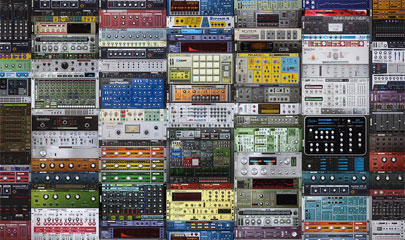
Today Propellerhead has released their latest incarnation of their popular DAW – Reason 7
Reason 7 brings tons of new improvements for the mixer, the rack and the sequencer. Integrate your instruments into Reason with MIDI out, audio slicing and audio quantize. Turn your recordings into REX loops. For mixing, we’re introducing a spectrum analyzer with visual EQ, group and parallel channels and workflow improvements. To inspire, Reason 7 imports audio from your music library and web formats. The enhanced Factory Sound Bank comes fully loaded with tons of new loops and drum kits. The new Audiomatic Retro Transformer effect adds a futuristic-vintage sound to any tracks.
Reason Essentials 2 is a free upgrade for all owners of Reason Essentials, bringing audio slicing and quantizing to the sequencer. Create REX files from your recordings directly in Reason Essentials. Import audio files from your music library and the web with improved file format support. Workflow enhancements in the rack and sequencer make writing, producing and mixing music in Reason Essentials even faster, easier and more fun.
All details can be found here >>
FL Studio 11 | What’s New?
More info – http://www.image-line.com/documents/f…
What’s new? – http://goo.gl/Q9EwO
Music: Bass Antics by Seamless, the project is included with FL Studio 11
FL Studio 11 is a complete software music production environment, representing more than 14
years of innovative developments and our commitment to Lifetime Free Updates. Everything you
need in one package to compose, arrange, record, edit, mix and master professional quality music.
FL Studio 11 is the fastest way from your brain to your speakers.
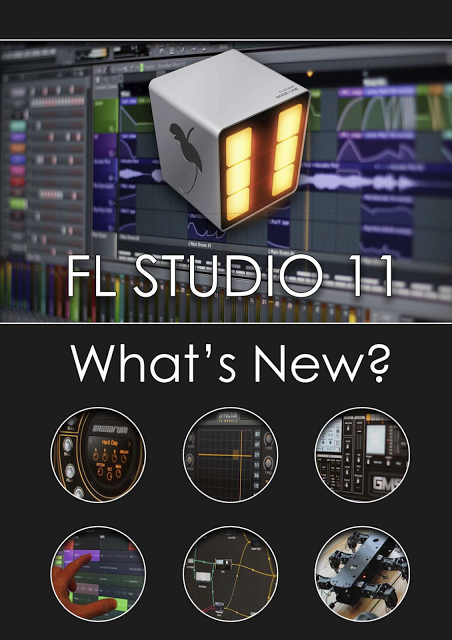
Notable New Features
Performance mode – Trigger Playlist Clips live using a mouse, touch screen, typing keyboard or MIDI controller. Supports APC20/40, Launchpad, Lemur, Block, Maschine/Mikro, padKONTROL, Traktor Kontrol (and more).
Multi-touch support – FL Studio and some plugins now respond to Multi-touch with Microsoft gesture functions supported.
Playlist – 199 Playlist tracks, increased from 99.
Linking includes MIDI input port – Links now remember the MIDI input port used to avoid conflict between controllers.
Playlist & Piano roll – Horizontal & vertical movement locking. Shift is horizontal lock & Ctrl is vertical lock when dragging items.
Piano roll – Glue notes, Mouse wheel velocity, Monophonic step entry mode & Chop chords tool.
Right-click data entry – Most controls now allow a Right-click option to type in values.
Plugin Picker – Right-click to open a plugin and its presets in the Browser. Start typing plugin names to highlight entries.
Mixer – Page Up/Down keyboard keys cycle through the current mixer track’s plugin windows.
Options – Play truncated notes in clips restores notes overlapping slice points in Pattern Clips. Click and hold functions. GUI animation level now selectable from sober to entertaining.
FL Studio Mobile for ANDROID and iOS
Google Play Store – https://play.google.com/store/apps/de…
iTunes – https://itunes.apple.com/au/app/fl-st…
Info – http://www.image-line.com/documents/f…
FL Studio Mobile is now available for Android and iOS. Use it on any smart-phone or tablet running Android or iOS
A Google/Asus Nexus 7 was used in this video
FL Studio Mobile HD allows you to create and save complete multi-track music projects on your iPad, iPhone and iPod Touch. You can even load the FL Studio Mobile projects into the ‘FL Studio Desktop PC’ version* and take them to the next level.
If it’s a beat on the step sequencer, a melody on the piano roll or a full song on the playlist, FL Studio Mobile has you covered. Never lose that idea again. Get it down and happening wherever you are.
FEATURES
• 133 high quality instruments, drum kits & sliced-loop beats
• In-app shop with 7 sample packs (250 instruments/kits), 2 of them are free
• All instruments have FL Studio desktop counterparts for FL Studio desktop import and extension
• Step sequencer for fast percussion programming and sliced-loop reworking
• Configurable virtual piano-keyboard
• Drum pads
• Audio tracks: audio recording (with monitoring), iPod library import, wav/mp3/aac import, AudioCopy & AudioPaste
• Wave editor: cut, trim, normalize, reverse, insert silence, fade in/out (3 curves)
• Record up to 24 channels simultaneously with CoreAudio (class compliant) hardware
• Background audio playback and recording
• Browser with preview button and logical sorting into Instruments, Synths, Drum kits & Loops
• Sampling: custom kits and instruments can be created from wav/mp3 files, AudioPaste, .zip and .instr files (created with FL Studio desktop)
• Pan, volume, release and attack time configurable per instrument
• Pitch bend via accelerometer
• Low-latency, iOS-optimized, high quality, battery-friendly audio engine
• Drum loops and sliced loops ready to start your project with a cool beat
• Effects include Limiter, Reverb, Delay, EQ, Amp simulator & Filter to enhance your mix.
• 99 track sequencer and intuitive editing options
• Per-track mute, solo, effect bus, pan and volume adjustment
• Edit at the level of tracks, bars or down to individual notes
• Piano roll editor for manual entry of note & chord sequence data or detailed editing of recorded performances
• Unlimited undo and redo for all editable screens
• Metronome with tempo & time-signature settings
• Intuitive positioning of screens with the slide gesture and resize with the pinch gesture
• Save and load your songs, export to WAV and AAC
• MIDI file import/export
• SoundCloud and Dropbox upload
• Email export, AudioCopy, iTunes file sharing and an integrated WiFi server
• Audiobus support (input & output)
• In-app user manual
• Retina Display graphics
• Compatible with: CoreMIDI (MIDI in and out), Virtual MIDI, Line 6 MIDI Mobilizer I & II, Akai SynthStation 25, iRig, iRig Mic, iRig MIDI, Yamaha i-MX1, Apogee Jam, Blue Mikey, Alesis IO Dock, iConnectMIDI, Line 6 Mobile Keys, Line 6 Mobile In, Tascam iU2 and many more.
Visit www.flstudiomobile.com for video tutorials, demos and access to the FL Studio Mobile community. For sales support email flstudiomobile@image-line.com.
Audio quantize and stretch in Reason 7 – Micro Tutorial
In this Micro Tutorial we take a look at audio slice markers in Reason 7. Whether you’re quantizing your audio tracks for flawless timing, adjusting individual notes to re-imagine your phrasing, or just looking to experiment into unknown realms Audio Slice Markers are a powerful tool. And the best part? Thanks to Reason’s legendary time stretch, it sounds amazing.
Huge software based mixer board at MusikMesse
The mighty Raven MTX at Frankfurt Musikmesse.
The RAVEN MTX is: – A state of the art touch screen display featuring the RAVEN MIXER – A powerful multitouch mixer that can control all major DAW’s – And a flexible and user-customizable, multifunction TOOLBAR. The RAVEN also incorporates a full-featured analog monitoring section designed for today’s audio engineer, with multiple speaker outs and input sources, smart phone connectivity, USB, multiple headphone send and cue options, and much more. But at the heart of the RAVEN MTX is the most important thing of all… Your DAW, right at your fingertips.
The Multi Touch Display
When we began to develop the Raven concept, we studied the touch screen industry for months and became experts in the various technologies. We realized something very quickly: to make a multi touch monitor suited for the pro audio industry, no “off-the-shelf” product would work; they were too slow, with thick, untreated glass and unusable parallax between your finger and the image. The screens themselves wouldn’t look correct at the angle that we needed, the glass had a horrible friction to it, and there were no proper drivers to do real Mac and PC integration with professional DAWs. So we started from the beginning, and built the RAVEN touch display from the ground up, using brand new touchscreen technologies that were literally being introduced to the market as we were working. We build our own displays using commercial grade LED backlit screens and components from industry-standard display manufacturers. It’s sharp, bright, and looks great at any angle. But one of the greatest achievements we made is in our custom made NANO GLIDE surface. This ultra thin 2mm glass is coated with a proprietary nano technology that makes the surface slick and smooth, even smoother than the famous touch tablet… and it allows you to work effortlessly. This is the Rolls Royce of touch screens… nothing on the market comes close in terms of performance, feel, and build quality.
The Raven Mixer
The Raven Multi Touch DAW control software puts your DAW right at your fingertips. A large-format multitouch mixer gives you complete access to faders, pans, mutes, solos, sends, automation, and even plugin inserts. Of course on a 46” screen, plugins become the size of 19” outboard gear – you can easily tweak the controls with your fingers. This is a world-first in DAW control. Having the DAW at your fingertips makes it easy to directly interact with the music.
Drum Machine 101 with Redrum – Micro Tutorial
Ever since Reason 1.0 beatmakers, producers, and button-mashers alike have all loved the venerable old Redrum Drum Computer. And it’s easy to see why. Step sequencing drum machines like Redrum or even the classic Roland 808 offer a nearly perfect layout for programming the rhythmic syncopated beats used in so many popular music genres. The 16 buttons, representing the 16 steps in the beat, provide the right blend of predictable beat construction and random experimentation when you want to spice up your beats.
In this micro tutorial, we’ll get you started with drum step sequencing and get familiar with the Redrum’s layout. You’ll soon learn why producers the world over love Kong but also keep coming back to Redrum for that special creative simplicity.
FL Studio Mobile Android | SOON!
This is a Nexus 7 running Android 4.2.2. Android 2.3 will be the minimum Android version supported.
FL Studio 11 at MusikMesse 2013
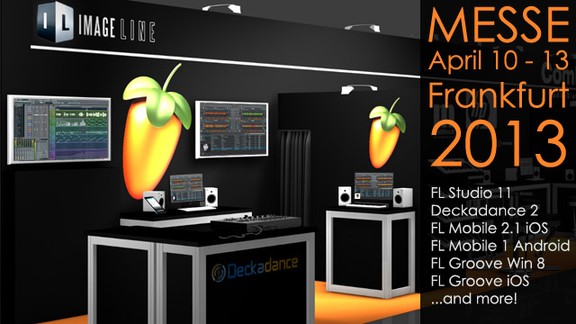
Image-Line has announced that it will showcase version 11 of its FL Studio music production software at the upcoming Musikmesse.
We are excited to announce that Image-Line will be at Musikmesse April 10-13, 2013. See us at Image-Line Booth E50, 5.1
Featured products include:
- FL Studio 11
- Deckadance 2
- FL Studio Mobile 2.1 (iOS)
- FL Studio Mobile 1.0 (Android)
- FL Groove (Windows 8 and iPad)
Also meet nucleon from the FL Studio forums & Sacco, winner of the FL Studio Performance mode competition (demonstrating in the ComLine booth nextdoor).
Propellerhead Reason 7 has been announced
Propellerhead has announced a new major version of its Reason music software. With over 90 third party Rack Extensions expanding Reason’s rack of instruments and effects already available, Propellerhead has focused its attention on new creative and inspirational improvements for the mixer, the rack and the sequencer.


With Reason 7, users can integrate all their instruments into Reason with MIDI out, automatic audio slicing and audio quantize, and even convert their recordings into REX loops for further creative possibilities in the rack. For mixing, Propellerhead is introducing a spectrum analyzer with visual EQ controls; group and parallel mix channels; and many workflow improvements to help users sound better, easier. To inspire, Reason 7 makes it easier to import audio from users’ music libraries and the web with support for mp3, aac, wma and more. The enhanced Factory Sound Bank comes fully loaded with tons of new loops and drum kits, while the new Audiomatic Retro Transformer effect unit adds a futuristic-vintage sound to any tracks, never more than a mouse-click away.
Reason users are invited to sign up for the limited public beta testing at the Propellerhead web site.
Pricing & Availability
Reason 7 and Reason Essentials 2 begin limited public beta testing today and will be available for purchase worldwide in Q2 of 2013 at the following suggested retail pricing:
- Reason 7 €405 / $449.
- Reason Essentials 2 €120 / $129.
- Reason 7 Upgrade (from any previous Reason version) €129 / $129.
- Reason Essentials 2 upgrade from previous versions free.
- Balance (includes upgrade to Reason 7 for owners of previous versions of Reason) €429 / $449.
Propellerhead is also offering a grace period for purchasers of current versions of Reason, Reason Essentials and the Balance audio interface. Purchasing and registering a qualifying product today makes users eligible for a free upgrade to Reason 7. For details see: www.propellerheads.se/freeupgrade
Peff is back: Buffre + Directre Rack Extensions
Buffre Beat Repeater is an audio looping device that repeats and scrubs audio in sync with song tempo. Buffre is a performance effect, playable from a MIDI keyboard or control surface, and supports Reason control voltage routings for automated looping, stutter and glitch effects.
When you download a full license, please opt-in for special promotional offers by clicking the check box and REGISTER button.
DATAMASKIN

