
SynthMaster Player for iPad – the mobile player version of the SynthMaster synthesizer instrument
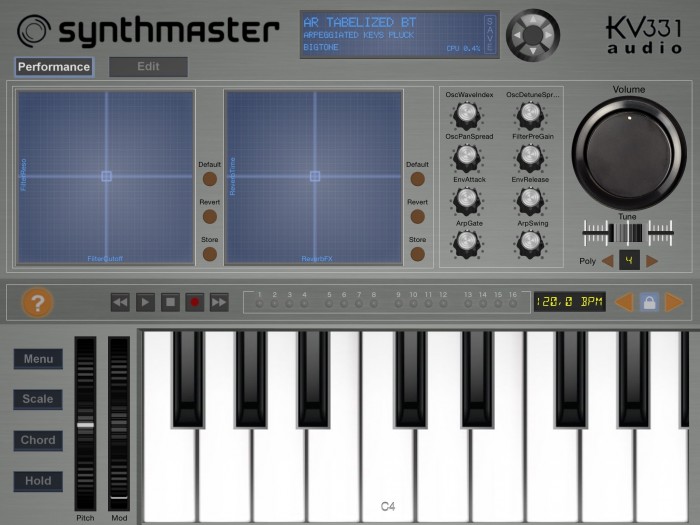
KV331 Audio has announced SynthMaster Player for iPad, a mobile player version of the SynthMaster synthesizer instrument.
It is targeted towards users who prefer to use presets rather than designing their own sounds during music production. Although it is a preset based player, users can edit the following parameters:
- 8 easy parameters assigned by the sound designer
- 2 XY Pads assigned by the sound designer
- Effect bypass states and send amounts
- Layer bypass states and volumes
- Master volume, polyphony
The free app comes with 100 factory presets. When users complete registration by entering their names and email addresses they receive another 100 factory presets as a bonus. After completing registration, users can upgrade to the Pro version of the app by purchasing the “Factory Presets” bank via In-App-Purchase (IAP) for $9.99. With the Pro Upgrade all of the 800 factory presets are loaded and also the following features are unlocked:
- Users can save the changes they have made to the presets
- Users can purchase additional preset banks via In-App-Purchase (IAP)
- Existing SynthMaster users can download their previously purchased SynthMaster preset banks inside the app, so that they don’t have to purchase them again
- Existing SynthMaster users can export their own presets in SynthMaster v2.7 and import them into SynthMaster Player for iPad using iTunes.
The app is available for download for iOS 7 and higher.
Check out the zmors modular synthesizer for ipad
Demo of zmors modular synthesizer for ipad
https://itunes.apple.com/us/app/zmors…
Overview
zMors modular is a modular synthesizer. You can add
various modules to your patch and connect them with
cables. You can use hardware gear with up to 8 usb outputs
for audio and/or control voltage send.
Features
– 64 bit support
– send up to 8 audio/cv to your modular synth via USB Audio
– 32bit float audio engine with up to 16x oversampling
– InterAppAudio up to 96K
– Midi input
– very low Storage usage
– skinning with custom background images
Modules
OSC, MultimodeFilter, WaveTable, ADSR, Slew, VCA, DSP, Combiner, Oscilloscope, Chords,
CV Sequencer, Step Sequencer, Midi Keyboard,Midi File Player, XYPad, Delay, Reverb,
Inter App Audio Host, Sample Player, Macro for complex setups
Math
– abs(x)
– square
– square keep sign
– 1-x (invert unipolar)
– x*-1 (invert phase)
– unipolar to bipolar and back
– hard clip bi- and unipolar
– quantizes halftones and octave
– pow(2,x)
– tanh
– up- and downsampling
– convert to 55Hz/V
– DC correction
– fract(x)
– sin(2*x*pi)
– Shaper
– Slide low pass
The Korg iM1, The BIG Soundtest for iPad, Awesome Synth
You can get the Korg iM1 here at the App Store.
https://itunes.apple.com/us/app/korg-…
KORG releases the iM1 – digital synthesizer workstation for iPad
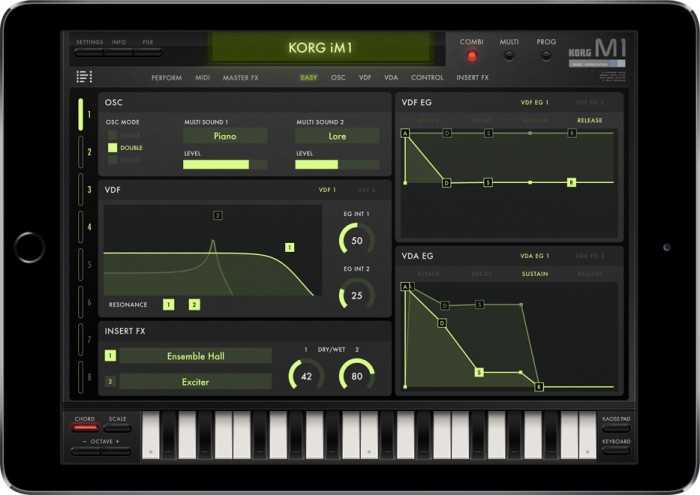
Korg has announced the release of iM1, a digital synthesizer workstation for iPad.
Since it went on sale in 1988 the legendary M1 music workstation rapidly achieved record-breaking sales, becoming a mainstay of the music scene from the late 1980s and beyond. The appearance of the M1 helped musicians deliver professional-quality songs using just a single piece of equipment.
The design goal of the M1 was to deliver sound that would satisfy professional needs in two areas: performance and music production. This goal became the new direction for the PCM synthesizers and desktop music sound modules that subsequently appeared, and has been carried on to the present day with KORG’s flagship model the KRONOS.
High-capacity sampling and the increase in computer speed have enormously improved overall sound quality from a computer, but generating sound that delivers a real sense of presence demands technology and ideas beyond those that merely improve sound quality. The common element of electronic instruments that have left their name in history is that they had a unique sound that was difficult if not impossible to replicate. Sounds such as the “M1 Piano” and “M1 Organ” are instantly recognizable and have appeared on countless hit records over many years, and yet these are sounds that could only be produced by the M1. And that’s what you can now have on your iPad!
iM1 features
- Advanced Integrated System with 8 parts.
- 3,300 sounds (incl. all expansion sound cards) and 34 effect types.
- MIDI program change, Virtual MIDI and Bluetooth MIDI.
- Virtual keyboard and performance via external MIDI keyboard.
- KAOSSILATOR-style “Touch Scale”.
- Gadget-style “Smart Keyboard”.
- Usable as a Darwin gadget within the Gadget app (Programs only).
- Compatible with KORG Legacy Collection M1 format (.m1all file type).
- Inter-App Audio, Audiobus 2 support, Core MIDI.
iM1 for iPad is available for purchase for the introductory price of $19.99 until June 30th, 2015 (regular $29.99 USD). The M1 Cards Pack and T1 Cards Pack are available as in-app purchases of $4.99 USD each.
Crystal Synth XT Demo for iPad
You can get Crystal Synth XT here at the App Store.
https://itunes.apple.com/us/app/cryst…
Crystal Synth XT is a full featured semi-modular synthesizer, ideally suited to creating lush evolving soundscapes. Crystal VST has long been a popular synthesizer on the desktop. Crystal XT brings that same powerful synthesis engine to the iPad and iPhone. Crystal XT features MIDI keyboard input via the iPad’s camera adapter or any CoreMIDI-compatible MIDI interface such as the Line 6 MIDI Mobilizer and sharing of sounds with the desktop version of Crystal.
== Features ==
Browse through the included sounds and use the 2 octave keypad to trigger notes to produce evolving, rhythmic, or melodic sounds. Create your own sounds with a single button press using the breed feature. When using an iPad, you can delve into a tweaker’s dream by using the extensive editing features to sculpt sounds to your heart’s content (editing features are only available when used on an iPad).
Crystal features both subtractive synthesis and frequency modulation (FM) synthesis. It offers abundant modulation control with over 90 parameters which may be modulated, multi-stage envelopes with graphical editors, extensive tempo sync of envelopes/lfo rates/delay times, built-in effects for chorus/flanging/comb filtering/echoes, and a band splitter for effects processing by frequency band. Not only that, Crystal has wave sequencing and granular synthesis. The musical applications for Crystal are literally boundless.
== MIDI ==
With MIDI keyboard input, you can connect a MIDI keyboard to your iPad and play Crystal XT like a hardware synth. Or use a CoreMIDI-compatible MIDI interface such as the Line 6 MIDI Mobilizer and connect your MIDI keyboard to Crystal XT on an iPhone.
== Virtual MIDI ==
Use virtual midi to play Crystal from a midi controller app. Use the Settings app to turn on the CrystalSynthXT Background Audio mode to enable Crystal to play audio when in the background. You can then play Crystal from a midi controller app which supports virtual midi.
== Sharing ==
With patch sharing you can create sounds on your iPad or iPhone while away from the studio, then transfer them to the desktop Crystal when you get back to the studio to use in recording projects. Or, create banks of sounds on the desktop Crystal, then transfer them to the iPad/iPhone Crystal to use in a live performance for a truly portable rig. Use Audio copy/paste to record your performance on Crystal and transfer that performance to another app. Or copy your recorded performance to your computer.
== Audiobus ==
To use with Audiobus, use the Settings app to turn on Background Audio for Crystal Synth XT.
== Different Versions ==
If you don’t need all the features of Crystal XT, try the basic version of Crystal, also available in the app store from Green Oak Software. With the basic version you can browse sounds, play notes, and create new sounds, taking advantage of its powerful semimodular synthesis engine. Crystal XT adds MIDI keyboard input via the iPad’s camera adapter and sharing of patches with the desktop version. Choose the app that is best for you!
== Notes ==
Important note for iPhone and iPodTouch users: Crystal XT runs on both the iPad and the iPhone. Because of the limited screen space on the iPhone however, the editing pages, which contain the edit controls, are not available when running on that device. But on the iPhone you can still browse sounds, play notes from the keypad, create new sounds with the Breed feature, modify patches with the Design feature, and share sounds with desktop Crystal VST.
MIDI input via Apple’s camera adapter requires an iPad. Apple’s camera adapter is not supported on the iPhone/iPod Touch. On the iPhone/iPod Touch use CoreMIDI-compatible MIDI interface such as the Line 6 MIDI Mobilizer to connect your MIDI keyboard to Crystal. We recommend www.iosmidi.com as a good place to go to learn whether specific keyboards will work with the camera adapter.
For videos and information about Crystal XT, visit:
http://www.greenoak.com
Enkl monophonic synthesizer demo
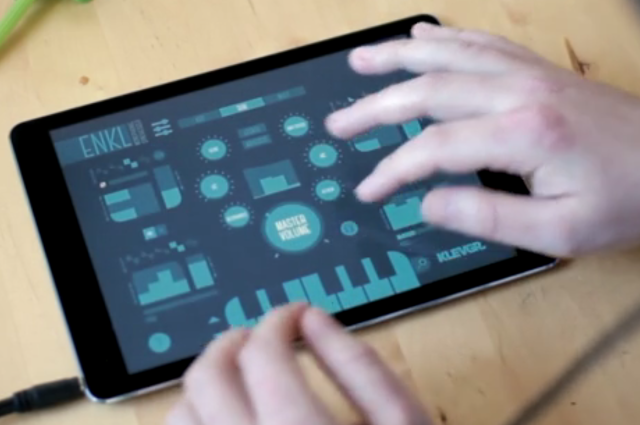
Klevgränd produktion has released Enkl, a monophonic synthesizer, designed to be versatile and easy to use.
Enkl consists of two oscillators with one LFO each. These oscillators can be added, subtracted or multiplied together, and optionally processed though a filter. There is a simple built-in arpeggiator, a delay and a three-band EQ. The iPad version also has a unique “Extended Keyboard”, which takes benefit of the touch screen, rather than trying to simulate a traditional keyboard.
Features:
- Realtime rendered audio – no samples involved
- Two separate oscillators with separate LFO’s
- Oscillators can generate Triangle, Sawtooth, Square or Noise waveforms
- Oscillators can be summed or multiplied together
- Each LFO has its own ADSR and modulates its oscillator’s pitch or volume
- High cut and low cut filter with resonance (also controllable via MIDI)
- Chiptune-style arpeggiator
- Legato mode
- Ping-pong delay as a post effect
- Three band EQ as a post effect
- MIDI support (including IAA MIDI and Virtual MIDI)
- Extended Keyboard for live performing (also sends MIDI to any output port)
- Local on / off
- Pitch bend, Modulation, Low Cut, High Cut and Resonance controllable via MIDI
- Comes with 93 factory presets
- Documentation within app
- Inter App Audio support
- AudioBus support including state saving
Enkl Monophonic Synthesizer For iPad is available now for US $5.99.
User Modules | Ableton & Traktor controller for iPad
http://appstore.com/conductr || http://www.conductr.net
http://facebook.com/c0nductr || http://twitter.com/c0nductr
CONDUCTR ABLETON USER MODULES
• 2 fully customizable module types: Default and XY-4D pads.
• Each Default User Module can contain up to 8 parameter controllers from any device on any track featured in your Ableton Live set.
• 4 different control interfaces: faders, crossfaders, buttons and quantized scales.
• Default User Modules can be quickly created and edited at any time, even while playing, by browsing and selecting any of your set’s parameters on the iPad or through the LEARN feature.
• RESET feature: create parameter’s values memories and recover them whenever you want.
• GESTURAL MODE: automatic gesture detection to play without looking at the iPad!
DOWNLOAD CONDUCTR NOW AND TRY THE USER MODULES FOR FREE: http://appstore.com/conductr
Cyclop for iPad – a synth designed for ‘monstrous bass sounds’
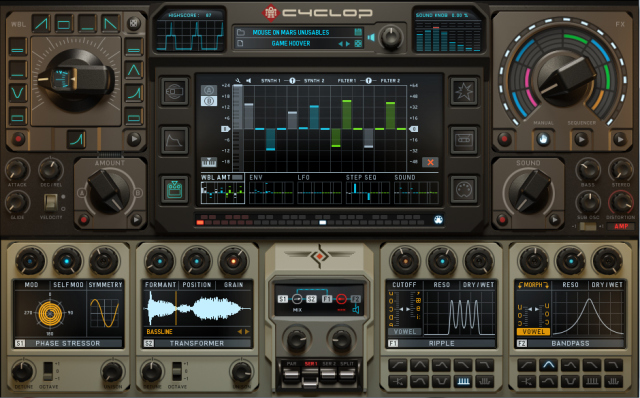
Sugar Bytes has introduced Cyclop for iPad – a synth designed for ‘monstrous bass sounds’.
Cyclop is a monophonic synthesizer that they say does one thing very well -‘delivering cutting-edge digital madness at the low end of the frequency spectrum’.
Cyclop uses mid/side processing to introduce stereo imaging between 250Hz and 4kHz. This ensures wide, interesting sounds that retain their punch and bass. There are no phasing issues, which means Cyclop cuts through the mix very nicely.
Features:
- Monophonic Bass Synthesizer
- 6×2 Synthesiser Engines, 10×2 Filter Engines
- Analog Sync, FM, Sample Transformer, Spectromat, Saw Regiment, Phase Stressor
- Vowel Filter Mode
- Free Signal Flow for 2 Oscillators, Filters and Distortions.
- Incredibly versatile modulation system
- Multi FX Knob/Sequencer
- powerful Preset Browser with tagging and rating
- Full MIDI Support (Virtual, Network, External)
- Music Library Access (Transformer Oscillator)
- iTunes File Sharing
- Inter-App Audio
- Audiobus
Diode-108 – a new drum machine app for iPad
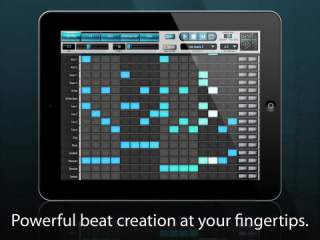
Vibrant Digital Engineering has introduced Diode-108 – a new drum machine app for iPad.
Diode-108 comes with a variety of built-in vintage, classic, and acoustic kits, but you can also mix and match the samples provided or import wav files to create your own kits.
Features:
- Drag and drop effects let you put effects on individual beats!
- Drum kits licensed from respected partners. Dubsounds, Samples From Mars, Orange Tree Samples, and 99Sounds.
- 16 drum voices with unlimited patterns that you can arrange into your own songs
- Each pattern can have its own swing and tempo multiplier
- Every voice has PER BEAT control of pan, volume, tone, pitch, decay, compression, and distortion, delay, and reverb.
- Turn NOTE MODE on for any voice and control the musical note (up or down an octave from the original pitch). Great for basslines or pitched percussion
- Wav sample import
- Mix and Match kits (easily substitute any sample in any kit). Want an 808 kick in a 909 kit? No problem.
Diode-108 lets you export your songs as wav files to SoundCloud, DropBox, or iTunes, or send them through Audiobus to other apps on your iPad.
Diode-108 is available now for US $5.99 in the App Store.
Introducing Johnny – Multiwave Tremolo Effect for iPad
Download http://johnnyfxapp.com/download
All sounds in the music for this video are just guitar processed with Johnny, the only synths used were for bass and drums. The mix was done with a self imposed “no post processing” rule including no eq or compressors, in order to show how Johnny can be used in a musical context, with as raw of a tone as possible.
I’ve made the Auria project for this track available for download for anyone who wants to poke around with the mix and listen to the individual tracks to hear what Johnny is capable of.
Download the Auria project
http://johnnyfxapp.com/promo-song-pro…
Johnny is a highly versatile stereo multiwave tremolo effect designed for Audiobus and Inter-App Audio, perfect for adding everything from classic guitar amp style tremolo to pulsating, rhythmic multiwave modulation effects for guitar, synths, voice and more. Harmonic Tremolo modes create vintage phaser and univibe like tones, you can also modulate the rate of the main LFOs with a second LFO for interesting speed sweep effects.
In addition to Audiobus and Inter-App Audio, Johnny can process external hardware by connecting a professional USB audio interface such as the Apogee Jam or Apogee ONE, and many more compatible USB interfaces. You can also use the built in headset microphone. Guitarists can use the effects live by connecting the output of their audio interface to an amp.
Johnny supports USB MIDI interfaces via the Camera Connection kit, Bluetooth MIDI (iOS 8), Virtual MIDI and WiFi connections. The MIDI Learn function lets you easily assign your MIDI controller’s knobs and sliders to control Johnny’s effect parameters.
For more info and video demos visit: http://johnnyfxapp.com
Check out our entire FX series including Caramel, Crystalline, Echo Pad, Stereo Designer and Swoopster!
COMPATIBILITY:
● requires iOS 7.1 or later
● iPad 2, iPad Mini 1st gen or newer
● Audiobus compatible (Effect, state saving)
● Inter-App audio compatible (effect node)
● Compatible with DAW apps such as Auria, Cubasis, Garageband and Multitrack DAW
● compatible with USB audio interfaces
● Core MIDI (USB, Virtual, Wifi)
● MIDI over Bluetooth (iOS 8, receiver)
FEATURES:
● Control Left and Right channel Tremolo Rate, Depth, Shape, and Multiwave parameters to produce everything form subtle tremolo to wildly modulated stereo tremolo effects.
● Multiple modes including Classic Tremolo and Harmonic Tremolo.
● Modulate the rate of the main LFOs with a second LFO for interesting speed sweep effects.
● BPM synced tremolo including MIDI clock sync, independent per channel or linked.
● Audiobus compatible with state saving
● Inter-app Audio compatible
● Core MIDI compatible, works with any MIDI controller via MIDI Learn
Johnny works with just about any professional iOS compatible USB audio interfaces. Here is a list of interfaces that have been tested and verified to be compatible:
● Apogee Jam and Jam96k
● Apogee Mic and Mic96k
● Apogee ONE for iPad/Mac
● Apogee DUET for iPad/Mac
● Apogee QUARTET for iPad/Mac
● iConnectMIDI2+
● iConnectMIDI4+
● iRig
● iRig HD
● iRig iMic
● Focusrite Scarlett series (*requires USB hub)
● Focusrite iTrack dock
● Alesis io2
● Alesis IO Dock
● Behringer UCA202
● many more
DATAMASKIN

