
Wii Remote control Reaktor and Kore Player
http://youtu.be/yggx-JtxbTY
Nintendo Wii Remote control Native Instruments Reaktor and Kore Player on eeePC701 with Ubuntu 10.4 and Wine in real time.
More power to your Reaktor ensemble with 8080F
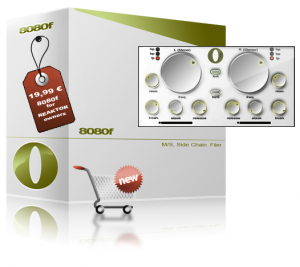
SoulViaSound has announced the release of 8080F, a side chain filter ensemble with M/S processing, built for Reaktor 5 users.
It’s a creative tool perfect for pads processing but not only. You can use it whenever you want to modulate the cutoff envelope with an audio signal. With 8080F you can process only the stereo(side) signal or for example you can apply a low pass filter on the mono(mid) signal and a high pass filter on the stereo(side) signal while the cutoff envelope is modulated independent in the mono and stereo signal. The cutoff envelope is modulate by the difference between the side chain signal and the threshold settings with your attack and release settings.
All you have to do for feeding 8080F side chain is to send an audio signal in the 3/4 inputs from Reaktor 5. You can do this in your DAW (Ableton Live, Logic, Cubase, Reaper, Pro Tools) or in to you NI Maschine software.You have independent controls for the both channels (L-Mono/R-Stereo) but you can also control the filter parameter in link mode. Just press the link switch and start tweaking the left parameters.
8080F for Reaktor 5 is available to purchase for 19.99 EUR.
Reaktor: Quick demo of “Xylo” sample instrument
Background information:
Quick demo of “Xylo” which is a sampler instrument I’ve built in Reaktor over the last two evenings. It was inspired by watching a video by Clark Nova (http://vimeo.com/3059674) and the bug in Kontakt that meant I couldn’t reproduce it.
Xylo has 8 voices where each voice plays a loop, back and forth, across a shared sample. Each loop starts at the same point but has a different length, playback speed, and granular settings.
It’s designed to have a very long release time so that the loops carry on playing and bouncing off each other in a (hopefully) satisfying way.
Reaktor: Massive Automaton Morning
Featuring Massive:
I’ve been enjoying playing with the Reaktor ensemble Massive lately, thanks in no small part to bkallmer’s tutorials on bluewatervst.com. In this sketch I’m using a beat written with the Gogood snapshot ran thru Audio Damage’s Automaton effects device – one of my favorites!
The Insider’s Guide to REAKTOR
Preview of the Insider’s Guide to REAKTOR tutorial which will shortly be available from http://www.platinumears.com
This new preview is a more generous 12 minutes in length, and serves as a general introduction to REAKTOR’s hierarchical structure.
The full tutorial is 42 minutes and goes on to cover snapshots (in detail!), polyphony, midi learn, sample maps and map editing, the player / recorder bar, host automation plus the auto-save feature for when running REAKTOR as a plugin.
Twisted KP has been released – OSC Converter for Konkreet Labs Performer
Twisted Tools has released Twisted KP, an advanced OSC converter for Konkreet Labs Performer application for the iPad. It allows you to easily connect Performer to a variety of devices, both inside and outside of your computer. Twisted KP converts performer messages to MIDI, *Control Voltage and Reaktor IC Sends, and in any combination.
Simply put, Twisted KP is the bridge between Konkreet Labs Performer and your music software and hardware, allowing you to quickly control almost anything, anywhere.Twisted KP is a dedicated OSC converter for Konkreet Labs Performer application for the iPad. It allows you to easily connect Performer to a variety of devices, both inside and outside of your computer. Twisted KP converts performer messages to MIDI, *Control Voltage and Reaktor IC Sends, and in any combination.
How it works:
1) Konkreet Labs Performer sends OSC messages to Twisted KP, which runs in Native Instruments’ Reaktor standalone mode.
2) Twisted KP receives the messages and provides an easy-to-use interface to convert them to MIDI, analogue control voltage or internal Reaktor messages, called IC sends.
3) You can then route MIDI anywhere out of Reaktor using its virtual MIDI out port, send control voltage out a dc-coupled audio interface to analogue modular synths and/or use an IC SEND menu to instantly select a Reaktor parameter as a destination, via a simple drop down menu.
Features:
Converts Performer messages to MIDI, *Control Voltage or Reaktor IC Sends.
Fast, intuitive and powerful interface.
Presets for NI Maschine, Kore, Moog Voyager, Access Virus and more.
Demo versions and presets for Twisted Tools devices.
Musical scales to play KP in key and create chord clusters.
Bypass entire nodes and/or individual messages.
Message range adjustment.
Message value inversion.
Gate mode.
Quantized note lengths.
Quick Start setup guide within Reaktor.
Price:
$9
Technical Requirements:
Reaktor 5.6.0
iPad
Konkreet Labs Performer (http://konkreetlabs.com/)
*Control Voltage requires a dc-coupled audio interface. Consult your interface manufacturer’s guide to find out if it supports sending control voltage using its outputs before attempting use.
Native Instruments REAKTOR’s Massive: We Are In Control
Time to blow the doors off stale drum programming by going nuts with Massive’s powers of modulation. You owe it to your drums to check this out.
The Modulation Section looks like a step sequencer, and, in fact, it functions like one as well. The difference here is that you are not programming hits but modulation instructions. (In the sequencer tracks, the bar height in each step determines the velocity of the hit; in the Modulation Section it determines the intensity of the modulation). We are presented with three modulation lanes—MOD1 (blue), MOD2 (green), and MOD3 (orange). There is also fourth modulation source, which is sequencer lane velocity (yellow, to match the color of the steps). These sources give you flexibility in creating modulation patterns, since you likely more than one modulation source for the many destinations available.
The gray boxes you see next to various parameters are Modulation Source selectors (in other words, they tell you that the nearest parameter is modulatable). Click and drag up or down to match the color of the modulation lane (MOD1, MOD2, or MOD3) of your choosing. Once you’ve set up the modulation, you’ll need to tell Massive how much you want to modulate the parameter. That is, you won’t notice any difference in the sound until you dial in a Modulation Amount (as a positive or negative value); do this by clicking and dragging up or down on the numbered field below the (now-colored) box. As illustrated by the video, one of the most interesting parameters to modulate is the Sample Select (SELECT) in the Modulation Section. With this, it’s possible to create dynamic kits that cycle through a wide variety of samples over the course of the pattern. Try it yourself and see if you don’t blow your own mind.
Reaktor: Boite Diabolique vs Konkreet Performer
Background information:
The Boite Diabolique is a Reaktor sampler instrument I’ve worked on for a long time without ever really getting anywhere with it, partly because it had too complex an interface. Once I saw Konkreet Performer I realised that it might offer a new way to approach the instrument and this is kind of a first marker of progress at a simplified KP-controlled interface.
I’m not sure the way I have things mapped really makes sense. It actually turns out to be quite a hard problem and I think it will take some more time & effort to get it right.
But maybe it will be of interest anyway.
REAKTOR’s Massive – working with delay
Unleash the power of delay in Native Instruments REAKTOR’s Massive to take your sounds in wild new directions. Seriously powerful stuff…
Interview with Twisted Tools
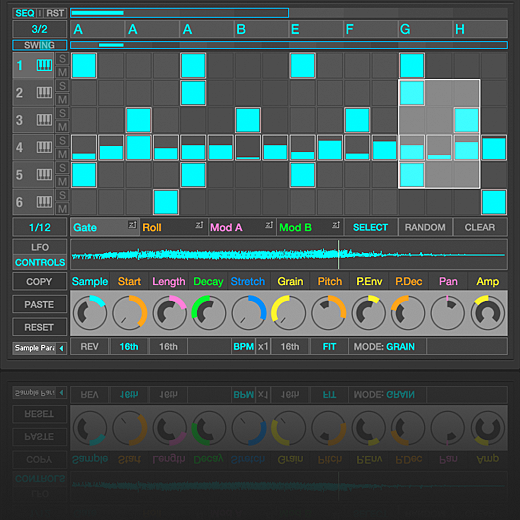
If you’re part of the Reaktor community you probably know about Twisted Tools, builders of high quality ensembles. Writer Markus Schroeder has made an interview with the guys behind Twisted Tools; Igor and Josh for the German publication AMAZONA.de; you can read that translated interview in German. If you’re not reading german the interview is also available over at CDM in english.
DATAMASKIN

