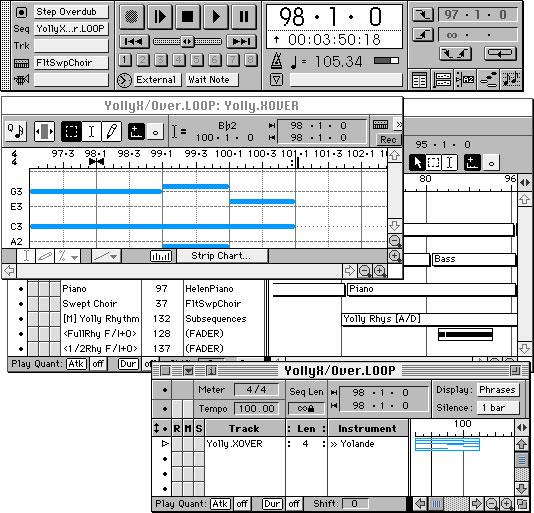
Free DAW
Frinika is a free (licensed under GNU GPL) complete music workstation software containing sequencer, midi support, soft synthesizers, audio recorder, piano roll/tracker/notation editing and more. The goal of Frinika is to be a complete platform for making music with your computer, using the versatile Java platform to be able to run on several operating systems, and being open source to be able to embrace the best open source technology being available at any time.
Garageband on iPad 2
Will the other tablet manufacturer’s be able to catch up, at least when it comes to music production environments, check the release below and the comparison matrix delivered by Engadget:
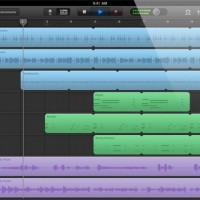
Apple today introduced GarageBand for the iPad – a version of the company’s entry-level digital audio workstation, optimized for multi-touch mobile music making.
Features:
- Musical instruments designed for Multi-Touch.
- 70 synth presets
- Arpeggiator
- “Smart instrument” features
- 8-track recording
- Guitar amp simulator
- Stomp box effects
- Track sharing via email or iTunes
- Tracks can be opened in GarageBand on the Mac
GarageBand for the iPad will sell for $4.99, a price that promises to radically expand the audience for music-making apps on the iPad. The iPad version of GarageBand will be available starting March 11th.
Here’s a comparison of some of the current tablet computers:
| Platform | iPad 2 | Motorola Xoom | HP TouchPad | BlackBerry Playbook |
| Display | 9.7-inch LED-backlit IPS LCD |
10.1-inch | 9.7-inch | 7-inch LCD |
| Resolution | 1024 x 768 | 1280 x 800 | 1024 x 768 | 1024 x 600 |
| Processor | 1GHz dual-core Apple A5 |
1GHz dual-core NVIDIA Tegra 2 |
1.2GHz dual-core Qualcomm Snapdragon | 1GHz dual-core TI OMAP4430 |
| Memory | ? | 1GB RAM | 1GB RAM | 1GB RAM |
| Storage | 16GB / 32GB / 64GB | 32GB | 16GB / 32GB | 16GB / 32GB / 64GB |
| Front camera | VGA | 2 megapixel | 1.3 megapixel | 3 megapixel |
| Rear camera | 720 / 30p video | 5 megapixel AF with dual-LED flash, 720 / 30p video |
none | 5 megapixel, 1080p video |
| Cellular radio | Quadband HSPA or CDMA / EV-DO Rev. A |
3G with free upgrade to 4G LTE | 3G and 4G | 3G and 4G |
| WiFi | 802.11a/b/g/n | 802.11a/b/g/n | 802.11b/g/n | 802.11a/b/g/n |
| Bluetooth | 2.1 + EDR | 2.1 + EDR | 2.1 + EDR | 2.1 + EDR |
| Accelerometer | 3-axis | 3-axis | Yes | Yes |
| Gyroscope | Yes | Yes | Yes | – |
| Battery | 25Wh | 6,500mAh | 6,300 mAh | 5,300 mAh |
| Thickness | 8.8mm | 12.7mm | 13.7mm | 10mm |
| Weight | 601g (WiFi), 607g (Verizon), 613g (AT&T) |
725g | 740g | 425g |
SSL Duende Native Plug-in Collection Released
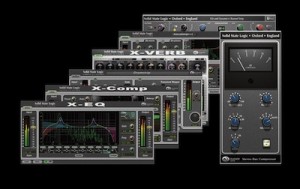
The Duende Native Plug-in suite is a collection of audio processing tools which bring professional audio quality, sophistication and benchmark performance within reach of all DAW users.
Duende plug-ins provide the superior precision, advanced feature set and legendary tonal characteristics of SSL console products in affordable VST/AU/RTAS* plug-in form. They are quite simply the easiest way to get your hands on professional tools that will help you achieve professional mixes that sound like a record.
More info and 30 day demo download here
Via AUB
History of the DAW
At KVR a nice article has been posted covering the history of the DAW and how it all began, below is a quick excerpt from the article and some snapshots:
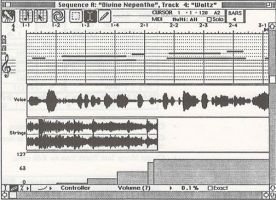
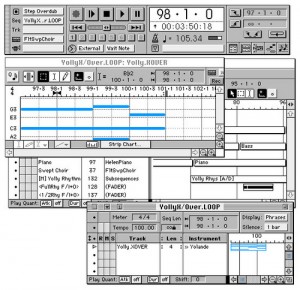
“In 1986 Opcode was the leader in patch librarian and MIDI interface sales so we had a pretty good idea of the size of the market and how fast it was growing, but we had a problem with our sequencer. Although we had loyal and passionate customers we were #3 behind both Performer from MOTU and Mastertracks from Passport in terms of sales. We believed we could change this by reinventing our sequencer and incorporating both a list view like Performer and a graphic piano roll view like Mastertracks. The primary editing windows were linked in such a way that the user could easily move back and forth to match the type of editing they were doing. The commands were set up to optimize the strengths of each type of editing. Whenever you made a change on one window it was automatically updated in the other, saving time and effort when you switched between views. There was a powerful strip chart feature in the graphic window where you could edit note parameters like Velocity and Pitch Bend, which hadn’t been done at the time.
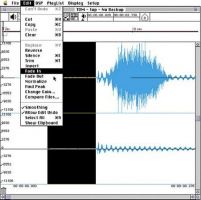
Like Opcode with our MIDI interfaces, Digidesign was the market leader in hard disk recording hardware with both their Sound Tools product, which connected to the Mac through SCSI, and their lower cost NuBus Audiomedia card, which was designed for the fast growing ‘multimedia’ market. As they moved more into hard disk recording their primary competition was New England Digital. NED was marketing an extremely expensive system called the Post Pro. Though they were interested in the high-end market Digi knew that they didn’t yet have the feature set to appeal to post production customers so they were looking for ways to broaden their market beyond sound designers.”
Featuring the Harrison Mixbus
Harrison, the manufacturer of world-class analog and digital consoles, is proud to announce Mixbus: a Digital Audio Workstation for Mac OS X.
Mixbus™ is a full-featured Digital Audio Workstation (DAW) with “True Analog Mixing”™: a combination of Harrison’s world-renowned sound and features in a knob-per-function interface. Mixbus™ provides a solution for engineers and mixers who need a recorder, editor and mixing system with world-class sound and features.
Traditional DAW mixers were designed by companies with no pedigree in music mixing, and they suffer from well-known flaws. Harrison eliminated these flaws in Mixbus by completely replacing the DAW’s internal mixing engine and applying proprietary True Analog processing. Harrison consoles are known for their great-sounding EQ, filters, dynamics, and bus summing on every track. Now Mixbus offers every engineer a real Harrison music console “in the box”. With Mixbus’s logical knob-per-function interface, the user works with the fluidity of a traditional analog recording studio while retaining the convenience of a DAW. Mixbus enables the user to record, edit, and mix a musical performance “in the box” but get a sound that rivals the golden age of album recordings.
Mixbus Features:
- Straightforward “knob per function” mixer layout based on Harrison’s renowned 32-series and MR-series music consoles.
- Precision DSP algorithms for EQ, Filter, Compression, Analog Tape Saturation, and Summing based on Harrison’s world-renowned large format analog and digital mixing consoles.
- Unlimited stereo or mono input channels (based on available CPU power) featuring High-pass Filter, EQ, Compression, and 4 Mix Bus sends on every channel.
- 4 Stereo Mix Buses (can be used for groups or auxes) featuring Tone controls, Compression, Sidechaining, and Analog Tape Saturation.
- Stereo Master Bus that features Tone controls, Analog Tape Saturation, K-meter, and Limiting to help you make polished mixes.
- Plugin delay compensation to support effects such as parallel compression.
- Comprehensive “at-a-glance” metering with peak, peak hold, and compressor gain reduction visible on every track and bus.
- Extensive DAW features via the Ardour Digital Audio Workstation.
- Supports AudioUnit plugins and any CoreAudio interface.
Finally Cubase 6 is out

Cubase 6 and Cubase Artist 6 offer enhanced workflow features within the Project window. The newly introduced Track Edit Groups option** refines the work with multitrack recordings, allowing related events on multiple tracks to be grouped and edited simultaneously, while the new Lane Track offers convenient multitake comping for selecting and consolidating audio parts to form the perfect take. The redesigned transient and automatic tempo detection, phase-accurate audio quantization and drum replacement functions incorporated in Cubase 6 help to smooth out any glitches in live-recorded drum tracks.
The Key Editor has further been enhanced with an Inspector panel and the groundbreaking Note Expression feature for creating and editing multiple controller values on a single-note level. Also included is the new Dynamics Lane, which allows real-time listening of dynamic changes while automatically in sync with dynamic notations from the Score Editor
Quick demo of the eyoControl for the iPad
eyoControl is a set of MIDI controllers for the iPad, including a control surface, a dual keyboard MIDI controller, a pad set, an X/Y controller. It connects to your Mac or Windows Digital Audio Workstation (DAW) through the native iPad MIDI wireless connection, or optionally the dedicated eyoControl Server app (Mac only) for advanced connectivity options. Check out http://eyosido.com for details.”

eyoControl includes the following controllers:
- Surface: a control surface supporting the Mackie Control protocol. Surface presents a traditional Mixer view with per-track buttons/knobs/faders, and a Panel View with quick access to the status of 64 tracks. Supports major DAW such as Logic, Cubase… (read details about DAW support at http://eyosido.com/eyocontrol/surface).
- Pad: a 4/6/8/12-pads MIDI controller with tap-location sensitive (controls MIDI note velocity) pads suitable to play drum parts. Each pad has a configurable color/MIDI channel/note. A global velocity slider adds up to the velocity control of each pad.
- Keys: a dual keyboard MIDI controller with separate MIDI channels assignable per keyboard. Choose among three key widths per keyboard, and customize key colors. A global velocity slider controls note velocity.
- mXY: a multi X/Y controller featuring four independent, highly configurable X/Y controllers. Choose among 55 MIDI continuous controllers or pitch bend to assign. Each axis can be swapped, muted, reversed, mirrored etc…
Cyber Step – the first DAW touchscreen smartbook

CyberStep has introduced a first of its kind DAW touchscreen smartbook, the KDJ-ONE, featuring an advanced synthesizer, sequencer, and multitrack audio editing with ACIDized WAV support.
Built-in speakers, mic, WLAN, and lithium battery are included to let the KDJ-ONE be used as a portable and wireless handheld production environment.
The KDJ-One also features something unusual for a DAW – a vibration system, which “adds force feedback to your music creating experience”.
Check out the details below
KDJ-ONE
The KDJ-ONE features combination of multi-touch screen, keypad, and jog dial. Its runs Intel MeeGo Handset Edition as its OS, and supports all of MeeGo’s features including web browser, Skype, media player, and more. The built-in KDJ2 Synth features 10 synthesis algorithms, 20 effects, 7 filters, and 4 modulation units including step modulation.
ACID formatted samples may be loaded directly into KDJ-ONE’s audio tracks and time-stretched just as in ACID; likewise, patterns created with the KDJ-ONE may be exported directly to ACIDized WAV format.
The 6 track pattern sequencer includes automation/motion sequencing, loop recording, step recording, piano roll, and other standard sequencer features.
The KDJ-ONE also features a Unique Song Mode, which allows DJ style mixing of two patterns in real time and may be used as a VST, via built-in wireless LAN; internal settings and data are also editable from the computer.
The “QW” vibration system sends vibrations from your music directly to your fingertips, adding a new element of force feedback to your music production experience; the vibration system even works with KDJ’s built-in games.
CyberStep will be exhibiting the KDJ-ONE at 2011 NAMM Show (January 13th – 16th, 2011 Anaheim Convention Center). We’ll have more details as they are announced.
eyoControl – MIDI controllers for the iPad
eyoControl is a set of MIDI controllers for the iPad, including a control surface. It connects to your Digital Audio Workstation (DAW) through eyoControl Server (free download at http://eyosido.com, MacOS only) allocating a virtual MIDI port per controller. Many iPads can connect to your computer this way and conrol various aspects of your DAW depending on the controller capabilities. Check out http://eyosido.com for details.
- Surface is a control surface enabling access to various settings of your tracks through faders, knobs and buttons. Surface presents a traditional Mixer view as well as a Panel view, enabling fast access to the status of 64 tracks.
- Pad is a MIDI controller with 4,6,8 or 12 programmable, touch-location sensitive pads. Each pad can be assigned a MIDI channel, color… Pad lets you play one or more virtual instruments on your DAW, such as drums or percussions.
- Keys is a dual keyboard MIDI controller. You can choose among three different key widths per keyboard to best fit your style, assign each keyboard to a different MIDI channel to play two virtual instruments on your DAW at the same time.
Introducing the Pok
This bluetooth foot controller is wireless and great for guitar players running tracks!
The pok is a wireless foot controller with which you can control the audio software on your Digital Audio Workstation (DAW). Because it uses a powerful wireless USB system, the pok can be used up to 100 feet from your DAW.
DATAMASKIN