
Routes gives a sneak at iBend Pro – demo
iBend Pro is a fantastic XY controller, you can set all midi controller and pitch bend! 4 axis are fully programmable.(min value, max value, action on release, inverse axis…)
Two Mod of play are available: Fix Mod, fixed midi values on the screen. Free mod, interpreter your movement. It’s very easy to use. iBend Pro is a universal app.
Finally approaching the future of music – ROBOT CONTROLLER + 3D VIDEO
Is collaboration between humans and robots possible in music?
Now the answer is yes.
This is a live performance-demonstration of an innovative research project made by Italian Institute of Technology (IIT – Advanced Robotics Department), mixing electronic music, a robot arm as a music interface, and the experience of interactive 3D projections. The robot interacts with the artist to create and modify musical parameters during the performance. On the background, 3D figures represent the robot trajectories, figuring musical parameters.
Artist: Valerio Solari (K)
soundcloud.com/veryelectromusic
Credits: Victor Zappi – Antonio Pistillo – Sylvain Calinon – Andrea Brogni – Darwin Caldwell
iit.it
Project Abstract: “The availability of haptic interfaces in music content processing offers interesting possibilities of interaction between human users and novel instruments and controllers for musical expression. The capability to precisely modulate haptic feedback on the user establishes a direct connection with the sonic output, which enhances the modalities of artistic content creation. The use of robots as both manipulators and actuated interfaces o ers new perspective in a combined context of human-robot interaction and music playing. With this project we investigate
the use of a compliant robotic arm as a bidirectional tangible interface for musical expression. We exploited the robot capabilities to con gure a system in which a human user and the robot interact for the creation of recursive modulations of music parameters. An experimental session has been carried out with the collaboration of a musician, who performed with the robot as part of his live stage setup.”
Japanese video import featuring the KORG Monotribe in action
SyncKontrol For Monotribe, demonstrates how Korg sees the Monotribe fitting into the iOS ecosystem. The video is in Japanese, but it’s pretty easy to understand, even without knowing the language.
SyncKontrol lets you use an iOS device as a digital control app for the Monotribe, starting and stopping the Monotribe sequencer and controlling playback speed. What makes SyncKontrol interesting, though, is that it supports wireless syncing, which is demonstrated in the video by syncing the analog Monotribe to Korg’s iElectribe virtual drum machine.
For musicians that are already using iOS, SyncKontrol looks like it will let the Monotribe fit into a thriving mobile music platform.
Ribbon Controller tune
A ribbon controller or other violin-like user interface may be used to control synthesizer parameters. The ribbon controller has no moving parts. Instead, a finger pressed down and moved along it creates an electrical contact at some point along a pair of thin, flexible longitudinal strips whose electric potential varies from one end to the other. Older fingerboards used a long wire pressed to a resistive plate. A ribbon controller is similar to a touchpad, but a ribbon controller only registers linear motion. Although it may be used to operate any parameter that is affected by control voltages, a ribbon controller is most commonly associated with pitch bending.
In this video:
Soft Rime(樹氷)
Composed by Yuichi Onoue
All instruments are performed by Yuichi Onoue(尾上祐一)
In this video, Onoue mainly plays the handmade ribbon controller. It can change a oscillator pitch smoothly, depending on the place which you press down. It was originally made as a kind of MOOG SYNTHESIZER’s controller in late 60’s. I made this following its example. And playing style is self-taught.
more about Ribbon Controller.
http://torigoya.main.jp/RibbonController_en.html
more Ribbon Controller Videos,please watch
http://bit.ly/aTu0b2
Onoue also plays two strings original electric instuments called Kaisatsuko on backing track.
See here for detail about Kaisatsuko.
http://www.oddmusic.com/gallery/om20000.html
More Kaisatsuko Video
http://www.youtube.com/view_play_list?p=C6231E127310C9AB
Soft Rime Photos by 写真素材 四季
http://sozai-photo.com/hikosan/hikosan.html
Comparing Faderfox LV controllers
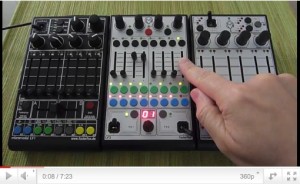
This demo compares the new Faderfox LV3 with previous versions. FaderFox has introduced a new controller for Ableton Live, LV3. FaderFox LV3 is designed to be an all-in-one compact controller for Live. The device can control track volumes by faders, rack parameters by encoders and joysticks and global parameters like tempo, quantization & cue/master-volumes.
The FaderFox LV3 is priced at 250 Euro (incl. VAT).
Here are the details:
Features:
- Controller for Ableton Live (also suitable for other DAW software)
- Automap setup files for Live 8 are shipped with the controller (no manual mapping necessary)
- USB interface – class compliant / no driver necessary
- Controls 8 tracks with possibility to shift the 8-track-window to further tracks
- 24 programmable buttons for all track functions
- About 280 commands – all freely reassignable (each track sends on separate MIDI channel)
- Select and start/stop of scenes/clips with dedicated encoder (clip-scroll in session view)
- 4 mulifunctional push-encoders to control rack parameters in the selected track
- 2 non-centered joysticks to control rack parameters in the selected track or in send tracks
- Global control of several global parameters like tempo, quantization and master / cue volumes
- All controls with double function by holding down the shift button
- 33 LED’s in different colors to display various informations like clip states etc.
- 2-digit-display to show current scene number and track window
- USB bus powering – consumption less than 500mW / 100mA
- Very compact design in a black, plastic casing (desktop format 180x105x70 mm, 350 g)
- High-quality faders and encoders from ALPS
- New rubber knobs for best tactile feeling
System Requirements:
- PC or Mac with a free USB port (1.0 or higher) or any USB hub
- Ableton Live 8 or software which allows user assignments of continuous parameters (CC)
Teenage Engineering OP-1 controlling the KORG iMS20
Apple Ipad2 & Teenage Engineering OP1 directly connected with Camera connection kit and a USB cable…Korg iMS20 being triggered by OP1 sequencer
Simple test locking each others tempos for synced delay.
Dub FX gets creative with Traktor Kontrol S4
Dub FX has this new tutorial out featuring the Traktor Kontrol S4, described by Native as: TRAKTOR KONTROL S4 was designed from its conception as a fully integrated system where software and hardware are fused in perfect harmony. Once you experience it, you’ll immediately feel how simple, yet powerful and fluid a professional DJ system can be. TRAKTOR KONTROL S4 is the culmination of a 10-year vision and experience only Native Instruments can provide. So whether you’re a seasoned TRAKTOR user looking for the ultimate controller, or just entering the world of digital DJing, the S4 delivers like no other can.

Custom-tailored for TRAKTOR, the S4 fuses a premium-quality 4 channel DJ mixer, a built-in 24 bit/96 kHz soundcard, an intuitive controller, and the flagship TRAKTOR PRO 2* software into one fully professional solution – the ideal one-stop package for DJs who want pro features, instant usability and go-anywhere portability.
In this video:
Watch how renowned live performer Dub FX created his unique performance with the Traktor Kontrol S4 all-in-one DJ performance system using TRAKTOR 2 Technology Inside.
He records his voice using a microphone as the live input source in Traktor’s Loop Recorder, overdubbing layer after layer to create an intricate vocal arrangement.
Using the filter knob on the S4, he brings in a drum loop on a Sample Deck and adds more layers to the performance. Note how he moves recorded material from the Loop Recorder to empty Sample Deck slots to free the Loop Recorder for further use.
For more info on Traktor Kontrol S4, visit http://www.native-instruments.com/s4
Also, for more detailed product information on the next generation of Traktor, please see: http://www.native-instruments.com/traktor
Time for some serious Buchla Thunder
Buchla Thunder and 2 PerFourMers (upside up horizontal version) from Katavist on Vimeo.
(audio is the same here as in the original version)
16 improvisations using the Buchla Thunder MIDI-Controller on two Vermona PerFourMers. In the sixth piece (from 7:01) the Thunder plays seven internal sequences (“riffs”) I had recorded beforehand. They can be scaled in real time, which I didn’t do here though.
Teaser: DXi FM synthesizer ver 2.2.0 playing with External MIDI Controller via Camera Connection Kit
DXi is a FM synthesizer application inspired by 80’s most popular FM synthesizer. You will enjoy creating sounds as well as playing music with this application. FM synthesizer is still popular among many people by its unique tone. We carefully selected parameters from original synthesizer so you will be enjoy editing tone with them easily. You need to know some technique to tweak the tone, but you will be able to get DXi’s special tone and effects while having some fun! Creating sound effects is another idea to enjoy DXi. If you remember the days of FM synthesizers, try creating the tone you remember from them.
If you have no experience with any FM synthesizer, we are sure you will be enjoying the unique tone world!
* 4 operators FM synthesizer
* 8 algorithms
* Envelope, frequency (Ratio or Fixed) can be set each operators.
* Feedback control on operator number 4.
* 2 master effects (LPF with Resonance and Delay)
* Import/Export function to save the tone you created. (URL schema text string format)
* Audio recording function. And you can transport recorded audio file, .wav, onto Mac/PC via iTunes file sharing.
* Clipboard audio sharing support. You can export recorded waveform to other application via clipboard. It’s compatible with Intua’s clipboard.
In this video:
DXi is a FM synthesizer application inspired by 80’s most popular synthesizer. Enjoy making music and creating sound by FM synthesis engine easily.
The movie show you the new great features about DXi version 2.2.
SoundStrip Max4Live device playing the SteamPipe synth in Reaktor
SoundStrip is a DIY Midi Ribbon Controller made using an Arduino and some simple sensors. This video shows the SoundStrip Max4Live device playing the SteamPipe synth in Reaktor
DATAMASKIN

