
Nanoloop for iPhone
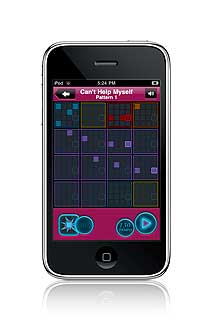
If you where observant looking at the video on the previous post you saw “nanoloop” on the T-shirt on the guy using the Gameboy. Now, nanoloop is not only for Gameboy but also for iPhone. It’s a really nice little Tracker like sequencers with it’s build in FM-synth and sampler. As the sound quality from the iPhone is really good nanoloop benefits from that to, compared to the Gameboy sound card. But I guess you could argue that the lack of sound quality is a feature. Anyway once you learned your way around you can quickly come up with some grooves/patterns. And the sequence those patterns into a song just like you do in any Tracker.

Get it in iTunes AppStore
Which iPhone guitar UI works the best?
This video compares iPhone guitar interfaces, looking at how they sound clean and with the amp modeling software that is provided with the interface.
The iPhone guitar interfaces include:
- PRS GuitarBud
- Griffin Guitar Connect
- iRig
- AmpKit LiNk
- GuitarJack
They liked the AmpKit LInk with AmpKit+ the best.
iDrum for the iphone
Drum: Hed Kandi Ibiza Mix 2010 is a new music creation app for the iPhone and iPod touch. Users can recreate the party atmosphere of Hed Kandi’s roadblock Ibiza events in the palm of their hands, experimenting with more than 300 new samples and beats, and 20 new drum kits created by the Hed Kandi. The beats can be customized, mixed and matched, which can then be shared with friends via Twitter, Facebook and e-mail.
iDrum also features a Recording mode that allows users to create their own samples by tapping the screen.
iDrum: Hed Kandi Ibiza Mix 2010 is available for $0.99 at the Apple App Store.
More buzz on the NanoStudio coming your way
NanoStudio combines sampling, synthesis, sequencing and mastering in a single application, taking mobile music making to a new level.
Record your ideas in real time, mix synth layers with samples, compose and arrange your tune using the powerful sequencer and bring the mix alive with real time effects such as reverb, waveshaping and delay. You can use your own samples or record them using the microphone. NanoStudio’s low latency audio engine is custom engineered for iPhone, capable of delivering an amazing 48 voice polyphony in CD quality stereo.
Eden Synth
Introducing Eden, NanoStudio’s versatile synth. Eden creates analogue sounds ranging from deep basslines and fat pads all the way up to squealing 303 lines and heavily distorted leads. Each voice has 2 anti-aliased oscillators modulated in mix, ring or sync configurations fed into a low, band or high pass 2 pole resonant filter.
Eden’s virtual patchbay allows you to connect 3 envelope generators and 4 beat-sync LFO’s to create modulation mayhem. Real-time performance becomes a truly interactive experience with dual X/Y controllers, accelerometer input and a pitch bend wheel, all totally configurable via the patchbay. Controller movements can be recorded and edited using the sequencer
It doesn’t stop there. NanoStudio allows you to use 4 Eden synths simultaneously, each with its own insert effects such as waveshaping, chorus and delay. When you want to go beyond basic oscillators, load up a sample and process it just like a normal synth voice – great for mashing up vocals or even the whole mix.
When you’re ready to get really creative, NanoStudio allows you to resample its own output and trigger the sample via the pads or keys, freeing up synths and effects to add even more sonic goodness to your composition.
TRG-16 Trigger Pads
Record samples using the built in microphone, resample NanoStudio’s own output or upload your own samples over Wifi using the NanoSync tool for PC and Mac. Edit your samples using NanoStudio’s built-in wave editing tools and trigger them using the 16 pads. Adjust pitch, pan, volume and envelopes and assign each sample to one of the 3 output busses, each with its own effect sends and filter setup.
Sequencer
Record performances in real-time using the keys and sample pads or create patterns and controller sweeps by drawing them in the piano roll editor. Arrange your patterns into a complete song using the track editor. Edit to your heart’s content while the song is playing and rest assured that every editing and recording operation has multiple undo/redo.
Mastering
Use Nanostudio’s intuitive mixer to monitor levels and get your final mix just the way you want it. The mixer’s two global effects sends allow you to individually apply reverb and delay effects to each track.
When you’re ready to share your mix with others, and use NanoSync to copy the exported .wav file to your PC or Mac over Wifi.
The Synthstation iPhone MIDI keyboard

Akai has announced that it’s opening up the Synthstation iPhone MIDI keyboard to development by third-party developers, at no cost.
This is a really interesting development – it means that we could soon have an explosion of Synthstation-compatible synths. This makes the $99 Synthstation a lot more interesting; download a $10 iPhone app and you’ve got a new hardware synth!
Here’s what Akai has to say about their AkaiConnect SDK.
The AkaiConnect SDK is a tool for music app developers that allows a direct connection to Akai Pro’s SynthStation25 performance keyboard controller.
Using AkaiConnect in your iPhone or iPod Touch app not only makes your app expandable, it enables your users to fully express themselves and capture every nuance of performance. The AkaiConnect SDK is available to approved Akai developers free of charge.
The AkaiConnect SDK::
- Adds support for the SynthStation25 keyboard to your music app
- Provides app users with hardware control over pitch bend, modulation,note entry and more
- Extends the capabilities of your music apps at no cost to you
This, along with Line 6 opening up its iPhone MIDI adapter to developers, will open up a lot of possibilities for electronic musicians.
Get the Xenon groove
Icegear has introduced Xenon (App Store link) Groove Synthesizer for iPhone/iPod touch.
Xenon is a hybrid groove workstation that features a polyphonic hybrid synthesizer, 2 x VA monophonic synthesizers, polyphonic PCM synthesizer, rhythm machine, sequencer and a mixer.
It sells for $5.99.
Details below.
Hybrid Polyphonic Synthesizer (HSX-4)
2OSC + FILTER + AMP + 4LFO + 8ENV
– 210 factory preset
– Unlimited programmable user presets
– 2 oscillators
– Modulatable wave shape oscillator (modulated by ENV, LFO)
– Analog Synth oscillator (Saw, Square(PWM), Sine, Triangle, Noise)
– FM oscillator (modulatable FM depth, frequency)
– Formant oscillator (modulatable vowel, resonance)
– PCM oscillator (112 PCM sounds)
– Ring Modulation (OSC2)
– Modulatable Pitch, Level
– ENV, LFO for each OSC
– Resonant Filter
– Filter Types : 24LP, 12LP, 6LP, BP, HP
– Cutoff Frequency, Resonance
– ENV, LFO
– AMP
– ENV, LFO
– Overdrive
– Auto Panner
– LFO waveforms: saw, square, sine, random(Simple & Hold)
– ENV for modulate LFO amount
VA Monophonic Synthesizer (ASX-1) for two tracks
2OSC + FILTER + AMP + 3LFO + 6ENV
– 2 oscillators
– Wave forms : Saw, Square, Sine, Triangle, Noise
– Ring Modulation (OSC2)
– Modulatable Pitch, Level
– ENV, LFO
– Resonant Filter
– Filter Types : 24LP, 12LP, 6LP, BP, HP
– Cutoff Frequency, Resonance
– ENV, LFO
– AMP
– ENV, LFO
– Overdrive
– LFO waveforms: saw, square, sine, random(Simple & Hold)
– ENV for modulate LFO amount
PCM Polyphonic Synthesizer (PSX-4)
OSC + FILTER + AMP + 3LFO + 6ENV
– PCM oscillator (112 PCM sounds)
– Modulatable Pitch, Level
– ENV, LFO
– Resonant Filter
– Filter Types : LP, BP, HP
– Cutoff Frequency, Resonance
– ENV, LFO
– AMP
– ENV, LFO
– LFO waveforms: saw, square, sine, random(Simple & Hold)
– ENV for modulate LFO amount
Rhythm Machine for six tracks (PRX-6)
– 185 PCM rhythm sounds
– Level, Pan, Pitch, Attack and Decay adjustable per sounds
Pattern Sequencer
– 16 step Pattern Sequencer
– Real-Time Recording
– Pattern export as a wav file or copy to clipboard.
(compatible with Intua Beatmaker)
Song Sequencer (SQX-5)
– Make your own song using pattern.
– Pattern jump & play in real-time(1bar quantize)
– Play position change in real-time(1bar quantize)
– Song export as a .wav file or copy to clipboard.
Mixer (MX-5)
– 5 input channel
– Level parameter per track
– Fx send, Pan, Solo, Mute and Level per input channel
– Fx Return Level
– Master Level
via icegearnet
iPhone & iPad DXJ app Cue Play DJ
Trance DJ Ferry Corsten takes a look at the iPhone & iPad DXJ app Cue Play DJ.
The video is primarily a teaser for Cue Play DJ v1.5, which is expected to be available this month.
MIDI Edit for iPhone
This is a quick demo of MIDI Edit for iPhone (App Store link) – a 16 Multi-track Midi Editor for the iPhone that includes 128 GM instruments.
Features:
- User-friendly easy Pianoroll Editor with full functionalities (draw, erase, move, velocity, copy/cut/paste, zoom, scroll, undo/redo)
- 128 General Midi Instruments included. (Pianos, Guitars, basses, leads, strings …)
- Chord helper helps to generate various chords easily. (It supports 132 various chords and Arpegio mode with various voicing styles)
- Beat helper helps to generate various drum beats easily. (It supports various beats, combos and feel-ins)
- You can export midi file to use in your favorite sequencer in your PC! (You can co-work with your VST instruments in your PC through midi file.
Details below.
If you’ve used MIDI Edit, leave a comment with your thoughts!
Main Screen
# Main Rack
0. New / Load / Save Project
1. Add Midi / Drum Track with Full GM 128 Instruments
2. Set Track Instrument
3. Volume Mixer
4. Set Tempo
5. Export project (email)
6. Information
7. Mode Flip
Pianoroll Screen
# Main Menu
1. Play / Pause
2. Stop
3. Draw note
4. Erase note
5. Select note
6. Velocity
7. Chord helper / Beat helper
8. Snap Unit / Note Unit
9. Flip
Context Menu
0. Scroll
1. Unlimited Undo / Redo
2. Mute / Solo
3. Play
4. Zoom In / Out
5. Copy / Cut
6. Paste
7. Clear
8. Note Unit
9. Snap Unit
Chord Helper System
1. Chord Types
– C, C#, D, D#, E, F, F#, G, G#, A, A#, B
– Major, 6, 7, minor, m6, m7, M7, sus4, dim, +5, 9
2. Length
3. Mode
– Base / Closed Voicing / Open Voicing
– Chord 1, Chord 2, Chord 3
– Arp 1, Arp 2, Arp 3, Arp 4
– Arp 5, Arp 6, Arp 7, Arp 8
– Arp 9, Arp10, Arp11, Arp12
– Down Stroke 1, 2, 3
– Up Stroke 1, 2, 3
4. Octave
Beat Helper System
1. Length
2. Hihat
– 4 / 8 / 16 beat
3. Kick
– 4 / 8 / 16 beat
4. Snare
– 4 / 8 / 16 beat
5. Combo
– Combo beats
– Feel-ins
DXi brings FM to your phone
Yamaha’s interpretation of Frequency Modulation synthesis needs no introduction. It’s a sound splattered across many ’80s synth classics, and recreated by various soft synths.
DXi brings FM to your phone, but it’s closer to the DX27 than the legendary DX7. There are four operators rather than six and polyphony is reduced from 16 to three, from what we can tell. DXi also offers a neat 16-step sequencer and an effective XY performance pad, to mix operators and patterns in real time.
Sound editing is primitive. You can flick between eight algorithms and edit a four-stage amplitude envelope for each operator, but you can’t listen to frequency and feedback changes as you make them – you need to press Audition again for these to be heard.
While DXi does sound good, and you can recreate many classic sounds, it lacks versatility for the experimentalists, and completeness for the purists, sort of defeating the point of it being a synth and not a ROMpler.

DP Control – a new iOS app that lest you control MOTU’s Digital Performer
MOTU has introduced DP Control – a new iOS app that lest you control MOTU’s Digital Performer audio workstation software over a WiFi network using your iPhone, iPad or third-generation iPod Touch.

DP Control is designed to give you access to the most important transport and mixer functions for tracking, simple mixing, and live performance. DP Control can easily be used with only one hand by pressing buttons and swiping to new pages with your thumb. DP Control works in both portrait and landscape orientations.
DP Control is a free download via the App Store.
What app would you like to see a dedicated iOS app for?
DP Control Features:
- Real two-way communication — everything that you update in DP updates in DP Control, and vice versa.
- Editable time counter with selectable format (including real-time, SMPTE time, samples, and marker names).
- Main transport control and many other transport-related Control Panel functions (click, countoff, memory-cycle, etc.)
- Page-controlled, scrollable mixer with animated, recordable pan knobs and volume sliders, plus level meters and peak indicators.
- Solo, Mute, Record-enable, Play automation, Record automation and automation mode settings for each track.
- Track list for your DP project, complete with collapsable nested track folders and dynamically linked track organization that matches your currently open DP project on your Mac.
- Infinite undo, with a view that shows you the names of the next and previous tasks in your DP document undo history.
- Marker creation and naming.
- New Take, Previous Take, and Next Take functions that operate on all of the record-enabled tracks at once (essential for tracking drums).
- Take selection, by name, for individual tracks. Also New Take, Delete Take, and Rename Take for the current take on any individual track.
- Save function for saving changes made to the DP document.
Requirements:
- Compatible with iPhone, iPad, and third-generation iPod Touch
- Not compatible with first or second generation iPod Touch
- Requires Digital Performer 7.2 or later running on a Mac on the same WiFi network as DP Control
DATAMASKIN

