
REAKTOR’s Newscool – Sequencer Controls
Get up the learning curve on one of Native Instrument’s REAKTOR’s most out-there sequencers…
Shared by bkallmer
How to Set Up the Slim Phatty Poly Chain
This video shows step by step how to set up a Little Phatty to be polyphonic with a stack of Slim Phatty’s adding extra voices.
Watch the Polyphonic Slim Phatty Chain in action: http://www.youtube.com/watch?v=wfPMvBxwdbg
1. Set the LP Output MIDI channel to channel 1
2. Set each Slim’s Input MIDI channel to channel 1 (not required to be channel 1, but needs to be SAME channel)
3. Plug MIDI Out of the LP to MIDI In of the first Slim
4. Plug the first Slim’s MIDI Thru to the second Slim’s MIDI in, and so on.
5. All audio outs need to be plugged into their own channel on a mixer or audio interface
6. In the LP’s Master menu, scroll until you find MIDI setup
7. Scroll within MIDI setup until you find Poly
8. Set the Little Phatty to be 1 of X, the first Slim to be 2 of X, the second to be 3 of X and so on, where X is the number of voices you have.
Create Electro/Trance Synth’s in Reason (Tutorial)
This video shows you how to create a trance synth commonly used in progressive trance and electro music. This video is meant to be used in Propellerhead’s Reason
Via luckydatevideos
Why we love the SERGE
This amateur tutorial shows how to get some sound out of a Serge Modular with only one 8step SequencerA and a clock. Klaus Gstettner put together this three-part tutorial that shows why he loves the Serge
Tutorial: Diffusion & Absorption Explained
When building or renovating a studio, most people have no way to hear what diffusors do or how they sound in a room.
This video aims to change all that by explaining diffusion in plain terms with no math and allowing you hear an acoustic guitar recorded in close proximity to five different surface types – a QRD diffusor, a poly diffusor, absorption, a bare wall, and a typical bookcase.
This is the latest release in the RealTraps “See and Hear” video lecture series. Most people have no way to hear what diffusors do or how they sound in a room. So this video explains diffusion in plain terms with no math, then lets you hear an acoustic guitar recorded in close proximity to five different surface types – a QRD diffusor, a poly diffusor, absorption, a bare wall, and a typical bookcase.
If you have technical questions about this video that require a reply, please do not post them here as comments. YouTube is not a good venue for a technical exchange. Please post your questions in whatever audio forum you know me from, or post in my acoustics forum at www.musicplayer.com.
Thanks to PSW
TIPS & TRICKS with David Morley
Shakelling
ARP2600
Synth collection
Learn to make your own Max for Ableton live synths!
How To Build A MIDI Synth In 60 Seconds With Max For Live. Yes, it’s basic, monophonic, and limited to sin waves, but I challenge you to create a velocity sensitive synth in less than 1 minute with fewer max objects!
I’m going to add features in future tutorials, including polyphony, other waveforms, filters, envelopes and much more, so subscribe and tune in! Will include modulation for that dubstep/DNB wobble of course!
Via eameres2
Samplerbanks releases “Logic’s ES2: Basic to Intermediate Synthesis” by Sound Guru
Synthesis can seem extremely daunting. When you open up a synth like Logic’s ES2, you’re confronted with a huge array of buttons, knobs and sliders whose function seems obscure at best.
Even if you study the manual and can find your way around, it can still be extremely frustrating; hearing the sounds you want to make in your head, but unable to produce them. ES2 Synthesis: Basic to Intermediate guides you all the way from the foundations of synthesis to advanced sound design in 2hrs 35mins of HD video.
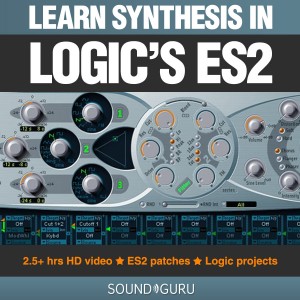
If you own Apple’s Logic Studio or Logic Express, you also own the ES2, since it’s one of the native synths that Logic ships with. If you’ve come across it, you’ll know that it’s a beast of an instrument, with a huge array of options for sound generation/modulation, and an almost limitless potential for new sounds. The ES2 is also a subtractive synthesizer. That makes it part of the most popular family of synths by far. As a result, the knowledge you will gain in this tutorial series is applicable to many thousands of other synthesizers, both virtual and analog.
ES2 Synthesis: Basic to Intermediate doesn’t simply teach you about buttons and knobs, however. The author, Tom Maisey created this tutorial series precisely because there aren’t any other tutorials out there that teach you the really juicy stuff: making amazing sounds that take your tracks to the next level.
The tutorial series is split into three parts:
Part 1 explains the layout of the ES2, and how its oscillators, filters and effects section can be employed to build starting points for your sounds.
Part 2 covers the modulation matrix and explains using Envelopes, LFOs and Expressive modulation sources to give your sound the dynamic shape and sonic character you’re after.
Part 3 is where things really start to get interesting. Over the course of 18 sound design workshop videos, we look at making Basses, Pads & Chords, Fx and Percussive sounds. In the process, you will learn a broad range of techniques that will allow you to turn the sounds in your head into reality.
The tutorial pack also includes several Logic project files and 21 ES2 patches to study and adapt at your leisure.
Creating synth sounds from scratch is not only gratifying, it makes your tracks stand out from the crowd. Why use someone else’s clichÈ when you can make your own?
CONTENT DETAILS:
Part 1
01. Intro
02. The ES2ís Signal path
03. Oscillator 1
04. Oscillators 2 & 3
05. Filters 1 & 2
06. Filter Blend, Parallel & Series
07. Effects
08. Polyphony, Monophony, Legato & Unison
09. Glide & Analog modes
Part 2
01. Intro
02. The Modulation Router
03. Envelope 3
04. Envelopes 1 & 2
05. LFOs 1 & 2
06. Expressive Modulation
07. Pulse Width Modulation
08. FM Synthesis
09. Ring modulation
10. Digiwave Modulation
11. Synced Oscillators
Part 3
01. Bass Workshop 1 – Bass Psychoacoustics
02. Bass Workshop 2 – Using envelopes & getting “fat”
03. Bass Workshop 3 – Expressive modulation, keyboard scaling, punchy subs & clean deep basses
04. Bass Workshop 4 – Lush, crushed bass & other modulation options
05. Bass Workshop 5 – Dark & twisted D’n’B & dubstep
06. Percussion Workshop 1 – Basic principles
07. Percussion Workshop 2 – FM metallic sounds & hihat patch
08. Percussion Workshop 3 – Self-resonating filters, kick drums and microtonal percussion loops
09. Percussion Workshop 4 – Snare patch & complete ES2 drumkit
10. Pads & Keyboards 1 – Basic principles
11. Pads & Keyboards 2 – PWM, string sounds and FM pads
12. Pads & Keyboards 3 – Morphing modwheel sounds & expression
13. Pads & Keyboards 4 – Stab chords 101: applying our knowledge
14. Pads & Keyboards 5 – House & techno chord sounds
15. FX Workshop 1 – Transition Fx, noise & the secret filter
16. FX Workshop 2 – Transcendant transitions
17. FX Workshop 3 – Atmospheric synth Fx
18. FX Workshop 4 – Voyage of probability; no limits Fx
Available here: Logic’s ES2: Basic to Intermediate Synthesis
Modcan Super Delay & Digital Delay Comparison
People have been wondering about the difference in sound between the Modcan 30B Super Delay (which is a true analog delay) and the Modcan 59B Digital Delay, so I set up a simple audio demonstration. It’s not meant to be an analog vs. digital contest — as you’ll hear, both of them sound beautiful but have very different tonal characteristics as well as unique reactions to control voltage manipulation.
The Modcan Sequencer is triggering a Modcan 58B VCDO that is passing through a Modcan 68B Matrix Filter (using the 4-Pole Bandpass output). In the first half of the video, that signal is passing through the analog Super Delay — which is a mono device. I twiddle the knobs throughout and then eventually let triangle waveforms from the Modcan 61B Quad LFO take over the invisible finger chores.
The second half of the video is the same sequence and signal chain passing through the Digital Delay, which has been engaged to output the audio in stereo mode. Again, after some manual twiddling I put the 61B Quad LFO to work once more and send a slow-moving triangle waveform into the control voltage inputs.
As may be apparent from the studio configuration, I do love the Modcan modules for their sound, aesthetic beauty and a user interface that squeezes myriad functions per module into a reasonably-sized space. I hope you find this a useful and entertaining video.
Shared by scootermccrae
The Three Basic Trance Basslines
More info below:
From “Cosmosis Bass Secrets”
http://www.cosmosis.co.uk/cms/index.p…
a workshop specifically on creating Psy trance bass sounds – contains pdfs, VSTi bass patches and instructional videos. More info here: www.cosmosis.co.uk
Part of th COSMOSIS STUDIO SERIES video workshops. For more info: http://www.cosmosis.co.uk/cms/index.p…
Buy the new Cosmosis album: Fumbling for the Funky Frequency at the Cosmosis webshop: http://cosmosis.bandcamp.com
DATAMASKIN

