
CyberStep presents KDJ-ONE – Gameboy type workstation
CyberStep presents their standalone portable audio workstation, KDJ-ONE at NAMM 2012 in Anaheim, California.
Features:
- The KDJ-ONE is a mobile audio workstation with synthesizer, sequencer, and audio capabilities.
- Compact size and battery allow it to be carried and used anywhere.
- WLAN support enables quick and wireless integration into any existing production environment.
- Multi-touch screen, keypad, and jog dial.
- ACIDized WAV support allows time stretching/pitch shifting of audio clips.
- Internal synthesizer can also be accessed via external software as a VSTi.
- Sonic vibrator
The KDJ-One is priced at $799 without WIFI or $829. Which seems pretty high, but none of our gear came with a sonic vibrator, either.
Check out the details and let us know what you think of the KDJ-One.
Hardware Specifications
- CPU – Intel ATOM E640 1.0GHz
- Display – 5.0 inch WVGA (800×480) with Multi-Touch Panel
- Main Memory -512MBytes
- SSD – 4.0GBytes
- External Storage – microSD, USB Memory
- Battery – Lithium ion battery 2000mAh x 2
- Connection – USB 2.0 host x 2, slave x 1, wireless LAN
- Audio I/O – Mic/Line in, Line out, Built-in mic
- Speaker – 0.5W (0.25W+0.25W Stereo) 120Hz – 20,000Hz, QW Body Sonic Vibrator
Synthesizer
- Max. Polyphony – 64 voices
- Waveform Memory – 14 MB (Extendable)
- Waveform – 240 Types (Multi-Layered)
- Oscillator – 2 Units 10 algorithms
- Filter – 7 Types
- Modulator – 4 Units, 10 Algorithms (Correspondence to Step Modulator)
- Num. of Programs – Preset: 200 Voices, 100 Drum Kits, 100 Audio Clips
- Max. Audio Volume – 1GB Per Project
- Effects – 20 Types, 2 Systems for Each Track, and Master Effect
Sequencer
- Tracks / Pattern – 6
- Patterns / Song Play – 4
- Resolution – 384tick / Quarter Note
- Tempo – 40 – 400
- Recording Mode – Loop (Real Time) Recording, Step Recording
- Score Editing Mode – Piano Roll
- Pattern Length – 999 Measures
- Song Length – 9,999 Measures
- Number of Patterns – 999 Per Project
- Number of Songs – 99 Per Project
Data / PC Link
- Read – WAV (ACID Format), OggVorbis
- Write – WAV (ACID Format), OggVorbis, SMF
- DAW Plug-in – VST-i, Audio Unit
- OS – Windows XP/Vista/7, Mac OS X 10.5 or later
Beat Kangz Beat Thang live in action at NAMM
The beats and production workstation gets demoed
Here’s the pitch:
The Beat Thang Mobile Music Production Studio comes with everything you need to make your own original Hip Hop, Dance, Pop, Dubstep, Industrial or Electronic music productions.
Loaded with over 3,000 original, professionally mastered sounds, a sampler with waveform editing, built-in effects, chromatic keypads, and a fully portable rugged design, the Beat Thang simplifies professional music production down to its core by providing you with all the tools you need to make high-quality, radio-ready, club-friendly music right out of the box.
Developed by musicians for musicians, the Beat Thang reimagines the production experience in a way that lets any music enthusiast, beginner or pro, make music the way its meant to be made – in the moment. Everything about the Beat Thang interface has been streamlined, saving you valuable time while never compromising on features or functionality.
Create original songs in a matter of minutes with access to the sounds that the world’s top producers have been using and keeping secret for years. Use the Beat Thang’s sampler to record your own sounds, or import your own sample library to increase the size of your musical toolbox. Integrate the Beat Thang into your professional studio setup or digital audio workstation with Beat Thang Virtual companion software. Use the hardware as a controller for Beat Thang Virtual, as a standalone device, or unplug and take your fully portable Beat Thang into the streets where inspiration really happens.
Never before have musicians been offered so many ways to produce professional music with one device. If you’re a veteran, the Beat Thang has the versatility and uncompromising quality you demand. If you’re new to the game, the Beat Thang offers unprecedented ease of use and portability.
Beat Thang Promo Feat. Dallas Austin
Akai Pro SynthStation49: Overview
And here’s the pitch: SynthStation49 is the most advanced, intuitive music controller designed specifically for use with the iPad or iPad 2 and the first true iPad performance tool for musicians. Working seamlessly with Akai Professional’s heralded SynthStation software, SynthStation49 provides unparalleled music creation capabilities, including direct in-app MIDI recording from its velocity-sensitive keyboard, nine MPC-style drum pads and array of transport controls. In addition to its integration with the SynthStation app, SynthStation49 is also completely iOS CoreMIDI compatible, making it instantly compatible with dozens of music apps already in the App Store and hundreds more on the way.
http://www.akaipro.com/synthstation49
Know more about BeatMaker 2 for iPad
“BeatMaker 2 DOES support MIDI learn! Sweet! I just found the learn button in the MIDI menu for each instrument.”
It’s now on the list:
http://www.iosmusician.com/2011/10/list-of-midi-learn-apps-for-iphone-and.html
BeatMaker 2 on the App Store:
http://click.linksynergy.com/fs-bin/stat?id=3ABOFs3RXgc&offerid=146261&am…
Combining music production tools that were behind the success of countless artists, BeatMaker 2 is a powerful, easy-to-use composition interface for amateurs and professionals alike.
Build your own virtual home-studio, create multiple instruments and connect them to a full-range of audio effects.
Compose, record, arrange and transform your ideas into complete songs, ready to be shared with others.
Import your own sounds or use the sound library provided: more than 170 high-quality instrument and drum presets from synthesizers to realistic orchestral sounds. You can even import songs from your iPod library!
Connect your MIDI accessories for an external control of BeatMaker’s instruments, effects and mixer, ideal for home-studio productions and live performances.
BeatMaker 2 is an universal application, with specifically designed interfaces for iPad and iPhone platforms.
Works on all iPhone, iPod and iPad models starting with third generation devices (iPhone3GS, iPod3G 32GB, iPad 1 & 2).
SYNTH STATION – Hip Hop / Electro / Dubstep Mash-up
Second demo of the Akai Synth Station focusing on Hip Hop / Electro / Dubstep Mash-up
“More MPC features for your iPhone or iPad! I will walk you through making a beat that combines features of Hip Hop, Electro and DubStep.”
SynthStation transforms iPad, iPhone or iPod touch into a portable music production studio for mobile music creation. SynthStation gives you three powerful synthesizers for creating and modifying sonic textures used for melodies, chords, and bass lines. Built around Akai Professional’s history in synthesis and drawing on the newest MINIAK synth, SynthStation sounds great and offers wide-ranging sonic flexibility with its virtual analog synthesis.
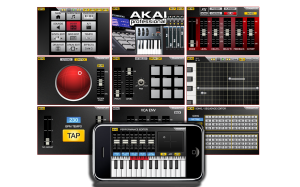
From the moment you start SynthStation, you’ll know your way around. It is jam-packed with tools to help you create music with the convenience of your touch screen and each section works the way you work. With SynthStation, you can create and save sequences and complete songs. The app contains three different three-oscillator synths and a range of drum kits you can sequence and mix right in the SynthStation. For creating melodic and accompaniment parts, the SynthStation contains an arpeggiator with preset patterns, built-in effects and filters, and an XY touch control interface for expressive control of key parameters.
- Three virtual-analog synthesizers, each with three oscillators
- Over 50 drum kits
- Create melodic and accompaniment parts using the sequencer and arpeggiator
- Effects engine with Chorus, Delay, Flanger and Delay
- Assignable XY MOD with touch XY pad control to set motion
- Compatible with SynthStation25 hardware
- Unlimited creativity with effects and real-time controls
IK Multimedia presents SampleTank – Grooves in Action
Here you find a good demo on how to get that groove going on the Sampletank: SampleTank® for for iPhone/iPod touch is the mobile version of IK’s SampleTank for Mac and PC, the leading virtual sound workstation for the studio, now available for your favorite iOS mobile device and designed for live performance. It is a 4-part multi-timbral instrument with a sound set of over 900 MB of samples for over 400 acoustic, electric and electronic instruments (including a selection of the best workstation sounds from SampleTank, orchestral sounds from Miroslav Philharmonik and synths sounds from SampleMoog) plus a selection of over 900 melodic and rhythmic patterns that span every musical genre. SampleTank for iOS brings the power of the most popular computer sound module — which has appeared in thousands of award winning records from world-class artists — to your iOS device.
http://www.ikmultimedia.com/irigmidi/moreinfo/sampletank.php
http://www.ikmultimedia.com/irigmidi/moreinfo/sampletank.php
The on-line workstation

AudioSauna is an online audio workstation for creating music on the web. No registration required – jump right in!
AudioSauna features
- Great Filters – All instruments are packed with quality high-pass and low-pass filters.
- Instrument Effects – All instruments have chorus, distortion and bitrate effects integrated to the devices.
- Jam With Computer’s Keyboard – Use your computer’s keyboard to play and record melodies with Audiosauna.
- Aux Effects – For balanced sound, mix some reverb to each channel. The Aux effects lets you do just that!
- Well-thought Presets – Pads, basses, organs, leads… The Audiosauna’s synthesizers are packed with great sounding presets.
- Channel Mixer – Pan, effect, solo and mute tracks with Audiosauna’s intuitive channel mixer.resets.
The AudioSauna public beta is now available to try.
Example Sounds of audiosauna.com by audiosauna.com
Free Synth Work Station and FX for Ableton
AfroDJMac here, bringing you another Free Ableton Live Rack. This one is an entire Live Set that I use to play virtual synthesizers live. In the video, I explain how I have set up 7 different synths (all included in download) as well as my OP-1 by Teenage Engineering for live performances. The synths are routed through a multi effects rack, which I control with an Akai MPK49 and Keith McMillen SoftStep. Everything is explained and can be customized to your own personal set up. Designed to be extremely versatile and change quickly from an extremely wide array of sounds. Enjoy!
Background info:
Last fall, I got a call from my friend Chris P Cauley asking if I could fill in on the bass guitar for his band, The Chris P Cauley Collective, at a gig at the Patchogue Theatre here on Long Island. We managed to squeeze in a rehearsal and the show went well. Later that night he asked me if I wanted to set up my computer and play some synthesizers in his band. It definitely took me by surprise because I’ve never played synths in a band, and to this day, don’t play the keyboard well enough to ethically call myself a keyboard player! But, I excepted the challenge and have been doing it since. My set up has evolved like crazy, equipment has been changed and added, settings have been tweaked for weeks to only be thrown out in favor of some other crazy idea. Even as recent as last night things have been changing. But right now I have figured something out that works well for me and the role I am trying to fill in Chris’ music…
For this weeks Free Ableton Live Rack, I am sharing my CPC set and going through the details of how I use it. I am always amazed at how many different ways people use Live, but I haven’t really seen too much information online about how to use Ableton simply as a synth workstation (trust me I looked!). So, I guess this one is most appropriately handled in a video walkthrough and your own experimentation. In the video I discuss routing inside Live, “Dummy” tracks, setting up midi controllers, building effect racks, sending multiple synths through the same effects, morphing synths, using external synths (my beloved Teenage Engineerings OP-1)… So, download the Live Set and use it to play live, load your own sounds, or the effects rack that is inside.
The popular app BeatMaker for iPad has been updated
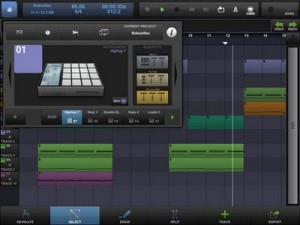
“NEW FEATURES:
– Native iPad interface
– Support for MIDI controllers through CoreMIDI, with MIDI learning and templates
– Instruments parameters automations (LFOs, envelopes, pads settings, etc.)
– MIDI export improved with Control Change (MIDI CC) messages
– New Master track with volume, pan, and 3 FX slots
– Audio input monitoring while recording
– New “Note Repeat” mode
– Pad copy & paste on the drum machine
– Improved memory management
– Info window for monitoring CPU, memory usage, battery and controlling the audio device
– SoundCloud API now uses OAuth2
– Reduce application binary size
– Add support for bluetooth speakers and headphones (A2DP compliant)
– Many improvements in every aspect of the application”
BeatMaker 2: the most advanced mobile music workstation.
Combining music production tools that were behind the success of countless artists, BeatMaker 2 is a powerful, easy-to-use composition interface for amateurs and professionals alike. Build your own virtual home-studio, create multiple instruments and connect them to a full-range of audio effects.
Compose, record, arrange and transform your ideas into complete songs, ready to be shared with others. Import your own sounds or use the sound library provided: more than 170 high-quality instrument and drum presets from synthesizers to realistic orchestral sounds. You can even import songs from your iPod library! Connect your MIDI accessories for an external control of BeatMaker’s instruments, effects and mixer, ideal for home-studio productions and live performances.
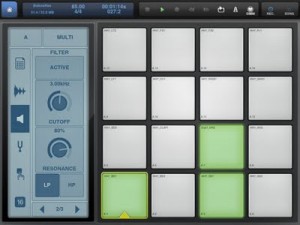
BeatMaker 2 is an universal application, with specifically designed interfaces for iPad and iPhone platforms.
The world’s most powerful keyboard production station
Judge for yourself, this is how they market it:
The StudioBLADE (Gen2) is the world’s most powerful keyboard production station. Powered by Dual Xeon 6-core processors (12-cores total), 192GB of RAM and 6TB of hard drive space, the StudioBLADE (Gen2) can run over 2,000 plug-ins at once, sequence thousands of tracks simultaneously and hold millions of sound presets. Based on Windows 7 (64-bit), it can run virtually any software or plug-in and is user upgradeable.
Custom configured and ready to use right out of the box, the StudioBLADE is your entire studio in a single instrument. Order direct at http://www.MusicComputing.com
DATAMASKIN

