
Demo of Roland SH-5 – Analog Synth from 1976
The Roland SH-5 is an early monophonic analog synthesizers from Roland. It has almost everything, that you could wish from a analog monophonic synth: 2 VCOs, 1 resonant multimode filter (highpass/bandpass/lowpass), 1 bandpass filter, 2 LFOs, Sample & Hold, ring modulator, oscillator synchronisation, noise generator (white and pink noise), ADSR and AR envelopes. Also there is a nice signal mixer with routing capabilities.
Oscillator sync in LuSH-10
Prof. Don Garbutt takes us on a crazy detour through additive synthesis, complex waveforms and how to survive an attack by a sabre-tooth tiger, to arrive at a lucid description of oscillator sync in the LuSH-101 by d16 Group Audio Software. He also explains the settings in the pitch control section.
Ableton Live 9 – New Features
In this video Mitch Lee, Ableton Certified Trainer and Course Developer at Beat Drop walks through building a track while showcasing some of the new features in Ableton Live 9.
Please note. The version of Ableton Live used in this video is a Beta version which may offer features or workflows that differ from the release version when it comes out.
Andy & Paul of OMD explains Metroland
Andy McCluskey and Paul Humphreys talk about Metroland, the first single (out 25/3) from their new album English Electric out 8th April
The track by track is taken from the DVD available in the Collectors’ Tin Boxset as well as the Ltd edition CD+DVD mediapack.
MicroShift – creating wide stereo tracks from mono sources
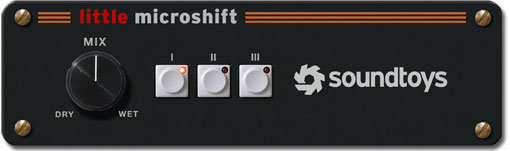
Soundtoys has just released Little MicroShift, the latest in their new Boutique plug-in series, and it’s free for a limited time.
The company tells us that Little Microshift is based on a simple, but effective studio trick for creating wide stereo tracks from mono sources. Originally done using hardware pitch shifters, as well as the original SoundToys SoundBlender plug-in, this technique has been used in pro studios as a “secret weapon” on countless vocals, guitars and more for a widening, doubling and interesting spatial effect that adds focus or power to tracks run through it. Soundtoys says that, now, three of the most popular versions of this effect are available at the touch of a button.
The Contest
As in years past with Devil-Loc and Little Radiator, Little MicroShift is available free to anyone who can find a friend with a “sharing code”. They’re all over FaceBook and forums like GearSlutz and KVR Audio. Once you’ve got Little MicroShift, you can share it with your friends by using your own unique sharing code. The top share-masters win more cool stuff. The grand prize is an autographed original H3000 D/SE Ultra-Harmonizer from our Gear Closet. The promotion ends on March 29th.
Pricing and Availability:
Free
More information here:
Checking out the Orphion iOS app
Orphion is a musical instrument with a unique sound between string instrument and percussion. Everyone can play expressive, wonderful sounds and easy or virtuosic melodies on it just by moving fingers on virtual pads.
Get Orphion here:
orphion.de
Enjoy
Yamaha SK-15 Demo
Yamaha’s SK-series are combo-keyboards with synthesizer, organ, brass and string sections. The SK-10 was the first of the SK-series, released in 1979 – the SK-20, 30 and 50D followed in 1980, and the SK-15 in 1981, possibly as a replacement for the SK-10. The SK-10 is the only one in the series that does not incorporate a synth section, but has organ, brass and string sections that can all be played together for more interesting combinations. Very sturdy casing, 4-octave and fully polyphonic the features also include a leslie simulator, vibrato, attack and sustain rocker switches, a slider for ‘brilliance’ and a one-octave transpose switch. Not exactly feature-laden, but a lovely string synth sound. Interestingly, they are often referred to as ‘analog’, but in fact do have a digital section. Its organ has one of the early implementations of Yamaha’s FM technology in a very limited form, concurrent with the GS-1/2 development platforms which eventually led to the DX series.
“Just a quick-and-dirty demo of the Yamaha SK-15 Synthesizer. Please excuse my poor playing skills, I was just making stuff up to show off the various sounds the machine is capable of making. This particular machine I stripped down and nearly completely rebuilt, making more than a few changes in the audio pathway.”
Preview: MONARK – the new Virtual Analog Synth from Native
Sneak peek at Native Instruments’ newest software synthesizer, Monark: a re-creation of classic analog monosynths like the iconic Minimoog Model D.
Matt Cellitti has been working with Monark for awhile and made this sneak preview video for us giving a brief tour of how this synth is laid out and how to use it. He also demos some of the presets to give an idea of the kind of sounds this new/old instrument is capable of.
For more info: http://blog.dubspot.com/monark
How to create Custom Scripts in Native Instruments’ Kontakt
More info: http://bit.ly/WNdqA5
In this video tutorial, Evan Sutton shows you how to add, modify and customize existing instruments in Native Instruments’ Kontakt script editor.
Scripts are used to customize the way an instrument plays. In the factory library, the data involving the fancy Performance View is all created using Scripts. Many of the Scripts in the factory instruments let us customize how the instrument interprets incoming MIDI data. This is the area we’ll focus on in this tutorial.
To program scripts from scratch would take quite a bit of commitment and practice. Lucky for us, there are built in factory scripts that we can load up and customize. Many users will notice that the Scripts we talk about in this tutorial are not unlike Ableton Live’s beloved MIDI effects. What’s more is that just like Live’s MIDI effects, Kontakt Scripts work together and can communicate with one another, opening up a vast modular world.
Other scripts let us customize a sampler instrument and add features much like we’d expect to see on a synthesizer. No matter what the role of the Scripts, they can be used to take a solid instrument and make it perform in new and different ways. – Evan Sutton
Dada Life In The Studio explaining how to use Ableton Macros
See Swedish superstar DJs, Dada Life explain some of their Ableton Live power-tips. Olle and Stefan explain how to unlock the full potential of using Macros.
DATAMASKIN

