
A Bit More Of Music box Composer
Create your own Music Box music, and easily share your compositions with others. Designed to aid composing your own music prior to punching the paper strips for Music Boxes, MBC allows you to compose, preview, play, save and share (via Twitter, Facebook, Email or iTunes file transfer) your creations.
For an example of a shared composition:
http://www.jellybiscuits.com/mbc/mbp.php?lL5nDF79
– Add, move, delete notes
– Disable Notes for temporary changes
– Multiple undo
– Ripple edits
– Save and Load (access the save location via iTunes File Sharing)
– Retina display support for the new iPad
– Sounds sampled from physical Music Box for added reality 
The physical Music Boxes with the paper punch strips and are great fun – what I found was missing was an easy way to preview either transpositions or original creations. This aims to fill that gap but it’s also a fun music creation tool in it’s own right.
Tips:
– Notes are added/edited in either the lower or middle strip. Use two fingers to pan.
– Start with the ‘Add’ button, the tap in the lower strip view to set a note. Touch and slide your finger to add a note and adjust where it ends up – the note is played as you create/change pitch so it’s easy to get what you need.
– Use the zoomed in view to see what you are doing if you are adding in the lower strip. In the middle strip a zoomed in view pops up to the side (you can turn this off in the options).
– You can use the Add and Move modes together – it will then only add a note if it doesn’t find one near where you tap. With ‘Add’ only it creates regardless, but with both modes active you can add and adjust easily.
– Turn off ‘Snap’ mode to allow you to place notes between the vertical bars.
– The select mode allows you to swipe across an area to select, select a range to copy, control where the notes are pasted to, as well as simply being able to tap to select/deselect.
PixiTracker 1 Bit First Look
PixiTracker 1BIT is a simple and fun tool to quickly create musical sketches, chip tunes and experiments with TRUE 1-BIT SOUND (like on old microcomputers).
No musical knowledge required!
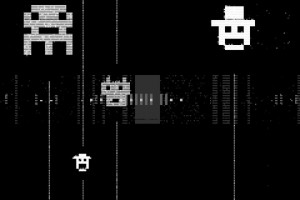
[ Key features ]
• true 1-bit sound: only 1 and 0 in the final mix;
• pattern based sequencer (tracker);
• max number of tracks: 12; max number of steps: 64;
• MIDI keyboard support;
• several packs with unique sounds;
• mic/line-in sound recording;
• Wi-Fi export/import;
• export to WAV;
• audio copy/paste;
• iTunes File Sharing;
• warm pixel interface!
SpaceWiz Intro with Jordan Rudess
Now available in the iOS App Store! http://itunes.apple.com/us/app/spacewiz/id541828795
This is the introduction of a 6 part video tutorial on SpaceWiz.
SpaceWiz allows you to interact with and control your environment at the highest level of complexity. With the manipulation of your own fingers on the playing surface, together with the technological wonders of the Chaos and Satellite generators, you fabricate particles, which then collide into planets.
You can even add the onboard real time synthesizer with its independent set of sounds and parameters to create your sonic masterpiece.Regardless of your desires, this app will reward you with a mind-blowing creation. Sit back, and allow SpaceWiz to guide you on a uniquely woven audio-visual journey. Enjoy the ultimate sonic/visual wallpaper, or get busy and start throwing your own particles around the universe. Try rolling the dice for total randomization and see what happens! For creators who want to play a larger role in their SpaceWiz experience, you also have the opportunity to build your audio/visual world from the void!
Closer look at the Drone FX for the iPad
Music iOS app demo of Drone FX. A great app for making ambient music and atmospheric sounds.
“This is my first go at it and still working out a few things, such as ending a sound. A few of the sliders don’t seem to do much but perhaps they do! I like though. You can get it through the app store, with a link below, for $2.99. ”
http://itunes.apple.com/us/app/drone-fx/id499500746?mt=8
Drone FX has the following modes of operation:
– Auto (Generative music in all it’s glory)
– Manual (For the musician in you)
– Hybrid (Auto + Manual)
Users can play along with soundscapes generated in auto mode, or create ambient music without automation using the built-in keyboard(s).
WerkBench Ambient Experiment **First look at 1.1.0!**
WerkBench is available in the app store: http://bit.ly/L6jhd9
http://www.facebook.com/werkbench
Here is some ambient music generated from a single sample in real-time. The combination of pitch shifting and feedback makes for giant percolating pads. Enjoy! All of the sounds are being sampled with the internal mic and speaker. I live in a noisy place so there is a lot of texture added with each level of feedback. This video features WerkBench 1.1.0 which should be out in the first few weeks of August. I am making use of panning, high-pass filters, and decay settings for each step. These will be available soon!
MicroTrack dB – Tutorial on basic drum programming
A new tutorial video demonstrating basic drum programming in MicroTrack dB iOS.
MicroTrack dB is a music making app for iPhone, iPad and iPod Touch. Inspired by the classic instruments that defined electronic music and popular culture, this app puts music making in the palm of your hand. This portable, virtual studio offers high-quality audio output, intuitive sequencing, flexible drum programming and powerful synthesis, plus a range of effects and performance features. A user-friendly interface and online help enables beginners to start making music, while more advanced musicians will find a host of features to get their teeth in to. Get your creative juices flowing and produce tracks instantly. Realise your ideas, define your sound and create the music that you want to hear.
Available now on the app store. http://itunes.apple.com/us/app/microtrack-db/id545192575?mt=8
Tutorial for Loopy, the live-looper for iOS
This is the introductory tutorial for Loopy, the live-looper for iOS: Recording the first track, count-in, tempo and clock length controls and track-twisting.
Product description:
This is a looper that’ll come out to play, but get down to work when you want to get serious. While other music creation apps tend to be either powerful but difficult to learn, or easy to use but limited in features, Loopy doesn’t compromise. Loopy offers a sleek, expressive, instantly understandable interface that beginners can start using effectively straight away. It’s fun, right from the start. More advanced users, however, will not be disappointed by Loopy’s rich feature set, with extra features many other loopers just don’t have. Plus, a sophisticated interactive tutorial system lets users discover Loopy’s more advanced features at their own pace.
RECORD & LAYER
– Six, nine, or twelve beautifully rendered circular loops, with simple yet powerful controls.
– Count-in, count-out and record chaining lets you keep your hands free to play an instrument.
– MIDI control, to control Loopy via foot pedal or other controller.
– Overdub, to build beautiful, complex soundscapes from many layers.
– Support for tracks of any multiple or fraction of a beat, for flexible and expressive looping.
– Sophisticated audio or visual metronome to keep you in time – no matter what time signature you choose.
– Perfectly synchronized, low latency audio engine.
IMPORT & CONSTRUCT
– Import loops from your computer via iTunes, with support for AIFF, WAV, MP3, M4A, CAF and more.
– Bring in audio from many other audio apps with integrated audio copy and paste.
– Imported loops are automatically fit to your beat, no matter what tempo.
MANIPULATE & TWEAK
– Full stereo audio, with pan controls for each track to create custom stereoscapes.
– Fix up timing by twisting tracks around to line up the beat, or make funky sound effects with dynamic time shifting.
– Drag a track onto another track to merge tracks, and clear up a space.
– Live, dynamic tempo adjustment to speed up or slow down your creations, without altering the pitch.
– MIDI clock sync, to play in time with other MIDI-capable devices or apps.
PERFORM & SHARE
– Record whole performances with in-app session recording facilities.
– Upload performances or single loops straight to SoundCloud, and post to Twitter or Facebook.
– Email audio clips.
– Share audio with many other audio apps with audio copy and paste.
– Transfer loops or performances to your computer via iTunes.
Tic Tac Beatz Electro and Drumatron for iPad
This is V1.0. Check out V1.1 updated version here http://www.youtube.com/watch?v=od6L3yJknzI
Also check out the “How to Save and Load” and V1.2 update video here http://www.youtube.com/watch?v=03ar3cdRPhI
A quick demo of this new Ipad app and what it can do.
8 tracks split into drums, bass, synth, chords and effects. Designed exclusively for electronic style music.
It is on the app store now and at a bargain price. More info here:
http://itunes.apple.com/gb/app/tictac-beatz-electro/id520672407?mt=8
Facebook page for this app:
https://www.facebook.com/TicTacBeatzElectro
Not just a super cool looking drum pad but a professional drum pad machine with almost all the drum sounds you would ever need and with lots of tweakablity. Almost 100 sounds to choose from ranging from rock and dance drums, bongos and maracas, special effects and more. You can edit each pad’s sound, level, pitch and decay. Store up to 4 custom drum kits. Velocity control on each pad depending on where you hit the pad. Ergonomically designed for either one-handed use or using both thumbs with ease. With visual feedback and lighting effects that add more enjoyment especially in the dark. Pad 3 is linked to pad 4 so you can mute an open high hat on pad 4 with a closed hat on pad 3 if you wish.
All sounds designed exclusively for this app and created from real drums and high quality drum synthesisers.
No latency. Any delay in this video is from the video/audio sync
Available here now!
http://itunes.apple.com/us/app/drumatron/id546175262?ls=1&mt=8
Cloud Audio Recorder by YAMAHA
Cloud Audio Recorder allows you to record the sound of musical instruments
to your iOS devices via the built-in microphone.
Available in App Store: http://itunes.com/app/cloudaudiorecorder
MicroTrack dB – new music making app for iOS
MicroTrack dB is a music making app for iPhone, iPad and iPod Touch.
Available now on the app store. http://itunes.apple.com/us/app/microtrack-db/id545192575?mt=8
Make music anywhere
Inspired by the classic instruments that defined electronic music and popular culture, this app puts music making in the palm of your hand. This portable, virtual studio offers high-quality audio output, intuitive sequencing, flexible drum programming and powerful synthesis, plus a range of effects and performance features. A user-friendly interface and online help enables beginners to start making music, while more advanced musicians will find a host of features to get their teeth in to. Get your creative juices flowing and produce tracks instantly. Realise your ideas, define your sound and create the music that you want to hear.
Technical Specifications
General
* Instruments — 1x drum machine, 2x bass synthesisers.
* Sequencing — on board pattern sequencers and performance sequencer.
* Component modelling — analogue filters and envelopes.
* Effects — delay, overdrive.
* 44.1kHz 32-bit signal path (output is 16-bit).
Synthesisers
* Square and saw tooth oscillator waveforms.
* Wave shaping features.
* 24dB low pass resonant filter.
* Multistage filter envelope.
* Note accent features.
Drum Machine
* 8 drum voices.
* 2 selectable samples for each drum voice.
* 8 voice polyphony.
* Adjust volume, start time, attack, decay, accent and FX send.
* Note accent features.
Sequencer
* Pattern sequencer designed for performance.
* 9 banks of 4 patterns per instrument.
* Song and edit modes.
* Cut/copy/paste/clear patterns.
Mixer
* Delay and overdrive effects.
* Mix track volume and output volume.
* Tempo controls.
* Volume maximiser.
Additional features
* Load and save tracks.
* Online help.
DATAMASKIN

