
Free Ableton Live Rack – Unusual Percussion part 2
Here’s a new freebie from AfroDJMac featuring more quirky percussions
This is a free Ableton Live download featuring 309 unusual percussion sounds. Follow along in the video tutorial and I show you how to use my technique of sampling and resampling to create your own interesting and unique percussion sounds.
Download the Ableton Live Project here: http://bit.ly/freesynth50
This week’s free Ableton Live AfroDJRack is a continuation in the my study in unusual percussion. I’ve been looking for new ways to create percussion sounds and this download is the result. This week I have a total of 309 different sounds for you to play around with. More importantly, though, I show you the technique I used to quickly create loads of unique sounds. If you missed part one, check it out here.
I began this Ableton Live project by sampling some ordinary sounds. I recorded the sound of pencil and eraser on paper. Then I tore the paper (I felt inspired by this awesome video with Robot Koch). I snapped my fingers and rubbed my hands together, and recorded that. Next, I tapped my foot on the mic stand, which created some surprisingly bass-y kick drum like sounds. After that I took out my Casio SK-1, which is a sampling keyboard from the 80s, very lo-fi. I sampled crackles, drum sounds and even noises created by plugging in an instrument cable and touching the end to create buzzes. All of those sounds were sent into Ableton and are on the track labeled “Original percussion.” Feel free to do what you like to those sounds.
From there I played around with the clips I created, reversing some and messing around with the transpose envelope. Next I set them up to play somewhat randomly using follow actions, and recorded the result on to another audio track. The resulting clip was then “sliced to midi” and that created the drum rack on track 5 “AfroDJMac Unusual Perc NOFX.”
I then repeated the process of randomly triggering clips and resampling them, but this time I placed a host of effect racks on the track which I turned on and off and manipulated at random, using an iPad running the Lemur app. This yielded two more instrument racks, found on tracks 3 and 4. In the end, this download features 309 different percussive sounds!
Salad Spynner – new sound library for Ableton Live

Praxworld has announced the release of Salad Spynner, a sound library for Ableton Live.
Add some greenery to your tracks with a helping of fresh delicious drum and percussion samples harvested from the SonicCharge Synplant synthesizer.
Contains 213 single hits in .wav format, and seven fiber-rich Ableton drum racks.
The Salad Spynner library is available to purchase for $3.86 USD.
The Hatchet – a new software synth for Ableton Live
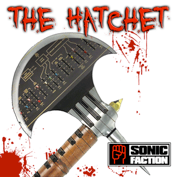
Sonic Faction has introduced The Hatchet – a new software synth for Ableton Live, based on the legendary Arp Axxesynthesizer.
The Hatchet comes with a Max for Live step sequencer patch for Launchpad.
Features:
- Multi-sampled ‘analog instrument’ for Ableton Live
- Oscillator blend, Analog detune, ‘Vintage filter’
- Original Portamento, S&H presets, Inifinte sound design possibilities
- Built in FX Racks: Distortion, Waveshaper, Freq Shifter, Pumper, Delay
- Includes custom made Max4Live Melodic Step Sequencer for Launchpad
The Hatchet is available now for $19.99 at the Sonic Faction site.
Ableton Live 8 + APC40 + Remote SL Controllerism
My Colorado electro friend Mark Mosher has uploaded this nice Ableton tutorial video:
This video is a step-by-step tutorial describing Ableton Live 8’s new custom parameter mapping methodology. The video illustrates how to map select parameters from VST plug-ins into devices and then control these parameters via the Novation Remote SL and the new Akai APC40. The video also discusses how to add and access more than 8 parameters. Lastly, the video covers use of instrument racks and macro controls to map parameters from multiple devices to an 8 knob group.
Low Beats Clipbox – new clip collection for Ableton Live
Cluster Sounds has announced Low Beats Clipbox, a clip collection for Ableton Live.
Low Beats Clipbox is a powerful and ultra-flexible collection of sliced clips for Ableton Live, specifically designed for electronic and tech-based music productions. The library consists of 195 Clips, 240 deep samples organized in 6 drum Kits with dedicated macro controls and 12 extra synthesizers created by looping and tuning percussive elements. This Live Pack is basically dedicated to electronic low beats but thanks to the powerful effect modules you can easily create unusual Snares, Hats, Kicks, Glitches and several pseudo-drum elements.Sliced Loops : The included Clips has been extracted from 195 WAV loops carefully selected from Cluster Sound catalog. Each Clip consists of an Instrument Rack, created by slicing and key mapping the original WAV file, bundled with a MIDI loop that triggers each slice. This design allows to instantly create new patterns by simply editing the MIDI notes and to drastically change the track tempo with no artifacts.
Instrument Racks : Each Instrument Rack consists of the dry loop coupled with two parallel layers dedicated to the dynamic effects including Resynthesis, AM/FM Oscillators, Resonators, Noisers, Pitch Shifters, Reverse and Filter Shapers. Additionally, the 3 layers share the Pitch and the Decay controls and a very versatile FX module that allows to add sub harmonic frequencies, Delay, Reverbs and Metal effects. Thanks to this huge amount of parameters the original loop can be easily twisted and altered beyond recognition.
Low Beats Clipbox features
- Size : 330 Mb.
- 195 Live Clips.
- 6 Drum Kit Instruments.
- 12 Synth Instruments.
- 240 WAV Drum Samples.
- 3.500 WAV Slices.
Moog “Big Phatty” Ableton Live Pack
Ableton Live Pack created using the Moog Slim Phatty Analog Synthesizer. This video takes you through the AfroDJMac Big Phatty Pack, which contains 33 Ableton Live Instruments.
Available here: http://afrodjmac.spinshop.com
Each instrument has its own unique effects and macro knob settings. I programmed each sound on my Slim Phatty and sampled them into Ableton Live from there, I added a ton of functionality to each instrument. Guaranteed to inspire!
Ableton Live Tutorial – Better Sound with Hi-Quality EQ8
More info – http://bit.ly/w4n2mS
In our new Ableton Live video tutorial series, “Did You Know?”, Ableton Certified Trainer, Dubspot Instructor, and electronic musician Thavius Beck checks out less explored and slightly hidden features in Live. In this newest installment of Did You Know?, Thavius explains and demonstrates an often overlooked an even more often misunderstood feature; Hi-Quality mode on the EQ8.
The EQ8 has a Hi-Quality setting that is not enabled by default. We are able to find the Hi-Quality setting by right-clicking on the EQ8’s title bar and selecting “Hi-Quality” from the contextual menu that appears. Once that has been done, the EQ8 will be in Hi-Quality mode, but what exactly does that mean?
This is a question that took me quite a bit of investigation to find the answer to, and one that requires more explanation than I intended for these particular videos, but this series is all about sharing esoteric knowledge (as it relates to Live of course) so that is what I will do right now.
When Hi-Quality mode is enabled on the EQ8, the audio being fed into the EQ is oversampled by a factor of 2 (meaning the sample rate of the audio is doubled. If your session’s sample rate is 44.1kHz, enabling Hi-Quality will make the audio being fed into the EQ8 88.2kHz). Then the EQ changes are calculated at the doubled sample rate, and finally the audio as it leaves the EQ is undersampled by a factor of 2, or basically brought back to it’s original sample rate.
Why does this happen? It all has something to do with what is referred to as the Nyquist Point. The Nyquist Point is one half of your sample rate, so if your session’s sample rate is 44.1kHz, the Nyquist Point will be 22.05kHz, which is right at the upper limit of human hearing, and just beyond the furthest right edge of our EQ8’s GUI. Any audio that produces a frequency higher than the Nyquist Point cannot be accurately reproduced digitally and will have aliasing or digital distortion as a result.
Because of this, the EQ8’s frequency range was initially limited to 22kHz on the high end (when working on a session with a 44.1kHz sample rate). If your EQ is in normal mode (not Hi-Quality), and you create a notch on the 4th EQ point (reduce the gain all the way on the 4th point), start to increase the Frequency on that 4th point. You’ll notice that as you get closer to the Nyquist Point (22kHz when working with a 44.1kHz sample rate), the curve of the EQ gets squashed so that the curve doesn’t extend beyond 22kHz. Now, enable Hi-Quality mode and try the same thing. Notice how the EQ curve remains intact no matter how close you get to the Nyquist point.
So what does this mean in terms of practical application? Well, it means that you will probably only notice the effect of the Hi-Quality EQ8 if you’re working on a session with a 44.1kHz sample rate, and the improvement will really only be noticeable on the higher frequency sounds effected by the Hi-Quality EQ8. As for specific instances for when you’d want to use the Hi-Quality setting and not, I think that is really for the individual to research a bit further, do a few A/B comparisons, and decide for themselves.
As I was doing my research for this post, I searched a few forums to help me gather the info I needed, and I also reached out directly to the Ableton HQ. Here is a very helpful and informative series of posts from the Ableton forums.
And below is the explanation for the Hi-Quality setting directly from Matt Jackson at Ableton HQ:
“The main difference is that the entire signal is oversampled in high quality mode. Actually the slope isn’t changed.
To get technical, in normal mode with a project sampling rate of 44.1kHZ, you have a nyquist frequency of around 22kHZ, the limit of the EQ. Because – in the design process – the filter is derived from an analog prototype, which has no such a limit, all frequencies (and up to infinity) must be matched to the available frequency range of the digital filter, resulting in the squashed slope near nyquist frequency.
If you look at the EQ in normal mode, you’ll see the filter slopes warp as they get very close to the 22kHZ mark. If you change your project sampling rate to 88.2 or higher, you’ll see that this warping no longer happens.
This is because the nyquist frequency is now much higher than 22kHZ.
The same thing happens when you turn on high quality mode when working at 44.1kHZ. Then Live over samples just the EQ so that the filter gives the correct response all the way to the end. (There is no change in the bottom.)”
Ableton Live – Master FX
This weeks free Ableton Live rack from AfroDJMac:
This is an effects rack I use on my master channels in Ableton Live. Very useful and practical!
Free Download @http://bit.ly/freesynth46
Every week I release a Free Ableton Live Pack! @ http://www.afrodjmac.com
The Protoclidean sequencer for Ableton Live
AVAILABLE HERE : http://designthemedia.com/theprotoclidean
Features
– 8 independant channels
– step number + number of notes + offset + pitch + velocity for each channels
– accurate synchro to Live transport
– scaler helper to choose a scale across each channel
– GM Drum-map mode with the 8 first standard MIDI Drum map notes accross channels
– notes randomizer with min/max limits
– all parameters are auto mappable to any control surfaces compatible with Live
– built-in help
The Protoclidean Sequencer is based on Euclidan algorithm.
This is one of the oldest mathematical algorithm ever.
It offers a very simple way to distribute the most evenly possible a particular number of objects inside a particular number of slots.
The Protoclidean implements this algorithm to place a particular number of notes into a particular number of slots.
That way, you can easily create sequences using odd or even number of steps without the need of creating a lot of clips with different size in your liveset, you can also play live with it, using the banks storage/load feature.
Unusual Percussion for Ableton Live – 126 different sounds
AfroDJMac is back with some really unusual sounds :-D, check’em all out:
Drums from less than ordinary places. I’ve sampled a couple of random items into Ableton Live to create these percussion sounds. If you are looking for something different types of percussive sounds, then this is for you. Enjoy and Share 
Download @ http://bit.ly/freesynth47
DATAMASKIN

