
Anubis – new free synthesizer instrument for Windows
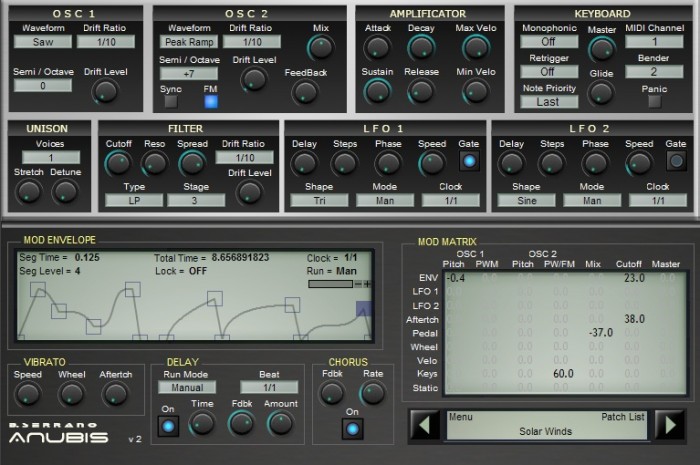
B. Serrano has released version 2 of Anubis, a free synthesizer instrument for Windows.
Anubis 2 features
- 32 voices polyphonic.
- Unison up to 8 voices.
- Same waveform as Dionysos.
- 3 layers multimode filter.
- Drifting effect.
- Full MDI learn implementation.
- Envelope & LFO Host syncable.
- …. and more.
The plug-in is available to download for Windows (VST).
Ice Cave Free Ableton Instrument
This Free Ableton Live collection was created with a Casio SK-1, Teenage Engineering OP-1, Ice Cave Samples, Forest, Fire, Earth and Water Samples. There is a percussion rack, a synthesizer, and convolution reverbs.
Get the CasiOP-1 Ice Cave Synth here: http://bit.ly/freesynth99
Get the Forest Fall Micro Drums and Reverbs here: http://bit.ly/forestfall
Visit his site for more stuff like this, including Live Instrument downloads, tutorials and music! http://www.afrodjmac.com
ADHDidi – free additive synthesizer for Windows
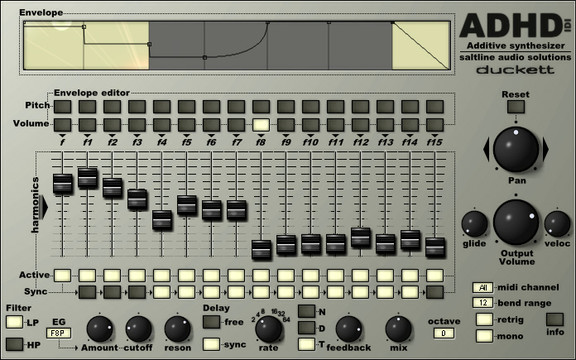
Saltline has announced ADHDidi, a free additive synthesizer plug-in for Windows.
Created for facebook fans as a thanks for their feedback and support, ADHDidi is an additive synthesizer comprising of 16 sine waves tuned to different frequencies (fundamental plus the first 15 harmonics).
Facebook fans were asked what they would like as a free download exclusively for them. We received many suggestions and settled on James Jason Duckett’s idea of creating an additive synthesizer.
ADHDidi for Windows (VST) will be available soon as a free download from the Saltline Facebook page.
Free update to FL Studio Mobile for Android and iOS
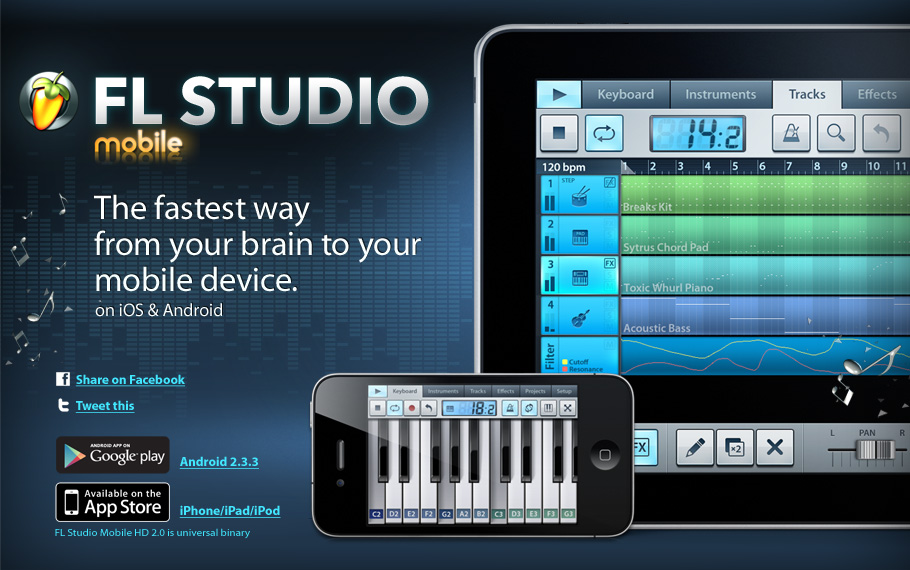
Image Line Software has released an update to FL Studio Mobile for Android and iOS. This is a free update for existing FL Studio Mobile customers.
Here’s what’s new in FL Studio Mobile Android 1.2:
- HD graphics for 1080p and 720p devices (removes side bars)
- Sequencer timing accuracy significantly improved
- Fixes various expansion file download and mounting errors
- Fixes wrong sample mapping after zip instrument import
- Minor other bug fixes and performance improvements
Here’s what’s new in FL Studio Mobile 2.2 iOS:
New features:
- MIDI start/stop slave and master
- Input gain slider in the recording window (visible with external mic connected)
- AudioCopy 2.0 support (iOS 7 compatible)
- WAV export option to write 1 file per track
Performance & speed:
- Major performance improvements (play more tracks without audio dropouts)
- Audio file editing is up to 5x faster
- Reverb quality and performance improved
Other improvements:
- Audio recordings are placed more accurately
- Setup latency options removed, it’s now always at minimum
- Filenames can now contain non-latin characters
- Inbox folder is no longer present, files are moved to the top level folder
- .flml (drum loop) files can be opened from other apps like Mail or Safari
- Overall stability greatly improved
The Android version of FL Studio Mobile, at version 1.2, trails the iOS version significantly. Image Line says that the feature-set of the Android and iOS versions will be harmonized in future updates, including the addition of the following features to the Android version:
- Audio tracks and wave editor
- Background audio (playback while the app runs in the background)
- SoundCloud upload
- In-app shop
- While projects, .flm format, are compatible between Android and iOS, if audio tracks are present they are ignored. If instruments are not avaiable the MIDI data is loaded and the a default instrument is used.
Pricing
- Android: $19.55 USD
- iOS: FL Mobile HD (universal app): $19.99 USD
Mello – free software recreation of the iconic tape-based Mellotron
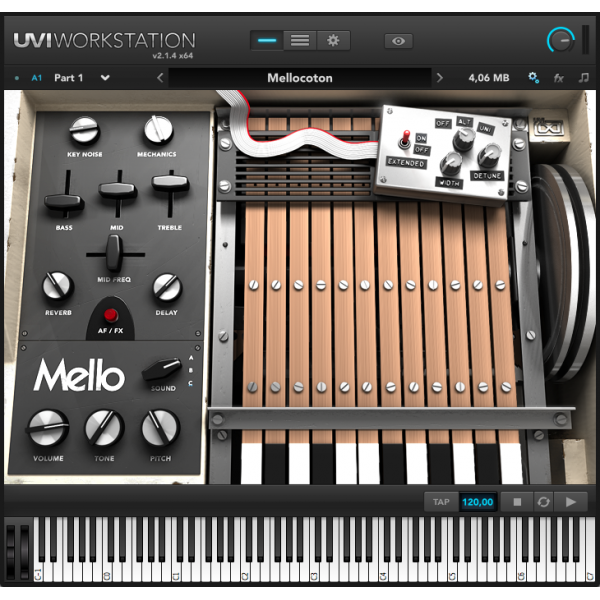
French audio developers UVI have announced the immediate availability of Mello, a free software recreation of the iconic tape-based Mellotron.
The Mellotron was made famous by John Lennon, and in the spirit of the Lennons’ ongoing humanitarian effort, UVI are pledging to match donations made by its customers to the Japanese Red Cross to help survivors of the Fukushima earthquake over the next three months, during which time Mello (normally $99) will be available for free.
For those unfamiliar with the Mellotron, it was one of the earliest samplers and used tape to capture the desired sounds. When a key was pressed, the Mellotron would pull a section of tape through a magnetic play head to produce a sound. Originally built in 1963, the Mellotron became popular throughout the ’60s and 70s with bands and artists such as The Beatles, Pink Floyd and David Bowie, and although they fell out of fashion for a time, they have been used more recently in big tracks from Radiohead and Vampire Weekend.
UVI have multisampled dozens of original tapes to create the most faithful recreation of the original intstrument. Being a sampler, the Mellotron had a whole range of available sounds and Mello provides 28. These are: Brass, CelestaAndVoice, Cello1, Cello2, ChoirFemale, ChoirMale, ChoirTron, ChurchOrgan1, ChurchOrgan2, ChurchOrgan3, Clarinet, Flute1, Flute2, Guit12Str, GuitElectricA, GuitElectricB, GuitSpanish, Harp, Oboe, Piano, Sax, Strings1, Strings2, Strings3, Strings4, Vibraphone1, Vibraphone2, and Viola.
Free iLok from UVIUVI’s Mello requires an iLok, which UVI are also doing a great deal on. If you buy an iLok from their web site you’ll receive a coupon for the value of the iLok plus shipping ($78), which can then be redeemed against any future purchase from the UVI store.
For more information on the iLok deal, go here: http://www.uvi.net/en/store/ilok-smart-key.html
For more about Mello, go here: http://www.uvi.net/en/vintage-corner/mello.html
Free vintage VST rhythm machine – RHYTHMUS
RHYTHMUS by ELECTROSTUDIO
A free vst plugin that is an emulations or inspired by of vintage classic rhythm machine and drum machines
for more information visit
http://www.elektrostudio.ovh.org/
http://www.elektrostudio.ovh.org/index2.php
Rhythmus is inspired by an old rhythm machine. There are ten buttons available, each button can play two different rhythm sections so essentially there are about 20 different rhythmic loops offered, such as samba, mambo, tango, waltz, rumba etc. When you click “open”, you can change the tune, volume, pan of each rhythm component such as snare, bongo, cowbell, hi-hat, etc. You can mix these rhythmic sections with Tambourine, Guiro, Quijada sounds.
Sample Free Sounds from the Internet and Build Unique Ableton Drum Racks
Learn more about sampling and download Audio Hijack: http://bit.ly/PMnbY2
Sign up to get Mad Zach’s Sample Packs: http://utm.to/3N5
In today’s video tutorial, Mad Zach teaches how to capture any sound from a number of creative sources and use those sounds in a playable Drum Rack or Remix Deck. You’ve probably heard clever samples from famous memes and movies, so today we show you how to get some creative snippets of your own.
Here’s the basic steps that I outlined in the video above, available here for easy reference!
- Download + install the free trial of Audio Hijack Pro (Mac only- Windows users see notes below)
- Under “Quick Record” select “System Audio” for your input
- Create a custom recording format (WAV, 44.1 kHZ, Stereo, 16 bit)
- Press “Hijack” and then “Record”
- Play sound to sample
- Press “Record” again to stop
- Load into Ableton or Traktor
- Rock it!
iDrumming – new free drum app for iOS
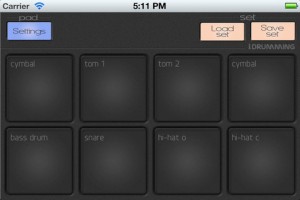
iDrumming is free drum pad app for iOS that features very low latency, changeable pitch and volume for each sample, 16-bit sampling, multitouch capability, autorepeat with 1 tap, the ability to save custom sets, and 2 different stop modes.
iDrumming is a ‘freemium’ app, with 11 unlocked samples, and an additional 200+ can be auditioned and can be unlocked through a $.99 in-app purchase.
Feature Highlights:
- 8 pads on iPhone, 12 on iPad
- Very low latency
- More than 200 optional samples to choose from, grouped into 6 categories
- Changeable pitch and volume of every sample (useful for tuning toms, etc.)
- Two different stop sample modes
- Autorepeat at one tap
- Continuous mode for loops or rattle samples
- High quality, 16-bit drum samples
- One predefined, default set included
- Allows users to save their own, custom sets
- Multitouch capability
iDrumming is a free download from the App Store.
dlab releases APG Composer – free iPad synth
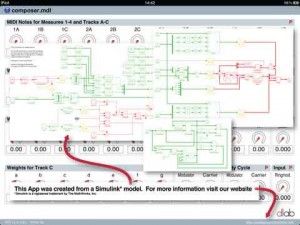
dlab has released APG Composer, which they describe as an app that combines a 3-voice FM synthesizer with an implementation of the Logique Analogique sequencer, which triggers notes when a weighted sum of different signals exceeds a threshold.
Pricing and Availability:
Free.
More information:
IVOR – new free two-oscillator subtractive synthesizer for Windows
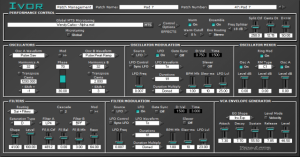
Xen-Arts has introduced IVOR – a two-oscillator subtractive synthesizer that features full-controller MIDI Pitch Microtuning using MTS (MIDI Tuning Standard). Any MIDI Note Number can be freely microtuned to any desired pitch across the MIDI range, enabling musicians and composers to explore the expressive possibilities of composing music with alternative intonation systems.
Features:
- Oscillator Section
- Two Oscillators with 22 Waveforms
- Microtonal, Harmonic Series and Subharmonic Series Oscillator Transposition
- LFO (with Rate Sequencer) and Envelope Generator for Phase, Pulse-Width and Pitch Modulation
- LFO and Envelope Generator features both Unidirectional and Bidirectional Modulation
- Analog Pitch Drift Emulator with both Unidirectional and Bidirectional Modulation
- Velocity-to-Harmonics Modulation enables oscillators to dynamically sound harmonics of the fundamental pitch
- Ring Modulation with 23 RM Types
- Oscillator and Ring Modulator Mixer
- Filter Section
- Pre-Filter Saturation Stage with 20 Saturation Types
- Two Independent Filters with Six Filter Types: LP4, LP2, HPF, BPF, BRF, APF
- One and Two Stage Filter Cascade
- LFO (with Rate Sequencer) and Envelope Generator for Filter Cutoff Frequency Modulation
- LFO and Envelope Generator enables both Unidirectional and Bidirectional Filter Modulation
- VCA Section
- Dedicated Envelope Generator
- Switchable Velocity Sensitivity and Fixed Volume Control
- Performance Control
- MIDI Pitch Microtuning with MTS (MIDI Tuning Standard)
- MTS Support for both Single Note and Bulk Dump
- Loads MTS Microtuning Format Files Internally and Receives MTS Externally
- Local (Per-Patch) and Global Microtuning (Static Microtuning for All Patches)
- Microtunings can be loaded from any directory on hard drives or storage devices connected to the computer
- Ten Note Polyphonic
- Monophonic Legato Mode
- Polyphonic Portamento with Three Glide Modes
- Microtonal Pitch Bend
- Vibrato
- Effects include Warm Filter and Stereo Ensemble
IVOR is available for download as a 32-bit VSTi for Windows XP or higher.
DATAMASKIN

