
Reason 6 gets updated to Reason 6.0.2
Reason 6.0.2 and Reason Essentials 1.0.2 updates are now available for free download. These releases bring a number of bug fixes, better performance, as well as Remote support for more hardware controllers and are recommended for all users.

This download is available for owners of Reason 6 only – please do not redistribute.
Please note that the Reason sound banks are not included in this download.

Download Reason 6.0.2
Mac OS, 1.2 GB

A complete fix list is available here.
Lemur and NanoStudio
Presented by Gaz Williams and Nick Batt
This new Lemur app allows you to control DJ software, studio production software (DAWs), live electronic music software, stage lighting, and more – this is no everyday keyboard situation. Any software OR hardware that can otherwise be controlled by OSC/MINI is able to be controlled by this Lemur app. For those of you new to the platform, you’ll be able to access a user library of pre-made templates from top artists and unknowns from the Lemur community – artists from around the world are now sharing their own templates, strengthening the platform by the minute!
You’ve only to connect your iPad OR iPhone to your laptop over Wi-fi to work with a cross-platform (Mac OS X or Windows) interface builder to bring your experience to a whole new level, dragging and dropping with ease as you do so. You’re able to control up to 8 computers from one iPad if you wish, Lemur also supporting CoreMIDI allowing you to use such hardware interfaces as the iConnectMIDI or USB MINI interfaces to your heart’s content. Physics in objects are able to be controlled with physics models, allowing you to bounce, oscillate, and rebound across your tracks — objects including, but not limited to: Fader, Multislider, Range, Multiball, Knob, RingArea, Switches, Pads, Custom Button, and text.

SPECIFICATIONS
– Objects
Fader; Multislider, Range; Multiball; Knob; RingArea; Switches; Pads; Custom Button; Container; Breakpoint; Leds; LemurMenu; Monitor; SignalScope; SurfaceLCD; Text
– Physics
Hated physics at school? Now you’ll love it! The behaviour of many Lemur objects can be affected by powerful and easy to use physical models which can make your controller bounce, rebound and oscillate. Make your controller come alive.
– Scripting
There’s absolutely no need to dive into scripting if you don’t want to. But if you’re the type who likes to get their hands dirty then there’s a powerful scripting engine inside Lemur. Harnessing this power will allow you to build extremely dynamic templates.
– Editor
The Lemur editor, is a cross-platform (OS X/Windows) interface builder. It allows you to create new Lemur templates or edit existing ones. The drag & drop interface makes it easy to use. It allows you to create anything from the simplest set of faders to the most complex groovebox with no hassle.
– Connectivity
Simply connect your iPad/iPhone to your laptop over Wi-Fi and make the connection! Lemur also supports CoreMIDI allowing you to use hardware interfaces such as Alesis’ iO Dock or the iConnectMIDI or class-compliant USB MIDI interfaces (with a camera connection kit). You can even control up to 8 computers from one iPad with Lemur!
FL Studio Mobile | 1.3 What’s New
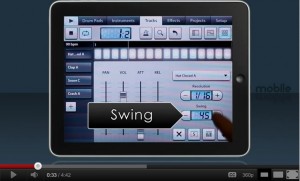
Here’s a teaser from Image Line
Preview of Pro Tools 10 is now available
Avid has released a 30-day trial version of Pro Tools 10.
Note: You must have an iLok USB Smart Keyand an iLok.com account to authorize your Pro Tools 10 trial, plus meet the minimum system requirements for the software you request:
New in Pro Tools 10:
Speed up editing and mixing with Clip Gain, and easily adjust and match gain levels, pre-mixer (watch the video)
Use multiple audio formats in a session—including interleave—without file duplication
Record and master higher resolution sound with more headroom in 32-bit floating-point format
Get great responsiveness on slower hard drives with the enhanced disk handler
Record in low-latency mode, with direct monitoring when using third-party audio interfaces
Get the sound of System 5 console EQ and dynamics with the Avid Channel Strip plug-in
Get access to over 500 additional Pro Tools commands when using EUCON controllers (watch the video)
Work more easily with AudioSuite-rendered clips with reverse processing, handles, and more (watch the video)
Create extra long-format projects for sequential versioning with the extended 24-hour timeline
Open fade-heavy sessions faster and get better responsiveness with real-time fades
Export mixes directly to SoundCloud to share and promote your music to the world
Steinberg puts out an updated version of Cubase
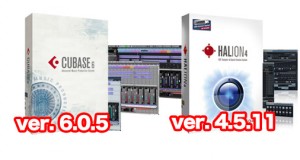
Steinberg has released the previously announced and officially supported 6.0.5 maintenance update for Cubase 6, Cubase Artist 6, Cubase Elements 6, Cubase AI 6 and Cubase LE 6. Including refined automation handles, full support for two WK-Audio remotes and improved decoding performance under Windows, the 6.0.5 update integrates several enhancements and fixes.
The 6.0.5 maintenance update introduces the following improvements:
- Automation handle visibility: Automation handles are now displayed independently from any zoom level as soon as the mouse cursor is placed over an automation lane. If automation handles are selected, handles on all other automation lanes are displayed as well.
- Support for WK-Audio ID-Console / ID-Mix-VU: Cubase 6 now fully supports the WK Audio ID-Console / ID-Mix-VU to ensure seamless integration.
- Video engine optimizations: Under Windows OS, Cubase 6.0.5 features further improved decoding performance for Motion JPEG OpenDML video in AVI containers as well as Photo JPEG material.
The following issues that have been resolved in this version:
- Project: “Delete time” command now works properly if signature track is enabled.
- Record: Sample rates different than 44.1kHz no longer lead to multiplication of lanes due to wrong overlap resolution on project load.
- Record: Recording MIDI in “merge” mode no longer creates additional MIDI parts instead of merging.
- Comping: Copying comped audio events no longer leads to moving instead of copying the events.
- MIDI: Reloading a previously saved project in Cubase Artist no longer disables the input transformer of MIDI Tracks.
- MIDI: Dragging a part no longer leads to inaccessibility on newly created MIDI tracks.
- VST Expression: When playing back in cycle mode all VST Expression commands are executed entirely.
- MediaBay: Enabling the “Align beats to project” and “Wait for project play” options no longer leads to playback issues with loops in the MediaBay previewer.
- MediaBay: Naming folders with dots no longer leads to cropped names in the result view.
- MediaBay: Deleting multiple attributes for an item no longer affects other attributes than those selected.
- MediaBay: When the preference “Scan unknown file types” is active, audio files without file extensions are now properly recognized when scanning.
- VST Bridge: VST 2 32-bit plug-ins in Cubase in 64-bit mode under Mac OS X Lion are now displayed properly.
- VST-Bridge: Under OS X certain plug-ins no longer show up as bridged even though they were updated to support 64 bit.
- Plug-in: The range scale of the Micro Tuner MIDI plug-in now reflects +/-100 Cents accurately.
- Plug-in: When using HALion Sonic SE in GM mode and exporting MIDI tracks, the resulting Standard MIDI files include all program changes.
- Plug-in: Using REVerence as an offline process plug-in now works properly.
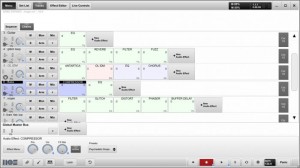
Open Labs features new Music OS overview
An over view of the new music production and live host software, Music OS. Powered by Open Labs
Music OS 3.0 or MOS (moss) is the world’s first music creation and live performance software designed specifically to address the needs of both music creators and live performers. MOS was developed and optimized for touch screen use; however, a touch screen is not required when installed on PC desktops and laptop systems. With streamlined recording and performance features, MOS allows music innovators to create, record and perform their ideas quickly and seamlessly. MOS was engineered to work in conjunction with traditional D.A.W. programs; leveraging existing studio investments and adding strong value, features and capabilities in areas where most musicians need it – the creative & live performance process. One can think of MOS as a professional ‘scratch pad’ when creating and performing live music. MOS emphasizes ease-of-use, stability and power all in an affordable $299/USD package.
Volt Precision Fader – new high quality software plugin for fine control of gain
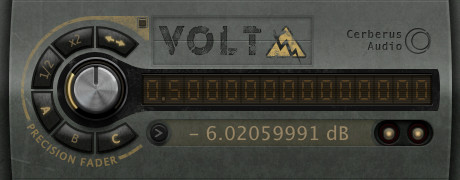
Cerberus Audio has released Volt Precision Fader, a high quality software plugin for fine control of gain.
Volt was designed to produce smoother fades and more precise gain staging than is possible with conventional DAW faders.
Volt Precision Fader features
- Shuttle and Transition Speed knobs.
- Linear gain control by “virtual voltage”.
- Logarithmic fader control by dB value.
- Memory banks to store and recall gain values.
- Text entry for directly entering or copy/pasting values.
- A/B between any two values using included memory banks or undo/redo.
- Half/double buttons for perfect signal splits.
- Unity/mute button.
- 300dB control range.
- 64-bit signal path.
- MIDI control for all major functions.
Volt Precision Fader for Mac (VST) is available to purchase for $15 USD.
More information: Volt
Get going with RS4000 Polyphonic Subtractive Synthesizer for iPad
RS4000 Polyphonic Subtractive Synthesizer – have a peak at the new synth here in action >>
The fully programmable subtractive synthesizer comes with 50 presets and the ability to tailor all the following parameters and save the new sounds for future use:
- Two oscillators with sine, sawtooth, square and triangle waveforms
- Phase, phase modulation, balance and drive controls for oscillator interactions
- Octave, semitone and tune controls for Oscillator A
- Low pass, high pass, band pass, notch and peak filters with frequency, Q, mod envelope, and ADSR controls
- Amp envelope with ADSR conrols
- LFO with sine, sawtooth, square and triangle waveforms, rate, fade, pitch, filter frequency, filter Q, balance and gain controls
- Mod touch ribbon with hold, LFO rate, LFO fade, filter frequency, drive and balance controls
- Pitch wheel, six scrollable octaves, and sequencing
+verb Soundpack
Newly added to the Gridlok Sampler, RS3 Keyboard, and M8RX Tone Matrix are brand new and unique sounds from +verb, an electronic producer out of Arizona who records for Robox Neotech and has recently remixed Starkey.
SoundCloud Sharing
After synthesizing the perfect sounds with RS4000 and recording, Tabletop 1.2 now allows users to post studio quality 44.1kHz, 16bit audio to their SoundCloud account. Tracks can be labeled either public or private, and public tracks can be posted to Twitter, Facebook, Tumblr and Foursquare as well. Retronyms is pleased to have increased the capabilities of Tabletop production and provide effortless audio sharing, and the company looks forward to seeing how Tabletop community utilizes the new features. Users are encouraged to upload tracks created with Tabletop to the SoundCloud Tabletop group: http://soundcloud.com/groups/tabletop
And even better, the app has dropped to just $0.99
Learn more: http://retronyms.com
Tabletop is a modular environment where you can mix and match different devices. Select from more than a dozen devices including samplers, mixers, effects, sequencers and more.
How to effectively control Ableton Live 8 TouchAble
TouchAble App for iPad is available through the iTunes App Store http://www.itunes.com/app/touchable
touchAble is an unique iPad app is the first application to give Ableton Live users full control over their digital audio workstation, without the tiresome process of manual midi-mapping. touchAble allows live users to walk away from their computer and perform live from anywhere within Wi-Fi range (using ad-hoc connection or router) while keeping latency at a minimum.
TouchAble App includes 6 advanced modules, Clip grid, Mixer, Devices, Pads, Keys, XY Pad, and 2 commands menu : clips and transport.
TouchAble provides a powerful, intuitive and reliable multitouch control solution for professional use.
TouchAble includes templates for lives plugins and is fully compatible with vsts, audiounits and instruments.
The new update, touchAble 1.3 contains over 30 new features and changes, such as a loop and beatjump section, enabling anything from CDJ style mixes to creative loop manipulation, a completely rebuilt mixer that allows users to modularly choose the controls they need – complemented by the long awaited crossfader. 3 new native templates have been added: Auto Filter, Ping Pong Delay & the very first Instrument – Impulse – and are waiting to be tweaked. The new Settings Menu not only offers a cascade of new control-options – but also simplifies the connection process by adding Bonjour support.
changes / new features:
Clips:
– added Loop menu to clip module. Do loops on the fly – on whole tracks or on already prepared loops. think Traktor looping – Keep loops that you like.
– added keep loop feature which allow you to save the new loop made as new clip.
– Added beatjump / loopjump menu to clip module. Do beatjump / loopjump of a set size in the currently playing clip of a track.
– track header buttons in the clip module now function as ‘jump to active clip’ buttons. For group-tracks they allow to fold and unfold the tracks.
Mixer:
Completely rebuilt mixer:
– added crossfader to mixer
– added A/B control to mixer
– added support for as many sends as you like + name of the send tracks are now displayed.
– added possibility to show as many faders at once as you like – and you can decide which!.
– added the possibility to control return tracks the same way you can control normal tracks
– added “+” mode to fullscreen for double length faders for precision tasks
– added snap mode to mixer
Drums:
– added velocity sensitivity mode to drum pads
Devices:
– Added Impulse native template
– Added Auto Filter native template
– Added Pingpong Delay native template
– Track Header buttons in the Device Selection View will switch Lives view to the device chain of the respective track.
XYPad:
– snapshots will be saved with saved templates of XY pad now
– after morphing / playing / stopping snapshots the dots will not be affected by gravity till touched
General:
– Added support for 4 iPads
– Added possibility to link several ipads and setting their relative positions.
– touchable will prefer a wired connection if available (MyWi etc)
– design & layout changes throughout the app
– added 16 tracks mode
– triple quick taps on relative faders will: bring the fader to max value if it is done on top of the fader, bring the fader to the exact middle value if you tap around the middle part, and bring the fader to 0 value if you tap on the bottom part.
– Finally touchable will connect via bonjour – tests show that almost no setup is needed to connect
New Settings:
Clips:
Lock navigation in Clip grid – On / Off:
-If enabled, clips will start immediately after touching – but you won’t be able to scroll in the clip grid
Slide Clips to launch in Nav Lock Mode – On / Off:
-Makes it possible to slide e.g. a row of clips in different tracks to start them
Devices:
Always Open Device View 8 – On / Off:
-If enabled, devices will always show the FX8 view instead of switching to FX32 for devices with more parameters.
Mixer:
Relative Crossfader – On / Off:
-same as relative faders elsewhere – just for the crossfader
Hide Mutes – On/Off:
-If enabled, mutes are hidden from the view.
Max Shown Controls for 2/4/8/16 tracks mode (0-8, 0 being disabled):
-You can set the maximum amount of controls shown per channel in each of the different sizes. When changing size the mixer will automatically show/hide faders depending on your preference.
General:
Link iPads – On / Off:
–
enables or disables automatic following of secondary ipads.
bugfixes:
– arm / exclusive arm fixed
– numerous fixes for smaller issues / crashes / performance improvements
TouchAble is supported by many professional musicians, performers, djs and composers around the world, who use touchAble on stage or in studio.
Teaser pic for upcoming new synth for Rhythm Studio
Gemini Synthesizer

Details so far:
The most versatile synth created for Rhythm Studio so far…
2 Analog style oscillators
Oscillator 2 >> 1 sync
Oscillator 2 >> 1 ring modulation
Oscillator tune in +/-7 semitone range
24 db/octave resonant ladder filter
Full ADSR envelopes for filter and amp
LFO
________________________
Rhythm Studio balances advanced music making features by using an easy to understand interface resembling real instruments. This means that one button does one thing just like it would with real hardware. Knobs turn, switches slide, and buttons press. You won’t get lost in abstract interfaces, menus, or design.
Imagine having a studio of rare vintage synths and drum machines in the palm of your hand. Beautifully rendered synthesizers make seeing the app as enjoyable as hearing it. Rhythm Studio is the next best thing to having the real hardware.
Rhythm Studio allows you to make music the way you want to by giving you three different ways to create your song.
1. Use the step sequencer like the real hardware.
2. Use the Control Pad to play the synths live.
3. Instantly create a random pattern.
=====
FEATURES
– Dynamic workspace full of awesome audio gear
– Intuitive pinch and tap navigation
– Robust pattern and song sequencer
– 3 easy methods to making your songs
– Recreation of classic drum machines
– Recreation of classic synthesizers
– Mixer
– FX
– X/Y style control pad
DATAMASKIN

