
Free Kraftwerk icons
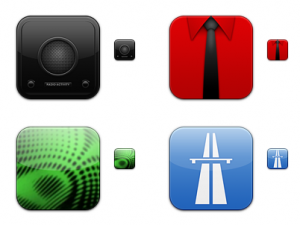


Kraftwerk – by Dave Brasgalla
An iconic tribute to the pioneering band Kraftwerk.
© The Iconfactory
Released (29.Mar.11)
This collection contains 13 icons with large resources for Windows & Mac OS X.
8 BIT Commodore 64 Music 1984
Retro footage of Dan Laskowski demonstrating his 1984 Lead Synthesizer software for the Commodore 64
Air Piano is out
The touchless controller was originally developed by interface design student Omer Yosha and uses eight infrared proximity sensors – controlled by a wave of the hand – to send MIDI and OSC (Open Sound Control) signals to the custom software on your computer via USB.
Price and spec
Early orders can benefit from the reduced price of £1099 (Europe) or £1149 (ROW). Read on for additional spec via the AirPiano site, check out last year’s post for a reminder of how it works and hit up the video above to hear Jo Hamilton perform a full track, Alive, Alive, using nothing but the AirPiano.
The hardware
- 8 infrared proximity sensors create up to 24 virtual keys and 8 virtual faders
- 40 LEDs provide easy orientation and visual feedback
- 1 momentary button allows switching between presets directly from the device
- 0.25″ connector for using an expression pedal or a foot switch
- Power 9Vdc
- USB 2.0
- Dimensions: 960 x 160 x 26 mm ;Weight: 2.8 kg
The software
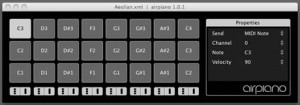
The AirPiano hardware doesn’t produce any sounds. It communicates with the custom AirPiano software on your PC or Mac. The software can send MIDI and Open Sound Control (OSC) messages to other software or hardware. When you trigger a key or a fader in the air, the software registers your actions and sends messages out accordingly. You can create numerous arrangement presets combining keys and faders, assigned with different properties and message types.
- Create and save arrangement presets
- Assign keys and faders with MIDI messages (OSC messages are sent automatically)
- Assign keys with preset-load messages (allows loading presets directly from the device)
- Set momentary button functionality
- Set pedal / foot switch functionality (MIDI CC , Global Velocity or Preset Loader)
Sneak peak: AudioGL Pre Beta Demonstration Video – Music Software
AudoGL – Teaser video for a Modular Software Synthesizer and Sequencer
The music in this video is 100% synthesized, and does not contain any samples. The visuals are procedural as well.
General Contact: AudioGL@gmail.com
There is no website for this project as of yet
The Blackbird Diaries by Dave Stewart (Eurythmics)
Out on June 24th via Suburban is “The Blackbird Diaries” a new project from Eurythmics co-founder Dave Stewart. “The Blackbird Diaries” features all new material, including a co-write with Bob Dylan as well as duets with Stevie Nicks, Martina McBride and Colbie Caillat.
A documentary about the recordings of “The Blackbird Diaries” is also to be released. The band’s final releases were on 14 November 2005 when the duo’s label, RCA, re-released their 8 studio albums in remastered and expanded editions featuring rare B-sides, remixes and unreleased songs.
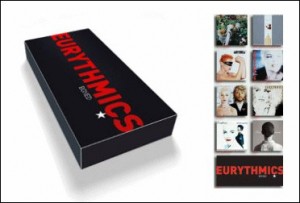
The remasters were made available separately with expanded artwork, and also together in a collector’s box set, entitled Boxed. However, the 1984 soundtrack album “1984 (For the Love of Big Brother)” was not included in this re-release campaign as Virgin Records holds the rights to that album.
Reason Wizardry Tutorial Demo
Reason Wizardry is a series of advanced video tutorials for Propellerhead Reason 4, produced fresh and delivered electronically each month.
This is an excerpt of the July 2009 issue. Find out more about Reason Wizardry at
nucleus-soundlab.com/wizardry.htm
Chip bootlegs coming your way
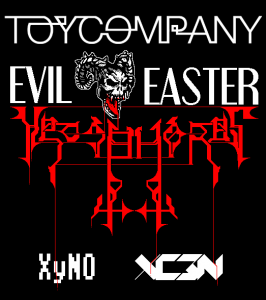
Toy Company is happy to release some excellent bootlegs from the last gig!
Stream the entire video from DJWEB.TV:
http://djweb.tv/view.aspx?video=182
OR get a higher quality MP3 bootleg from http://datagramradio.org :
DJ Procyon Lotor
DJ Procyon Lotor
Xyno
XyN0
XC3N
XC3N
HEOSPHOROS
HEOSPHOROS
Taurus 3 :: A Step Outside
You’ve learned all the RUSH cover songs. What else can you do with a Moog Taurus 3?
The Moog Taurus 3 springs from a very iconic lineage. Because of that rich history, it’s easy to type-cast it and not fully explore the full sonic potential it presents. The inclusion of volume, pitch, filter and gate control voltage inputs, coupled with a MIDI-syncable arpeggiator can take it far outside its usual low-end drone duties. This video just scratches the surface of what is possible. Its purpose is to encourage you to “step outside”.
The first example shows the Taurus 3 filter being modulated by a Make Noise René: a very fun analog step sequencer with some interesting Cartesian (X & Y clock) capabilities. The CV inputs on the Taurus 3 make it a great add-on for modular synthesis set-ups and there are an almost unlimited number of interesting things you can connect to them. The René is definitely at the exotic end of the spectrum but it is still extremely useful. It’s great to have that extra level of control available at hand level too.
Due to personal preference, I tend to use things like the René to control filter cutoff instead of pitch. I enjoy the ability to play the notes while synchronized filter events occur. It gives a pleasing (at least to me) mix of tight-sequenced and loose-live feel.
The second example takes things even farther afield. I first discovered the Droid app Nanoloop in a recent CDM article. Its useful features and sleek user interface made it an instant favorite.
Here I used one of my favorite production tricks: processing the Droid audio through a Moog MF-101 (Moogerfooger) low pass filter. In addition to nicely warming up the Droid, it also created a control voltage (CV) proportional to the volume of the input audio. In other words, the CV mirrored the volume envelope of the beat Nanoloop created.
This is an incredibly powerful tool. When that CV controls something interesting… say that filter on a Taurus 3, some very interesting synchronizations occur, all completely in the analog realm. When the Droid outputs a loud kick, the CV output on the Moogerfooger goes high and the Taurus 3 filter opens wide. As soon as the kick sound is over, the CV goes low and the filter shuts. Mid-volume sounds open the filter midway. These are not discrete steps. The CV hugs the volume contour of the input audio and outputs a nicely wiggly, but tightly synchronized analog control signal.
This is conceptually very similar to side-chaining and the great thing about it is that the filter modulations created will follow any changes in the rhythm. Sudden shift in tempo coupled with a time signature change to 11/8… no problem! I haven’t tested it but this should also work with a live drummer. Of course, there is no rule that says you have to connect the CV to a filter input. You could connect it to volume or if you’re feeling really avant-garde, to pitch.
This technique works best with when the beat is not too busy and has some definite dynamic peaks and valleys. A bit of gain adjusting and tweaking of the base filter cutoff frequency on the target synth (the Taurus 3 in this case) are sometimes needed, but the unique results more than make up for this little bit of work. Higher resonance settings on the target synth will make the filter modulations more noticeable. If you have a synth with CV inputs but without MIDI, this is a great way to get it dancing to your beat.
The last example shows a somewhat basic MIDI-synced arpeggiator application. By using your foot to transpose the arpeggiation, you can create quite a sophisticated soundscape while your hands are free for other musical mayhem.
All of these applications are fairly basic. Imagine doing any of them while using the Taurus 3’s USB connectivity to simultaneously control Ableton Live, or while it is part of a monster MIDI stack…
The Mush Orchestra – Live-Improvisation
A live improvisation jam by The Mush Orchestra. Recorded at Copenhagen Noise Lab on the 27th of April 2011. No processing, just straight out of the mixer.
Equipment used:
Nord Modular G2, DIY midi-controller, Elektron Machinedrum UW, Korg Kaoss Pad 3 and a Mackie 1202 vlz3 mixer.
Every sound is made with the Nord Modular G2, the Machinedrum UW is only playing samples from it.
The Mush Orchestra is a project by Rasmus Nyåker who is also oone half of the ambient duo FEJLD. Their album is availible as a free download – more info at:
kufrec.com/webshop.html
TrakProDJ – iPad/iPhone Controller for Traktor
TrakProDj is a pioneering touch control surface to control Traktor DJ Software using you iPad, iPhone or iPod Touch. Connecting with CoreMidi wifi networking technology, the app offers almost zero latency operation and control of Traktor.
How do you use the app? Once your track is loaded into memory, the TrakProDJ Deck provides you with all the tools you need to work with Traktor. Iximix writes, “Quickly move from one end of the track to the other with ease using the seek position control. Then, fine tune the position of the cue with the high-resolution jogwheel just like the old vinyl days. Feel free to scratch in beats or vocals. The TrakProDJ deck has been designed for maximum usability. All the necessary Pitch / Tempo, Play, Cue, CUP, and Sync controls are within range for quick decisions. We have also included four assignable hotkeys (only available in the iPad version) for each deck, which can be used for loops or any other assignable control in Traktor.”
The TrakProDJ Mixer panel makes the most of the touch screen’s space and puts the most necessary controls front and center. Track faders are said to be fat, easy to grasp, and ultra responsive for even the most hardy scratch mixer. The crossfader is located just below the track faders.
On the iPhone version, the crossfader can also be found on the FX page for hot swapping FX mixes. The app also features monitor volume, mix, and selection controls, as well as EQ with killswitches.
TrakProDJ features:
- High-resolution jogwheels
- Full mixer controls, including crossfader
- Full EQ, including kill switches
- Filters
- Full pitch control
- 2 Decks (upgrade to 4 decks in version 1.1)
- Seek position
- Full FX Control, with kill switches and rotary knobs
- Monitor Control
- Play, Cue, CUP, and Sync
- 8 Assignable hotkeys for any extra services you wish to apply
The TrakProDJ app ($9.99) is now available for iPads and iPhones running iOS 4.2 or higher.
For more details, visit iximix.com.
DATAMASKIN

