
Runxt Life is pixels and bleeps and iOS meets Ableton
Runxt Life is pixels and bleeps and iOS meets Ableton. Full on music nerd fun. Available in the App Store now: click here
“Runxt Life is a generative music application created for the iOS® platform based on the cellular automaton theory “Conway’s Game of Life” by John Horton Conway.” – Firma 103
For more info: runxt.be
The ‘game’ is a zero-player game, meaning that its evolution is determined by its initial state, requiring no further input from humans. One interacts with the Game of Life by creating an initial configuration and observing how it evolves.
You can draw single cells or a predefined pattern stamp on a two dimensional grid. This pattern will evolve according to the rules of “Conway’s Game of Life” after you press ‘play’ or ‘step forward’. Five different colors each represent a different sound or channel.
Runxt Life uses the output of the grid, affected by a few parameters, to either generate sounds or send midi notes to your computer with the help of the Runxt Life – OSC to MIDI application. In this application you can configure which color is sent to which midi channel.
Introducing the MelodyMorph
MelodyMorph is an iPad app for constructing melodies and making improvised music. This video is demonstrates some of its features.
Software by Eric Rosenbaum
Performance by Jeff Lieberman
Filming by Jay Silver
This software was made with openframeworks. Thanks, OF!
Cyber Step – the first DAW touchscreen smartbook

CyberStep has introduced a first of its kind DAW touchscreen smartbook, the KDJ-ONE, featuring an advanced synthesizer, sequencer, and multitrack audio editing with ACIDized WAV support.
Built-in speakers, mic, WLAN, and lithium battery are included to let the KDJ-ONE be used as a portable and wireless handheld production environment.
The KDJ-One also features something unusual for a DAW – a vibration system, which “adds force feedback to your music creating experience”.
Check out the details below
KDJ-ONE
The KDJ-ONE features combination of multi-touch screen, keypad, and jog dial. Its runs Intel MeeGo Handset Edition as its OS, and supports all of MeeGo’s features including web browser, Skype, media player, and more. The built-in KDJ2 Synth features 10 synthesis algorithms, 20 effects, 7 filters, and 4 modulation units including step modulation.
ACID formatted samples may be loaded directly into KDJ-ONE’s audio tracks and time-stretched just as in ACID; likewise, patterns created with the KDJ-ONE may be exported directly to ACIDized WAV format.
The 6 track pattern sequencer includes automation/motion sequencing, loop recording, step recording, piano roll, and other standard sequencer features.
The KDJ-ONE also features a Unique Song Mode, which allows DJ style mixing of two patterns in real time and may be used as a VST, via built-in wireless LAN; internal settings and data are also editable from the computer.
The “QW” vibration system sends vibrations from your music directly to your fingertips, adding a new element of force feedback to your music production experience; the vibration system even works with KDJ’s built-in games.
CyberStep will be exhibiting the KDJ-ONE at 2011 NAMM Show (January 13th – 16th, 2011 Anaheim Convention Center). We’ll have more details as they are announced.
So what is the Audioprom really?
Audioprom is an audio sequencer and live performance application for the iPad.
“We just launched Audioprom, a super intuitive audio sequencer app for the iPad. Audioprom doesn’t look or feel like other iPad sequencers out there because it doesn’t simulate popular physical interfaces from 90’s drum machines. We built it from the ground up for the multitouch screen.
It’s been a labor of love. We built it because we wanted it for ourselves and now we hope others might like it enough to buy it so we get to keep working on it.
We posted some how-to and demo videos at audioprom.cwandt.com.
We are CW&T, a Brooklyn based art and design duo. We make hard and soft things for fun and to feed ourselves. This is our first go at an iPad app. cwandt.com”
You can find more info and videos on http://audioprom.cwandt.com/
More info on the Microtonic

Sonic Charge has revealed details about the upcoming µTonic 3.0 update.
One week left of 2010, which means one week left before the first major µTonic upgrade in over five years. I thought today would be a good day to reveal a bit more about the upcoming version 3.0.
The primary motivation behind this upgrade is to transform µTonic into a more dynamic instrument, without sacrificing its simplicity or drastically alter its “trademark sound”. We’ve always been proud of how µTonic sounds, and our intention has never been to turn it into a MegaTonic. If you are expecting to see four oscillators with sample playback and granular delay effects on top, you will be disappointed. Instead, you are going to see a set of well-balanced new features for exploring sounds, building patterns and performing live with µTonic. Features that will bring the best out of the beast.
We have already revealed that the upgrade is free and will feature the much requested support for “MIDI Program Changes” and “MIDI-file drag and drop”. I will now reveal another significant addition: “Morph”. “Morph” lets you transform all eight drum patches simultaneously from one point to another. This feature can be used both for performance (think: dramatic build-ups), for editing (think: finding semi-random sounds, “Synplant style”) or for crazy loony fun experiments (think: what would it sound like if I morph the kick to a snare and the snare to a kick, back and forth?).
A sound-file says more than a thousand words so I pulled a random preset from our big preset-bag (“EE Flat Lines”) and made a quick little arrangement with three different morph configurations. Enjoy.
More information: Sonic Charge
How to Make a Trance Pluck Sound
Step by step video tutorial, how to make a Trance pluck sound similar to the one used in Cosmic Gate – Barra tune. This time a hardware synth is used as an example but the tutorial can be recreated with most virtual instruments.
Ricepad, a music app for iOS
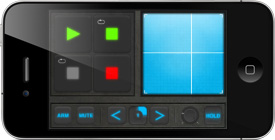
RiceCode has released Ricepad, a music app for the iPhone, iPod touch, and iPad.
With Ricepad you create music by arranging objects called modules in a single chain. You start from existing sounds, freely available from the constantly updating library, importable from your computer (Mac/PC/Linux/…) or pastable from the clipboard of compatible apps, or you can use the mic line(*). Then the combination of modules you compose, divided between audio sources and effects, will manipulate the sound in an unexpectedly great number or ways.
Ricepad allows you to create music that is immediately listenable to the audience: less editing and much more playing with the quick and simple interface. For example, if you like beat boxing, you can live record yourself through the mic, record a sequence and play it back as a loop, ready to be post processed, everything in sync with the bpm, e.g. quantized at 1/16. Nearly every interaction can be quantized, even the preview of audio clips when you want to set up a drum kit.
Ricepad has an extensive set of modules and offers many different techniques to create music, easily and quickly, leaving room to unleash your creativity. Every new idea can be saved as a session to be later re-opened for future use. This makes it suitable for casual and short plays, as well as for long and more structured live performances.
Ricepad is available to purchase for iOS 3.1 or higher, currently at a special Christmas price of $3.99 USD.
More information: RiceCode
Create something musically amazing with just your voice
TC-Helicon has announced their first Apple iOS app – VoiceJam. Here’s what they have to say about it…
What if you could create something musically amazing with just your voice? What if you didn’t need musical instruments, sheet music, or complicated recording software? What if you could create an entire song with your voice, simulating bass lines, melodies, rhythms and sound effects, all in one pass, without ever stopping to think about it?
If you answered “that would be freaking amazing”, then you need to download VoiceJam. VoiceJam is your access to performing, creating, and sharing amazing musical compositions.
Features
- Universal App with fullscreen iPad support
- Audio tutorial steps you through all important features
- Powerful Audio Looper
- Loop Undo, Reverse & Double
- Performance Recording
- Save your work and come back later
- Share your work on SoundCloud
Pricing and Availability:
Introductory price of $1.99 US, until it goes to its regular price of $4.99 on January 1st, 2011.
More information:
The disco is always with you!

BitDisco is a playful music app for the iPad. It’s specially designed so that anyone can easily play great-sounding tunes, whether you’re the least musical person, or a seasoned professional.
We’ve achieved this simplicity by creating a grid-like interface. Simply tap or trace your finger over the iPad’s screen to create stunning sounds. There’s no need to memorise complex scales as some of the lesser used notes have been removed to make playing easier. You can even select from a range of sounds, tones and backing beats to start a disco in your bedroom!
Awaken your inner musician! Download BitDisco from the App Store now.

Demo of the Commodore PET computer
Demonstration for the Commodore PET computer. Features a brand-new graphics mode enabling hi-res graphics for the first time. Download the real thing at: http://pouet.net/prod.php?which=56410 or http://www.orb-demo.net/ The sourcecode to the graphics mode and music driver are included in the download. If possible please watch on emulator or real hardware as the video loses the smoothness of the original.
DATAMASKIN

