
Changeling Sequencer – Jupiter Mozart Variations
http://ios-music.homewoke.net/
This is really interesting sequencer. I tried changing from Mozart’s famous phrase. You can also play external synthesizers via MIDI.
Changeling is the super easy, flexible, diatonic chord sequencer. It’s purpose is to help people enjoy composing music by providing the basic tools to improvise! Improvisation is a skill that can normally only be obtained by investing a lot of discipline and time in to studying music theory and practice.

Changeling does not generate compositions for you, you remain in full creative control over your music. All recorded musical notes remain relative, and can be changed in various ways during playback.
Basic instructions:
1. Start by recording a simple melody-line with one finger.
2. Change the scale and root by sliding the ribbons.
3. Transform the melody to a chord progression by turning the chord knob.
4. Play around with the available voicings and transition modes that affect chord inversions.
5. Spread out the chord notes over time using the arpeggiator.
6. Switch to the next track by swiping down on the pattern area.
7. Change to playback mode, and start improvising a solo over the chord progresssion until you hear something that you really like!
8. Rinse and repeat!
Use Changeling’s 16 MIDI channels to record patterns to your DAW or other MIDI capable IOS apps. Or send an exported sequence via email to someone you are collaborating with.
Googlish from Japanese:
Had extra beat is so is not thought to try it with only the sound of four really (laughs) Mozart thoroughly until towards the end, try and. When the music becomes more and I think doing well.
Thought “w Taro or to produce large amounts of mock Satie” The truth is, why is not impressed that led to the purchase, this is so pretty can also be used for other things. Seems to play an instrument is designed with the intention originally external, can be transferred in the mail or there is a 16-channel MIDI track. Be played is the sound of the outside world via MIDI, of course.
Is
What I still like this, or will not it come alive on the piano?
A certain extent interesting phrase is simple phrase What if this is so that it can generate. something like that even ableton, but you can not do it we are ready troublesome dude before.
What is it good enough, if simple, do you know if you put Ne see how the upper-left corner of the video.
Will “DOR” What if there next “MAJ”?
Is minor or where you want to go and if Futsu.
I think quite interesting sequencer. I think, but seems to go only if the internal sound of the piano if there 16 tracks, and there is no way turnip ~Tsu What if, like so that the scale can be assigned to each track.
Ne Ssu interesting. I can not audiobus fast. What I thought interesting as possible does not it? Are buying. In a range not unreasonable.
Testing out the new Brain v2
Here are the background details from Livid Instruments:
Testing out the new Brain v2, I repurposed the Code Step Sequencer (as featured here: cycling74.com/2012/01/17/working-with-hardware-livids-code-part-two/) so it would work with these MIDI controller parts.
I hooked up a couple of the Livid Elements modules to the Brain, and hooked up my photosynth (an array of 16 photoresistors, described here: blog.lividinstruments.com/2011/04/22/photosynthesis/) to control the effects on one of the sounds (parameters on the reverb, delay, and filter). I use my crummy cellphone camera’s light to provide a source of photons to alter the effects in a dramatic fashion.
Magnetometer Virtual MIDI Controller App
This is a magnetometer enabled virtual MIDI controller app made by Aaron Pride for the RVA Hackathon 2012 (RVAHackathon.com) The other apps featured are Sunrizer and NLog Synth.
Using core MIDI, audio backgrounding, along with the Z axis readings off the magnetometer… negative pole vs. positive pole of the magnets will trigger pitch up or down. Sends pitchwheel, modwheel, and random note commands w/ poly-aftertouch.
BE CAREFUL PLAYING WITH STRONG MAGNETS!
Koushion and Moog Slim Phatty
Just a quick test run.
“Koushion is a new kind of MIDI controller for your iPad, and is similar to the Yamaha TENORI-ON. While it looks like a simple Tone Matrix step sequencer, this is no toy.”
It allows you to wirelessly control your music production software on your Mac or PC over a network. The tone matrix and variety of settings available in Koushion make it the perfect tool for creating your next track or performing live at your next gig.
Features:
* 16-step sequencer with a 2-octave range.
* Integrates with your hardware MIDI setup via the iRig MIDI iPad accessory from IK Multimedia!
* Connect wirelessly via a either a connector application (for Windows) or CoreMIDI (for OS X).
* Syncs to any MIDI clock source or sends a MIDI clock signal so that the performance or production always stays synced.
* Tap to set tempo (great for syncing with a live band)
* Plays up to eight scenes/banks individually (wrap-around or rebounding loop), chained in succession, or simultaneously.
* Adjustable quantization.
* Switches easily to any major, minor, or pentatonic key with the push of a button.
* Chromatic scale mode (useful for drum machine programming).
* Configurable scene/bank MIDI channel assignments to enable control of multiple instruments at the same time.
Anaphobia Mini – the free monophonic virtual analog synthesizer has been updated

Developer Lars Rosenquist has updated Anaphobia Mini – a free monophonic virtual analog synthesizer for iOS 5.0.
Here’s what’s new in Anaphobia Mini 2.0:
- 16 step sequencer with adjustable tempo (20-200 BPM), adjustable swing and glide/portamento
- Synchronise tempo to MIDI clock
- Support for MIDI start, stop and reset commands
- Background audio play
- Virtual MIDI
- WIST (Wireless synchronised start and stop)
- Filter and voice now each have a dedicated LFO
- Completely rewritten synthesizer engine
- Various bug fixes and minor improvements
Note: This update will erase existing setups, please make screenshots from setups you wish to keep.
Anaphobia Mini is available for free in the App Store.
iRig MIDI and Koushion for the iPad
iRig MIDI is an ultra-compact standard Core MIDI interface for iOS that connects any MIDI compatible device to the iPhone, iPod touch and iPad. It is the only compact iOS MIDI interface sporting 3 MIDI ports: IN/OUT/THRU. These connect to any standard MIDI jacks using the included 2 x 1.6m/5.2′ cables. iRig MIDI also has 2 LEDs for displaying the MIDI activity on the IN and OUT ports.
For more info on iRig MIDI go to: www.ikmultimedia.com/irigmidi
Controlling a 4-story pipe organ with the Kinect
Background information:
In this video I briefly explain and demonstrate how I used the Kinect to control the massive Melbourne Town Hall Organ. It contains a short excerpt from our performance “Carpe Zythum” November 2011.
My project blog: http://chrisvik.wordpress.com
I’ve created my own software “Kinectar” (http://kinectar.org), which allows the use of the Kinect to control MIDI devices, ie. playing notes through simple gestures and motion. The Melbourne Town Hall Organ got a referb in the late 90s adding the ability of MIDI messages to active the notes… and so, this happened.
The company that provided the control system to allow the organ to be played via MIDI are “Solid State Organ System” and can be found here:
http://www.ssosystems.com
Co-composition and Kinect performance and programming by Chris Vik
Co-composition, lyrics and vocals by Elise Richards
Video produced by Unkle Nicnac Films (unklenicnac.com)
Tek’it Audio has announced the Arp-EG Classic – new MIDI arpeggiator plug-in
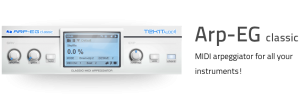
Tek’it Audio has announced the release of Arp-EG Classic, a MIDI arpeggiator plug-in. Using Arp-EG classic all the VST instruments you like and even your hardware synths (using your DAW MIDI out) can now play arpeggio sequence.
Use the six playback modes and the four octave range, speed up or slow down your arpeggio sync on the beat of your DAW. Control the groove using the shuffle and gate function, control the expression with the transpose function, give to each note his one velocity, play polyphonic chord or notes sequence. Assign all the parameters to your MIDI controller easily and randomly generate your arp with a single click.
A demo version of “Arp-EG classic” is available to download. The full version is available to purchase as a VST plug-in for Windows for €12 / $16.
MusikMesse 2012 – Samson Graphite 49 & Carbon 49 demonstration
“Samson’s Graphite 49 USB MIDI Controller gives you all the performance and production control you need to get the most out of your music software. Combining an intuitive 49-key semi-weighted keyboard with a feature set that is both useful and accessible, the Graphite 49 is a sleek, powerful tool that allows you to express your most dynamic musical ideas.
The Graphite 49’s semi-weighted keyboard provides musicians with a responsive and expressive platform that is designed to feel more like an instrument than a controller. It comes equipped with velocity-sensitive keys that accurately capture the dynamics of a performance. Aftertouch offers customizable control over a variety of effects and parameters, for example the addition of growl to a saxophone or vibrato to strings. With 49 keys, the Graphite 49’s pitch range is perfect for performing, while remaining highly portable.
How does the idea of a USB MIDI controller that works flawlessly with the iPad sound? This is exactly what Samson’s Carbon 49 USB MIDI Controller is all about.
The new device offers players a semi-weighted keyboard, 49 velocity-sensitive keys, and dedicated Transpose and Octave buttons.
The unit is designed from the ground-up with iPad in mind and features an iPad stand, and is easily coupled with your favorite MIDI apps via Apple’s Camera Connection Kit. The Carbon 49 can even be directly powered by your iPad, for a fairly mobile solution.”
Tomorrow’s World on sampling and MIDI with Midge Ure
The first half of the video is an interview with Midge Ure on sequencing, guitar synths, and sampling.The second half features some behind-the-scenes footage of Peter Wilshire and Robin Lumley gathring field recordings at a zoo for sample-based compositions.
“From a very old VHS (1986/7?). The reasons I just had to upload it were: a) it has to be the inspiration for Look Around You’s Synthesizer Patel; b) Midge Ure demonstrates the keytar by playing Stairway! There’s a big jump in the middle as this is a cut-and-shut job.”
DATAMASKIN

