
Waveforms – Synths Explained
Discover the basics of synthesis and get a guided tour of the synth and the waveforms used to create sounds.
This awesome series by synth master Russ Hughes covers everything from the basics right though to complex sound design including subtractive, FM, wavetable, granular and sampled based synthesis. The series is aimed at anyone who lacks the confidence to start taking control of their synths.
This collection is useful to anyone using synthesisers in their productions and is not limited to any one product. Even better, much of the training is done using the Fxpansion DCAM: Synth Squad synths, specifically so that users can download a fully working 30 day trial and use them to follow along with the video examples.
Traktor / Maschine Tutorial – How to Midi Map + Free Mappings (Settings)
More info – http://bit.ly/xgwmpd
In this video, Dubspot Instructor, DMC World Champ, producer and demanding critic of sandwiches DJ Shiftee shares one of his most prized possessions – his Maschine mapping file for Traktor! In part one, he demonstrated an incredible routine using Joker’s “Slaughterhouse” track. In part two, he went into the complex world of LED mapping and modifiers. And now for the final installment of the Shiftee Trilogy, our generous instructor takes you through his Maschine settings, offering a detailed explanation of his mapping and shows you some very cool options for mapping to pads along with some basic functions for cue points setting, looping and syncing.
“Here it is, you hooligans. You thieving scoundrels. My precious Maschine mapping for Traktor. Why don’t you just take my wallet? Or key to my car? Why don’t you spit in my food and tie my shoelaces together? Why don’t you shave off my eyebrows and paint on new ones with a magic marker? Have you no decency? Have you no compassion? Where is your common courtesy? Stealing a man’s Maschine mapping (even though he’s willingly giving it to you for free)? For shame! For Shame!!! FOR SHAME!!!!!!!!!!!!!!!!” – Shiftee
Easy beat making with Arturia Spark
Here’s a nice tutorial featuring the recently released Arturia Spark, now in version 1.4:
Combining the power of analog synthesis, physical modelling and samples, through the intuitive workflow of a hardware drum machine, Spark is a highly creative beat production center.
Spark will save you time when looking for the right drum kit, will get you hooked by its amazing simplicity, and will surprise you by its sonic possibilities.
With a complete library including vintage drum machines, electronic analog kits, acoustic & physical drums, Spark is your weapon of choice to create unique grooves whether you are producing in the studio or performing on stage.
MAIN FEATURES:
- New Hardware shortcuts (1.4 version)
- Advanced MIDI Out Function (1.4 version)
- Slicer Latch Mode (1.4 version)
- Pristine quality sound engines including : TAE® Analog synthesis, Multi layered sampling delivered by reference third-party companies, Physical modelling
- More than 1200 Instruments / 80 Kits (reloaded 1.4 version):
- Vintage drum machines : Analog emulations of the TR-808, TR-909, TR-606, Simmons SDS-V, and Eprom based LinnDrum, Drumtraks, DMX, Drumulator and more*.
- Electronic kits covering the most popular modern music styles : Electro House, Techno, Hip Hop, RnB… as well as experimental fields thanks to the physical modelling engine.
- Acoustic drum kits mixing physical modelling and samples for high audio realism.
- 16 key – 64 step sequencer
- 8 velocity & pressure sensitive pads
- Touch sensitive FX Pad with Repeat, Tape, Reverse, Strobe, Pan, Mix, Bit Crusher, 3 mode Filter and Roller
- Advanced Loop mode with divide and move functions
- Real-time automation on all parameters
- 16 track mixer with 14 high quality effects : Multiband Compressor, Reverb, Bit crusher, Multiband EQ, Chorus, Delay, Distortion, Phaser, Plate reverb, Destroyer, Flanger, Space pan, Limiter, Sub generator
- Song Mode with up to 64 patterns by song
- Shuffle and Shift modes to humanize grooves
- High precision rotary encoders
- Aluminum enclosure
- Works as a universal MIDI controller towards any third-party software
Easy OSC learn with Sensomusic Usine
Here a presentation of a new feature for OSC control in the new version of Usine ( http://sensomusic.com). if you know the midi learn, now count with the OSC Learn ! Move a parameter on your smartphone, ipod or android tablet , Usine automatically recognize and name the parameter ! Never be so easy to use OSC in an audio appz !
Here a simple example of mapping sounds on a picture , implemented in Sensomusic Usine with a touch-screen.
How to make a funky auto-wah bass effect – Reason Sound Design
Propellerhead Software’s product specialist Mattias Häggström Gerdt shows you how to make a Bootsy Collins-style funky auto-wah effect for electric bass (but you can use it on anything, really!).
Link to download the featured patch this week (Reason 6 song file format): http://www.propellerheads.se/stuff/Andrew_Skelton-Fifth_house_bass_Twist.reason
How to create the 1980s bouncy octave bass
A mini tutorial – How to obtain that classic “bouncy” octave bass in vogue in the 1980s.
Create The “Unleash The Fucking Dada” Synth in Reason
Click here to see tour dates: http://www.facebook.com/luckydatemusic?sk=app_123966167614127
Dada Life – Unleash The Fucking Dada (Official Video)
Director – Max Knight // AD – Harvey Eaton // DP – Sam Ebrahim // Delilah – Milli Prus // Frank – Tom Byamshaw // Bananabarman – Patrick Shipman
How to Make a Classic Chip Tune Videogame Sound
Make a Classic Chip Tune Videogame Sound (Deadmau5 and Madeon Style) in NI Massive!:
“I got a few requests asking how to get that classic N64-ish sound so I decided to make a video on it. This patch is great for adding fills into your songs as shown by Madeon in many of his hits. Deadmau5 also used this chip tune sound in his track, “Meowtingtons Hax More”. I personally love this sound, though I have not yet been able to use it in my tracks… (I’m sure I will when I need to fill in my high frequencies with something).”
Bassnectar Explains Dubstep (in under 3 minutes)
Bassnectar laying out the dubstep musical family tree in an interview with MoBoogie (see original here: www.youtube.com/watch?v=BFLe3MEDwv4). My first try making kinetic typography (with some help from prezi).
Dubstep is a genre of electronic dance music that originated in south London, United Kingdom. Its overall sound has been described as “tightly coiled productions with overwhelming bass lines and reverberant drum patterns, clipped samples, and occasional vocals”.
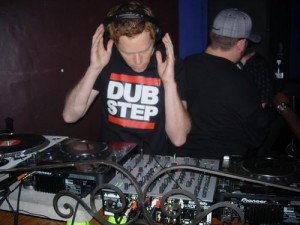
The earliest dubstep releases date back to 1998 and were darker, more experimental, instrumental dub remixes of 2-step garage tracks attempting to incorporate the funky elements of breakbeat, or the dark elements of drum and bass into 2-step, which featured B-sides of single releases. In 2001, this and other strains of dark garage music began to be showcased and promoted at London’s night club Plastic People, at the “Forward” night (sometimes stylized as FWD>>), which went on to be considerably influential to the development of dubstep. The term “dubstep” in reference to a genre of music began to be used by around 2002, by which time stylistic trends used in creating these remixes started to become more noticeable and distinct from 2-step and grime. It was labels Big Apple, Amunition and Tempa that began circulating the “dubstep” term.
Ableton Tutorial – Producing Dummy Clips
In this Ableton Live Tutorial, we take a look at using Dummy Clips .
Dummy clips are essentially silent audio clips that contain automation for modulating the parameters of devices or the mixer inside Ableton Live. There are many ways to use Dummy Clips but in this tutorial we look at creating DJ style volume cuts and jamming in some ideas ready to record into the arrange page.
This Ableton Live tutorial is suitable for both production and performance.
DATAMASKIN

