
Free Reaktor video tutorials
Hugh Metcalf has made a series of tutorials for Reaktor, available for free.
Tutorial – MovBeats iPhone app
MovBeats is a funny and a little crazy app which allows you to create video clips easily and quickly, catching them in the surrounding space.
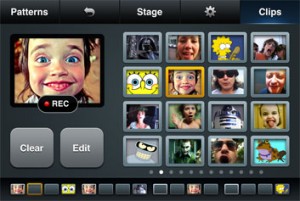
MovBeats app is an easy in use video sequencer for iPhone™.
- Record short clips with the iPhone camera.
- Put the clips on the sequencer line to create video beats.
- Play with the patterns and record a movie.
- Share created movie with your friends on your favorite social networks.
Real Time VOCODER with FRUITY LOOPS
Use the FRUITY LOOPS’ VOCODER in Real Time from your Microphone connected to your PC.
Here: How To
Virus TI Programming – Animate your audio
This episode is all about modulations and in particular the modulation matrix of the Virus TI.
“We show you how to create pulsing pads beyond the omni present pumping pad effect.”
Tutorial: How to get 8 channels from Behringer ADA8000 into a Digi 002/003
This video shows you exactly how to use the optical ADAT connection of the Behringer ADA8000 (or similar mic pre) to stream 8 channels of audio into a Digi002/003 as well as how to set things up properly in Pro Tools.
Tutorial time – How to make trance music
Background info: This is a video that takes an in-depth look at how I create trance music and all the instruments that make up a powerful and atmospheric sound. I’ve cropped out 15 measures from my track Spirit Within You and I go through instrument by instrument how it is played (the notes), what presets are used in Nexus2, VanGuard, and Sylenth1.
In the video I use Cubase 5, but this tutorial / howto is universal to any sequencing software and the aim is to let you know:
* Simple trance drums
* Two simple and simultaneous trance basslines
* A massively layered lead using 5 lead instruments
* Padding the sound with trance gates and pads
* Adding a trance piano
I will try to make another tutorial as well where I go through the building blocks of the entire track with intro, chorus, breakdowns, outro etc.
Reason Micro Tutorial: Alligator Triple Filter Gate
Reason 6 introduces three new creative effect devices: Pulveriser, Alligator, and The Echo. In this micro tutorial we’ll take a look at the Alligator Triple Filtered Gate. Gates are commonly found in electronic dance music and are widely loved by producers and audiences, alike. They add rhythm and texture to otherwise flat sounds like pads and sustained chords. A well-crafted gate pattern can make up the hook for a catchy track. In this tutorial, we’ll introduce you to gate effects done “Alligator style” and show you a few ways to use them in your own music, regardless of what genre you make.
* featuring rapping by Random (aka Mega Ran)
http://www.megaran.com/
Slice n’ Dice In Ableton – Chop Your Audio Directly
Part 1: http://www.youtube.com/watch?v=uEehw8rgKwo
Part 2: http://www.youtube.com/watch?v=6jeR4f42FLQ
In this video I demonstrate how I chop up breaks in Live’s arrangement view. I go over both standard chopping techniques as well as effects processing commonly found in IDM and Breakcore.
New tutorial with focus on Sequencing Drums
In this lesson we get into how to work with the drum sequencers, as well as playing around with different patterns in technoBox2.
About the application:
technoBox2 is the next version of our hugely popular technoBox adding many asked for features such as dual 303s and drum machines, export recordings of songs and SoundCloud integration. A performance page has been added which allows access to the most commonly used controls on one page. The drum machines now allow you to load your own samples (via iTunes documents). technoBox2 runs on iPad and retina displays with crisp native resolution.
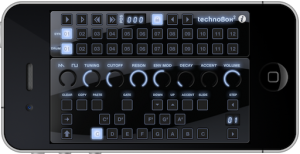
Feature overview:
Dual 303s and drum machines
Improved song sequencing with Start/End and Loop markers
Lock parameters to sequence bar
Export recorded songs (as .wav) via iTunes
Upload recorded song to SoundCloud directly and share
Load your own .wav and .aif samples (uncompressed 44.1kHz 16-bit) into the drum machines (via iTunes)
Performance screen with the most accessed controls on one page
Completely redesigned FX panel: You can now activate effects on any or all of the 4 machines
Improved tempo synced phaser and distortion effects
Global filter cutoff and per part decay added to the drum machines
iPad and retina display native resolution support
The Insider’s Guide to REAKTOR
Preview of the Insider’s Guide to REAKTOR tutorial which will shortly be available from http://www.platinumears.com
This new preview is a more generous 12 minutes in length, and serves as a general introduction to REAKTOR’s hierarchical structure.
The full tutorial is 42 minutes and goes on to cover snapshots (in detail!), polyphony, midi learn, sample maps and map editing, the player / recorder bar, host automation plus the auto-save feature for when running REAKTOR as a plugin.
DATAMASKIN

