
Tutorial: How to Chop Vocal Melodies in Ableton Live
Time for another Ableton tutorial on this sunny Sunday morning, check it out – details can be found below:
http://ohdratdigital.com This week we’re looking at how you can get started chopping vocal melody lines in Ableton Live to get sounds great for that UK Garage, Future Garage, Dubstep sound. Think Todd Edwards, Sunship, et al. Let us know what you think!
Mastering EQ with Auria on iPad
http://www.joetunon.com/music – Showing off the new WaveMachine Labs Auria app and its abilities to master a mix on the iPad using the Fabfilter Pro-Q plugin
TC-11 – tutorial on sequencer notes and scales
This tutorial looks at the basics of sequencer programming in TC-11. Starting with a non-pitched patch, we insert a sequencer to quantize the frequency to note values. Two approaches are taken: building a specific scale, and using the Add parameter to quickly fly through a note scale.
TC-11 is a programmable modular synthesizer on the iPad, controlled by multi-touch and device motion controllers. All synthesis parameters can be controlled by these two sources, which allows the user to create countless unique patch configurations.
TC-11 does not use on-screen objects like knobs or buttons for synthesis control. Instead, your touches are the controllers. Distances, angles, rotation, speeds, and timings created by the touches are used to push synthesis parameters in real-time. TC-11 opens up every inch of the screen for performance. Plus, the iPad’s device motion capabilities can be used as controllers. The accelerometer, gyroscope and compass can be assigned to synthesis parameters to turn your iPad into a expressive motion-controlled synth.
http://youtu.be/qkko4fBwHmY
For more information, visit www.bitshapesoftware.com or follow @BitShapeSoft on Twitter.
The Beatdown Step Sequencer for APC40
Tutorial video showing off the BEAT_SEQ
Get The Beatdown NOW at http://sonicfaction.com/Instruments.html
Enjoy
Tutorial: How to Chop Samples in Logic
http://ohdratdigital.com This week’s tutorial is all about how to slice and chop samples in Apple’s Logic Pro, Studio, or Express software and EXS24 sampler. It’s quicker and easier than you may think, and before you know it you’ll be slicing up samples quicker than with an MPC or Maschine!
Bookshelf: Power Tools for Reason 6
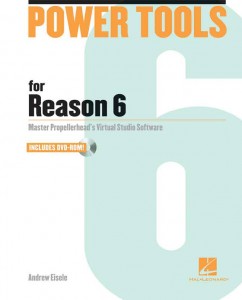
Hal Leonard Books is now shipping Power Tools for Reason 6 by Andrew Eisele, described as a comprehensive book that provides a quick-start tutorial that not only gets you up and running quickly, but also delves into advanced sequencing and mixing techniques.
“With an unbelievable array of tools, Reason 6 gives you everything necessary to record, mix and produce music projects from start to finish. Reason 6 has the best of Propellerhead’s Record and Reason, with the addition of some fantastic new features and effects, including the Pulveriser Demolition, Alligator Filter Gate, and the Echo tape delay. With the ability to record and edit audio directly into the arrangement window – and with audio time-stretching capabilities – it is now possible to record audio and adjust the tempo while keeping everything in sample accurate synchronization.”
Inside Power Tools for Reason 6, you’ll find:
- How to set up your studio for Reason 6
- An overview of the feature set
- An explanation of MIDI concepts from signal flow and recording to hardware and instruments
- A sound primer for digital audio concepts and recording
- How to get the most out of the synths, effects, drum and percussion instruments, and routing capabilities of Reason 6
- How to best use the sampler to capture, play back and manipulate digital audio
- And much more
Hal Leonard tells us that Power Tools for Reason 6 includes video tutorials on an accompanying DVD-ROM that let you see and hear many of the most important tools and techniques now available in Reason.
About the Author:
Andrew Eisele is the author and host of the Music Pro Guides, a training DVD series spanning 40-plus titles covering all major music production software. His teaching credits include Full Sail Real World Education, the School of Audio Engineering and Dubspot. Currently, he works as a producer/DJ and is co-founder of the arts collective Tsunami Bass Experience and MorphSaru Productions.
Pricing and Availability:
$39.99
More information:
Reason Combinator Tutorial – Dynamic Rhythm Generator
“In today’s Reason Combinator Tutorial we’re looking at how to create a dynamic rhythm generator using Kong, Redrum, and Spider CV merger/splitter. Follow along, and download Seasoning Lite, our free combinator, here! http://ohdratdigital.com/downloads/free-reason-combinator-automatic-dynamic-t…“
How to make your own Dubstep instrument in Ableton Live
Background information:
** Download the Arena Bass instrument, demonstrated in this video, along with our new free mega pack available on the XSSR Academy website – http://xssracademy.com/en/articles/free-mega-pack.html **
** We are giving away a whole bundle of packages with free Ableton Live projects, including Mars’ Top 10 dubstep hit India Sleeping and the house tune called Pleasure; the Arena Bass instrument, and over one hundred bass samples and Massive presets. **
Many dubstep producers like to use Massive synth. You can hear its special sound in many tracks. I used to use this synth too, but later decided to make my own tool. In this video tutorial I’ll show you the basic idea of making the instrument. Improve and refine this idea yourself for your own unique sound!
You should start with the creation of your dubstep bass. You can use the bass techniques from this video in your own tracks.
Watch the video in full to not miss any part of the creation process.
*** Please experiment and develop your own instruments, then Email – academy@xssrmusic.com – them to us and the best ones will be posted to our website! ***
Native Instruments Traktor Kontrol F1 – The Remix Deck™ In Detail
This video goes into detail about the design, structure, workflow, and capabilities of Traktors’s Remix Deck™.
Remix Set™ taken from DEMI – No1Else
www.facebook.com/demidj
Quicksilver 303 MIDI RESYNC tutorial
This video demonstrates the MIDI RESYNC capability of the Quicksilver 303 CPU. MIDI RESYNC allows the Quicksilver 303 to switch back and forth between an external MIDI clock and the internal clock without stopping the sequencer.
For more information: http://www.socialentropy.com/quicksilver
DATAMASKIN

