
iCade Brings Retro Arcade Experience to iPad
Perhaps slightly off topic but this is pretty cool, I must say, enjoy
ION Audio, ThinkGeek and Atari teamed up to create an actual retro arcade gaming experience on the iPad.
Ableton Live Tutorial: Dubstep Talking Wobble Bass w/ Operator
Ableton Certified Trainer and Dubspot Instructor Michael Hatsis aka !banginclude explains how to make ‘dubstep talking wobble bass’ in Ableton Live using Operator (If you don’t already own Operator, check out the tutorial video Dubstep Wobble Bass Part 1 in which Hatsis used the sampler to create the mid-range bass sound and load up that preset.) Starting with the Operator sound he created in the previous video tutorial Dubstep Wobble Bass Part 2, and using the patch as a launching point, he turns off Operators B, C, and D and keeps Operator A on a square-wave, sets the LFO rate to a 1/2 a bar, and switch up the Filter resonance to 5, which gives us a somewhat mild whomp bass sound. To add the talking effect, Hatsis used Ableton Live device Redux effect to bring the sample-rate down a few levels, set the Downsample to Hard, somewhere between 15 to 24 to get the talking sound. As the LFO sweeps through the Filter’s frequency, the Redux adds a vocal effect to the wobble, and as you increase the value of the Downsample, the deeper and heavier the voice gets; as you decrease, the voice gets lighter. The technique known as “digital downsampling.” Hatsis returns Operator to add a little FM/make the sound grittier by turning on Operator B. Be aware of the odd effects, as the Redux plugin enhances the grittiness of the FM. Furthermore, Hatsis demonstrates other effects within Operator including Coarse value, LFO rate, and Filter settings and options, frequencies, resonance, and recaps the steps and methods at the end.
Two new audio effect plugins
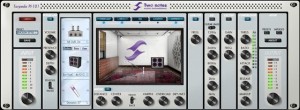
Two Notes Audio Engineering has announced the Torpedo PI-101 and Torpedo PI-FREE, two new audio effect plugins.
The Torpedo PI-101 and PI-FREE plug-ins feature the unique Torpedo algorithm originally found on the VB-101 and VM-202 units, that allows the user to virtually move the microphone in front of the speaker cabinet (as you would in a real recording room) and to simulate the sound of a hard driven speaker.
Torpedo PI-101 is a hi end channel strip plug-in for your guitar amp / preamp. It features three different sections: power amp with 8 different power amp topologies, “Miking” with more than 30 cabs and 8 studio-standard microphones and last but not least, Post FX featuring Low cut filter, 5-band EQ, exciter and compressor.
Torpedo PI-FREE is based on the flagship model, the PI-101, but only features 1 model of power amp simulation (EL34 / AB class), 1 speaker cab (based on a Marshall 4×12) and 1 type of microphone (based on a Shure SM57). And you still have the full Post FX section.
Torpedo PI-101 will be available to purchase for 199 EUR excl. VAT early February, 2011 (requires iLok USB key to authorize). Torpedo PI-FREE is free to use, is not time limited and does not need an iLok USB key.
More information: Two Notes Audio Engineering
Listening in on the KORG KRONOS
Korg Kronos demo by S4K – improvvisation in combi mode by space4keys
performed by Sion
Fender on the iPad – it’s here
After a number of other cool releases for the iPad, e.g. iMS20, here’s another one from Fender this time
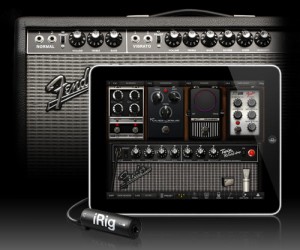
IK Multimedia introduces AmpliTube® Fender™ for iPhone®, iPod touch and iPad: full featured tone guitar rig apps with built-in recording studios offering the legendary Fender tone designed and developed in close cooperation with Fender.
The AmpliTube Fender™ app, at its core, is all about pure Fender® tone. It was developed with careful guidance and critical tone testing from the tone gurus at Fender® to ensure the authenticity of the sound. Derived from the award-winning desktop version of AmpliTube Fender™, the app offers 5 Fender® amp models — the ’65 Deluxe Reverb®, the Super-Sonic™, the ’65 Twin Reverb®, the ’59 Bassman® LTD and the Pro Junior™, and 6 Fender® stompbox models — Tape Delay, Compressor, the Blender™, Phaser, Overdrive and Noise Filter.
AmpliTube Fender™ features:
• Real time guitar and bass mobile multiFX + recording app
• Full rig with 3 stompboxes (iPhone)/4 (iPad) + amp with effects + cabinet + mic
• 6 Fender® Stomps — Fender® Phaser, Fender® Blender™, Tape Delay, Overdrive, Compressor (by registering) and Noise Filter
• 5 Fender® Amps with matching Cabinets — ’65 Deluxe Reverb®, ’65 Twin Reverb®, ’59 Bassman® LTD, Super-Sonic™ and Pro Junior™
• 2 Mic models, dynamic and condenser
• Single track recorder (with re-amping) expandable to full 4 tracks (iPhone)/8 tracks (iPad) recording studio with master effects through in-app purchase
• Import and play up to 50 songs/backing tracks directly from your iPod library on your device or from your computer
• Ultra-realistic tones derived from the AmpliTube Fender™ Mac/PC studio
• Slow down or speed up to tempo (-50% to +200%) of imported songs without affecting their pitch
• 36 presets can be saved/named/recalled on the fly
• Includes tuner/metronome
• Low-latency for real time playing
• FREE version also available – can be expanded by individual gear model purchases, or bundle purchase via the in-app purchase feature
• Can be incorporated into the AmpliTube 2 for iPhone/iPad app via in-app purchase
Pricing and availability:
The AmpliTube Fender apps for iPhone and iPad costs $14.99/ €11.99 each and will soon be available on the iTunes app store. A free version will also be available and will be expandable with individual amps and effects a-la-carte through in-app purchases. The 4 –Track recorder and 8-Track recorder with master effects section on iPhone and iPad cost $9.99/ €7.99 and $14.99/ €11.99 respectively as an inapp purchase.
AmpliTube 2 for iPhone or iPad users will be able to add AmpliTube Fender stomp box and amplifier models as individual in-app purchases for only $4.99/ €3.99 per amp, $2.99/ €2.39 per stomp box, or $14.99/ €11.99 for the entire bundle.
Available soon from the App Store. More info at http://www.ikmultimedia.com/…
Demo of the c60 music player
The c60 music player from IDEO’s Boston office. The team brought to life a concept from Martin Bone and Kara Johnson’s book, I Miss My Pencil, that brings physicality back to the experience of listening to music.
Interesting concept 
Free virtual drum instrument plugin for Windows
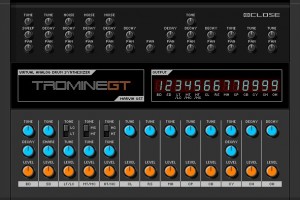
Marvin Pavilion has released version 0.1 of Tromine GT, a free virtual drum instrument plugin for Windows.
Tromine GT is a Roland TR-808 style drum synthesizer.
All instruments are made with analog synthesis.
Tromine GT features
- 16 sounds:
- Bass drum: Tune, Sweep, Tone, Decay, Pan, Level.
- Snare drum: Tune, Tone, Decay, Snare, Pan, Level.
- Low tom / Low conga, Mid tom / Mid conga, High tom / High conga: Tune, Tone, Noise, Decay, Pan, Level.
- Closed hihat, Open hihat: Tune, Decay, Pan, Level.
- Crash cymbal, Hand clap: Tune, Tone, Decay, Pan, Level.
- Rimshot: Tune, Pan, Level.
- Claves, Maracas, Cowbell: Tune, Decay, Pan, Level.
- 9 outputs.
- MIDI CC support.
- Automation support.
Tromine GT is available as a free download for Windows PC (VST).
More information: Marvin Pavilion
Arturia Analog Experience Laboratory
Laboratory is the top of the line in Arturia’s Analog Experience software/hardware seies. The keyboard has 49 keys and aftertouch; the package comes with 3500 sounds, and you can even edit them using the GUI’s from Arturia’s line of software synthesizers.
Messing around with synth noises
by cv slime 800
Teenage Engineering OP-1, synthesizer now available to pre-order
Teenage Engineering has announced that the OP-1 is ready for production and can now be ordered.
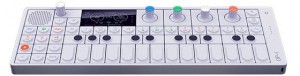
OP-1 is ready. Make your reservation today.
Finally. After more than two years of development the OP-1 is now ready for production.
Due to initial limited supply we now accept reservations.
Manufacturing, assembly and shipping will be eight weeks.
The OP-1 is available to order for $799 / 799 EUR.
More information: Teenage Engineering
DATAMASKIN

