
Combined drum machine and bass synth

Cerebrum is a pattern based drum machine with an onboard bassline synth. There are 8 drums total, each with it’s own sequencer with various randomization and velocity features. Designed with live operation in mind, Cerebrum can be used for making complex beats on the fly, with features like the Pattern Playlist and Random Probability, that ensure your rhythms stay interesting. Your beats can then be sent into the Multi-Band FX processor, split into three bands, distorted, crushed and destroyed and then squashed with the overall compressor for getting that classic ‘pumping’ effect with ease.
Cerebrum:c4 features
- 8 drum modules.
- Bass arp-synth module.
- Versatile sequencers for each drum module including bass synth.
- Pattern Playlist feature for switching between 4 patterns, manually or automatically.
- Random Probability options for each sequencer.
- Aux module for external audio processing.
- Multi-Band FX section with compressor.
- Host sync or manual tempo.
- Midi triggering of each sequencer on individual keys.
- Toggle behavior options for midi triggering.
- Mute/solo switches.
- Multiple audio outputs.
Price: USD 49.00
Visit: Psychic Modulation
The sound of Rubik’s cube – recommended
Projection Mapping Music Sequencer – Rubik’s Cube (Sequencer programmed in Processing, sound is generated in Ableton Live)
Sounds of KORG
Cool sounds made the microStation from KORG
1. Sugar Smash Lead: A big trancey lead sound with real-time control of cutoff, EG amount and EG release
2. AutoPilot Arp: The arpeggiator is endless fun. Here’s a synth sound with various real-time parameter tweaks
3. Suitcase: The microStation is also packed full of more obviously ‘workstation’ sounds if dance music isn’t your thing
4. PsychoKit: This FX heavy kit gets many of its real-time controllers manipulated to keep it dynamic
5. Uni-Saw Lead: This synth is simply packed full of made for the dancefloor noises
6. Lead Guitar: This Lead guitar makes good use of the joystick for ‘feedback’ sounds
7. Bass Seq: Each sound features an Audition riff and these can be the spark for some great ideas. Here’s a Bass Sequence audition manipulated in real-time
Modular MIDI sequencer for the Lemur
Clip featuring a modular synthesizer jam with Sequencomat V3 – an 8 track 16 step MIDI sequencer in Max/MSP, with a touch control surface for the Jazzmutant Lemur. Sequencomat is based on the idea of traditional hardware step sequencers, but with an touchscreen control surface, and below that he tests out Sequencomat v3, running its own clock and sequencing a Nord Modular G1 on the first 4 channels and the G2 on the 4 following.
A simple test with the sequencomat v3 running its own clock and sequencing a nord modular G1 on the first 4 channels and the G2 on the 4 following. check http://music-interface.com/ for more info on sequencomat v3
Introducing Aurora, new Tenori clone, kind of
Aurora Sound Studio HD is described as a “pattern based sequencer”.
We take that to mean that the developers were inspired by the Yamaha Tenori On. While this has been done before, Aurora Sound Studio HD is going beyond most previous Tenori On wannabe’s by including a mixer, audio effects, synth patch editing and a song mode for sequencing patterns.
Aurora Sound Studio HD is officially “coming soon”.
New sequencer for iPad
BeepStreet has announced iSequence for iPad, an updated version of its iPhone music sequencer.
Features include:
- Use one of 160 built-in instruments: a collection of acoustic instruments, drum kits, pads, leads, sweeps and ambient atmospheres recorded with top classic and modern hardware synthesizers.
- Buy additional banks in the BankShop
- Play using adjustable piano keyboard or large drum pads
- Record as you play the notes. Change instruments and tracks without stopping playback
- Record parameter changes as you move controls
- 8 tracks and FX curves editor. Instruments are not bound to tracks, so you can play chords or use multiple instruments on a single track
- Edit music events using piano keyboard, drum pads and other controls
- Set note duration, panning, velocity and gliss
- Copy/paste, move and transpose selected area or patterns
- Arrange pattern sequences to create a complete song
- Export your work as HSQ, MIDI or WAV
According to the developers, the iPad edition has been rewritten and redefined to take advantage of a bigger screen and better performance.
Pricing and Availability
The regular price is $14.99. An introductory price of $6.99 is being offered until May 30, 2010.
Link:
Playing 8bit on the SunVox
SunVox is a small, fast and powerful music sequencer with modular synthesizers. It is a tool for those people who want to compose music anywhere. SunVox available for desktop PC (Windows, Linux, Mac OS X), pocket computers (Windows Mobile, PalmOS, iPhone/iPad) and netbooks.

| Key features |
- Modular interface.
- Highly optimized synth algorithms.
- Flexible architecture: SunVox can working on variuos devices. For example: PDA with slow CPU – 16bit sound (fixed point arithmetic); or big PC with powerfull CPU: 32bit sound (floating point arithmetic).
- Built-in synthesizers:
- FM synthesizer;
- Generator (saw,triangle,square,noise waveforms);
- Kicker;
- Sampler (supported formats: WAV, XI, AIFF);
- SpectraVoice (FFT-based synthesizer for analog-like pads);
- DC Blocking Filter;
- Delay;
- Distortion;
- Echo;
- EQ;
- Filter (Low-pass, High-pass, Band-pass, Notch);
- Flanger;
- LFO;
- Loop;
- Reverb (with DC Blocking Filter);
- Vocal Filter;
- Vibrato.
- Supported systems: Windows, Linux (x86/x86_64), Mac OS X, PalmOS, WindowsCE (Windows Mobile), iPhone/iPad.
- Export to WAV.
New sequencer for REAKTOR 5
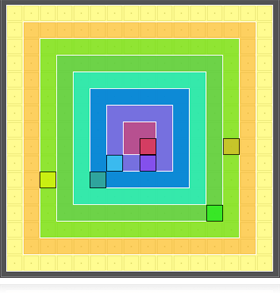
Twisted Tools has released Colorflex, a unique color based zone matrix sequencer for Reaktor 5.
It comes pre-configured for Kore 2 and Maschine and features an unique oneshots sample map with samples by artists such as Antonio Blanca, D’arcangelo, Richard Devine, Josh Hinden, GlitchMachines.com, Sonictwist, Timonkey, and Tipper
Colorflex features
- 256 cell color based zone matrix sequencing.
- Advanced ‘Graphic Layer’ editing.
- 8 Track MIDI Note Sequencer.
- 8 Track MIDI CC Sequencer.
- 8 Track IC Send Sequencer.
- 8 Freely Assignable output channels.
- Scene Sequencing+Scene MIDI Control.
- Works with any MIDI capable device.
- Works with Vortex 1.2 (coming soon!).
- 3 x Cell Mode Layouts.
- Extensive Cut/Copy/Paste/Select/Randomize Functionality.
- Simplified Multi-Destination MIDI Learn System.
- Documentation.
- Free Version Updates.
- Includes: Sampler, Synth, Mixer, Effects, Sampler Library for Demo Purposes.
- Kore and Maschine Templates.
Colorflex is available to purchase for $29 USD.
More information: Twisted Tools / Colorflex
The new microStation from KORG
Korg has announced the microSTATION, described as a Micro Synthesizer with Sequencer. Designed to satisfy the beginning musician or the accomplished keyboardist, the microSTATION offers portability, the sound of Korg’s EDS-i synth engine, effects, plus new and easy-to-use sequencing tools. Audition riffs make finding just the right sound a breeze.


Features:
- Lightweight, compact, and equipped with 61 mini-keys, the microSTATION travels easily and fits into any home, stage, or studio workspace.
- EDS-i (Enhanced Definition Synthesis-integrated) sound engine delivers high-quality sound in the tradition of KORG’s flagship synthesizers.
- Enjoy 480 ready-to-use sounds – including keyboard sounds, synth sounds, drums, leads, basses, etc. Tweak, edit, create and save up to 512 sound Programs.
- 256 dynamic Combinations place different sounds on different areas of the keyboard, or layer multiple sounds together for exciting performances – right out of the box.
- Find the right sound fast with eight quickly accessible categories; hundreds of Audition Riffs allow you to preview each sound.
- A full General MIDI level 2 compatible soundset allows commercial and pre-made MIDI files to be played perfectly and instantly.
- Designed for comfort and accuracy, the 61-key Natural Touch Mini Keyboard is highly expressive and supports serious playing.
- Whether performing or composing, the on-board sequencer can be anything from an extra set of hands or a powerful drum machine up to a full-blown MIDI production suite.
- Loop Recording, Grid Sequencing, Dual Arpeggiators, Template songs, and Auto Song Setup features make it easy for anyone to achieve professional results.
- SD/SDHC card slot for convenient storage or your custom sounds and songs.
- USB Type-B connector offers a direct MIDI connection to your computer.
- Includes both stand-alone and plug-in microSTATION software for detailed sound editing on your computer; plug-in software is VST, AU, and RTAS compatible.
Perform and compose anytime, anywhere
At a size and price usually reserved for performance synthesizers, the compact and portable microSTATION none the less features a 61-key Natural Touch mini keyboard, numerous effects, dual arpeggiators, and a 16-track sequencer to transform musical ideas into polished productions – wherever you are. New sequencer features such as Loop Recording and visual Grid Sequencing have been added to benefit the first-time user and to jump-start any type of music production. With so much power, the microSTATION is an ideal first keyboard, plus a welcome addition to any studio or keyboard rig.
EDS-i: The sound of KORG’s flagship synthesizers
The microSTATION features Korg’s new EDS-i (Enhanced Definition Synthesis – integrated) premium sound engine, derived from the EDS system found on KORG’s M3 XPanded and M50 professional synthesizers.
- OSCILLATORS: The oscillator section provides access to 49 MB* of high-quality PCM sources (sampled at 48 kHz) delivering a rich variety or sounds.
- FILTERS: Indispensable to sound creation is the filter section, offering two high-quality filters for each oscillator. The four filter types – low-pass, high-pass, band-pass, and band-reject – can be freely combined.
- MODULATION: Expansive modulation is also vital. The microSTATION inherits the EG (Envelope Generator), LFO, key tracking generator, AMS (Alternate Modulation System), and AMS mixer from the EDS sound engine, allowing full-fledged synthesis possibilities.
- EFFECTS: The effect section adds the final touch to the sound, allowing you to use up to five Insert effects, two Master effects, and one Total effect. In addition to delay and reverb, you can choose from modulation effects such as chorus, phaser, and flanger; dynamics effects such as compressor and limiter; and amp modeling powered by KORG’s proprietary “REMS” technology. The Effect Dynamic Modulation function (Dmod) lets you control effects in a wide variety of ways during performance.
* calculated as 16-bit linear data
Premium Programs and Combinations
From the moment you turn it on; the microSTATION is ready to deliver hundreds of ready-to-play sounds. In addition to the 480 Programs and 25 Drum kits, the microSTATION provides 256 Combinations, each of which combines up to sixteen programs as layers, splits, or velocity switched elements. Finding the right sound is easy. The Programs and Combinations are organized into eight sound categories. The audition switch plays a repeating riff (phrase) appropriate for the currently selected sound, letting you hear how the sound will be played in context. Every sound can be edited, tweaked, and re-written, and the microSTATION also has plenty of room for you to save your own Programs, Combinations, and Drum kits. For playing Standard MIDI files, there is also a full General MIDI level 2 compatible sound set.
61-key Natural Touch Mini-Keyboard delivers expressive playability
The microSTATION’s Natural Touch Mini-Keyboard has been acclaimed for its ease of playing. The proportion of the black keys and white keys has been adjusted so that chords are comfortable to play, and the feel is designed to allow rapid phrases to be performed with ease. The waterfall-style keys make glissandos easy to play, and also impart a sense of quality. The use of a mini-keyboard complete with 61 keys allows serious performance of piano and other styles that require – or benefit – from two-handed playing.
On-Board Sequencer transforms your musical ideas into finished songs
The built-in, high-performance 16-track MIDI sequencer provides a versatile array of capabilities such as template songs, loop recording, a grid sequence function, arpeggiator, and auto song setup to provide a powerful boost to your music productions. Many of these newly added features are designed to assist novice sequencer users to complete their musical ideas.
- Template songs: Template songs are a great way to begin. Each template song loads up the appropriate instruments and pre-routed effects to match a specific musical style. The arpeggiator settings deliver ready-to-use bass and drum tracks. Of course, any track can be changed, edited or rewritten.
- Loop recording: This function repeatedly records a specified range of measures. For example, you can loop a four-measure section and create a drum pattern by recording each of the drums and bass notes individually. Basic editing functions such as copying, erasing, and deleting measures are also provided. This method is similar to recording on a multi-track recorder.
- Visual Grid Sequencing: This is a unique method of entering notes in which the front panel function buttons and corresponding LEDs (01 – 16) to create rhythm patterns as on drum box or step sequencer. Rhythm instruments such as the bass drum, snare, hi-hat, and bass will sound at the timings indicated by the illuminated LEDs.
- Dual polyphonic arpeggiators: The arpeggiators provide five preset patterns and 640 user patterns, of which 512 are preloaded. In addition to standard arpeggiator patterns, Korg’s polyphonic arpeggiators can produce a variety of chord progressions or phrases based on the notes being played on the keyboard. This advanced arpeggiation system can be used to create drum patterns, bass phrases, guitar riffs and keyboard backing runs. In Combination or Sequencer modes, the microSTATION lets two arpeggio patterns run simultaneously. You can apply separate arpeggio patterns to a different programs, or use split or velocity to switch between arpeggio patterns, providing powerful performance possibilities.
- Auto song setup: Using this convenient function, a Program or Combination (with its arpeggiator settings) can easily be recorded to multiple tracks, creating the basic tracks of your song.
Easy operation; Massive control
The microSTATION’s knobs and controllers are located for easy use. Frequently used parameters can be assigned to the four realtime control knobs for convenient sound editing or for performing with the arpeggiator. With the External switch on, these four knobs can be used to control an external MIDI device. A joystick is provided for even more expressive potential.
Convenient, reliable SD/SDHC storage
The microSTATION provides an SD card slot, allowing you to save your Programs, Combinations, and song data directly onto an SD/SDHC card.
Stand-Alone + Plug-In Editing software
The bundled “microSTATION Editor” and “microSTATION Plug-In Editor” software lets you use your computer to edit the microSTATION’s Programs, Combinations, Drum kits, and Arpeggio patterns. The “microSTATION Editor” is a stand-alone program, while the “microSTATION Plug-In Editor” allows the microSTATION to be used as a VST, AU or RTAS plug-in instrument inside a DAW or other host application on your computer.
These editors allow more detailed sound editing than is possible from the microSTATION itself. You can also save sounds that you’ve created on the microSTATION.
Introducing Nanoloop for the iPhone
Hi sending this off from a busy tradeshow in Barcelona (Mobile World Congress)
Had a chance to play around with this little beauty yesterday evening 

Nanoloop for iPhone (App Store link) combines sequencer, synthesizer and sampler in one package to bring vintage 8-bit Gameboy music goodnesss to the iPhone and iPod touch.
The app builds on Nanoloop for the Gameboy, but features a new software synth and features not possible on the Gameboy.
Features:
- Six channels, each can be synth or sampler
- Fast and easy to use stepsequencer
- Synthesizer with envelope, filter, LFO and other parameters
- Sample external audio or nanoloop’s own sound output
- Song editor with loop function
- Save function
- Works on 1st gen iPod touch and 2.2 software
- Send and receive projects via e-mail, using the iPhone’s / iPod’s e-mail program
Details below.
Sequencer
The sequencer displays the pattern as a grid of 4 x 4 rectangles. Notes can be set, removed and edited just by tapping and swiping. This editing without mode-changes and the straight, generous layout ensure a smooth workflow.
Unlike the Game Boy versions, nanoloop for iPhone only allows to set pitch and one additional value step-wise in the sequencer. All other sound parameters are controlled channel-wide through the synth panel.
Synthesizer
The simple but powerful synthesizer allows to create a great bandwidth of sounds, including beats, noises, basses and pads. Available synthesis types are:
- rectangular wave with filter
- FM
- LFSR noise generator
Rectangular wave and LFSR sound similar to the Game Boy’s and other console’s soundchips but offer more fine control and additional effects (lfo / envelope for pulse width or filter, simple phaser for noise).
The FM synth is the simple type with two sine wave oscillators, with fixed base frequency and variable modulator frequency. An envelope / LFO can be applied to modulation amplitude or frequency. For a sweeping spatial effect, the modulator can be slightly detuned, with inverted phase for left/right.
Each synth channel is two-voice polyphonic and a stereo effect can be applied.
Sampler
Samples of one second length @ 44 kHz, mono (or about 5.5 sec @ 8 kHz mono or 0.5 sec @ 44 kHz stereo) can not just be used in a drum-machine style, but also be pitched and played as notes.
Recording sources for samples are the built-in microphone (iPhone only), a headset microphone (iPhone, iPod touch 2nd gen only) and nanoloop’s own sound output. The latter allows to create new samples from scratch, using up to five channels to create one single sound. Typical applications would be percussion (claps, snares etc), chords, arpeggio and microrhythmic / microtonal elements.
Share
With nanoloop for iPhone, you can send your saved projects to other nanoloop users via e-mail. If nanoloop is installed on the recipient’s iPhone / iPod, she/he can simply tap on the file name in the received e-mail to start nanoloop and import the attached file so that it is available for editing. This makes collaboration very easy, multiple users around the world can work on the same project by simply e-mailing the file back and forth. This function may also be used to backup projects on a PC.
This does not mean that files are sent as audio, data are in the native nanoloop format which can be read only by nanoloop. An export function to wav or mp3 is planned for future versions.
DATAMASKIN

