
Modular: stippystappy
Background video description:
A VCS3, 100M, and Phase2 performance when I got home. I wish I was still in Cornwall. On the Stippy Stappy walk to the beach
Korg Wavedrum Global Edition.. Demo of the 50 New sounds
A demo of the 50 new presets from the latest addition to the Korg Wavedrum family..The Global edition..this contains all the sounds from the previous two and 50 new ones, plus more loop phrases and better sound..
Resurface (Improvisation for Gestrument)
Gestrument in action, details below:
Preparation for this piece involved sorting through lots of soundfont sample sets, or fashioning new sets to import into the iPad generative sampler and touch performance tool, Gestrument. (gestrument.se/) I selected eight different sample sets and fired up Audiobus on iPad 3, plugged in the excellent new reverb AUFX:Space, piped output to Audioshare, and linked the output to Logic on a laptop.
Gestrument tip: arrange your samples in a hierarchy so it is easy to distinguish between ‘beds’ and ‘stabs’ and ‘fx.’
For me, this allows me to toggle through the main sonic content and what I think of as secondary ‘commentary.’
I pick up a feel for the generative pace of the performance and then respond intuitively. In this instance the BPM is 10, GLIDE is set to slowest, and, HOLD and CONTINUOUS PULSE is set to [on]
(Please comment on the blog and ask questions if you have any – nogutsnoglorystudios.squareone-learning.com/)
TBS-X16 ANALOG SEQUENCER PROTOTYPE *** Tecbug ***
New TBS-X16 analog sequencer prototype
16 step analog C.V.sequencer
Splits into 2 fully independent 8 step C.V. sequencers.
Also a 16 step gate squencer with 16 individual gates and a 16 step bus.
ALESIS ANDROMEDA A6 【SYNTH DEMO】 – Ambient chillout / space music
Alesis Andromeda A6 analog synthesizer demo — playing live ambient chillout / electronica soundscape / space music on Alesis A6 Andromeda analogue synth.
Created using 2 oscillators, filter and envelope adjustments, reverb, LFOs on the Alesis A6 Andromeda synthesizer.
Performed live, no external processing. Excerpt from a longer session.
Time machine: PPG wave 2.2 + Waveterm A
Vintage synthesizer demo track
all sounds: PPG wave 2.2 synthesizer + Waveterm A
using some factory samples from the original Waveterm A sample library.
recording: multi-tracking without midi
fx: a bit reverb and delay
The PPG Waveterm A – or just PPG Waveterm – was PPG’s first entry into a full studio solution.
The PPG Waveterm A does NOT produce any sound itself meaning you will need a PPG Component like the PPG Wave 2.2, PPG Wave 2.3 or PPG EVU if you want to hear anything you do on it.
The PPG Waveterm made PPG owners able to produce their own wavetables and to save their own programs to floppy disk instead of tape using the Cassette interface.
It also made PPG owners able to create songs and to – most importantly to most – sample something and play it back using the PPG Wave 2.2.
The PPG Waveterm is based on an old german computer called Eltec Eurocom II based on the Motorola 6809 processor, and can be set up to run the ‘ordinary’ Eurocom II software (Flex 9).
You can also hook up a keyboard and a printer to it to have a ‘fully featured’ home computer – a very expensive one though.
The PPG Waveterm was not cheap – but it was a giant leap in music technology, and the quality of the samples you could produce using the PPG Waveterm was astonishing back then in all its 8 bit glory.
WaveRunner – new library of seven hybrid instruments from UVI
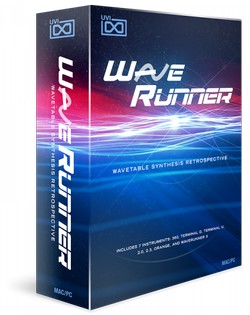
UVI has released WaveRunner, a library of seven hybrid instruments inspired by synths, drum machines and rare prototypes of esteemed German heritage.
WaveRunner presents you with a collection of authentic and fascinating sounds from over 30 years of wavetable synthesis. Everything from the raw and strident origins to the wild evolving tones of more modern, full-featured machines.
Each system addressed was serviced, meticulously multi-sampled and artfully designed into seven unique hybrid instruments driven by over 30,000 samples.
WaveRunner features
- WaveRunner 360: Based on a very old and quite rare machine, WaveRunner 360 delivers a raw and lo-fi sound.
- WaveRunner Terminal D: Including sounds from vintage prototype drum modules, synths and modern rack drum synths.
- WaveRunner Terminal U: Built on a generous collection of sounds from the entire range.
- WaveRunner 2.0: Based on the original German blue.
- WaveRunner 2.3: Similar to the 2.0 but with a distinctly different flavor, WaveRunner 2.3 is built on the upgraded German classic and its loquacious programming pal.
- WaveRunner Orange: Based on the modern flagship wavetable synthesizers famed in the 90′s and 00′s.
- WaveRunner X: An collection of raw waves harvested from the entire range of machines come together in this fresh and powerful dual-layer subtractive synth; capable of deep, modulating ambiances, brutal basses and uncanny leads.
The WaveRunner library for UVI and MachFive is available to purchase for $299 USD.
❐ Buy WaveRunner : http://bit.ly/uvi-waverunner
❐ UVI Official Website : http://www.uvi.net
❐ UVI Official Blog : http://blog.uvi.net
Weinglas – More and More Delayed
The Metasonix D1000 gets not enough love on youtube. The lovely tube drum machine plays with it’s friends Grendel Drone Commander and Red Panda Particle Delay.
Only two channels of the D1000 were used here: One for the backgound drone and the other channel of the D1000 works as a filter for the Particle Delay and as a drum machine at the same time.
Learn to Record and Produce Professionally in Reason 7 – A Musician’s Guide
This is the latest trailer for professional musician Jared Meeker’s set of tutorials on recording and producing in Reason 7, available at Music-Courses.com: http://www.music-courses.com/product….
The course is a step-by-step guide to creating a funky, melodic, broken beat track with Reason, including recording in of parts, as well as programming of instruments within the software. All the while, Jared considers musical elements, such as melody, harmony, rhythm, form and timbre, sharing his wealth of experience performing and composing alongside notable artists and establishments in the music industry.
Producertech are happy to announce a brand new course on Reason 7 by Jared Meeker, a professional musician and composer who’s performed with LA hiphop artists Nate Dog and the Eastsidas, Snoop Dogg and Myka Nine, and has a string of sound design credits that include Dexter and Smash. In this comprehensive set of tutorials, Jared shows how to record and process live parts, like the guitar lines that form the basic structure and embellish the song, as well as focusing on the 5 major elements of composition – melody, harmony, rhythm, timbre and form. The lessons teach a wide variety of subjects, including instrument programming, numerous mixing and production techniques, creative audio editing and also many of the new features in Reason 7, like the Audiomatic Retro Transformer and updates to the main mixer.
Signing up to the courses not only allows unrestricted 24/7 access to the tutorials for as long as you need but also means you can download the Reason song file made throughout the course and 300MB of extra bonus samples from the Loopmasters packs used in the movies.
Traktor Remix Decks Mapping Overview
This is an overview of the Electrix Tweaker mapping for Traktor’s Remix Decks. NI just released Traktor Pro 2.6.2 which enables the remix decks to be mapped to any MIDI controller. The mapping is available at http://www.electrixpro.com/downloads
The Remix Deck mapping was designed to allow the user to directly access Remix Decks C/D. The Tweaker’s layout assists in more easily controlling the remix decks, with its 32 button grid giving direct access to the 16 sample cells on each deck. The Tweaker’s grid section also provides direct access to sample settings like Punch, Monitor, FX, and Keylock functions.
Additionally, the Tweaker?s pads allow the user to Mute sample slots, switch Trigger Type, as well as Play Mode (e.g. Loop or One-Shot). The mapping also allows the user to switch back and forth between Mixer Mode and Deck Mode. In Mixer Mode the knobs and faders act as EQs and Channel Faders. In Deck Mode, the knobs and faders are used to control the pitch, loops, sample pages, and more. This allows users to quickly switch between the mixer functions and deck functions.
The Remix Deck mapping can be used in a variety of situations. Two sample use cases include:
- 1 x Tweaker (Decks A/B), 1 x Tweaker (Decks C/D)
For users who want to make full use of Traktor?s Track Decks and Remix Decks, a two-Tweaker setup is the perfect fit. Performers can utilize the Tweaker?s native Track Deck mapping for Decks A/B and the newly released Remix Deck mapping for Decks C/D. Utilizing two Tweakers in this setup allows the user to perform entirely in Traktor?s internal mixing mode and thus take full advantage of Traktor?s FX, looping, and sampling features. - 1 x MIDI Controller (Decks A/B), 1 x Tweaker (Remix Decks B/C)
For users looking for additional MIDI control over the remix decks, the Tweaker is the perfect addition to an existing digital DJ setup.Plug the Tweaker into an extra USB port and load the Remix Deck mapping. This effectively allows the user to continue using Decks A/B as usual, while expanding the user’s ability to remix on the fly by adding samples via the Decks C/D (Remix Decks).
DATAMASKIN

