
Focus on the Serge Modular and iPad Drum app DM1
http://thissecondsleep.blogspot.com/
Serge Modular and IPad Drum app DM1. Please listen with headphones.
DM1 is an advanced vintage Drum Machine. It turns your iPad into a fun and creative beat making machine.
Easy and fast to use, loaded with 40 superb electronic drum kits and beautiful hyper-realistic graphics, DM1 has been designed for a lot of instant fun.
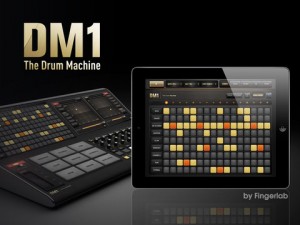
As electronic musicians ourselves, we, at Fingerlab, have developed DM1 with the intention of delivering the perfect mix between fun playability and powerful sonic capacities. We always keep in mind the importance of a beautiful design with the right balance of powerful abilities while avoiding clumsy, overbusy interfaces.
Check our 40 electronic drum kits. 18 classic vintage drum kits plus 22 in-house produced electronic kits, edited and mastered at Fingerlab professional studio.
DM1 offers 5 main sections:
1 – THE STEP SEQUENCER frees your imagination with a smart use of the multi-touch screen. Just turn on and off steps in your sequence with the tip of your fingers to create cool beats, or unexpected rhythms!
2 – THE DRUM PADS simply lets you play and record the beat that tickles your fingers. No need to be a first-class drummer, automatic quantize does the work for you.
3 – THE MIXER for quick and subtle sound mixing of your drum kits. Featuring settings for volume, pitch, sample length, custom drum kit element for each channel, mute and solo mode.
4 – THE FX TRACKPADS a creative duo of FX trackpads to distort, modulate and transform your beats. The effects include: Overdrive, Delay, Phaser, Texturizer, Robotizer, Filter and Compressor.
5 – THE SONG COMPOSER allows you to quickly make a song with the beat patterns you have created. Just drag and drop the patterns onto the timeline. Fast and easy.
Specifications:
✔ Graphic design by Jonas Eriksson
✔ Smart ergonomy for fast creativity and fun
✔ 40 vintage and produced drum kits, mastered at in-house Fingerlab Sound Studios
✔ Mixer page with pitch, length and level rotary controls, pan controls, and custom drum kit per channel
✔ Extra fast drum kit loading
✔ Playable pattern selection for extra creativity
✔ 9 Big Drum pads, quantized recording and pitch-bend ribbon
✔ Step Sequencer with multi-touch matrix
✔ Duo FX Trackpads for real-time sonic destruction and multi-FX
✔ Mode song with intuitive editing
✔ High-quality export to email or iTunes shared folder
✔ Audio background mode
In development:
✔ WIST
✔ AudioCopy export
✔ Samples import
✔ MIDI
Teaser for new iPad synth – SawSynth
This is the only message we have so far:
iPad App. This App is waiting ready.
Know more about BeatMaker 2 for iPad
“BeatMaker 2 DOES support MIDI learn! Sweet! I just found the learn button in the MIDI menu for each instrument.”
It’s now on the list:
http://www.iosmusician.com/2011/10/list-of-midi-learn-apps-for-iphone-and.html
BeatMaker 2 on the App Store:
http://click.linksynergy.com/fs-bin/stat?id=3ABOFs3RXgc&offerid=146261&am…
Combining music production tools that were behind the success of countless artists, BeatMaker 2 is a powerful, easy-to-use composition interface for amateurs and professionals alike.
Build your own virtual home-studio, create multiple instruments and connect them to a full-range of audio effects.
Compose, record, arrange and transform your ideas into complete songs, ready to be shared with others.
Import your own sounds or use the sound library provided: more than 170 high-quality instrument and drum presets from synthesizers to realistic orchestral sounds. You can even import songs from your iPod library!
Connect your MIDI accessories for an external control of BeatMaker’s instruments, effects and mixer, ideal for home-studio productions and live performances.
BeatMaker 2 is an universal application, with specifically designed interfaces for iPad and iPhone platforms.
Works on all iPhone, iPod and iPad models starting with third generation devices (iPhone3GS, iPod3G 32GB, iPad 1 & 2).
Addictive Synth Loop Recorder
Showing the new Loop Recorder and SoundCloud export added in Addictive Synth Version 1.2
Dynamic wavetable synthesizer
• Six dynamic wavetable oscillators per voice, up to 48 total.
• Continous morphing between two oscillator sets.
• Realtime editing of up to 128 partials (overtones).
• Realtime editing of filter structure to create arbitrary body resonances.
• Extensive modulation possibilities using up to 4 LFOs and 4 Envelopes.
• Control matrix allows real time control of five parameters using the X/Y touch pad, the modulation wheel and the tilt sensors of the iPad.
• Monophonic or polyphonic with 8 voices.
• 128 factory presets, unlimited user presets can be shared.
• Up to three effects concurrently usable selected from: equalizer, phaser, flanger, chorus and stereo/cross delay.
Everyone Can Play Music – iMS20 tutorial
In this lesson we explore the song panel and how to record across multiple patterns.
iMS-20 is an analog synth studio; a complete recreation of the Korg MS-20 synth, an analog sequencer, a drum machine, and even Korg’s Kaoss Pad technology. Plus, you can share your songs online via the SoundCloud!
iMS-20 is a complete music production app for iPad. It consists of a complete recreation of the legendary Korg MS-20 analog synth with the patching capability, plus a 16-step analog sequencer based on the Korg SQ-10, a six-part drum machine which can create drum parts by simply tapping the buttons, and a seven-channel mixer with 14 types of effects.
iMS-20 is a complete music production app for iPad, consisting of a complete recreation of the legendary Korg MS-20 analog synth with patching capability, a 16-step analog sequencer based on Korg’s SQ-10, a six-part drum machine with dedicated pads, and a seven-channel mixer with 14 types of effects.
In addition, iMS-20 offers dual Kaoss Pads allowing you to generate music by simply stroking the pad and moving your fingers over it. Experiment to come up with wild musical phrase! And with access to the SoundCloud audio platform*, you can publish your songs, or collaborate on ideas with people anywhere in the world from within the app!
Mashbox for iPad available free for a limited time
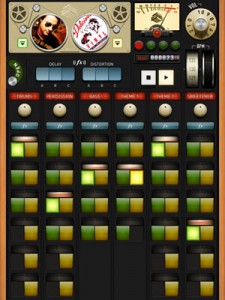
Beatport, the world’s largest music store for DJs, presents Mashbox, the latest way to play with music™.
Put a new spin on well-known songs with pre-cut music packs from the Mashbox music store, featuring Fedde Le Grand,
Butch, Booka Shade and more. Mashup two tracks together by controlling the individual loops and elements of each – from basslines to vocals – in a fun, throwback app.
With more new and classic tracks added to the marketplace weekly, the possibilities are endless to create a sound all your own.
Turn your iPad into the ultimate mobile mashup machine.
TB MIDI Stuff – new modular MIDI control surface for iPad
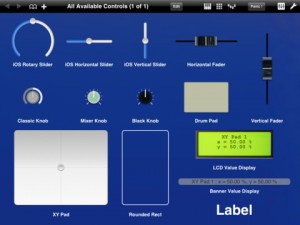
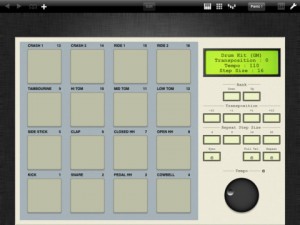
The app lets you create your own pages, or use the built-in MIDI keyboard (with Arpeggiator, modulation wheel, pitch wheel and accelerometer velocity), the built-in Pads controller (with customizable pads banks, accelerometer velocity, transposition, full velocity mode and repeat mode) or the 16 channels MIDI mixer (pan, volume and mute).
The page editor lets you create your own control pages. It contains some useful stuffs like pasteboard, undo manager, multi selection or z-order managment.
TB MIDI Stuff use CoreMidi : you can use any supported device, like the native WiFi driver or the camera connection kit with an external sound card. Each page can use a different CoreMidi driver.
Controls can use the iPad accelerometer as input (even faders and knobs), in each dimension (X, Y, Z or, for XY Pads, a mix of them).
The application library contains :
- Rotary sliders
- Horizontal sliders
- Vertical sliders
- Horizontal faders (with different colors)
- Vertical faders (with different colors)
- Mixer knobs (with different colors and flavors)
- Drum Pads
- XY Pads
- Value displayers
- Rounded rects
- Labels
Each control can drive simultaneously multiple MIDI messages like Control Change messages (single 7bits and coarse/fine 14bits), RNP/NRPN messages (7 and 14bits), Pitch Bend messages, Program Changes messages, Note On/Off messages.
You can open up to 32 pages simultaneously. You can change pages with three fingers swipe gesture, manage the pages order, open multiple instances of the same page and change the MIDI Out driver or the MIDI Out channel (or both) without entering the editor for each instance.
Swipe shortcuts (1, 2 and 3 fingers) let you access quickly to the MIDI keyboard, the pads controller or the 16 channels mixer.
TB MIDI Stuff contains some demo pages and 7 pads banks. For the pads banks :
- Default Bank
- Drum Kit (GM)
- Fifth
- Major Chords
- Minor Chords
- Simple Chord Generator
- Velocity
PixelWave with MIDI In
Experimental synth for iOS.
http://www.warmplace.ru/soft/ios/
PixelWave is an experimental synth with old school pixel interface.
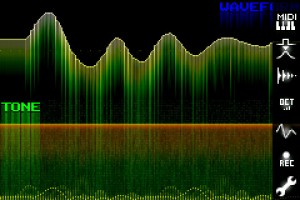
Key features:
• multitouch arpeggiator;
• it is possible to draw waveform and play it at the same time;
• recording;
• export to WAV (via iTunes File Sharing);
• copy to pasteboard;
• nine predefined waveforms;
• changeable number of octaves (from 2 to 6);
• Low-Pass filter (smoothing);
• MIDI IN support.
Tokyo Techno Girl with MadPad
APP of iPad, MadPad .
samples in the town in tokyo.
MadPad
http://www.smule.com/madpad
Photo/Movie karsin
http://karsin.net/
Get MadPad for iPhone here: http://bit.ly/MadPad-iPhones, Get MadPad for iPad here: http://bit.ly/MadPad-HD
When you download MadPad you can make your own remix of this set of video clips! It’s like magic!
MadPad for iPad, iPhone, iPod Touch, by Smule.
SSSSynth iPad App Review
SSSSYNTH is Monophonic Virtual Analog Synthesizer. This is a basic monophonic synth app and it’s free. Version 1.0 does not support CoreMidi. You also can not store any of your settings or patches. Filter section is not smooth. You can hear stepping. Weird white keys, not typical length. Nice delay with filter effect. Oh yeah it’s free!
DATAMASKIN

