
Only for pros – MixMeister tutorial
MixMeister Fusion Live software gives you a radically different approach to DJing, so you can focus on rocking the party – not the nuts and bolts of DJ technique. You don’t need to concern yourself with counting and matching beats, setting cue points, or syncing keys. MixMeister does all the technical work for you, freeing you to be in total creative control to interact with your music – and your audience!

MixMeister Control is the only controller designed and optimized to work like a true hardware extension of the MixMeister interface. If you already use MixMeister, you will be performing in seconds. MixMeister Control even comes with a full version of MixMeister Fusion software – the perfect way to get started.
Individual hands-on controls are included for looping by track, EQ, FX and more with complete control for up to four tracks at once. A massive amount of control is available from its 40 knobs, 53 buttons and a Jog Wheel for fast location management. Finally, automation effects, VST plug-ins and other functions can be manipulated with minimal computer interaction.
Included MixMeister Fusion software frees the DJ from monotonous tasks like beat matching, setting cue points, and counting beats in their head. It gives them the power to unleash their creativity and shape music with live looping and remixing, VST effects, harmonic mixing and more. DJs can manipulate tempo, volume, and EQ in real time, on-the-fly. Fusion even records all DJ actions (not just the resulting audio), so users can go back, listen to their mix, and make precise adjustments with studio-style editing capabilities.
Whether you use MixMeister to perform live or to mix in the studio, MixMeister Control is a “must-have” addition for MixMeister.
Technical specifications
* Hardware control surface for MixMeister software
* USB 1.1 interface – No driver required
* Includes MixMeister Fusion software
* Compatible with other MIDI applications
* Works with Windows or Mac OS X
* 94 hardware controllers for ultimately expressive software control
Easy to use modular synthesis – BLOK
Introducing BLOK


[BLOK] has been designed as an easy to use modular synthesis environment. The makers say that the available processing blocks are simple and concise and there are no restrictions on how you hook things up.
[BLOK] was designed as a platform for teaching audio synthesis to students, so even beginners can get started building their own synthesizers and effects right away.
Features
- Classic synthesizer modules such as Oscillators, Filters, Envelopes and Effects
- Easy to use interface. Blok was originally created as an educational program to teach audiodesign principles. This means that each module is simple to understand.
- Connect everything. There are no limits on connecting blocks together.. if a block generates a signal, connect it up!
- Versatile DSP engine. Additive, Subtractive and FM synthesis are all possible. Let Blok be your synthesis swiss army-knife.
- Full undo/redo. Dont like what you have done? Go back to a time when you did!
- Low in cpu. Blok was made to run well even on low-end computers. On today’s machines, it tears up the track! This will let you make more complicated setups and get more bang for your synthesis buck.
Pricing and Availability:
Free download at the moment but only the buzz version is officially supported at this point. Standalone and VST versions can be downloaded for free at present but are still under construction.
More information:
Torley tutorial on Alchemy
Awesome YouTube video by Torley where he walks you though some features and presets of Alchemy
VISIT http://torley.com for more useful fun!
Free Mellotron clone for download

Free Windows Music Software: Artifake_Labs has introduced a free software synthesizer, RedTron_MKV, that emulates the Mellotron MKV (essentially a double M400), one of the rarest Mellotrons ever made.
Features :
- Realistic user interface.
- Six sound types : 3 Violins, 8-Voice Choir, Flute, Brass, String Section, Cello.
- “Loop” and “Non-Loop” modes : as the original “Mellotron”, each sound is eight seconds long but you can switch to “Loop Mode” and allows the samples to loop continuously.
- Layer possibilities & independent parameters for layer A & B:
- Volume, Tone, Reverb, Delay, Pan, Octave, Note & Attack parameters.
- Delay effect (Amount, Time, Feedback & Pan parameters).
- Reverb effect (Mix, Width, Size & Damp parameters).
- Pitch control
- Can be used as Soundfont Player to mix any .sf2 file with “Tron sounds” or to extend the sound palette.
New horror synth – Monstrous


Supersynths has announced the release of Monstrous, a new sample-based VST instrument plug-in for Windows that is described as “the Atmospheric Horror Synth”. It is currently available for the introductory price of $20 (normal price is $30).
Features:
- 3 layers that take advantage of the 1.2GB sound library.
- MIDI channel selector for each layer.
- Amplitude (ADSR) envelope, detune and pan controls per layer.
- 3 advanced filters with ADSR control.
- 2 Send FX (Chorus and Delay) and Preverb – a reverb-like effect that you can also use as a send effect.
- 2 Master effects: a silky smooth reverb and tempo delay.
- MIDI automation (for use with your control surface).
- Velocity Response.
- 1.2 gigabyte library with instruments, sound effects, percussion and atmospheres.
Reaper updated
Cockos has updated REAPER to v3.12.
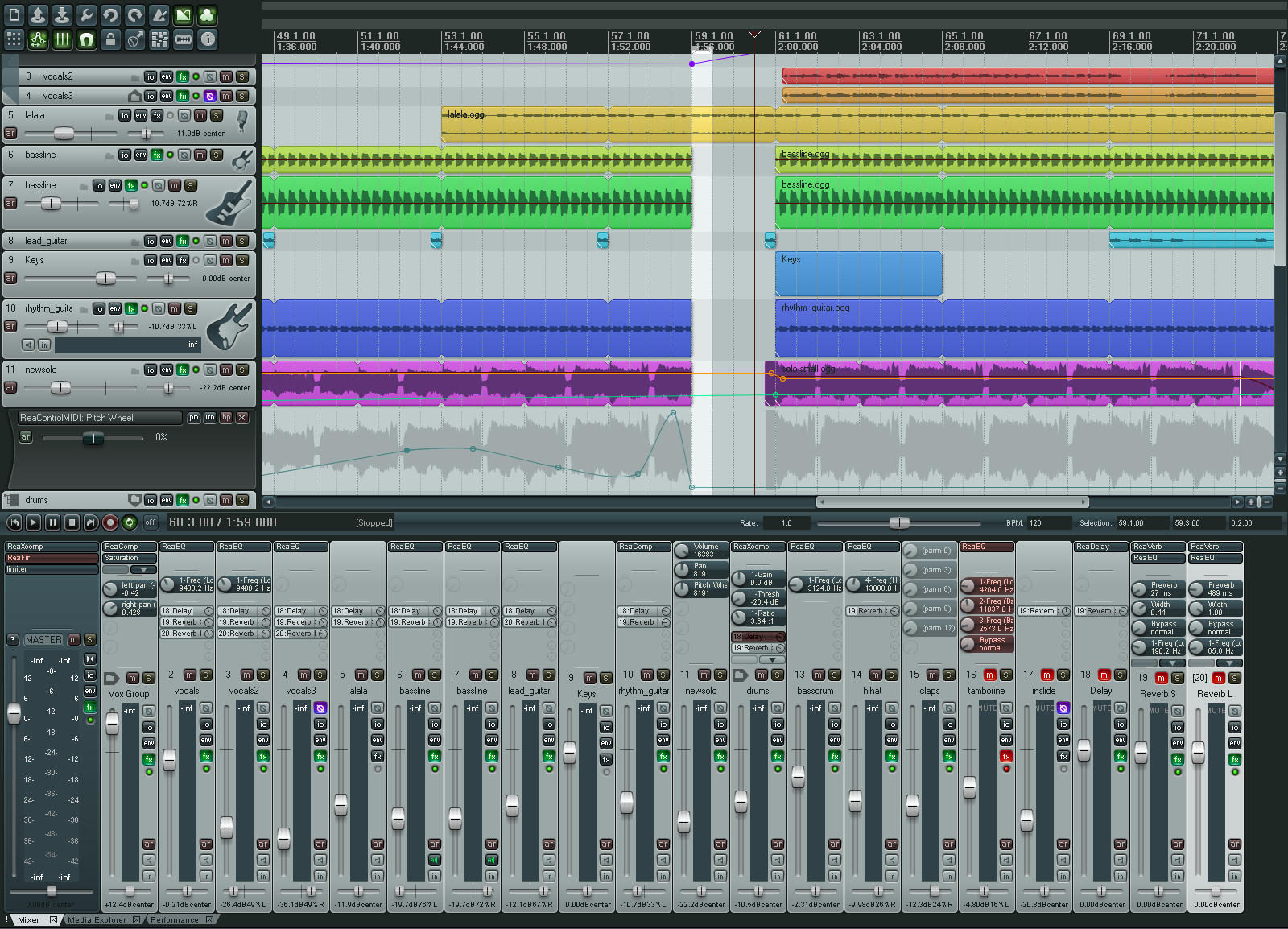
REAPER (Rapid Environment for Audio Prototyping and Efficient Recording) is designed for the recording, arrangement, editing, mixing and rendering of audio.
Changes:
* Automation lanes: fixed possible crash when removing FX parameter envelopes.
* CD burning: fixes to native XP mode track divisions.
* Extensions API: GetSetMediaItemInfo() fixes for fade shape settings.
* Fade drawing: when using full-area filling, fixed drawing when zoomed in.
* FX: per-FX buggy plugin compatibility mode (assumes plugin is not threadsafe, needs constant precleaned buffers, etc.).
* Hardware outputs: post-fader track outputs obey track polarity control.
* MIDI editor: show notes pressed as long as the input note is pressed.
* OSX: improved drag/drop support.
* OSX: support for control+alt+drag to render to new file (drag to desktop, finder, sampler, etc.).
* OSX: CD burning support.
* OSX: REX support.
* OSX: special casing for POD Farm VST misreporting view type (VST 2.4 should be composited view).
* OSX: fix for some AUs that do not export automatable parameters until after audio streams are initialized.
* OSX: added correct file locking to prevent writing files open for read.
* Pencil mode: fixed fade/autofade settings for newly drawn media items.
* ReaControlMIDI: support for raw mode (0-127 access to all CC messages).
* ReaControlMIDI: envelopes and TCP knobs report the same value as the slider (0-127, 0-16383, or on/off).
* ReaControlMIDI: support for storing/sending sysex dumps up to 64KB.
* ReaScript: run Python or Perl scripts that call Reaper API functions.
* ReaScript: assign reascripts to key commands or toolbar buttons.
* VST bridging: optimized plug-ins that call for tempo information.
* VST bridging/firewalling: per plug-in option to embed UI (not as compatible, less crash-resilient).
* VST: safer querying of text strings from certain plug-ins.
* Win32: async file reading now has more grace on error.
* Win32: file locking improvements (no longer allow writing to media files that are open and online in REAPER, etc.).
* x64: VST bridging performance improvements, ReaRoute performance improvements.
* x64: will now use same config path as x86 (unless appdata/REAPER64 is valid).
* x64: REX support (via bridging).
* x64: fix for certain (broken) ASIO drivers.
Version 9 of FL Studio to be released in September
ImageLine is pleased to announce that FL Studio 9 will be released in September 2009. FL Studio 9 is a fully featured, open-architecture music creation and production environment for PC. No extra software is required to produce any style of music, as a complete kit of instruments and studio tools is included in the cost of the package. With the included plugins, sounds and tools the user can create complete songs, backing tracks, loops or sizzling beats. Completed songs can be saved to WAV, MP3, OGG, MIDI, ZIP or the native project format (.FLP).
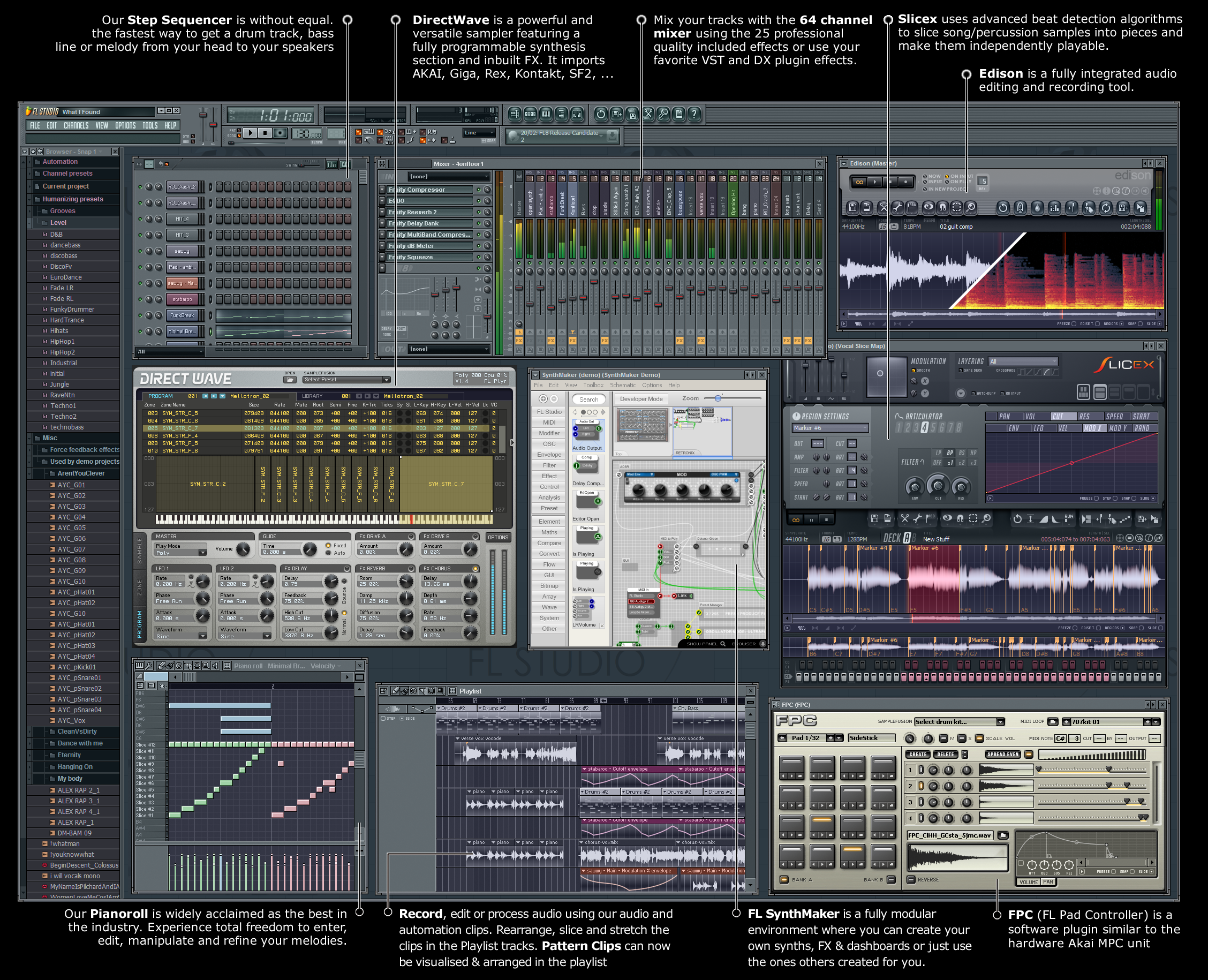
Instruments
Make virtually any sound. FL9 includes 29 virtual synthesizers covering acoustic/synthetic bass, electric guitar and plucked string simulation, sampler tools including piano, general sample playback, and beat-slicing, and a range of synthesis techniques (subtractive, modelling, FM, granular and additive). With FL Studios newest addition, FL Synthmaker – a fully modular environment, you can now create & share your own FL instruments, effects & dashboards without the need to write basic code.
Audio Recording & Editing
Capture audio from a single vocalist or a full symphony orchestra. FL9 can record up to 99 simultaneous tracks of audio. The Playlist workspace can contain an unlimited number of audio tracks and allows you to arrange discrete audio events in any order or position the creative process dictates with complete flexibility. Audio tools allow the user to time-stretch, pitch-shift, beat-slice, chop, edit and creatively destruct audio. FL9 audio editing is further enhanced with Edison, the recording wave editor. Edison is a fully integrated audio editing and recording tool with spectral analysis, convolution reverb, loop-recording, loop-construction tools and more. FL Studio imports/exports WAV, MP3 and OGG formats.
Sequencing
Record musical performances and ideas in the most logical way. FL9 functions as both a pattern and track based sequencer, depending on user preferences. Tools include an unlimited track Step-sequencer, an industry-leading Piano Roll and Automation Clips. FL Studio supports MIDI and input from all standard Controllers. FL9 is the fastest way from your brain to your speakers.
Arranging
Determine your own project design. In FL9, you decide how your project will be laid out. Unlike the competition, FL9’s Playlist is a totally flexible and virtually unbounded space where Note Pattern, Audio and Automation data can be arranged and edited to suit your creative ideas and preferred workflow.
Mixing/Mastering
The most powerful mixer in its class. FL9 includes an industry-leading 99 stereo track mixer. Each track can hold a stack of 8 effects (VST, DX or FL) and, if desired, be routed to any of the other 99 tracks or one of 4 dedicated ‘send’ channels. The 44 included effects plugins span – Maximization, Limiting, Compression, Delay, Distortion, Equalization (graphic & parametriuc), Filtering, Phasing, Flanging, Chorus, Vocoding and Reverb. These will take you from the creative broad-brush effects like reverb, through to the minutia of the mastering process with multiband compression/limiting and parametric EQ.
Lifetime free updates
Registered FL Studio users who purchase the download edition of the program receive lifetime free updates to the level of the program they buy (Express, Fruity, Producer or XXL edition). For example, all FL Studio 8 customers will be able to download FL Studio 10, 11, … for free. Boxed edition users can purchase lifetime free updates for a nominal fee.
Formats
FL9 will fit easily within your current workflow supporting VST/VSTi/VST2, DXi, DXi2, MP3, WAV, OGG, MIDI, ASIO, ASIO 2. Additionally supported through DirectWave Editor : AKAI AKP (S5/6K,Z4,Z8), Battery (version 1), MPC, Reason, Kurzweil, EXS24, Kontakt (version 1 & 2), Recycle, SFZ+ and SoundFont2.
Do you want to try out FL Studio, the DEMO version can be found here >>
First full length album made on an iPhone
Many single tracks have been produced on the iPhone, but this is more, much more LOL and even a music video made using nothing but the iPhone, but New York outfit Nuclear O’Reilly claim to be the first band to make a whole album using Apple’s touchscreen marvel. The work is titled Phoning It In, and the duo’s App of choice? Intua’s amazing Beatmaker. See/hear all about it in the video below…
[youtube=http://www.youtube.com/watch?v=CzGnZRcyzSs&feature=player_embedded]
Synchronize multiple collections of Traktor PRO automatically
I really like how DJ Josef Prusa has been using SugarSync to synchronize Native Instruments’ Traktor Pro DJ software, so that he and his brother have their full music collection at the ready at gigs. (Naturally, this same technique means that if one of their MacBooks should die, bro to the rescue!) Not only does music get synced, but playlists, collections, MIDI mappings, and settings do, too. Now, you could use something like the ubiquitous free command line utility rsync to do the same thing, but SugarSync has the advantage of giving you cloud storage, too, so you have an additional backup and always-on access to your files.
What is synced?
- playlists
- collection
- midi mapping
- settings
- music
SugarSync

Multi mode gating
Found this great video uploaded by thedeepelement, below is what he writes about the test:
“‘m testing out a)Make Noise’s Quad Multi Mode Gate (qmmg) module and b)Flip’s UltraHD camcorder. I wanted to share a video of how extreme the module can get with normal Tip Top Audio and Cwejman waveforms. I first preview all four channels without activating the gates. Then I turn all the channels to VCA, Both, LP and finally HP modes. After that I manually mangle the sound and return back to VCA mode. Everything is coming out of the summing mixer. So in short you get a Mixer, VCA and multimode filtering. Why don’t you have this yet?”
[youtube=http://www.youtube.com/watch?v=nMnsFtM8sv0&feature=player_embedded]
DATAMASKIN

