
Does the world really need another drum synth?
If we’re talking about Rob Papen’s Punch, then the answer is YES. Check out this video to see how to divide up your drum parts in Punch and process each individually.
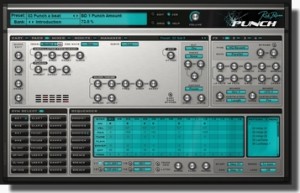
With Punch, Rob Papen delivers a brand new speaker busting, body rattling software instrument. Punch delivers synthesized drums in the finest audio quality and with breathtaking features for the contemporary producer.
You can can use synthesis and the build in samples to build your own unique sounding drum-kit, but also your own samples can be loaded into Punch to complete your kit. Your sounds can then be crafted using the stunning features, filters and huge synth power we all know from other RP synthesizers.
Punch has a unique sound but also built in sequencers, allowing you the user to have multiple patterns at your finger tips. These grooves can be triggered in a live environment to build a song, but are also great for just improvisation and jamming!
Also featured are a growing amount of drum-kits built by 3rd party designers and famous DJ’s which complete the arsenal of power that is Punch…
Chip music: Beat The Elite in the Demoscene
Casual talk I gave at the CoDaMe ART & TECH party in San Francisco. I’m embarrassed that I glossed over so many details, especially with an original member of Future Crew in the audience, but I hope that I sparked some fingers to get into (or back at) being creative using code as their crayons!
Also want to mention that Sit Up Straight Kids (music for the Binary Alchemy production) was a musical collab with my :|kREW mate Albert who released a great catalog of his stuff as mp3s/wax at bbpwc.com/tgnp020/
More exciting coverage of the after-the-talks party is up on vimeo too! vimeo.com/23732051
0h, and the tech difficulties that were solved last minute … a big hum would occur if both the audio and projector were plugged into any of the computers we were using for presentation. Not surprising since the projector cable was as long as the room and crossing over a bunch of cables and hung from the ceiling etc, impossible to fix. The solution I saw was to stream either the video or audio to another device, breaking the physical connection. I chose audio since it’s lower bandwidth and installed RemoteHD on my iPhone and the presentation computer. No more hum! However, the audio was behind the video since it was streaming. This was compensated for in VLC by setting the audio delay to -2500 milliseconds. I was able to play both Binary Alchemy by Northern Dragons and Elevated by RGBA & TBC in perfect sync on the big screen =)
Reactable goes Android

The upcoming Sonar electronic music festival in Barcelona will be the setting for the much awaited release of the award winning Reactable Mobile for Android!
Reactable mobile is a versatile synthesizer that allows you to generate, play and process your own sound samples and audio input. Change the sound as it flows with a great variety of effects and filters. Generate melodies with the sequencer modules. Load and store your sessions and share them with your friends. A complete and flexible live performance instrument with professional audio quality in your pocket.
The Reactable Mobile is now part of the ever growing range of products which use the Android platform. With this version of Reactable Mobile dozens of Smart phones and Tablets with various sizes and features can be converted into a portable music making tool for musicians, Dj’s and sound artists. It is also one of the first music applications which have a version for Android tablets as well as for Apples iPad.
Exploring the revolutionary Reactable concepts has never been easier than this. Learn more about the Reactable mobile at: http://www.reactable.com/mobile/
Major update of Tone2’s ElectraX has been released
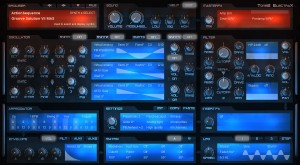
Tone2 has released version 1.2 public beta of ElectraX, a virtual synthesizer instrument for Windows and Mac.
ElectraX v1.2 will be available soon. We added a huge number of new features and improvements. This update will be for free for all ElectraX customers.
Changes in ElectraX v1.2 (public beta)
- New features:
- ‘Load patch to synth’ allows to stack up to 4 patches for fat multitimbral sounds.
- ‘Copy’ button now includes the option to create 4x stereo unison patch.
- The filter section has been extended with multiple unique Fractal Filters. These innovative, new filter types are exclusive and not available from any other company..
- Analog modeled ‘Moog’ filter (Analog controls self oscillation and non-linearity).
- Analog modeled State Variable Low-pass with ‘Filter-FM’ (analog controls FM amount).
- Nonlinear 12dB Low-pass ‘LP Shaped’ filter.
- Native PC 64 Bit standalone version.
- 20 additional patches.
- The oscillators now support drag&drop for wav and resynthesis import.
- Samples longer than 10 seconds can be loaded now.
- Loop/Single is automatically set on sample import.
- Octave/Semi is automatically detected from sample name (e.g. Piano_A-3.wav).
- Last directory is remembered on wav load and fxp load/save.
- Mod Matrix destination ‘Start’ sets OSC start phase or sample start point.
- Mod Matrix destination ‘Mix’ crossblends between filter1 and filter2.
- Mod Matrix sources ‘Midi CC’, ‘Breath’, ‘Foot’, ‘Expression’, ‘Hold’….
- Mod Matrix source ‘VoiceNr’ returns a value which depends on the current voice number.
- Mod Matrix source ‘NumKeys’ counts the number of pressed keys for more dynamic expression.
- Mod Matrix source ‘KeySat.’ returns a saturated version of key follow.
- Mod Matrix source ‘Impulse’ returns a 1ms long impulse suitable for attack sounds.
- Mod Matrix: 12 additional analog ‘Decay’ envelopes as source.
- Improvements:
- Improved graphics with 4 new skins.
- FM on/off, OSC on/off, Distortion type and Sync can also be changed during playback.
- Oscillators that are FM modulated by a deactivated source do no longer output noise.
- Many improvements in sample handling.
- Up/down controls now display an arrow and are more smooth to handle.
- Improved sound when using glide mode.
- ElectraX is more robust against broken Midi data which is sent by hosts.
- Improved CPU compatibility.
- Waiting icon is now displayed during patch load.
- ‘Analog’ psychoacoustic mode has been improved.
- Smarter installer.
- Changes:
- Trancegate is now only available as Insert Effect.
- Fixed:
- Fixed a crash which could happen if patches were loaded during playback.
- Fixed a possible problem with could result in hanging notes.
- Fixed a rarely appearing problem where the plugin did not output sound.
- Fixed a rarely appearing GUI freeze.
- Fixed a click in sample playback.
- Fixed a possible glitch in the filters.
How to control your GarageBand set up from afar
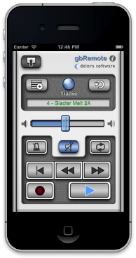
Control Apple GarageBand from afar with the Delora gbRemote app from Harmony Systems. Available for iPhone and iPod Touch, gbRemote functions as a remote controller for the GarageBand music-creation program for Mac.
GbRemote emulates GarageBand’s most frequently used transport functions — Play, Record, Back, Forward, Beginning, and Loop — plus other important functions like Master Volume control and Mute. You can view all tracks in a song, select a new current track, and change individual mute and solo track attributes, all while away from the confines of your computer, mouse, and keyboard. All controls are sized for easy touch accuracy and visibility. What’s more, gbRemote automatically adjusts its layout for best viewing and functionality in both landscape and portrait orientations. In Portrait mode, all controls can be accessed with one hand.
In addition to supplementing the use of mouse and keyboard to control GarageBand, gbRemote also serves as a control surface for GarageBand. According to Harmony Systems, the app makes music creation more productive and allows you to control GarageBand from anywhere in the studio within Wi-Fi coverage.
GbRemote requires the installation of gbLink 2.0.1, a free OS X application that allows gbRemote to communicate with GarageBand using a Wi-Fi network.
What you can do with Delora gbRemote:
- Control transport functions (Backward, Forward, Beginning, Play, Record, Cycle)
- View all tracks in your song
- Enable / disable mute and solo for each track
- Adjust overall Master Volume
- Disable all volume during playback with Mute
- Current track’s name is displayed and color coded by type
- Select a new current track
- Enable / disable Metronome
- Create a new track
- Undo an action
- Save a GarageBand file
- Supports installations of gbLink on multiple computers
Requirements:
- iPhone or iPod Touch running iOS 4.2 or greater
- Apple GarageBand ’11 or ’09 application installed on your Mac
- gbLink 2.0.1, Delora Software’s free OS X application
- Wi-Fi access to same computer where gbLink is installed
- iPhone / iPod Touch Bluetooth must be set to Off during a gbRemote session to ensure reliable communications with GarageBand
The gbRemote app is available for $2.99 from the App Store. For more details, visit delora.com.
Analogue Synths & Sequencers
The most strange lady in the world of synths are back with a new video together with her Bob Moog doll 
Hi lovely Synthfreaks, this is a new inspiration from me with my analogue instruments. The lead comes from the Minimoog, the Sequences comes from the Dot.com Modular & GPP A 8 Synth, Voices are from the little Doepfer Dark Energy and the Roland Juno 60. Welcome to the analogue Sound Universe.
Fairly complete overview of the SampleWiz
This is an informal but fairly complete overview of SampleWiz. A Universal app for iOS. We plan to submit in the next few days and hopefully it will arrive on the app store by the end of the June 2011. Remember-you can always hit the question mark for onscreen help. For more JR app coverage you can visit:
http://jordanrudess-apps.blogspot.com
Mac track pad game
Bit Pilot 2.0 – Mac (at Babycastles) – Controlled by Magic Trackpad! from zach gage on Vimeo.
I guess game is not much covered on these pages but I think Bit Pilot by Zach Gage is not only innovative by using the Mac track pad as a game controller (and we love controllers) also the music is top notch!
Bit Pilot 2.0 – Zach Gets 14k in Super Massive Mode from zach gage on Vimeo.
http://bit.ly/BitPilotDemoMac
Draw your sounds – Introducing Artikulator
Artikulator is an app for your iPad that lets you draw sound. Break free of the grid with Artikulator! Check it out in the App Store: http://itunes.apple.com/us/app/artikulator/id439286191
Flux is a new member in the Moog family, check it out here
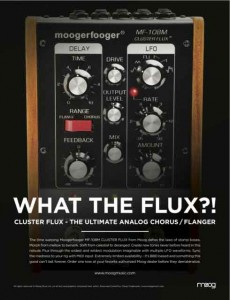
Moog have a new member of their Moogerfooger family coming soon. The MF-108M Cluster Flux will be officially announced later this week but the news has already leaked out, so, what the Flux? Here’s what Moog has to say…
It’s an analog BBD based chorus flanger w/ Tap Tempo modulation for guitar players, and extensive MIDI control for keyboardists, recording, etc. This new Moogerfooger takes the Chorus/Flanger to a completely new level, significantly expands the musician’s sonic palette; and is CV as well as MIDI controllable.
This will be a limited availability product. The MF-108M Cluster Flux uses BBD (Bucket Brigade Device) chips that were specifically designed for the short delay times associated with chorus / flanger type effects. But like all BBD devices (e.g. the MF-104 Analog Delay) the availability of this chip is very limited. We are constantly looking for more supply but as with the MF-104, the supply will be limited by chip availability.
Features:
- The Cluster Flux provides warm, great sounding analog chorus / flanger / vibrato effects. In addition, it has a much wider (and wilder) range of modulated delay line effects than traditional chorus / flangers due to the extended range of front panel controls, the multi-waveform LFO, and the extensive CV and MIDI control.
- The LFO has six waveforms. Use sine or triangle for classic chorus flanger effects. Check out the Sample and Hold, Square, Sawtooth, and Ramp for radical new sounds. There are no analog chorus / flangers that have a sample and hold capability
- In Flange mode, you adjust the delay time from approx. .6 to 10 milliseconds. In Chorus mode, from approx. 5 to 50 milliseconds.
- The Feedback control is continuously bi-polar for both non-inverted and inverted feedback for flanging with even or odd harmonics.
- The MF-108M has both input drive and output level control so you can use it from instrument to line level.
- Parameters are MIDI controllable and the MF-108M will ship with an application editor for managing the array of possibilities. Just one example of the many applications: Control the delay time with MIDI notes for “tuned” flanger comb-filter effects.
- There’s a Feedback Insert jack on the back for external processing of just the wet signal just after the BBD’s.
- The design includes high voltage MN3007 BBD’s for their superior headroom and excellent signal to noise ratio.
Pricing and Availability:
Expected to begin shipping in late summer.
More information:
DATAMASKIN

