
Using Multi Cues & Loops – Tutorial
http://youtu.be/ktADwlMuDnU
Here’s a brand new tutorial from MixrDJ – Learn how to master the multi cues to quickly produce loops, cuts and remixes with muscle memory exercises and technique. Mixr features 4 hot cues that allow you to instantly go back to a specific point in time. You can tap on multi cue/loop button to activate the panel. To set a cue, simply tap on the “set” button, or the “in” buttons in the multi cue panel to set your markers. Each marker is color coded to help differentiate the multi cues.
You can set up to 3 manual loops by setting “out” points and enabling the “loop” function. You can clear out the in and out points by tapping on the “in” and “out” buttons. Each multi cue is saved and can be used when you reload your tracks. Each deck can save a different set of multi cues per song allowing you to customize your cue sets. Alright, and thats how to use multi cues and loops. Remember, each deck can save a new set of multi cues per song. Don’t forget to follow us on twitter, Facebook and subscribe on youtube, we’ll see you guys in the next video.
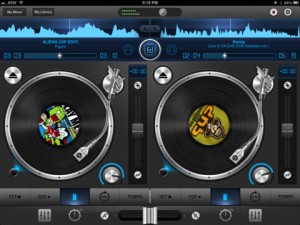
Mixr delivers a rich feature set designed for mobile DJ’s. You can pitch, tap to tempo, scratch, multi-cue and mix with precision. You can manage your iPod library with the revolutionary Crate Manager. Make crates with the touch of your finger in the drag-n-drop interface, you have complete control over your mixes. Featuring high quality DSP effects, you can add Delay and Reverb to your mixes to add that extra punch to your sets. Supporting mono split audio output, you can monitor pre-cueing with your headphones for live performances. Record your mixes and play them back in a sleek player. Recording a mix automatically creates playlists! Turn your iPad into the best mobile DJ Turntable Studio, with Mixr.
Check out the demo of Rockmate – version alpha – Fingerlab
http://youtu.be/U3z4ww2e2es
Rockmate Version Alpha demo test- Fingerlab
http://www.fingerlab.net/rockmate
Rockmate is ready to rock !
We have developed Rockmate with the intention of delivering the best realtime rock music performance environment for iPad. Your guitars are always well tuned, no need to carry your drum-set or to patch your keyboard. A smart metronome and a realtime looper will help you to compose and record your songs and demos. Share your recording by mail, Facebook or iTunes sharing folders
Specifications:
✔ Realistic design and animations
✔ High quality samples*
✔ 4 players available in one single iPad
✔ Realtime Looper with unlimited undo
✔ Metronome with light and custom sounds
✔ Mixer with level and pan control
✔ Realtime Fx (distortion, multiFX, powerchord)
✔ Chords progression customizable (select 2X4 chords from 160)
✔ Guitar open tuning
✔ Save your styles (Chords progression, FX, Drum, keyboard style…)
✔ Audio Background
✔ Export: .wav or .aac
✔ Sharing: iTunes sharing folder, Facebook and Email.
*All samples have been selected from most the famous rock instruments, recorded, edited and mastered at Fingerlab professional studio: Jazzmaster,Stratocaster, Ludwig, Gretsh, Melotron, Rhodes, Wurlitzer…
Get iPhase electronic instrument for free

“!!!!!!!FREE FOR A LIMITED TIME!!!!!!!!!!!!
iPhase is a generative music application made by Mikael Holmqvist.
Create amazing beats and melodies with the swipe of your fingers and watch it bounce back and forth on the iPhase grid. Choose from 5 different instruments and drum kits and 14 different musical scales.
Make sure to use loudspeakers or headphones for best possible sound quality!
—————————————————
NEW IN iPHASE 2.0
—————————————————
– Make more complex and better sounding beats with “bounceEdges”
– Save/Load function
– SHARE your beats to the iPhase Community and listen/play along/vote for others.
– Play iPhase arcade modes
—————————————————
—————————————————
INSTRUCTIONS/DETAILS
—————————————————
-SWIPE in any direction to create a TONE. Tones are higher towards the top and right side of the grid. The tones will move on the grid in the swipe direction and continue bouncing between the edges of the grid and the start position of the tone. Every grid edge have its own instrument and you can change the setup whenever you want using the instrument buttons.
– TAP the grid to create a BOUNCE EDGE. When a tone hit a bounce edge, it will turn 90 degrees and change instrument. Tap again to change the orientation of the bounce edge and tap a third time to remove the bounce edge from the grid.
-The tones are arranged in PENTATONIC MUSICAL SCALES which makes every swipe sound good. You can change the scales choosing from a total of 14 major and minor scales – the possibilities are endless!
-Use the PLAY/PAUSE BUTTON to pause your beat. Tones can still be created in pause mode and this can be used to make your beat more precise.
-Use the LOOP MODE TOGGLE BUTTON to switch loop mode on and off. This can be used to first create a cool beat in loop mode and then switch it off to start playing some melody to your beat.
-SHAKE your device to create a RANDOM BEAT. Good when you run out of ideas and want some inspiration from chance.
-SAVE your beats with the SAVE BUTTON. They will then be found in “my saved beats” on the main menu.
———–THE iPHASE COMMUNITY————-
One of the biggest new features of iPhase 2.0 is the iPhase Community. Share your beats to the community and listen to (and play along with) others. There is also a rating system and you can vote for beats on a scale from 1-5.
———————————————
———–ARCADE- and ∏ MODE———–
There are 2 new arcade modes available in iPhase 2.0. Standard arcade mode is a memory game ála “Simon Says”.
The second arcade mode is called π-mode and is not unlocked until you score 30 points or more in arcade mode.
TOP 10 high scores from both arcade modes will be shown in the iPhase Community!
———————————————-
ENJOY!! and remember to use headphones/loudspeakers for best sound quality!!”
Make music with your voice, or any sound!
Background info: Everyday Looper allows you to record 4 musical phrases – 6 on an iPad – and loop them right away. You can then mix and merge them on the fly. Your Adventures Into Sound begin here – Live Looping on any iOS device! Perhaps the easiest introduction into this DIY music style which is taking the world by storm.
New In Version 1.5
STEREO TRACKS
• Pan your tracks. Compatible devices : iPhone 3GS, iPod Touch 3G, iPad and newer.
MIDI CONTROLLERS
• Record, Play/Pause and Stop can be triggered by a MIDI controller through Core MIDI.
2 INPUT CHANNELS
• Record channel 1 or 2, both simultaneously or as a stereo source. Require an audio device that provides 2 input channels such as the Alesis iO Dock.
“Can ANYONE guess what the Mystery Object is, near the end of the video? “
Teaser pics of the new Rockmate for iPad

Fingerlab is bringing the amazing new app called Rockmate to the app store soon. “We have developed Rockmate with the intention of delivering the best realtime rock music performance environment for iPad. Your guitars are always well tuned, no need to carry your drum-set or to patch your keyboard. A smart metronome and a realtime looper will help you to compose and record your songs and demos. Share your recording by mail, Facebook or iTunes sharing folders.”
Here are the features:
- Realistic design and animations
- High quality samples*
- 4 players available in one single iPad
- Realtime Looper with unlimited undo
- Metronome with light and custom sounds
- Mixer with level and pan control
- Realtime Fx (distortion, multiFX, powerchord)
- Chords progression customizable (select 2X4 chords from 160)
- Guitar open tuning
- Save your styles (Chords progression, FX, Drum, keyboard style…)
- Audio Background
- Export: .wav or .aac
- Sharing: iTunes sharing folder, Facebook and Email.
iOS – SoundMashine and an Addictive microSynth
Simple and basic, but serves its purpose
SoundMashine granular synthesis based sound sampler and sequencer app for iphone 4 ipad 2, sound sequencer
SoundMashine is a granular synthesis based sound sampling and sequencing instrument.
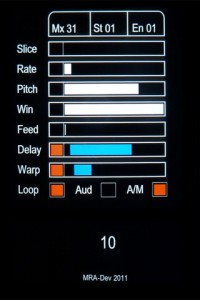
Fully utilising touch gestures to provide a fast and easy to use compositional tool. The app records sound using the devices built-in microphone, then divides the sound into slices which are then automatically assigned to each of the 16 screen tiles. Each tile has its own set of parameters allowing you to adjust window size, playback rate, pitch, feedback, delay and delay modulation, all of which are easily set by the swipe of a finger. Each parameter listed can also be randomised between a set of assignable values. Using the sequencer function patterns of tiles can be recorded and played back at different speeds, again using simple touch gestures.
With its flexibility for working with sound at different pitches, rates and sequencer speeds, SoundMashine lends itself well to a variety of compositional paradigms, from beat based through to drone or noise based music forms.
Combines the synthesis power of Addictive Synth with an easy to use 4 track loop recorder. It was never so easy to create beautiful sounds and driving loops.
The unique dynamic wavetable synthesis allows you to explore an unprecedented wide range of sonic territory. From acid loops, crystal clear percussions, realistic human choirs to complex musical soundscapes nothing seems impossible with only a handful parameters to tweak.
iPad – DM1 The Drum Machine Demo
“Demo of the various drum machines the DM1 utilises for its sounds. I basically use a simple pattern to audition the drum machines.”
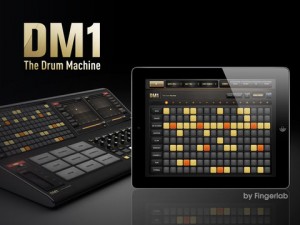
DM1 is an advanced vintage Drum Machine. It turns your iPad into a fun and creative beat making machine.
Easy and fast to use, loaded with 40 superb electronic drum kits and beautiful hyper-realistic graphics, DM1 has been designed for a lot of instant fun.
As electronic musicians ourselves, we, at Fingerlab, have developed DM1 with the intention of delivering the perfect mix between fun playability and powerful sonic capacities. We always keep in mind the importance of a beautiful design with the right balance of powerful abilities while avoiding clumsy, overbusy interfaces.
Check our 40 electronic drum kits. 18 classic vintage drum kits plus 22 in-house produced electronic kits, edited and mastered at Fingerlab professional studio.
DM1 offers 5 main sections:
1 – THE STEP SEQUENCER frees your imagination with a smart use of the multi-touch screen. Just turn on and off steps in your sequence with the tip of your fingers to create cool beats, or unexpected rhythms!
2 – THE DRUM PADS simply lets you play and record the beat that tickles your fingers. No need to be a first-class drummer, automatic quantize does the work for you.
3 – THE MIXER for quick and subtle sound mixing of your drum kits. Featuring settings for volume, pitch, sample length, custom drum kit element for each channel, mute and solo mode.
4 – THE FX TRACKPADS a creative duo of FX trackpads to distort, modulate and transform your beats. The effects include: Overdrive, Delay, Phaser, Texturizer, Robotizer, Filter and Compressor.
5 – THE SONG COMPOSER allows you to quickly make a song with the beat patterns you have created. Just drag and drop the patterns onto the timeline. Fast and easy.
Specifications:
✔ Graphic design by Jonas Eriksson
✔ Smart ergonomy for fast creativity and fun
✔ 40 vintage and produced drum kits, mastered at in-house Fingerlab Sound Studios
✔ Mixer page with pitch, length and level rotary controls, pan controls, and custom drum kit per channel
✔ Extra fast drum kit loading
✔ Playable pattern selection for extra creativity
✔ 9 Big Drum pads, quantized recording and MPC-like Repeat touch-stripe
✔ Step Sequencer with multi-touch matrix
✔ Duo FX Trackpads for real-time sonic destruction and multi-FX
✔ Mode song with intuitive editing
✔ High-quality export to email or iTunes shared folder
✔ Audio background mode
In development:
✔ WIST
✔ AudioCopy export
✔ Samples import
✔ MIDI
Free cool ambient iPhone music app – Fuji Leaves
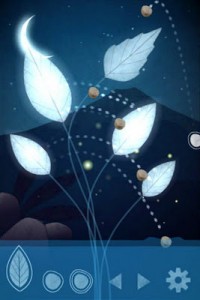
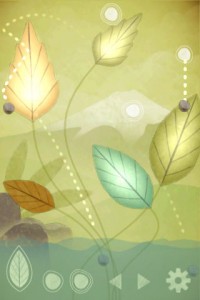
Fuji Leaves is an interactive music application where you use leaves and falling stones to create music. When a stone hits a leaf, the leaf produces a sound. Different sounds play depending on how the stone hits the leaf. You can move, rotate and scale leaves in a near infinite amount of combinations, each combination resulting in a unique sound everytime.
The goal with the game is for you to relax and play it in the way you enjoy the most. Try it out!
Features
- Create songs using leaves and falling stones
- Add and remove leaves and stone creators as you please
- Move, rotate and pinch leaves and stone creators in a near infinite amount of combinations
- Undo & redo your actions
- Save & load the songs you make
- Share them with your friends through facebook connect
- Easily download your friends’ songs
Derek Buddemeyer demo Phrase Sampler in JamUp
Derek, (Hangnail Guitars), shows a demonstration of JamUp PRO by PositiveGrid with a few amp models/effects and overdub capabilities of the phrase sampler.
Available in the iTunes App-Store!
http://www.positivegrid.com/jamup/
JamUp is a guitar/bass multi-effect app, gives you a load of authentic guitar tones, sound-on-sound looping and 30+ modules right on your iPad and iPhone!
Powered by the newly developed multi-stage MESH Modeling engine, JamUp includes 6 historic amp models and 6 matched convolution speaker models, comes with classic and fuzzy stomp, spring and digital reverb, tangy modulations, tape and digital delays, filter, compressor, noise gate and other essentials.
JamUp is born with great “play alone” capabilities. The phrase sampler can capture loops and riffs and create instant sound-on-sound overdubs, it’s the easiest way to create a one-person-band sound in minutes. With the Jam Player, you can play along with any tracks from your iTunes library, plus, you can easily create a loop and control the tempo and pitch with built-in high fidelity time stretching engine.
Donut the 2D looper – Loading Files demo
New version of Donut the two-dimensional looper for iPad featuring file loading.
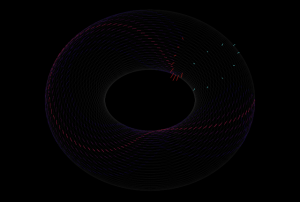
Inspired by the IBM tape loop machine, Donut is the latest release from The Strange Agency. This sound sequencer is a strange one, like the old IBM machine, it makes time two-dimensional by first creating a three dimensional loop and two dimensional sound. It does this by first looping a linear track, then multiplying it into stacks and finally taking the loop stack, and wrapping it itself into a loop, just as the original linear recording is looped.

You use Donut by recording sound into (or through) it, and playing the recorded sound back. You control the playback and recording heads with a 2d vector for each, determining the rate at which the head steps through the loop and loop of loops.
There are still quite a lot of sample points in there and therefore the 2d surface can be very sparse. Imagine if we recorded on the Donut in one direction, but played back in a perpendicular direction. We would only hit one sample of the recording amidst a loop of silence. Thus, Donut can create extremely sparse soundscapes.To make the soundscapes denser, Donut lets your record and play sound with multiple heads (or, using a synthesizer term, voices). These heads can be spread out across the loop surface in both dimensions, creating some awesome temporal effects.
DATAMASKIN

