
Loop Twister for iOS – audio demo
Loop Twister is an interactive sample player that allows the real-time mixing and processing loops on your iPhone and iPad.And here’s there pitch:
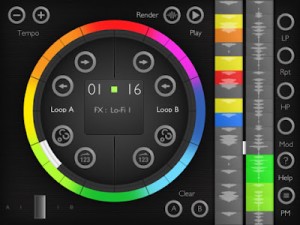
Loop Twister is the most advanced and intuitive beat-remixing app. It turns your iPad and iPhone into a creative and powerful machine designed for playing and realtime processing of musical loops. Easy to use, loaded with 64 fresh sounding loops and quality DSP effects gives you endless possibilities of new making sounds for using in your own beats or just for playing and having fun.
Enjoy a range of cutting-edge studio loops made by Marcin Cichy, co-founder of “Skalpel” music act that released several Eps and albums on famous Ninja Tune label. Marcin currently works as music producer and mastering engineer at PlugAudioMastering.
KEY FEATURES
☯ Simple, easy to use and intuitive interface. It looks exactly the same on both iPhone and iPad.
☯ 8 high-quality DSP effects including LP & stereo HP filters, pitch bender, foldback distortion and bass booster/ring modulator, LO-FI resampler and more.
☯ 2 banks of factory loops ( 32 loops each) -great source of samples for electro house, dubstep, grime and hip hop tracks including drums, percussions baselines and chiptune sounds.
☯ 16-step programmable sequencer for adding effects to loops with optional randomization.
☯ Pattern manager for saving and loading sequencer settings.
☯ Built-in wav rendered that allows to record your own loops and export them for using in other music apps on your iPhone, iPad or a computer. Loop Twister supports Audio Pasteboard and iTunes file sharing.
☯ Import of custom loops for playing, processing and mixing with factory sounds.
☯ Fast and accurate crossfader.
☯ Tempo range : 60 – 240 BPM.
☯ Built-In help and a comprehensive user manual (available online).
☯ Universal app.
Time machine: YAMAHA CS-10 Analog Synthesizer 1977
The YAMAHA CS-10 came out 1977. It is a monophonic synthesizer equipped with 1 VCO, 1 multimode resonant filter (highpass, lowpass, bandpass, but self oscillating of the filter is not possible – why?), 1 LFO, 1 noise generator, 2 envelopes. It also has an external signal input. This is great for processing signals – a bit like Korg MS-20 (I did this with a Roland TR-606 in the video). The LFO is very fast. It has CV and trigger inputs/outputs.
A nice little synth with some nice sounds!
“I played the CS-10 along with a Roland DEP-5 (delay) and a Lexicon MPX-500 (reverb).”
PreSonus releases entry-level Studio One DAW Free
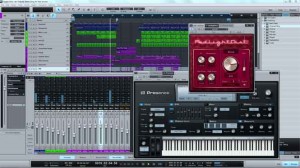
PreSonus is now shipping Studio One Free, a new entry-level version of its DAW for Mac and Windows.
Intended for beginners who don’t yet need the advanced features in Studio One Artist, Producer, and Professional, Presonus says that Studio One Free provides all of the recording and editing features needed for basic music production-and as its name implies, it’s free.
To get Studio One Free, simply download the Studio One installer from the Studio One Web site, install it, and then choose to run it as Free when the activation dialog comes up. Once you have downloaded the application, you can use it immediately; no Internet connection or user account is required, no product key is involved, and Studio One Free will not time out.
This new version of Studio One has some of the features originally found in Studio One Artist, including the single-window work environment, the content browser with Search, powerful drag-and-drop functions, Control Link MIDI mapping, sidechain routing, automatic delay compensation, real-time audio timestretching and resampling, unlimited audio and Instrument (MIDI) tracks, unlimited effects channels, and unlimited channel inserts and sends. Use native key commands or choose key-command sets from Pro Tools, Cubase, or Logic-or use the included editor to create your own key commands.
Studio One Free offers some of the new Studio One 2.0 features, notably multitrack MIDI editing, single and multitrack comping, and Track Transform (advanced track freezing). And includes the same 32-bit sound engine found in Studio One Artist and Producer.
Eight Native Effects plug-ins come with Studio One Free – Beat Delay, Channel Strip (which includes dynamics processing and EQ), Chorus, Flanger, MixVerb (a mono/stereo reverb), Red Light Distortion, Tuner, and Phaser – plus the Presence virtual instrument with more than 100 presets. Like Studio One Artist, Studio One Free does not support ReWire and third-party (VST, AU, etc.) effects plug-ins and virtual instruments.
Of course, Studio One Free does have limitations compared to Studio One Artist. For instance, a number of Studio One 2 features are not available in the Free version, including Folder Tracks, Transient detection and editing, groove extraction, and PreSonus Exchange integration.
“Studio One Free provides a great introduction to the Studio One line, and it’s very easy to upgrade to from Free to one of the advanced versions. Download the free demo of Studio One Professional, test it thoroughly, and at any time-even after the demo times out-convert it into Studio One Free with a single click. Ready to buy Studio One Artist, Producer, or Professional? Convert Studio One Free into a paid version at any time, without having to reinstall.”
Pricing and Availability:
Studio One Free is available now from the PreSonus Studio One Web site.
More information:
Check out the new Paint2Sound app
“Paint2Sound is a neat little free application for converting any .jpg or .bmp image or any picture you care to draw/paint, into a soundscape. Each pixel row represents a frequency band. The application synthesizes sine waves for each pixel row with an instantaneous amplitude determined by the brightness of each pixel in the pixel row, and then sums together all the sine waves. There is user control over various parameters like sample rate, sound duration, how frequencies are distributed across the pixel rows and the overall level in the mix of each sine wave. Can never have enough wacky sound sources I say…”
DAF re-issues their debut album
Out via Bureau B on May 11th is the reissue of the 1979 debut by D.A.F. aka Deutsch Amerikanischen Freundschaft. The band then consisted of Rober Görl, Wolfgang Spelmans, Kurt Dahlke (Pyrolator) and Michael Kemner. D.A.F. connoisseurs of course know about the early phase of the Dusseldorf-Wuppertal band but for most fans of the later work by the duo this debut will sound rather shocking. Expect purely instrumental, unstructured noise rock.
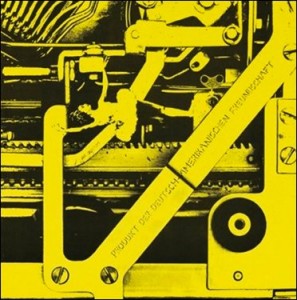
“A product of German-American friendship” first was released in 1979 on Warning Records, later Ata Tak. The reissue in digipak contains liner notes by Carsten Friedrich (Super Punk) plus rare photos and memorabilia. The LP is on 180 gram vinyl.
Via SL
Reactive – new upcoming AudioUnit plugin
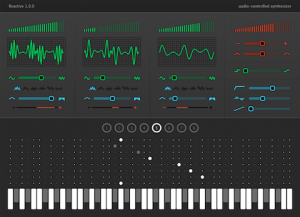
Sinevibes has introduced Reactive, its upcoming AudioUnit plugin developed to turn any audio into melodic material.
Unlike conventional keyboard-controlled synthesizers, Reactive detects the input signal’s dynamic envelope and transforms it into pitch information via a note matrix that has eight switchable patterns. The envelope and pitch are then used to drive three distinct synthesizer engines – waveshape modeling, phase modulation, and subtractive with ring modulation – allowing you to come up with interesting motion sounds, from pulsating drones and melodic strums to fat basses and weird glitch lines. Like all Sinevibes products, Reactive will be simple and fun to use, with a color-coded interface and fast response.
- Use any sound source’s dynamics to generate new melodies.
- Instantly transform vocal beat-boxing or simple microphone tapping into bass and synth lines, glitches, and noises.
- Turn rhythmic audio material into interesting strumming or arpeggiating synthesizer sounds.
Reactive will be available late April or early May 2012, and can be pre-ordered now for $19 USD (regular $29 USD). Customers who purchase the Sinevibes Complete AudioUnit pack starting from today will receive Reactive free of charge. Reactive will come as a 32/64 bit AudioUnit plugin for OS X 10.5 or later.
Koushion and Moog Slim Phatty
Just a quick test run.
“Koushion is a new kind of MIDI controller for your iPad, and is similar to the Yamaha TENORI-ON. While it looks like a simple Tone Matrix step sequencer, this is no toy.”
It allows you to wirelessly control your music production software on your Mac or PC over a network. The tone matrix and variety of settings available in Koushion make it the perfect tool for creating your next track or performing live at your next gig.
Features:
* 16-step sequencer with a 2-octave range.
* Integrates with your hardware MIDI setup via the iRig MIDI iPad accessory from IK Multimedia!
* Connect wirelessly via a either a connector application (for Windows) or CoreMIDI (for OS X).
* Syncs to any MIDI clock source or sends a MIDI clock signal so that the performance or production always stays synced.
* Tap to set tempo (great for syncing with a live band)
* Plays up to eight scenes/banks individually (wrap-around or rebounding loop), chained in succession, or simultaneously.
* Adjustable quantization.
* Switches easily to any major, minor, or pentatonic key with the push of a button.
* Chromatic scale mode (useful for drum machine programming).
* Configurable scene/bank MIDI channel assignments to enable control of multiple instruments at the same time.
Robotspeak: An electronic musician’s toy store
An interview with Steve Taormina of San Francisco’s Robotspeak, a store specializing in unique instruments for electronic musicians.
Howard Jones Live Rig Rundown Bristol O2 Academy
A look at the compact and highly technical setup for the Howard Jones Humans Lib / Dream Into Action Tour from Bristol O2 Academy. Robbie Bronniman musical director, Jonathan Akstinson drums
Fairlight Releases Dream v4, New EVO Editions
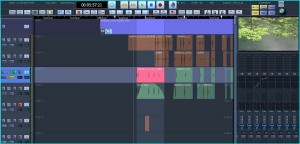
NAB is on next week in Las Vegas, and Fairlight will be showing the new versions of both its Dream software range and EVO post/production consoles.
Solo – the new mouse-based editing software for Fairlight’s Dream platform
Dream v4 will be shipped with all new Fairlight systems from June this year and provided to existing customers covered by Fairlight’s software support contract.
Version 4 reportedly contains many new features, options, and enhancements along with over 100 improvements suggested by Fairlight customers. Key features include:
• Sound Design Software (SDS) – an integrated sampler designed for Post Production
• Mouse-based editing enhancements
• Dedicated single-screen GUI design for compact installations
• Speed increase and new features; for the Audiobase sound FX database
• Improved dynamics attack range, plus side-chains and MaxLinking across groups
• Customizable Surround Formats including AudioWorks-3D
• More VCA groups with more features
• Audition sound from Windows Explorer, directly on the project timeline
• In context replacement of audio in P2 files
• Mixer UI updates
• Import of selected mix automation data from other projects
• Support for remote control via tablet apps.
Fairlight’s Version 4 Dream software will be on view at NAB 2012 on a 5-bay EVO console at the Fairlight booth, SL14305. Fairlight also announced today they will be releasing a range of new options for the flagship EVO series of post production consoles.
The most significant addition here is a music keyboard bay “harking back to the roots of Fairlight in sound sampling,” explains Fairlight CTO, Tino Fibaek.
Mechanically, the EVO changes are ergonomic improvements and modifications to allow a greater degree of user installation customization, including:
• A chassis-less configuration, for mounting in customer’s own furniture.
• Variable monitor viewing angles – screens can moved in a 20 degree range
• Speaker and utility shelves mounted at the rear of the console
• Multiple variations in console raking and elevation
The mechanical changes now support a range of new electronic options including:
• A music keyboard bay accommodating either 25 or 61 notes integrated with the new Dream II v4 Sound Design and Sampling software.
• An optional video sub-panel for use in applications such as metering and monitoring
• A sophisticated Ethernet based GPI/O system, either in-console or externally mounted.
For more information on the Dream software and EVO post-production systems, visit au.fairlight.com.
DATAMASKIN

