
30th Anniversary of MIDI – by Roland
One standard started it all. One technology allowed different musical devices and computers to all speak the same language and make beautiful music together. Thirty years ago, MIDI was born…and the rest is history.
Making a simple song using the MIDI Pattern Sequencer
MIDI Pattern Sequencer for iPad. Make a simple song demo.
MIDI Pattern Sequencer is a tool with powerful and at the same time very comfortable, intuitive and easy interface. It is the main feature, through which the sequencer can easily used by anyone, from beginner to professional, and everyone will find it most necessary for their own purposes. The sequencer is designed to control via MIDI any external sound modules, samplers, synthesizers and other applications running on iPad or another computer. Full support for external MIDI interfaces, network and virtual ports, synchronization with external devices and transport control makes this sequencer like playback control center for music devices or other applications.
Main features:
- Classical data structure: Project – Song – Pattern.
- Four main control modes – Transport, Keyboard, Edit pattern, Edit cell.
- No need to save data. All changes will be saved automatically.
- Pattern tracks can be configured for notes or drum events.
- Real-time recording and editing patterns.
- Recording and editing events through internal keyboard or external devices.
- Playback one or more patterns at once. Start and stop patterns during playback.
- Changes pattern events (Transposition, Velocity, Duration) during playback.
- Editing individual events or changes all events in track.
- Length of pattern is defined by last note or can be set to fixed value.
- Correct simultaneous playback patterns with different length.
- Each pattern and song track have individual mute/solo function.
- Song can contain patterns from current project and patterns from any other projects.
- Extended set of editing functions for patterns and songs – insert, delete, move and scroll a single event or entire track.
- Ability to set track titles, pattern titles (pattern button titles) and drum pad titles.
- Set of different color schemes of interface.
See more:
The all new Tabletop from Retronyms – Ready. Set. Play
Big update Tabletop introduces Midi controller support, timeline editor, session sharing, and Tabletop Ready Apps with iMPC from Akai Pro! The update is free! Tabletop is free! http://bit.ly/TXTbd0
Ready. Set. Remix!
The exclusive Soundtrack in this video was created in Tabletop by Richard Devine. You can find the song Glitch Breaker Demo inside the Tabletop in-app community, or on SoundCloud. To celebrate the new update for Tabletop we’re making a call for remixes! Download the Glitchbreaker Session right in Tabletop. You get access to all of the custom samples, sequencing, and arrangement. Remix to your heart’s content. We can’t wait to see what you come up with!
Richard Devine: http://www.facebook.com/pages/Richard-Devine/105387759760
Glitch Breaker https://soundcloud.com/richarddevine/glitch-breaker-made-with-1
Using Koushion with WaveGenerator, Animoog, Alchemy, and more
A quick overview using the Koushion MIDI step sequencer iPad app to control a variety of synthesizer apps including WaveGenerator, Alchemy, Animoog, and more. Koushion is on sale for the holiday season until Dec 31. Buy it now for $4.99 in the App Store!
**Link to the App Store**
http://itunes.apple.com/app/koushion/id424454249
Koushion is a MIDI step sequencer that allows you to easily program drum patterns and melodies using your existing drum machine, hardware synthesizers, or soft synths and samples in your DAW.
Features:
* 16 steps per scene (up to 128 steps in chain mode)
* 8 scenes with independent midi channel per scene
* 4 playback modes: single, simultaneous, chain, rebound
* Key switching between any major, minor, or pentatonic scale
* Adjustable quantization (1, 1/2, 1/4, 1/8, 1/16 and 1/32)
* Quantized scene switching
* MIDI clock send/receive
* Tap to set tempo (great for syncing with a live band)
* Velocity control
* Monophonic drawing mode (only allows one note per step; great for programming leads)
* Wireless connectivity via CoreMIDI Network Sessions
* Automatic integration with other apps via CoreMIDI virtual ports. Open up a synth in the background and Koushion will trigger the notes!
Basso Live: Phantom and the Flying Saucer UFO Controller, Ultrasonic MIDI Instrument
Googlish from Finnish:
Bass Live Phantom 16.11. 2012. The band played songs Kisses morning a bass.
Video: Jussi Sirviö & Annika Ranin

UFO stands for Ultrasonic Frequency cOntroller.
- Five ultrasonic sensors – that is, distance sensors based on ultrasonic echo location (a typical range-finding sensor)
- Send MIDI notes, using gestures to send notes with controller data. (This is a bit like the Theremin arrangement – and like any touch-less arrangement lacks tangible feedback – but with more axes of data. And unlike the Theremin, it’s tuned to scaled octaves so you send fixed notes, as on a piano.)
- Send controller data.
- LEDs for feedback on modes.
- MIDI out. USB class compliance (for USB MIDI).
- Built around Arduino Mega 2560
Planned for the future:
Presets that you can store and recall
Sustain pedal support
MIDI IN for arpeggio clock sync
Arpeggiator patterns
LFO CC curves
Quick switching of presets by sending MIDI commands to the device
MIDI Designer and Maschine
This video shows how to control Maschine with MIDI Designer, both with Maschine as a standalone application and as a VST plugin inside Ableton Live. Parameters are controlled via track routing and via host automation.
Thanks for watching and for checking out MIDI Designer!
MIDI Designer (http://midiDesigner.com) is a professional MIDI controller for iPad, iPhone and iPod touch. Design your perfect MIDI control surface right on your device. MIDI Designer is used by professional musicians, DJs, sound engineers, lighting engineers, and robotics experts.
Chroma Sequenced Monosynth for Reaktor
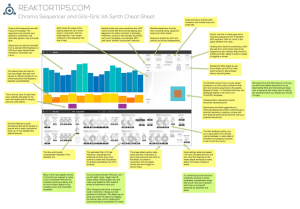
Introducing Chroma, a unique sequenced monosynth for Reaktor featuring sound and sequence morphing and multiple control methods – use your mouse, a MIDI controller, Konkreet Performer, TouchOSC or Lemur.
available now at http://www.reaktortips.com/2012/12/chroma-and-gris-gris-sequenced-monster.html
Chroma is a performance oriented monosequencer and VA carefully tuned for ergonomic ease of use and glitch free operation in standalone and plugin mode. Slur features in Chroma match up with legato and glide features in the Gris-Gris synth to create a slinky sinuous note articulation.
Sequences can be created and controlled via mouse, MIDI, Konkreet Performer, TouchOSC and Lemur. Since there is now full OSC support in the Reaktor plugin version, you can do everything with Chroma in your preferred DAW that you can do stand-alone. A dream come true!
TouchOSC and Lemur templates are included in the package but there’s something special about Konkreet Performer that sets things on fire when it’s paired with Chroma and Gris Gris, a certain magic in the way it morphs and distorts sound. It is my firmly held opinion that not nearly enough people use KP and if you want something really special and unusual on your iPad you should rush right over to Konkreet Labs or head straight for the App Store and buy a license.
Chroma is 24.99 USD and can be purchased and downloaded immediately. Remember, Chroma is a Reaktor ensemble and requires a full installation of Reaktor 5.8.0, not just Reaktor player.
Maschine and MIDI Designer Duet
Dan Rosenstark, founder of MIDI Designer, plays a duet with Native Instruments Maschine and MIDI Designer. This video highlights MIDI Designer 1.4.2’s new position-sensitive drumpads and absurdly-low latency.
“Thanks for watching and for checking out MIDI Designer!”
MIDI Designer (http://midiDesigner.com) is a professional MIDI controller for iPad, iPhone and iPod touch. Design your perfect MIDI control surface right on your device. MIDI Designer is used by professional musicians, DJs, sound engineers, lighting engineers, and robotics experts.
In The Studio With Koushion: Moog, Ableton, And More
Koushion is a MIDI Step Sequencer iPad app that allows you to easily program drum patterns, melodies, and more using your existing hardware synthesizers, softsynths, samples, and other electronic music gear. In this video we use Koushion to sequence a variety of Moog analog synths, the Moog Guitar’s filter, and soft synths in Ableton Live. Look for Koushion in the Apple App Store.
Anushri Drum Tweaking
Mutable Instruments latest analog DIY synth Anushri. Tweaking the digital drum sounds with a Doepfer Pocket Control sending Midi CC.
DATAMASKIN

