
Animoog has been updated to version 1.0.1
Moog Music’s Animoog synth for the iPad has been updated.
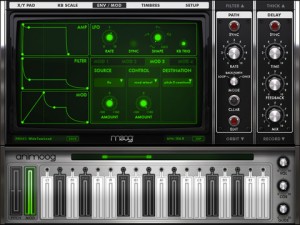
Here’s what’s new in Animoog 1.0.1:
New functionality:
- Background audio support
- Record module now has a 4 beat count-in with optional beep (configured on Setup page)
- Also on Setup page, a new Random Preset button (warning: dangerously addictive)
- Timbres page: ‘Preview’ button, select timbres silently or select & preview them audibly
- Multi-mode knobs are now easier to adjust
- Network MIDI session now enabled by default.
Bugs fixed:
- Memory leak on switching page views was causing crashes
- MIDI Clock Sync much smoother
- MIDI note to KB display mapping is now correct
- Handles MIDI NoteOn w/ velocity 0 as a NoteOff.
And Animoog is still $.99 in the App Store.
VocaLive for iPad: the first professional vocal processor for iOS!
I guess how professional it is remains to be seen, if you have tried it feel free to leave your comments.
VocaLive for iPad now available in the iTunes App Store! VocaLive for iPad takes an already powerful vocal processing app that has become a favorite on the iPhone® and iPod touch® and makes it even more powerful. The iPad version adds a fourth effect slot to the signal processing chain, and two of those effect slots can hold the specific “vocal effects” compared to just one vocal effect per chain on the iPhone version. The preset browser is also available in the main window of the interface making loading and saving VocaLive presets even easier. The Favorites section has been expanded from 4 to 40 in the iPad version utilizing a new bank button. Favorites put presets right in the bottom panel on large, accessible buttons for immediate loading of the artist’s most-used settings.
VocaLive includes 5 Vocal Effects — Pitch Fix (for tuning correction or stylized quantization FX), Choir (a 3-part harmonizer), Morph (an X-Y pitch and formant shifter that changes the tonal quality of the voice from subtle deepening to radical gender bending) Double (Double effect gets unlocked by registering) and De-Esser — along with 7 Studio Effects — Reverb, Delay, Parametric EQ, Compressor, Chorus, Phazer and Envelope Filter — that together create the perfect vocal processing solution.
VocaLive for iPad features:
- Real time vocal processor + recording app
- 4-processor vocal effects chain
- 12 professional studio quality vocal effects
- Single track recorder expandable to a full 8-track recording studio with master effects section, available for purchase in the in-app Shop
- Import and play songs to be used as backing tracks directly from your music library or computer
- Voice Cancel feature lets you create sing-along backing tracks by removing the vocal track from existing recordings
- 50 presets included with 4 Favorites for fast recall
- Includes metronome and vocal warm-up tools
- Low-latency for real time vocal processing
More information: http://www.ikmultimedia.com/vocaliveipad and http://www.ikmultimedia.com/irigmic
Everyone Can Play Music – iMS-20 feature
In this lesson we play around with some drum synthesis, then synthesizing and recording a bassline.
iMS-20 is available on iTunes: http://goo.gl/Zw8I4
iMS-20 is an analog synth studio; a complete recreation of the Korg MS-20 synth, an analog sequencer, a drum machine, and even Korg’s Kaoss Pad technology. Plus, you can share your songs online via the SoundCloud!
iMS-20 is a complete music production app for iPad. It consists of a complete recreation of the legendary Korg MS-20 analog synth with the patching capability, plus a 16-step analog sequencer based on the Korg SQ-10, a six-part drum machine which can create drum parts by simply tapping the buttons, and a seven-channel mixer with 14 types of effects.
iMS-20 is a complete music production app for iPad, consisting of a complete recreation of the legendary Korg MS-20 analog synth with patching capability, a 16-step analog sequencer based on Korg’s SQ-10, a six-part drum machine with dedicated pads, and a seven-channel mixer with 14 types of effects.
In addition, iMS-20 offers dual Kaoss Pads allowing you to generate music by simply stroking the pad and moving your fingers over it. Experiment to come up with wild musical phrase! And with access to the SoundCloud audio platform*, you can publish your songs, or collaborate on ideas with people anywhere in the world from within the app!
Geo Synthesizer Tutorial by Rudess
The Geo Synthesizer was recently released on the App store and in this video Jordan Rudess takes you through the basics:
In this first Geo Tutorial, I show how you can quickly and easily sample something in SampleWiz and move it to Geo Synthesizer! Here is the direct link. http://itunes.apple.com/us/app/geo-synthesizer/id465224352?mt=8&uo=4
About the synth:
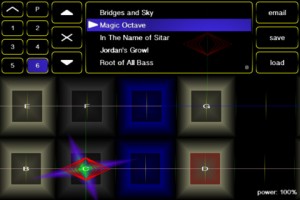
Geo Synthesizer is a musical instrument and MIDI controller. A collaboration of Wizdom Music’s Jordan Rudess and Kevin Chartier (MorphWiz, SampleWiz) and Rob Fielding (Mugician), Geo Synthesizer is an incredibly expressive musical instrument specifically created for a multitouch surface.
A comprehensive Geo Synthesizer manual is available at: http://www.wizdommusic.com/GeoSynth/manual.html
Jordan says: “Since touching a preliminary piano keyboard on an iPhone screen and realizing the amazing potential for musical expression on a multitouch device, I have been inspired to create next-generation musical instruments for iOS. Geo Synthesizer is a dream come true in many ways. It is the fastest truly playable iOS instrument that I have put my hands on to date. I can fly through the range of an instrument while expanding on the kind of advanced pitch control we introduced in MorphWiz. As someone who grew up with synthesizers, I can tell you that pitch bending has never been this good!
“Geo features many of my custom sounds and in addition, Geo is also a MIDI controller, so you can use it with any external midi instrument or virtual MIDI. Virtual MIDI allows you to control an app running in the background on the same device! A great feature of Geo is that internally and externally we send independent voices on each note played, so as an example, you can pitch bend one note and not the other, or add unique expression on every note! I can’t wait to see the YouTube videos of all of you guys rocking out with Geo Synthesizer!!!”
Features:
– ability to load waveforms from SampleWiz presets
– octave rounding for effortless soloing over large ranges
– whammy slider with absolute and relative modes
– 12ET, 24ET, 53ET, and 665ET temperament options
– mono, string, and full-polyphony modes
– tuning and transposition controls
– snap speed control to affect how quickly the instrument pulls notes in tune
– playing surface options for number of rows and columns on screen
– octave and fifth harmonics synthesis options to rich, organ-like sounds
– gain control to add distortion to the sound
– FM and touch FM controls for timbal variation
– mono out for use with guitar amps
– sine, sawtooth, square, and custom (SampleWiz) wave options
– attack and release controls
– synthesis body control
– lowpass filter with resonance
– stereo delay
– reverb
– MIDI output with polyphonic note bending and multiple configuration options to allow compatibility with a wide range of hardware and software synthesizers
– performance menu lets you make your own custom menu so all the controls you need are always right at your fingertips
– 40 presets carefully selected by Jordan Rudess, including patches from Jordan’s personal sound library
Full Music Production with iPad
Music Production with iPad and iPod Touch
Featured SW:
IRig Midi Garage Band Multitrack DAW Geo Synth Boss gt 8 ipad2
More info here:
http://soundcloud.com/giuliano-soares/demo-song
http://musicapps.com.br/forum/viewtopic.php?f=21&t=79&p=227#p227
Le K Live @ Wilde Renate Berlin using 4 iPads with touchAble
The complete controller for Ableton Live
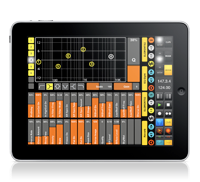
TouchAble version 1.3 was recently released, you can check the changes here >>
Key features:
• Clip Grid
• Mixer
• Devices
• Keys
• Pads
• XYZ-Pad
6 Modules to control every aspect of Ableton Live 8 wirelessly!
Animoog as a MIDI output device from a PC over WIFI using Fruity Loops
A video showing Animoog on the iPad running as a midi output device in fruity loops studio so that it can be sequenced
Just playing around with the iPad app Animoog, which I believe is still available for $0.99 at the iTunes app store. This is a huge bargain on a really really cool app. I won’t get into the specifics of the app, but if you want to know more about what Animoog is or how to use it, I recommend this YouTube video.
So, while playing around with the Animoog app, if you go into the setup menu there is a selection under ‘Refresh MIDI input(s)’ where you can select ‘Off’ or ‘Network Session 1′. This intrigued me! Apparently you can use MIDI over the ‘Network’. After some Googling I was still unclear on how to get this setup, so I thought I’d just tell everyone how I did it so you can get to making some cool tunes yourself.
How to effectively control Ableton Live 8 TouchAble
TouchAble App for iPad is available through the iTunes App Store http://www.itunes.com/app/touchable
touchAble is an unique iPad app is the first application to give Ableton Live users full control over their digital audio workstation, without the tiresome process of manual midi-mapping. touchAble allows live users to walk away from their computer and perform live from anywhere within Wi-Fi range (using ad-hoc connection or router) while keeping latency at a minimum.
TouchAble App includes 6 advanced modules, Clip grid, Mixer, Devices, Pads, Keys, XY Pad, and 2 commands menu : clips and transport.
TouchAble provides a powerful, intuitive and reliable multitouch control solution for professional use.
TouchAble includes templates for lives plugins and is fully compatible with vsts, audiounits and instruments.
The new update, touchAble 1.3 contains over 30 new features and changes, such as a loop and beatjump section, enabling anything from CDJ style mixes to creative loop manipulation, a completely rebuilt mixer that allows users to modularly choose the controls they need – complemented by the long awaited crossfader. 3 new native templates have been added: Auto Filter, Ping Pong Delay & the very first Instrument – Impulse – and are waiting to be tweaked. The new Settings Menu not only offers a cascade of new control-options – but also simplifies the connection process by adding Bonjour support.
changes / new features:
Clips:
– added Loop menu to clip module. Do loops on the fly – on whole tracks or on already prepared loops. think Traktor looping – Keep loops that you like.
– added keep loop feature which allow you to save the new loop made as new clip.
– Added beatjump / loopjump menu to clip module. Do beatjump / loopjump of a set size in the currently playing clip of a track.
– track header buttons in the clip module now function as ‘jump to active clip’ buttons. For group-tracks they allow to fold and unfold the tracks.
Mixer:
Completely rebuilt mixer:
– added crossfader to mixer
– added A/B control to mixer
– added support for as many sends as you like + name of the send tracks are now displayed.
– added possibility to show as many faders at once as you like – and you can decide which!.
– added the possibility to control return tracks the same way you can control normal tracks
– added “+” mode to fullscreen for double length faders for precision tasks
– added snap mode to mixer
Drums:
– added velocity sensitivity mode to drum pads
Devices:
– Added Impulse native template
– Added Auto Filter native template
– Added Pingpong Delay native template
– Track Header buttons in the Device Selection View will switch Lives view to the device chain of the respective track.
XYPad:
– snapshots will be saved with saved templates of XY pad now
– after morphing / playing / stopping snapshots the dots will not be affected by gravity till touched
General:
– Added support for 4 iPads
– Added possibility to link several ipads and setting their relative positions.
– touchable will prefer a wired connection if available (MyWi etc)
– design & layout changes throughout the app
– added 16 tracks mode
– triple quick taps on relative faders will: bring the fader to max value if it is done on top of the fader, bring the fader to the exact middle value if you tap around the middle part, and bring the fader to 0 value if you tap on the bottom part.
– Finally touchable will connect via bonjour – tests show that almost no setup is needed to connect
New Settings:
Clips:
Lock navigation in Clip grid – On / Off:
-If enabled, clips will start immediately after touching – but you won’t be able to scroll in the clip grid
Slide Clips to launch in Nav Lock Mode – On / Off:
-Makes it possible to slide e.g. a row of clips in different tracks to start them
Devices:
Always Open Device View 8 – On / Off:
-If enabled, devices will always show the FX8 view instead of switching to FX32 for devices with more parameters.
Mixer:
Relative Crossfader – On / Off:
-same as relative faders elsewhere – just for the crossfader
Hide Mutes – On/Off:
-If enabled, mutes are hidden from the view.
Max Shown Controls for 2/4/8/16 tracks mode (0-8, 0 being disabled):
-You can set the maximum amount of controls shown per channel in each of the different sizes. When changing size the mixer will automatically show/hide faders depending on your preference.
General:
Link iPads – On / Off:
–
enables or disables automatic following of secondary ipads.
bugfixes:
– arm / exclusive arm fixed
– numerous fixes for smaller issues / crashes / performance improvements
TouchAble is supported by many professional musicians, performers, djs and composers around the world, who use touchAble on stage or in studio.
Zx Plectrum retro application à la C64
A short video introducing ZX Plectrum.
http://itunes.apple.com/us/app/zx-plectrum/id477244691?ls=1&mt=8
Universal app available on ipod and iphone! Play the ZX Specturm loading sounds as a musical instrument on your iPhone/iPod/iPad!
Relive the crisp sounds of your youth!
Change the loading phase and pitch to make some weird but familiar sounds!
>> “Made this video with an ipod and nothing else, maybe I’m getting old but that impressed me!”
Introducing the Grantophone for iPad
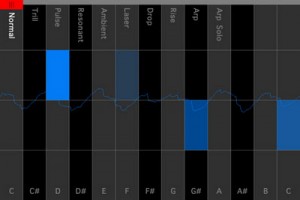
The Grantophone is an extremely expressive and playable musical instrument app. It merges the polyphonic capabilities of a keyboard instrument such as a piano, with the more expressive qualities of instruments like the cello. It supports as many touch points as the device you’re using supports. For iPhone that’s 5 touch points and for iPad 11. You can control articulation, vibrato, volume and slide from note to note or between octaves. It also comes with several modes you can choose from.
Grantophone is a free app and if you want a cool, unique way to play music – it’s worth checking out.
DATAMASKIN

