
Free Karl Bartos (ex Kraftwerk) iPhone app available
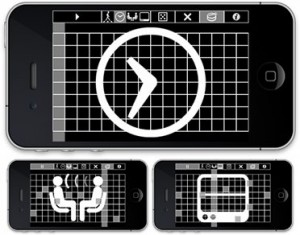
Karl Bartos (ex-Kraftwerk) and Masayuki Akamatsu (media artist and author of various iPhone apps such as Banner, Oscillator, Echochops) have created an iPhone app, ‘The Mini-Composer’, which is actually a 16-step music sequencer (you can get it for free right here). Executive producer for the app is Jean-Marc Lederman (The Weatherman + partner in Sushi crime in Brussels with our chief editor Bernard Van Isacker).
In a reaction Karl Bartos says: “We have created this simple music app for fun: it implements the basic waves of a synthesizer with a 16-step sequencer. This app is totally free of charge but we would be very glad if, as a relief to people’s suffering following the earthquake and tsunami, you would consider a donation to lend a helping hand to Japan. Please enjoy our music and think Japan.”
The application has the following functions:
- 16 steps sequencer
- Start/stop sequence
- Multi-touch note input
- 32 polyphonic tones + 1 drum track
- 4 waves (saw, triangular, square, sine)
- 4 drumbeat loops
- Drums on/off
- Random notes
- Clear notes
- Additional information
.reflection
Interative physics balls application.
This app is designed for both iPhone and iPad.
Download: free
Category: Entertainment
Released August 18, 2010
Publisher: aircord
Version 1.0 [3.9 MB]
download this app
j.mp/9WHf5s
Fairlight iPad / iPhone App – Tutorial Part 1
A quick overview of the main features of the Fairlight Instruments iPad / iPhone app.
For more background see:
http://www.youtube.com/watch?v=iMy0p__Rx50&feature=related
or visit the app’s website http://www.fairlightinstruments.com.au/ios
Ear Machine has announced the release of EARs
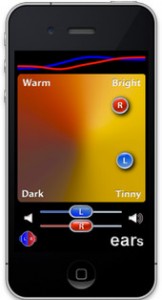
Ear Machine has announced the release of EARs , an app that turns an iPhone or iPod touch into a powerful, easy-to-use hearing aid. With EARs, users can quickly manipulate the tone of the sounds around them by dragging a single dot around the screen.
Ear Machine has announced the release of EARs, an app that turns an iPhone or iPod touch into a powerful, easy-to-use hearing aid.
With EARs, users can quickly manipulate the tone of the sounds around them by dragging a single dot around the screen.
“Every listening situation is different, so it’s important to be able to customize the tone as you move from one environment to another,” said Andrew Sabin, Ear Machine owner and psychoacoustics researcher. “EARs provides a simple interface where users can quickly get the sound quality they are looking for, and then get back to listening.”
EARs picks up sounds in real time using the iPhone’s built-in microphone or an external microphone. The sounds are processed according to where the user has placed the dot, and then sent out via earphones. EARs can also help if the user has different hearing in their two ears by providing separate controls for the right and left ears.
In the United States, only about one-third of the people who could benefit from a hearing aid actually use one, and self-contained hearing aids can cost as much as $3,000. “We hope that EARs will provide a convenient and affordable way for people with hearing loss to improve their hearing,” said Joshua Cooper, co-creator of EARs. “Even if you have normal hearing, EARs can enhance your ability to listen in difficult environments such as noisy restaurants or bars.”
EARs is for available to purhcase from the iTunes App Store for $3.99 USD.
More information: Ear Machine / EARs
Mind-blowing music app for creatively mixing and rearranging beats
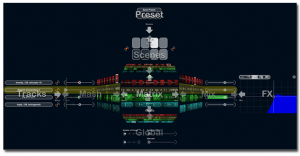
Steinberg today releases LoopMash, a mind-blowing music app for creatively mixing and rearranging beats, tunes and effects. Now available for your iPhone and iPod touch, this inspiring mobile instrument lets you choose from over 40 presets and 250 addictive loops ranging all the way from ethno to disco.
With its innovative approach to mixing music, LoopMash simultaneously merges up to four two-bar loops by matching and replacing comparable elements. By using the included studio-grade effects, you can easily spice up your performance and make your music sound even gnarlier.
Quality content, intuitive control and 3-D navigation for effortless page browsing make this app a must-have for party-goers, music aficionados and pretty much everyone in between.
Key Features
- More than 250 addictive audio loops included
- Over 40 presets to get you started right away
- Intuitive 3-D swipe-page navigation
- Load and play with up to 4 loops per scene
- 8 scenes available per preset
- 4 studio-grade effects for more sound control
Loopmash at the iTunes App Store
Midi Touch for iPhone
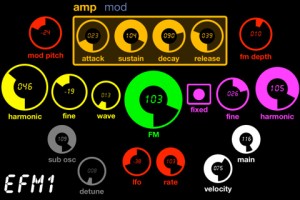
Midi Touch for iPhone – an Phone version of the popular iPad app Midi Touch – is now available. The app is designed to turn your iPhone or iPod Touch into a powerful wireless MIDI controller.
MIDI Touch for iPhone lets you create your own custom controllers by placing knobs, sliders and other controls onto the screen wherever you want, and then send MIDI over Wi-Fi with latency as low as 2-5ms.
Features:
- Design & save your own MIDI controllers by dragging and dropping sliders, buttons and more where you want them to create personalised control surfaces
- Excellent responsiveness & performance – measured latency over WiFi: 2-5ms.
- Support for CC, Note, Program Change, SYSEX, NRPN & RPN messages (SYSEX not supported by DSMIDIWiFi)
- Support for multiple messages per control
- Midi Feedback – keeps the controls synced to your incoming messages (SYSEX, NRPN messages not supported for feedback yet)
- Many different control types – Vertical sliders, horizontal sliders, knobs, buttons (momentary or latched), drum-pads, X-Y-Z controllers, transport controls and preset-jump buttons
- Easily change the settings of each control – CC number, note number, minimum & maximum range, channel, invert, size, label & more
- All new tab control – easily organise your controls
- Choose from 14 different theme colors
- Import/export & share controller setups via Email, Safari, Dropbox etc
- Multi touch – control multiple knobs/sliders etc at once
- Full screen mode to reduce distractions and maximize usable space
- Controls snap to each other to help create aligned layouts
- Invert values mode – perfect for drawbar organs
- Editor controls – copy, cut, paste, duplicate (between presets also)
- Multiple control selection – select multiple controls to move/cut/duplicate/edit
- Nudge controls to make pixel perfect controllers
- Intuitive gestures – great for fine tuning controls
- New SYSEX message editor allows entering custom SYSEX strings with the value of the control embedded into the message
- Robust RPN/NRPN support – simply select the MSB & LSB and the app does the rest
- Turn inputs/outputs on or off selectively
- Advanced control options to change how controls respond to incoming messages
Pricing and Availability
MIDI Touch for iPhone is available now for $$12.99.
Link:
grüvtron jam with iPad and iPhone
iPad and iPhone both running new grüvtron with their tempos locked wirelessly using BeatSync.
Want to create that thumping bass line to fill the dance floor or a heart-wrenching lead line? Want to jam along with your friends – any time, any place and sound superb? grüvtron lets you jam and create in a multitude of styles and in any key all on your iPhone, iPod touch or iPad – whether you’re a trained musician or not!
Just as easy as using loops but way more versatile. Just choose a Preset and jam! Change keys, scales, sounds and other musical parameters. The grid-based touch interface lets you create Bass, Lead, Chords, Pads and other musical Parts with control over note density and pitch. Bass part too busy? Too slow and plodding? YOU control the density of the part in real time! From slow whole-note soulful to fast and frenetic 16ths!
technoBox adding features like dual 303s and drum machines
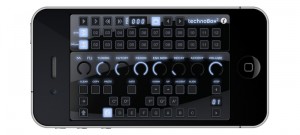
AudioRealism has announced technoBox2, the next version of technoBox adding many asked for features such as dual 303s and drum machines, export recordings of songs and SoundCloud integration.
A performance page has been added which allows access to the most commonly used controls on one page. The drum machines now allow you to load your own samples (via iTunes documents). technoBox2 runs on iPad and retina displays with crisp native resolution.
Featuring the same high quality audio engine as ABL2 which was painstakingly optimized to be able to run on mobile devices. For the uninitiated our audio engine has aliasing free oscillators and full range non-linear filters.
The drum section features 11 parts with 808 or 909 sounds (for a total of 22 sounds) with variable amount of shuffle per pattern, volume and decay per part. You can now load your own .wav and .aif samples into the drum machines via iTunes documents.
The newly redesigned FX panel now allows effects to be set on any or all of the four machines.
A performance page has been added which allows access to the most commonly used controls on one page.
technoBox2 features
- Dual 303s and drum machines.
- Improved song sequencing with Start/End and Loop markers.
- Lock parameters to sequence bar.
- Export recorded songs (as .wav) via iTunes.
- Upload recorded song to SoundCloud directly and share.
- Load your own .wav and .aif samples (uncompressed 44.1kHz 16-bit) into the drum machines (via iTunes).
- Performance screen with the most accessed controls on one page.
- Completely redesigned FX panel: You can now activate effects on any or all of the 4 machines.
- Improved tempo synced phaser and distortion effects.
- Global filter cutoff and per part decay added to the drum machines.
- iPad and retina display native resolution support.
- All technoBox1 features remain.
technoBox2 will be available soon at the iTunes App Store.
More information: AudioRealism
DXi FM synthesizer for iPhone Multi-track Matrix Sequence Play
Please visit the URL for more information: http://itunes.apple.com/app/dxi-fm-synthesizer/id370138065?mt=8
DXi is a FM synthesizer application inspired by 80’s most popular synthesizer. Enjoy making music and creating sound by FM synthesis engine easily.
The movie show you the new great features about DXi version 2. DXi version 2 loads new powerful synthesis engine and brushed up preset voices.
Yet another theremin :-)
Seems like everyone’s doing theremins these days, hehe
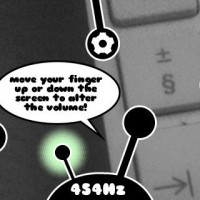
Ethero (App Store link) is a free app that turns your iPhone, iPad or iPod touch into a light theremin.
Ethero takes the amount of light coming into the device’s camera and translates it into a sound frequency. Moving your hand or another object in front of the device camera will change the pitch of the sound. The more light coming into the camera, the higher the pitch.
To control the volume of the sound, simply touch the screen of the iphone and move it up and down the screen.
Features:
- Calibration. To get the full frequency range of the instrument even when in poor lighting conditions. Press the cog icon, hold your device still then press the tick icon. If you want to reset the calibration, just press the cog icon again and press the cross icon.
- An LFO (low frequency oscillator) which adds vibrato to the sound. Press the ‘LFO on’ button to switch it on, and again to switch it off.
- A lock to chromatic frequencies. This makes the instrument easier to play if you’re just getting used to it, as only frequencies on the chromatic scale are played and the ‘glide’ from the sound is removed. Press the music-note button to switch to chromatic mode, and again to switch it off.
DATAMASKIN

