
Synth Arp & Dr Pad – Yamaha –
Here are the details:
http://ios-music.homewoke.net/
It is a first impression.
The easiest operation was photoed.
Although this has the strong side as a MIDI controller, it makes a very good sound also with an application simple substance.
Although the performance using Arpeggiator is main, only few of programming is not sensuous.
However, various usage is done.
Available on the iOS App Store
http://itunes.com/app/syntharpanddrumpad
The special release price for a limited time until July 31th 2012!
☆★☆ 2012/7/31まで発売記念価格350円にて販売 ☆★☆
Learn more about Synth Arp & Drum Pad on our website:
– UK: http://uk.yamaha.com/products/apps/synth_arp/
– other EU countries: http://europe.yamaha.com/products/apps/synth_arp/
– Australia: http://au.yamaha.com/en/products/music-production/accessories/apps/synth_arp/
– Canada: http://ca.yamaha.com/en/products/apps/synth_arp/
– Japan: http://jp.yamaha.com/products/apps/synth_arp/
Use Yamaha’s new iPad app “Synth Arp & Drum Pad” to easily create fabulous phrases and enjoy a performance freely!
Synth Arp & Drum Pad is an iPad app with arpeggiator and drum pad that allows you to easily play the internal synthesizer or any connected MIDI device and produce music with phrases having an abundant variety of musical styles.
(The arpeggiator automatically plays the individual notes of a chord in a selected pattern.)
NanoStudio – “Synthetik Drums”
SYNTHETIK DRUMS for NanoStudio by Blip Interactive
32 drum kits for TRG-16, over 400 single drum sounds!
Roland Juno 2 iPad controller with Arduino Ethernet demo
Demo of a custom device build around Arduino in order to control the Roland Alpha Juno 2 via Wifi.
The Arduino connects the Juno2 to the Wifi network of the iPad via an Airport router, an Arduino Ethernet shield and a midi shield.
I used Touch OSC to design the controller.
Touch OSC sends OSC messages (e.g /jun/DCO_Range 2.000) which are translated by the Arduino into Midi SysEx messages.
But the Arduino also translates Midi sysex messages from the Juno 2 into OSC messages (sort of loopback) so that when you change the patch on the Juno2, faders automatically move to the right position !
The code and detailled instructions will soon be published on http://4colors.free.fr
The control design mimics Roland PG300, but better !
Gothic Assassins – new movie with all music made on iPads and iPhones

4Pockets Audio, creator of Aurora Sound Studio & Meteor Multi-Track Recorder, reports that a new movie, Gothic Assassins, features a soundtrack created using iPads and iPhones:
The new Milos Twilight movie Gothic Assassins due for release shortly has a soundtrack entirely composed on Apple iPad’s and iPhones. Whilst many might have branded Milos as mad when they first heard his concept for creating his soundtrack check out some of these tracks to see just what he has accomplished.
Milos used a range of apps including Meteor Multitrack Recorder, Aurora Sound Studio HD and StompBox.
Beatsurfing – The Organic MIDI Controller Builder – Official Teaser
BEATSURFING – THE ORGANIC MIDI CONTROLLER BUILDER
beatsurfing.net
It allows you to draw a 3-dimensional controller and use it in two different and complementary ways. You can tap it like you would with your regular MPC or any other beatmaking device, but the best and most innovative use you can make of it is definitely by surfing your fingers along routes, colliding with objects, triggering samples or effects. It’s all about movement, and bringing back this intuitive way to make music.
It can control any MIDI-enabled device (Software, Hardware, or even selected iPad apps through Virtual MIDI), features a very intuitive in-app editing system and integrates seemlessly in any existing Studio or Live setup.
Objects Behaviours can be set to link objects together and multiply the available commands on the surface of the iPad.
It’s been developed by Herrmutt Lobby & Yaniv De Ridder.
facebook.com/herrmuttlobby
It’s based on concepts Herrmutt Lobby developed for Hardware MIDI controllers (like the Beatfader and the MIDI scratch devices).
Released by VLEK as VLEKAPP08
vlekdata.org
———————————————
Draw your own controller
Work with the Controller you need, not the one you were given. Simply draw it on the screen with lines, polygons, circles and faders. Size, color, orientation and 3-Dimensional location are all yours to choose.
>> LEARN MORE: beatsurfing.net/?p=186
Surf!
Use the full potential of the iPad touchscreen: You can tap on the screen, but you better add the Surfing to your production and performance skills to integrate more of that human feel in your music.
>> LEARN MORE: beatsurfing.net/?p=152
Link any MIDI device
Dj, VJ, Production softwares, Hardware devices, and even selected iPad apps: you can route BEATSURFING to anything that allows for MIDI.
>> LEARN MORE: beatsurfing.net/?p=198
Objects Behaviours
Each object of your controller can be set to control the others. It creates a system of objects that allow you to add much more to a controller than what meets the eye.
>> LEARN MORE: beatsurfing.net/?p=159
Intuitive In-App editing
Forget about separated editing software, lenghty changes and whatnot. You can swap between the EDIT and PLAY modes at the tap of a finger. All your objects even remain playable when they’re be re-arranged!
>>LEARN MORE: beatsurfing.net/?p=100
Music iPad App: Dubstep MS Pro / Korg Kaoss Pad
Music demo of Dubstep MS Pro connected to a Korg Kaoss Pad. I promise this is the last video I do with the Korg Kaoss Pad! I’m at a stage where I’m trying to work out new ways to make music. Along the way I’m experimenting with different ways to connect apps with external devices.
Download the app from the itunes store:
http://itunes.apple.com/us/app/dubstep-music-studio-pro/id524585951?mt=8
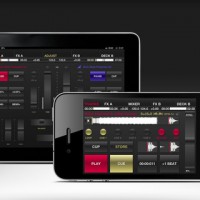
Red Bull BPM DJ Update 2.0 for iPhone and iPad
BPM DJ offers the 21st century digital equivalent of a professional DJ setup with 2 decks, 2 effect engines and a mixer. A high quality tool with focus on performance, low latency, usability and stability, designed for the real club’s DJ booth.
Official Website: http://redbullbpm.com
Facebook: http://facebook.com/redbullbpm
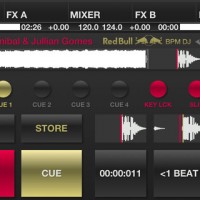
In this video we present the 2.0 version of the Red Bull BPM DJ app. The most notable changes include advanced technical as well as social features. DJ Julien Chaptal takes you by the hand, and explains Key Lock functionality, Slip Mode, improved tracklists, adjustable BPM Information and more high-tech coolness. Also, be sure to check out the all-new Deck Shark feature to hide your peak-time favourites from trainspotters.
Specification:
Output modes for hardware mixer:
– Classic Club to use 2 iOS devices as separate decks, connected to your mixer. They sync the current BPM wirelessly.
– Double Deck to use one device, connected to your mixer. Audio left is deck A, right is deck B.
Output modes for the Split Cable Adapter (check djplayer.net to buy):
– Split Cable. Audio left is master, right is pre-listening.
– Ballroom. Same as before, but full stereo when PFL buttons are off.
Output modes with 2 independent stereo outputs:
– Home mode: audio out is pre-listening, master is transmitted to our MasterOut app over the network.
– Club Master: audio out is master, pre-listening is transmitted to MasterOut. A special design for ultra-low latency DJ monitoring.
Deck:
– 8 gapless cue/loop points (6 on iPhone and iPod touch), play like a sampler. Modify on-the-fly, while playback/loop goes.
– Vinyl Vision or waveform display, touch to jump (beat and block aligned).
– Pitch control (±4, ±8, ±16 and ±100%), fine adjust, adjustable pitch bend strength. Key lock in the ±16 range.
– Reverse play with slip mode for lengths below 16 beats.
– BPM sync, automatic bpm and beatgrid detection.
Mixer:
– Crossfader with 3 curves and attached morph filters.
– For each channel: fader, gain, low/mid/high ±6 db adjust eq, low/mid/high mixing eq from -96 to 0 db (isolator), hidden cutoff switches.
– Punch control for channel faders and cross (in/out).
– Calibrated channel and master VU meters (with peak hold off/fade/run), balance.
– Pre-listening: master/PFL ratio, headphone volume. Split or stereo PFL (in Home or Club Master mode).
– EQ reset on track load (do nothing, or reset all, or reset mid/high and cut bass).
– Gain set on track load (do nothing, reset to 0 or auto to loudness).
Effects:
– Adjust effect parameters with touch or accelerometer.
– Gapless auto or bounce looping, from 128 beats to 1/256 beat (including triolic 3/4, 1/3 values on iPad).
– Slip mode for looping.
– Temp pitch control, beat snap and reloop.
– BPM-based echo, reverb, lo-fi, flanger, highpass, lowpass, bandpass, notch and peak.
– Sharp or smooth echo/reverb release, beatcounter.
Tracks:
– Mass analyze of selected tracks.
– Convenient track search with textual search/filter.
– Sort by playlist, artist, title, comment, BPM or natural (“iTunes order”).
– Automatic marker shows if a track was played in the last 4 hours. Manual marker on/off for each track.
– Serato and Traktor metadata support (BPM and cue points/loops).
– The internal standard SQLite db keeps all bpm and cue points even if a track is removed from the device, with import/export.
Other:
– Automatically or manually post track information and camera images to Twitter.
– Day or night background. Manual or automatic according to your location’s sunrise/sunset.
– iPad only: CPU meter, sunrise and sunset display, live camera background.
– Audio buffer size, from 512 to 128.
AmpliTube for iPad, the mobile effects processing app, has been updated
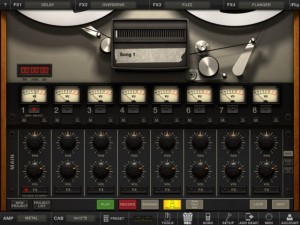
IK Multimedia has updated AmpliTube for iPad, its mobile effects processing app.
AmpliTube for iPad puts a guitar/bass rig at your fingertips, with 4 stompbox effects amp-head, cabinet and microphone. Choose from 11 built-in stompbox effects (delay, fuzz, overdrive, wah, envelope filter, chorus, flanger, phaser, octave, noise filter + distortion once registered), 5 amps (clean, crunch, lead, metal, bass) with full controls, 5 speaker cabinets and 2 microphones (dynamic and condenser).
AmpliTube for iPad 2.5 adds:
- Slash gear models available for in-app purchase
- New Mixer/Recorder section with loop points, visual metronome, tap tempo
- Digital audio in/out support
- MIDI support
- Audio Copy/Paste
- Retina display support
- Restore In-App purchases
- New export via SoundCloud and FTP
AmpliTube For iPad is $19.99 in the App Store.
Deckadance Mobile for the iPad
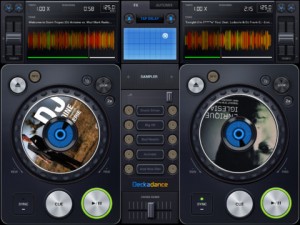
Image Line has released Deckadance Mobile for the iPad:
Load music from your iTunes library and mix, scratch or loop up a storm.
When you are ready to kick back, use the automix feature and let Deckadance mix up your playlists for you.
Key Features:
- Beat detection and autosync – Tap the SYNC button on a deck to sync its tempo to that of the opposite deck.
- Left / Right deck faders & Tempo control with nudge – Individual deck volume faders and X-fader.
- Cue points – Add up to 4 cue points per-track per-deck. Select CUES from the mode window. Tap Rec and a cue memory slot to save the current playback cursor position. Alternatively, with the track stopped press the CUE button to set a cue point. When playing the CUE button jumps back to the cue point and pauses.
- Automix – Select the AUTOMIX tab and music source to hear your selected music automixed.
- Equalizer – From the EQ mode window adjust Low, Mid and High equalization.
- Waveform view – Inspect beat alignment from the WAV mode window.
- Loop – After Deckadance mobile automatically detects the beat, from the mode window select 32 to 1/32nd beat loops and tap the Loop button on the deck to engage.
- Sampler – 5 assignable sampler slots per deck. Play from included sample libraries from the mode window.
- Play effects – From the mode window hold Stutter, Turntable, Censor, Break or (back)Spin to add the effect.
- X/Y effects – From the FX tab choose Ring-Mod, Lo-Pass, Hi-Pass or Tap-Delay effects and control them from the X/Y pad.
Deckadance Mobile is $3.99 in the App Store.
Making a beat in a few seconds with WerkBench
Making a quick beat with two drums and a speaking toy. Get WerkBench for the iPad here: http://bit.ly/L6jhd9
DATAMASKIN

